مقدمة
Welcome to the BOYA BOYALINK 2 A2 wireless microphone system. This comprehensive user manual provides detailed instructions for the proper setup, operation, and maintenance of your device. Please read this manual thoroughly before using the product to ensure optimal performance and longevity.
محتويات الحزمة
تأكد من تضمين جميع العناصر المدرجة أدناه في الحزمة الخاصة بك:
- 2 × جهاز إرسال BOYALINK 2 (TX)
- جهاز استقبال BOYALINK 2 واحد (RX)
- محول واحد من نوع USB-C
- محول لايتنينج واحد
- 1 × 3.5 ملم محول TRS
- 1 × One-to-Three Charging Cable
- 2 × واقيات رياح من الفرو
- 1 × حقيبة حمل

المنتج انتهىview
The BOYALINK 2 A2 system is a versatile wireless microphone solution designed for various recording scenarios. It features two compact transmitters and a receiver with interchangeable adapters for broad compatibility.

يثبت
1. شحن الأجهزة
Before initial use, ensure all transmitters and the receiver are fully charged. Place them in the charging case and connect the case to a power source using the provided charging cable. The charging time is approximately 1.5 hours for a full charge, providing up to 10 hours of operating time per transmitter.

2. Connecting the Receiver to Your Device
The BOYALINK 2 A2 receiver offers universal compatibility through its interchangeable adapters:
- تحديد المحول: Choose the appropriate adapter for your recording device:
- Lightning Adapter for iPhone (14/13/12/XR/X/8/7/6 series)
- USB-C Adapter for Android smartphones, Mac, iPad, and iPhone (15/16 series)
- 3.5mm TRS Adapter for cameras and some action cameras
- إرفاق المحول: Securely attach the selected adapter to the receiver unit.
- قم بالتوصيل: Plug the receiver with the attached adapter into your recording device's corresponding port.

ملحوظة: This system does not support Android phones with a 3.5mm round headphone jack.
3. الاقتران التلقائي
The BOYALINK 2 A2 system is designed for effortless pairing. The transmitters and receiver will automatically connect once powered on.
- تشغيل الطاقة: Press and hold the power button on each transmitter and the receiver until the indicator lights illuminate.
- تحقق من الاتصال: A solid blue indicator light on both the transmitters and receiver signifies a successful connection and readiness for use.
تعليمات التشغيل
تشغيل/إيقاف الطاقة
To power on or off any unit (transmitter or receiver), press and hold its respective power button for a few seconds until the indicator lights respond.
إلغاء الضوضاء
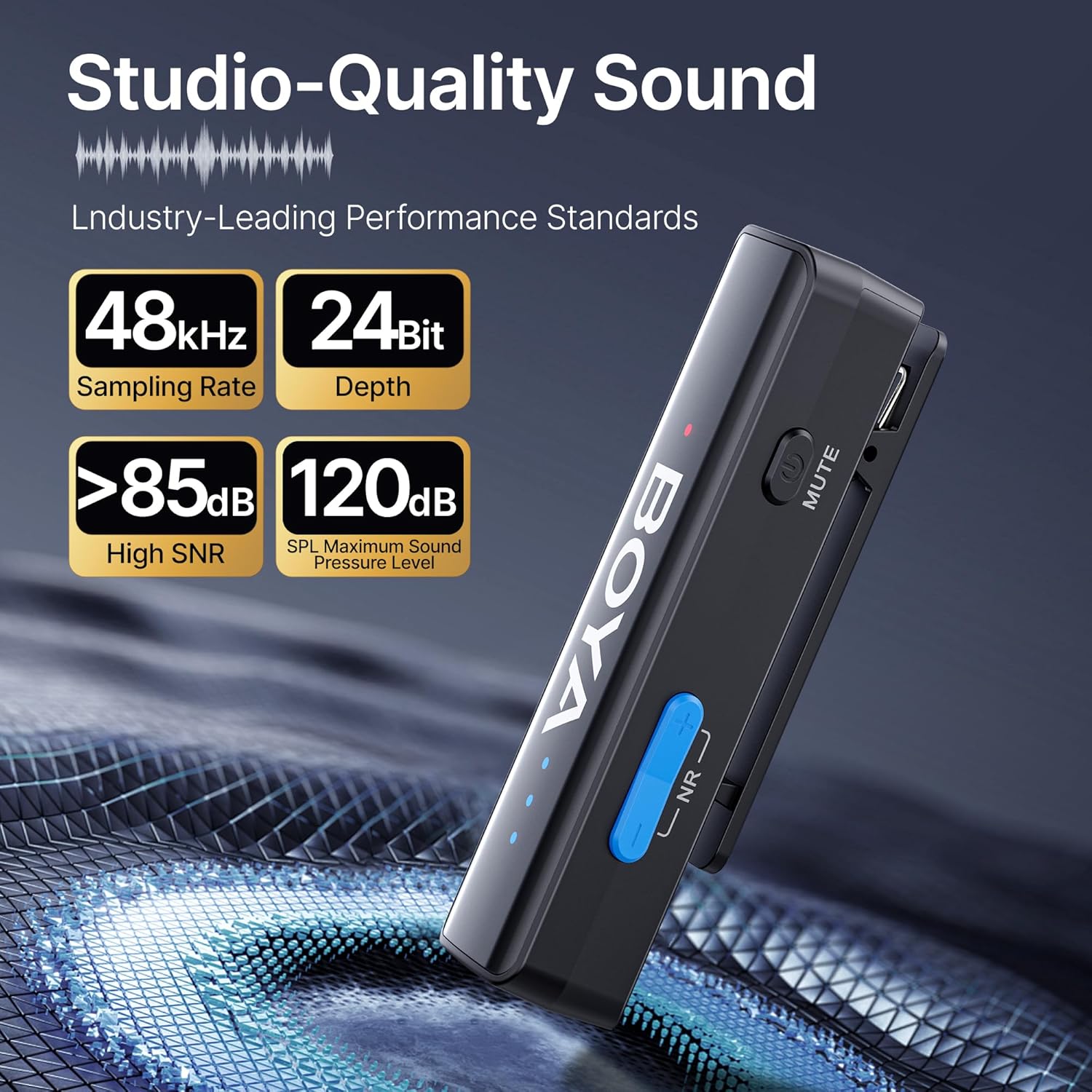
The BOYALINK 2 A2 features a 2-level smart noise cancellation function to reduce ambient noise. Press the "NR" button on the transmitter to toggle between strong noise reduction, weak noise reduction, and no noise reduction modes.

For outdoor use or in windy conditions, attach the provided fur windshields to the transmitters to further minimize wind noise.
الحصول على السيطرة
Adjust the audio input level (gain) to suit your recording environment. The system offers 6 volume control levels, each providing a 6dB boost, for a total range of 0-36dB. Use the volume control buttons on the transmitter to increase or decrease the gain. LED indicators will display the current volume level.

وظيفة كتم الصوت
To temporarily mute a transmitter, press the mute button located on the side of the transmitter. Press it again to unmute.
App Control (BOYA Central)
Enhance your control over the BOYALINK 2 A2 system by downloading the BOYA Central app. The app provides access to advanced functions including external playback, noise reduction settings, mute control, gain adjustments, and power management. It also allows for firmware updates.

أحادي / وضع ستيريو
The system supports both mono and stereo recording modes. In mono mode, both transmitters' audio is combined into a single channel. In stereo mode, each transmitter's audio is recorded on a separate channel, offering greater flexibility in post-production. ملحوظة: When using the BOYALINK 2 A2 with a smartphone, only mono mode is available.

الشحن أثناء التسجيل
The receiver unit allows for pass-through charging of your connected device (e.g., smartphone) while the microphone system is in use. This feature ensures that your recording sessions are not interrupted by low device battery.

Playback Without Unplugging
يمكنك إعادةview your recorded audio or video directly from your device without needing to disconnect the BOYALINK 2 A2 receiver. This prevents wear and tear on your device's port and offers convenience.

صيانة
- تنظيف: استخدم قطعة قماش ناعمة وجافة لتنظيف الأجهزة. تجنب استخدام المواد الكيميائية القاسية أو المواد الكاشطة.
- تخزين: When not in use, store the BOYALINK 2 A2 system in its provided carrying bag to protect it from dust, moisture, and physical damage.
- الظروف البيئية: تجنب تعريض الأجهزة لدرجات حرارة قصوى، أو لأشعة الشمس المباشرة، أو للرطوبة العالية.
- العناية بالبطارية: For optimal battery life, avoid fully discharging the batteries frequently. Charge them regularly, even if the device is not in active use for extended periods.
استكشاف الأخطاء وإصلاحها
لا يوجد صوت أو خرج صوت منخفض
- Ensure the receiver is securely connected to your recording device and the correct adapter is used.
- Verify that both transmitters and the receiver are powered on and successfully paired (solid blue indicator lights).
- Check the gain control levels on the transmitters and adjust them as necessary.
- Confirm your recording device's audio input settings are correctly configured to use the external microphone.
- Ensure the transmitters are not muted.
Interference or Poor Audio Quality
- Ensure transmitters and receiver are within the optimal operating range (up to 1000ft / 300m line-of-sight).
- Activate the appropriate noise cancellation mode (strong or weak) via the "NR" button on the transmitter.
- Use the provided fur windshields when recording in windy or outdoor environments.
- Avoid placing the system near strong electromagnetic interference sources (e.g., Wi-Fi routers, other wireless devices).
الجهاز لا يشحن
- Check that the charging cable is securely connected to both the charging case and a working power source.
- Ensure the transmitters and receiver are correctly seated in the charging case.
- حاول استخدام كابل شحن أو محول طاقة مختلف.
المواصفات الفنية
| ميزة | التفاصيل |
|---|---|
| اسم الموديل | BOYALINK 2 A2 (2TX+ 3-in-1 RX) |
| عامل شكل الميكروفون | لافاليير |
| النمط القطبي | متعدد الاتجاهات |
| تكنولوجيا الاتصال | 2.4GHz اللاسلكية |
| نوع الموصل | 3.5 mm Jack, Lightning, Type-C |
| الأجهزة المتوافقة | Camera, Smartphone, Tablet (iPhone, Android, Mac, iPad) |
| استجابة التردد | شنومكهز - شنومكهز |
| إشارة إلى نسبة الضوضاء | >85 ديسيبل |
| الحد الأقصى لمستوى الصوت | 120 ديسيبل |
| تنسيق الصوت | 48 كيلو هرتز / 24 بت |
| انتقال المدى | Up to 1000ft (300m) Line-of-Sight |
| كمون | 25 مللي ثانية |
| عمر البطارية (جهاز الإرسال) | تصل إلى 10 ساعة |
| وقت الشحن | حوالي 1.5 ساعات |
| وزن العنصر | 1.45 Ounces (per unit, approximate) |
| الأبعاد (الطول × العرض × الارتفاع) | 4.41 x 2.87 x 1.3 inches (overall package/case) |
| المميزات الخاصة | 2-Level Noise Reduction, 6-Level Volume Control, 6mm Tiny Mic, 3-in-1 RX, APP Control & Firmware Updates, Metal Clip, Mute Function, Charging While In Use, Playback Without Unplugging |
الضمان والدعم
BOYA products are covered by a limited warranty. For detailed warranty terms, conditions, and registration, please visit the official BOYA website or contact your authorized BOYA dealer. Please retain your proof of purchase for any warranty claims or technical support inquiries.
For technical assistance, troubleshooting, or further information, please visit the BOYA support page or contact customer service through the official webموقع.


