مقدمة
This manual provides comprehensive instructions for the MoKo 10X Rechargeable Magnifying Glass with 21 LED Lights. Designed for enhanced visual clarity, this device is ideal for reading, inspection, and exploring small details. It features a powerful 10X magnification, adjustable LED lighting, and a comfortable ergonomic design for extended use.
Please read this manual thoroughly before using the product to ensure proper operation and maintenance.
ماذا يوجد في الصندوق
- MoKo 10X Rechargeable Magnifying Glass
- كابل شحن USB
- قطعة قماش للتنظيف
- حقيبة تخزين
- دليل المستخدم
يثبت
1. الشحن الأولي
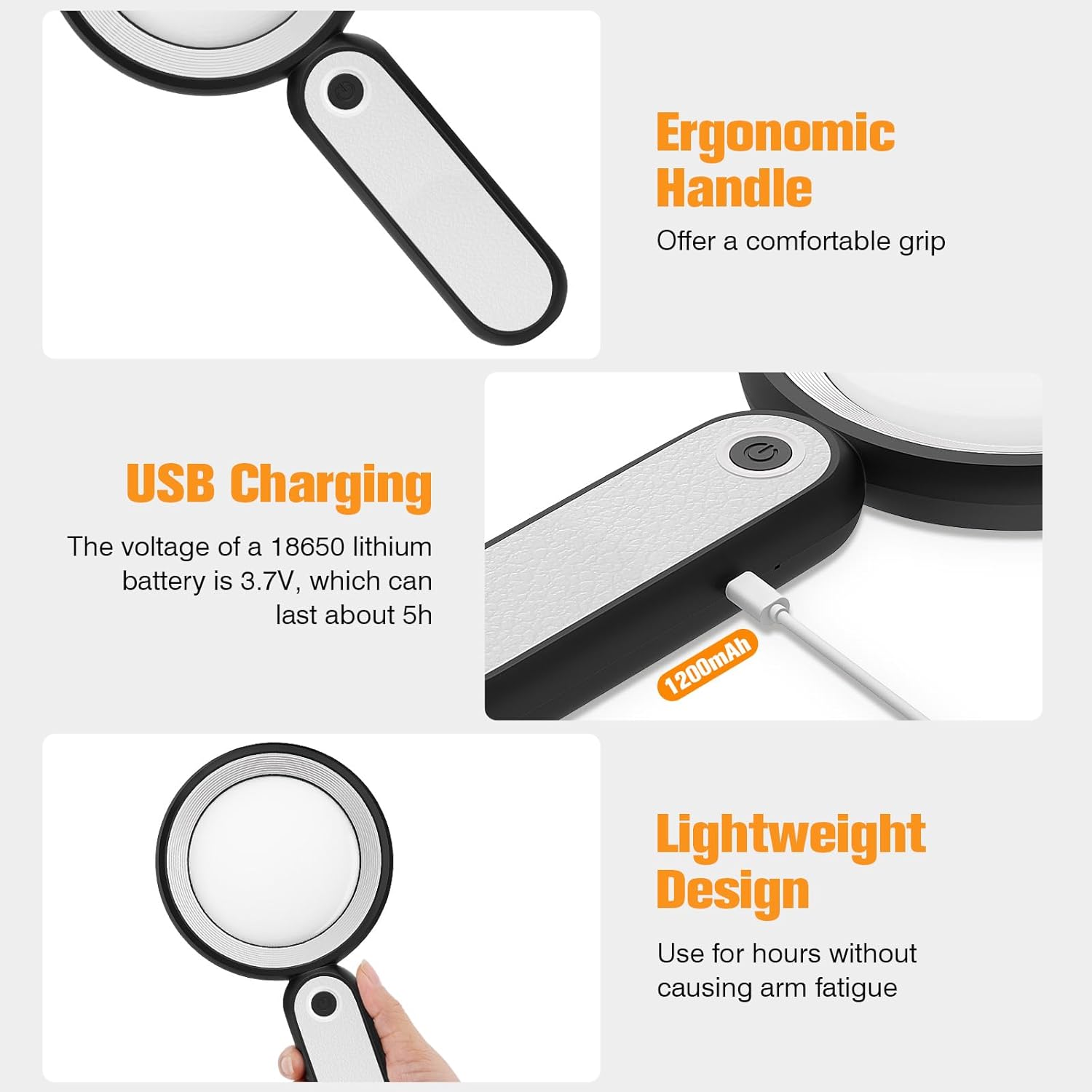
Before first use, fully charge the magnifying glass. Locate the USB charging port on the handle of the device.

Image: USB charging port on the handle.
- Connect the provided USB charging cable to the charging port on the magnifying glass.
- قم بتوصيل الطرف الآخر من كابل USB بمحول طاقة USB متوافق (غير مرفق) أو بمنفذ USB في جهاز الكمبيوتر.
- The charging indicator lights (if present) will show the charging status. Allow the device to charge until fully powered, typically around 5 hours for a full charge.
2. ضبط المقبض
The magnifying glass features an adjustable handle for comfortable use.

Image: Ergonomic handle design.
- Gently pivot the handle to your desired angle for handheld use.
- The handle can be folded for compact storage or extended for a comfortable grip during use.
تعليمات التشغيل
1. التكبير
The MoKo Magnifying Glass provides 10X magnification for clear viewing of small text and objects.

Image: Magnifying glass in use, showing 10X magnification on text.
- Hold the magnifying glass approximately 3-5 inches (7.5-12.5 cm) above the object you wish to magnify.
- Adjust the distance slightly until the object comes into clear focus.
2. أوضاع إضاءة LED
The device is equipped with 21 LED lights and three lighting modes to suit various environments and reduce eye strain.

Image: Three adjustable lighting modes (cool, warm, mixed) for the LED lights.
- Locate the power button on the handle.
- اضغط على زر التشغيل مرة واحدة لتفعيل ضوء بارد وضع.
- اضغط على زر الطاقة مرة ثانية للتبديل إلى ضوء دافئ وضع.
- اضغط على زر التشغيل للمرة الثالثة لتفعيله Mixed Light وضع.
- Press the power button a fourth time to turn off the LED lights.
Choose the lighting mode that provides the most comfortable and clear viewing experience for your specific task and ambient light conditions.
صيانة
1. تنظيف العدسة
To maintain optimal clarity, keep the optical glass lens clean.
- Use the provided soft cleaning cloth to gently wipe the lens surface.
- Avoid using abrasive materials, paper towels, or chemical cleaners, as these can scratch or damage the lens.
- بالنسبة للبقع العنيدة، قم بالتدليك برفقampen the cleaning cloth with a small amount of lens cleaning solution or water, then gently wipe and dry.
2. التخزين
When not in use, store the magnifying glass in the provided storage pouch to protect it from dust and scratches.

Image: Magnifying glass being stored in its protective pouch.
- يُخزن في مكان بارد وجاف بعيدًا عن أشعة الشمس المباشرة ودرجات الحرارة القصوى.
استكشاف الأخطاء وإصلاحها
| مشكلة | السبب المحتمل | حل |
|---|---|---|
| الأضواء لا تعمل. | انخفاض مستوى البطارية أو أن الجهاز مطفأ. | Charge the device using the provided USB cable. Ensure the power button is pressed correctly to cycle through modes. |
| Magnification is blurry or distorted. | Incorrect distance from object or dirty lens. | Adjust the distance between the lens and the object. Clean the lens with the provided cleaning cloth. |
| Handle is stiff or difficult to adjust. | Minor friction in the hinge. | Apply gentle, consistent pressure. Avoid forcing the hinge. |
تحديد
| ميزة | التفاصيل |
|---|---|
| ماركة | موكو |
| رقم الموديل | 10X |
| قوة التكبير | 10X |
| مادة العدسة | الزجاج البصري |
| أضواء LED | 21 الخرز LED |
| وسائط الإضاءة | 3 (Cool, Warm, Mixed) |
| مصدر الطاقة | Rechargeable USB (1200mAh battery, 3.7V) |
| عمر البطارية (الاستخدام المستمر) | حوالي 5 ساعات |
| أبعاد المنتج | 9.57 × 4.72 × 1.02 بوصة (24.3 × 12 × 2.6 سم) |
| وزن العنصر | 7.05 أونصة (200 جم) |
| رمز المنتج الموحد | 840401442876 |
الصورة: أبعاد المنتج.
الضمان والدعم
MoKo products are designed for reliability and performance. For warranty information or technical support, please refer to the contact details provided with your purchase or visit the official MoKo webموقع.
احتفظ بإيصال الشراء الخاص بك كدليل على الشراء في حالة وجود أي مطالبات بالضمان.
معلومات هامة حول السلامة
- Do not expose the magnifying glass to direct sunlight for extended periods, as this may cause fire or damage to surfaces.
- يحفظ بعيدًا عن متناول الأطفال.
- تجنب إسقاط الجهاز أو تعريضه لصدمات قوية.
- Do not attempt to disassemble or modify the magnifying glass.


