1. المقدمة
شكرا لك على الشراءasing the Xtreme Wireless Bluetooth Headphones. This manual provides instructions for the proper setup, operation, and maintenance of your device. Please read this manual thoroughly before use and retain it for future reference.

Figure 1: Xtreme Wireless Bluetooth Headphones Product Packaging
2. محتويات العبوة
تأكد من وجود جميع العناصر في العبوة:
- Xtreme Wireless Bluetooth Headphones (Model XBH9-1033)
- كابل شحن USB
- 3.5mm Audio Cable (Aux Line)
- دليل المستخدم (هذا المستند)
3. انتهى المنتجview
تعرّف على مكونات سماعات الرأس وأدوات التحكم بها.

Figure 2: Headphone Controls and Ports (Right Earcup)
- زر الطاقة/متعدد الوظائف: تشغيل/إيقاف، تشغيل/إيقاف مؤقت، الرد على المكالمة/إنهاؤها
- زر رفع الصوت/المسار التالي: Short press for Volume Up, Long press for Next Track
- زر خفض الصوت/المسار السابق: Short press for Volume Down, Long press for Previous Track
- ميكروفون: للمكالمات بدون استخدام اليدين
- مؤشر LED: Displays power and pairing status
- منفذ شحن Micro USB: For charging the headphones
- مقبس صوت 3.5 ملم: للتوصيل السلكي
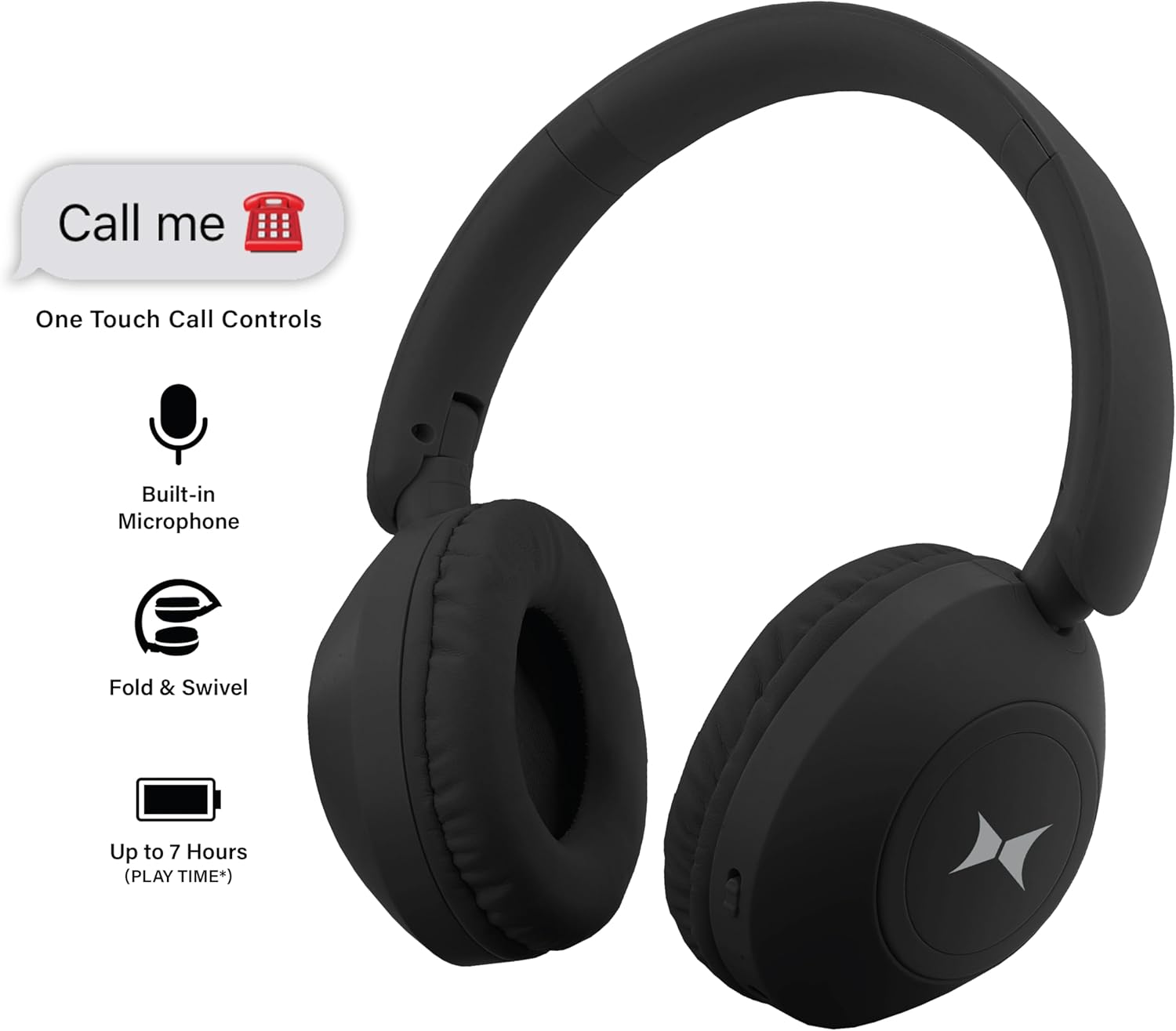
الشكل 3: الميزات الرئيسيةview
4. الإعداد
4.1 شحن سماعات الرأس
Before first use, fully charge the headphones. A full charge provides up to 7 hours of playtime.
- Connect the small end of the USB charging cable to the Micro USB charging port on the headphone earcup.
- قم بتوصيل الطرف الأكبر من كابل شحن USB بمصدر طاقة USB (مثل منفذ USB في الكمبيوتر، أو محول USB الجداري).
- The LED indicator will illuminate during charging and turn off once charging is complete.
4.2 تشغيل/إيقاف التشغيل
- لتشغيل: Press and hold the Power/Multi-function button for approximately 3 seconds until the LED indicator flashes.
- لإيقاف التشغيل: Press and hold the Power/Multi-function button for approximately 3 seconds until the LED indicator turns off.
4.3 اقتران بلوتوث
قم بإقران سماعات الرأس بجهاز يدعم تقنية البلوتوث للاستمتاع بالصوت اللاسلكي.
- تأكد من إيقاف تشغيل سماعات الرأس.
- Press and hold the Power/Multi-function button for approximately 5-7 seconds until the LED indicator flashes red and blue alternately. This indicates pairing mode.
- على جهازك (الهاتف الذكي، الجهاز اللوحي، الكمبيوتر)، قم بتمكين البلوتوث وابحث عن الأجهزة المتاحة.
- Select "Xtreme Headphones" (or similar name) from the list of found devices.
- بمجرد الاقتران، سيومض مؤشر LED الموجود على سماعات الرأس باللون الأزرق ببطء.
- ستحاول سماعات الرأس تلقائيًا إعادة الاتصال بآخر جهاز مقترن بها عند تشغيلها.
5. تعليمات التشغيل
5.1 تشغيل الموسيقى
- تشغيل/إيقاف مؤقت: اضغط على زر الطاقة/متعدد الوظائف مرة واحدة.
- رفع الصوت: اضغط لفترة قصيرة على زر رفع الصوت.
- اخفض الصوت: اضغط لفترة قصيرة على زر خفض الصوت.
- المسار التالي: اضغط لفترة طويلة على زر رفع الصوت.
- المسار السابق: اضغط لفترة طويلة على زر خفض الصوت.
5.2 المكالمات الهاتفية
- الرد/إنهاء المكالمة: اضغط على زر الطاقة/متعدد الوظائف مرة واحدة.
- رفض المكالمة: اضغط مع الاستمرار على زر التشغيل/الوظائف المتعددة لمدة 2 ثوانٍ تقريبًا.
- إعادة الاتصال بالرقم الأخير: اضغط مرتين على زر الطاقة/متعدد الوظائف.
5.3 اتصال سلكي (وضع AUX)
Use the included 3.5mm audio cable to connect the headphones to devices without Bluetooth capability or when the battery is depleted.
- قم بتوصيل أحد طرفي كبل الصوت مقاس 3.5 ملم بمنفذ AUX الموجود في سماعات الرأس.
- قم بتوصيل الطرف الآخر بمقبس إخراج الصوت الخاص بجهازك.
- In AUX mode, the headphone controls (volume, track skip) may not function, and playback will be controlled directly from your connected device.
تصميم قابل للطي 5.4
The headphones feature a foldable and swivel design for easy storage and portability.

Figure 4: Folded Headphones for Portability
Gently fold the earcups inward and swivel them to lay flat for compact storage in a bag or case.
6. الصيانة
- تنظيف: استخدم قطعة قماش ناعمة وجافة لتنظيف سماعات الرأس. لا تستخدم منظفات أو مذيبات كاشطة.
- تخزين: خزّن سماعات الرأس في مكان بارد وجاف بعيدًا عن أشعة الشمس المباشرة ودرجات الحرارة القصوى. استخدم تصميمها القابل للطي لتخزينها بشكل مضغوط.
- العناية بالبطارية: لإطالة عمر البطارية، تجنب تفريغ شحن سماعات الرأس بالكامل بشكل متكرر. اشحنها بانتظام، حتى في حال عدم استخدامها لفترات طويلة.
- التعرض للماء: هذه السماعات ليست مقاومة للماء. تجنب تعريضها للماء أو الرطوبة الزائدة.
7. استكشاف الأخطاء وإصلاحها
| مشكلة | السبب المحتمل | حل |
|---|---|---|
| لا يتم تشغيل سماعات الرأس. | نفدت طاقة البطارية. | اشحن سماعات الرأس بالكامل. |
| لا يمكن الاقتران بالجهاز. | سماعات الرأس ليست في وضع الاقتران؛ بلوتوث الجهاز معطل؛ بعيد جدًا عن الجهاز. | Ensure headphones are in pairing mode (flashing red/blue). Turn on Bluetooth on your device. Move headphones closer to the device (within 33 feet). |
| لا يوجد صوت. | Volume too low; Not properly paired; AUX cable loose. | Increase volume on headphones and device. Re-pair headphones. Ensure AUX cable is securely connected. |
| جودة الصوت رديئة. | Interference; Device too far. | Move away from other wireless devices. Move headphones closer to the device. |
| الميكروفون لا يعمل. | Not properly connected; Device settings. | Ensure headphones are connected via Bluetooth. Check microphone input settings on your device. |
8. المواصفات
| اسم الموديل | Xtreme Over the Ear Bluetooth Headphones |
| رقم الموديل | XBH9-1033 |
| تكنولوجيا الاتصال | لاسلكي (بلوتوث)، سلكي (مقبس 3.5 ملم) |
| تكنولوجيا الاتصالات اللاسلكية | بلوتوث |
| مدى البلوتوث | حتى 33 قدمًا (10 أمتار) |
| عمر البطارية | حتى ساعتين |
| شكل سماعة الأذن | فوق الأذن |
| مادة | Fabric (Ear Cups), Plastic (Outer Shell & Headband) |
| وزن العنصر | 12.8 أونصات |
| رمز المنتج الموحد | 805106238643 |
9. الضمان والدعم
For warranty information or technical support, please contact XTREME DIGITAL LIFESTYLE ACCESSORIES directly. Refer to the product packaging or the brand's official webموقع للحصول على تفاصيل الاتصال.


