مقدمة
This manual provides detailed instructions for the 8BitDo Ultimate Mini Wired Controller for Xbox. It covers essential information regarding setup, operation, maintenance, and troubleshooting to ensure optimal performance and longevity of your device. This controller is officially licensed for Xbox and compatible with Xbox Series X|S, Xbox One, and Windows 10/11.
يثبت
The 8BitDo Ultimate Mini Wired Controller is designed for simple plug-and-play functionality. Follow these steps to connect your controller:
- Ensure your Xbox console (Xbox Series X|S, Xbox One) or Windows PC (Windows 10/11) is powered on.
- Locate an available USB port on your console or PC.
- Connect the USB-C end of the provided cable to the controller and the USB-A end to your console or PC.
- The controller will automatically be detected and configured. The Xbox button on the controller will illuminate to indicate a successful connection.
- For audio, connect a standard CTIA connector 3.5mm headset to the audio jack located on the controller.
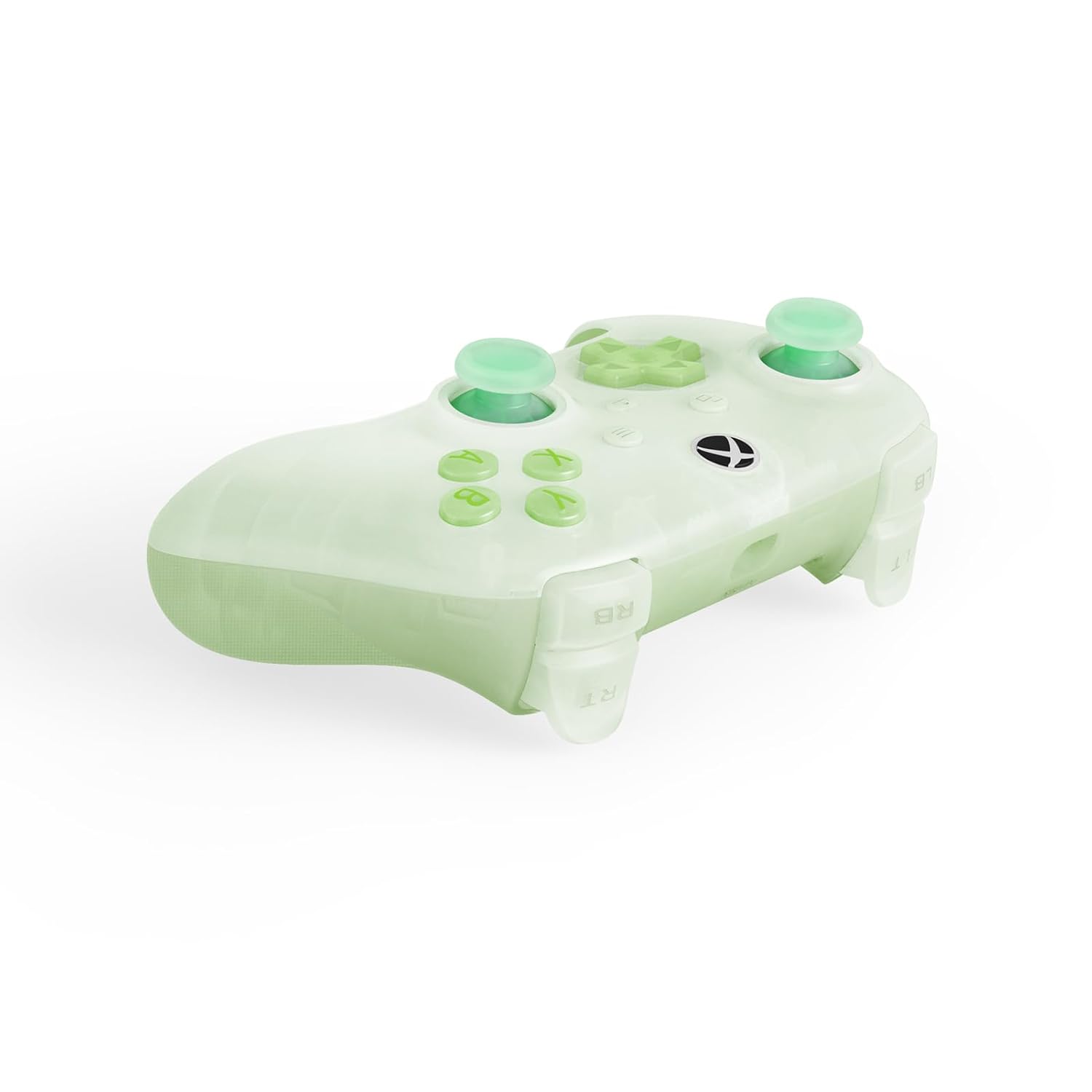
The controller is now ready for use. No additional drivers are typically required for supported systems.
تشغيل وحدة التحكم
The 8BitDo Ultimate Mini Wired Controller features a standard layout with several advanced functionalities:
- عصا التحكم ذات التأثير القاعة: These joysticks provide enhanced precision and durability, reducing drift over time.
- مشغلات الدفع: Experience tactile feedback with vibration in the triggers, adding immersion to your gameplay.
- أزرار تحكم محسّنة ولوحة تحكم رباعية الاتجاهات: Designed for a responsive and tactile feel, ensuring accurate inputs.
- Crystal Action Buttons: Durable and clear action buttons for a consistent feel.
RGB Lighting Fire Ring
The controller features interactive RGB lighting around the joysticks, known as the 'Fire Ring'. This lighting can be adjusted through multiple modes:
- Fire Ring Mode: Displays a dynamic lighting effect.
- Light-tracing Mode: Follows your joystick movements with light.
- Rainbow Ring Mode: يتنقل بين مجموعة من الألوان.
To cycle through the lighting modes or turn off the lighting, locate the small button positioned below the right analog stick. Press this button to change modes or deactivate the lighting as desired.


صيانة
Proper maintenance ensures the longevity and performance of your 8BitDo Ultimate Mini Wired Controller:
- تنظيف: استخدم قطعة قماش ناعمة وجافة لمسح سطح وحدة التحكم. لإزالة الأوساخ المستعصية، افركها برفق.ampen the cloth with water. Avoid using harsh chemicals or abrasive cleaners, as these can damage the controller's finish and internal components.
- تخزين: احفظ وحدة التحكم في مكان بارد وجاف بعيدًا عن أشعة الشمس المباشرة ودرجات الحرارة العالية. تجنب وضع أشياء ثقيلة فوقها.
- العناية بالكابلات: Handle the USB-C cable gently. Avoid sharp bends, kinks, or pulling the cable forcefully from the port. If the cable becomes damaged, replace it with a compatible USB-C cable to ensure proper functionality and safety.
استكشاف الأخطاء وإصلاحها
إذا واجهت مشكلات مع وحدة التحكم الخاصة بك، فراجع الحلول الشائعة التالية:
- وحدة التحكم لا تستجيب:
- تأكد من توصيل كابل USB بشكل آمن بكل من وحدة التحكم وجهاز الألعاب/الكمبيوتر.
- حاول توصيل وحدة التحكم بمنفذ USB مختلف.
- Test the controller on another compatible device (if available) to determine if the issue is with the controller or the original device.
- أعد تشغيل جهازك أو جهاز الكمبيوتر الخاص بك.
- Lighting Issues (Too Bright/Not Working):
- Press the small button located below the right analog stick to cycle through lighting modes or turn the lighting off/on. Repeated presses will change the effect or brightness.
- مقبس الصوت لا يعمل:
- Ensure your headset uses a standard CTIA connector.
- Verify the headset is fully plugged into the 3.5mm audio jack on the controller.
- اختبر سماعة الرأس بجهاز آخر للتأكد من أنها تعمل بشكل صحيح.
- تأخر الإدخال أو انقطاع الاتصال:
- Ensure the USB cable is not damaged. Replace if necessary.
- Avoid using USB hubs if possible; connect directly to the console/PC.
إذا لم تحل هذه الخطوات المشكلة، فيرجى الرجوع إلى قسم الدعم للحصول على مزيد من المساعدة.
تحديد
| ميزة | وصف |
|---|---|
| رقم الموديل | 6922621507000 |
| الاتصال | Wired USB (USB-C to USB-A) |
| التوافق | إكس بوكس سيريس إكس | إس، إكس بوكس ون، ويندوز 10/11 |
| المميزات الخاصة | Hall Effect Joysticks, Impulse Triggers, RGB Lighting Fire Ring (multiple modes), Refined Bumpers and D-pad, 3.5mm Audio Jack (CTIA standard), Crystal Action Buttons |
| أبعاد | 7.48 × 5.51 × 0.79 بوصة (189.9 × 140 × 20 مم) |
| وزن | 11.99 أونصة (340 جرام) |
الضمان والدعم
معلومات الضمان: This product comes with a manufacturer's warranty. Please refer to the warranty card included in the product packaging or visit the official 8BitDo webالموقع للحصول على شروط وأحكام الضمان التفصيلية.
دعم العملاء: For technical assistance, product inquiries, or warranty claims, please visit the official 8BitDo support page or contact their customer service through the contact information provided on their webتأكد من توفر رقم طراز المنتج (6922621507000) وإثبات الشراء عند الاتصال بالدعم.


