1. المقدمة
Thank you for choosing the ZEBRONICS EnergiPOD 27R2 Power Bank. This manual provides essential information for the safe and efficient use of your device. Please read it carefully before use and retain it for future reference.
2. معلومات السلامة
- لا تعرض بنك الطاقة لدرجات حرارة عالية أو أشعة الشمس المباشرة أو النار.
- تجنب إسقاط الجهاز أو تفكيكه أو محاولة إصلاحه بنفسك.
- أبقِ بنك الطاقة بعيدًا عن الماء والسوائل الأخرى.
- استخدم فقط كابلات الشحن والمحولات المتوافقة.
- قم بتخزينه في مكان بارد وجاف عند عدم استخدامه.
- This power bank incorporates overcharge, overload, and short-circuit protection for safe operation.
3. محتويات العبوة
- ZEBRONICS EnergiPOD 27R2 Power Bank
- كابل شحن من النوع C
4. انتهى المنتجview
The ZEBRONICS EnergiPOD 27R2 is a high-capacity power bank designed for efficient and fast charging of various devices, including smartphones, tablets, and laptops. It features a durable metallic body and multiple output ports.

Image 1: The ZEBRONICS EnergiPOD 27R2 Power Bank, showcasing its metallic grey finish and compact design.

Image 2: The power bank highlighting its 27000 mAh capacity, suitable for extended use.
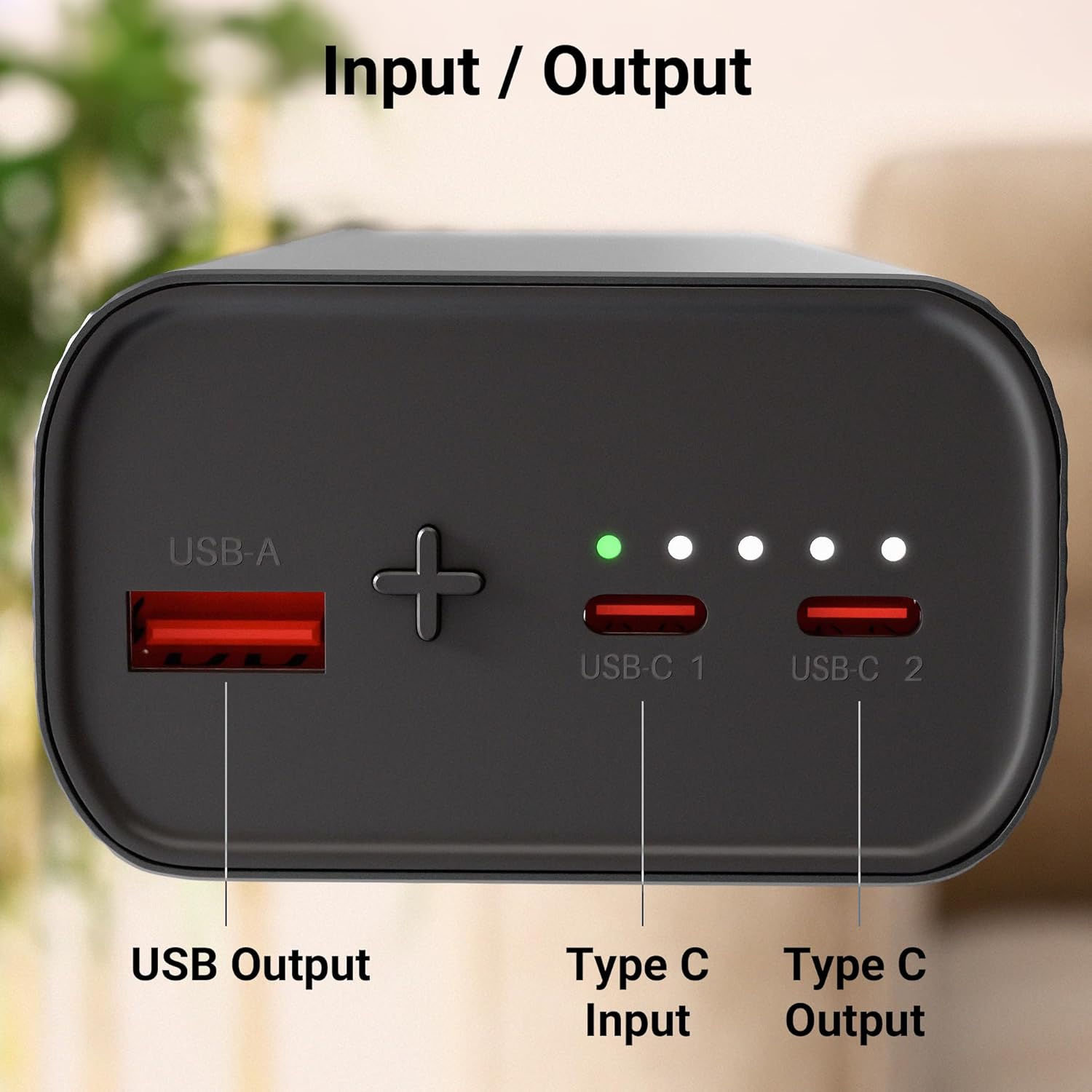
الصورة 3: عن قرب view of the power bank's ports, including USB Output, Type-C Input, and Type-C Output.
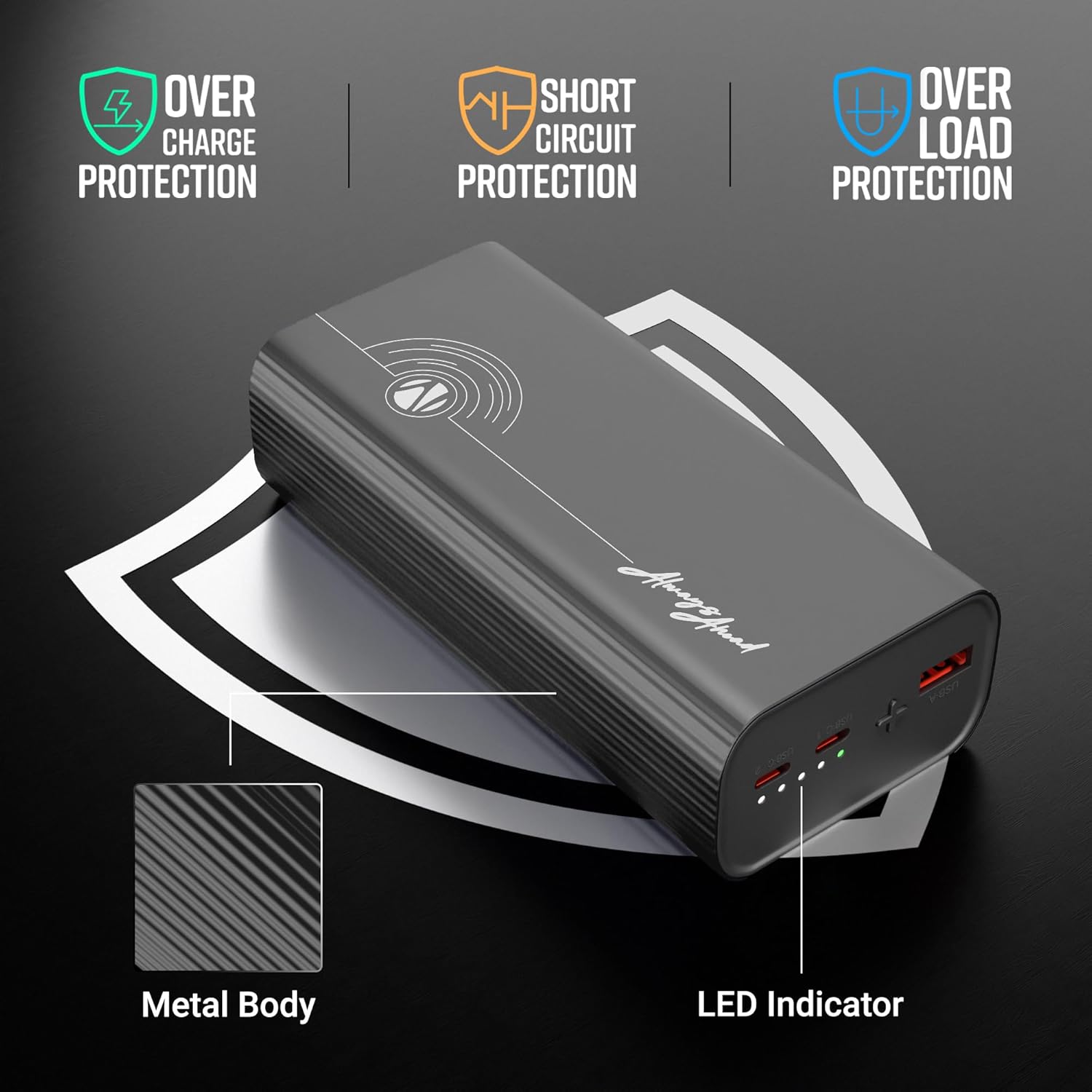
Image 4: Illustration of the power bank's safety protections (overcharge, short circuit, overload) and LED indicator.

Image 5: The power bank shown in a travel context, emphasizing its flight-friendly design.
5. الإعداد
Before first use, it is recommended to fully charge your ZEBRONICS EnergiPOD 27R2 Power Bank.
- Connect the provided Type-C cable to the Type-C Input port on the power bank.
- قم بتوصيل الطرف الآخر من الكابل بمحول حائط USB متوافق (غير مرفق).
- The LED indicators will illuminate to show the charging status. All LEDs will be solid when fully charged.
6. تعليمات التشغيل
6.1. شحن بنك الطاقة
To charge the power bank, use the Type-C Input port. The LED indicators will show the current battery level during charging:
- One LED: 0-25%
- Two LEDs: 25-50%
- Three LEDs: 50-75%
- Four LEDs: 75-100%
6.2. شحن الأجهزة الخارجية
The power bank offers multiple output options for charging your devices:
- Using Type-C Output: Connect your device to one of the Type-C Output ports using a compatible Type-C to Type-C cable. This port supports PD3.0 for rapid charging up to 65W.
- استخدام مخرج USB: Connect your device to the USB Output port using a compatible USB-A to device-specific cable.
The power bank will automatically begin charging your connected device. The LED indicators will show the remaining power bank battery level.
7. الصيانة
- نظّف بنك الطاقة بقطعة قماش ناعمة وجافة. تجنّب استخدام مواد كيميائية قاسية أو مواد كاشطة.
- تجنب سد المنافذ بالغبار أو الحطام.
- If storing for a long period, charge the power bank to approximately 50% every three months to maintain battery health.
8. استكشاف الأخطاء وإصلاحها
- بنك الطاقة لا يشحن: تأكد من توصيل كابل الشحن والمحول بشكل صحيح وأنهما يعملان. جرب كابلًا أو محولًا آخر.
- الجهاز لا يشحن من بنك الطاقة: Check if the power bank has sufficient charge. Ensure the cable connecting the device to the power bank is secure and compatible. Try a different port or cable.
- الشحن البطيء: Verify that your device and cable support fast charging protocols. Some devices may charge slower if multiple devices are connected simultaneously.
- مؤشرات LED لا تعمل: If the power bank is unresponsive, try fully discharging and then recharging it. If the issue persists, contact customer support.
9. المواصفات
| اسم الموديل | EnergiPOD 27R2 |
| سعة البطارية | 27000 مللي أمبير |
| الحد الأقصى لقوة الإخراج | 65 واط |
| مخرج من النوع C | DC 5V/3A, 9V/3A, 12V/3A, 15V/3A, 20V/3.25A, 5~21V/2.9A PPS (PD3.0) |
| مخرج يو اس بي | تيار مستمر 5.5 فولت/4 أمبير، 5 فولت/3 أمبير، 9 فولت/2.22 أمبير، 12 فولت/1.67 أمبير |
| مدخل من النوع C | تيار مستمر 5 فولت / 3 أمبير ، 9 فولت / 3 أمبير ، 12 فولت / 3 أمبير ، 15 فولت / 3 أمبير ، 20 فولت / 3.25 أمبير |
| ميزات الحماية | الشحن الزائد، الحمل الزائد، قصر الدائرة |
| مادة الجسم | معدني |
| وزن | 628 جرام |
| أبعاد | 16.9 × 8.5 × 7.4 سم |
10. الضمان والدعم
للحصول على معلومات الضمان ودعم العملاء، يرجى الرجوع إلى موقع ZEBRONICS الرسمي. webالموقع أو تواصل مع خدمة العملاء مباشرةً. احتفظ بإيصال الشراء لطلبات الضمان.


