مقدمة
This manual provides essential information for setting up, operating, maintaining, and troubleshooting your HP 15-DY58 Slim Laptop. Please read this guide thoroughly to ensure proper use and to maximize the performance and longevity of your device.
ماذا يوجد في الصندوق
Upon opening your HP 15-DY58 Slim Laptop package, you should find the following items:
- HP 15-DY58 Slim Laptop
- محول الطاقة المتردد وسلك الطاقة
- دليل البدء السريع (إذا كان مرفقًا بشكل منفصل)
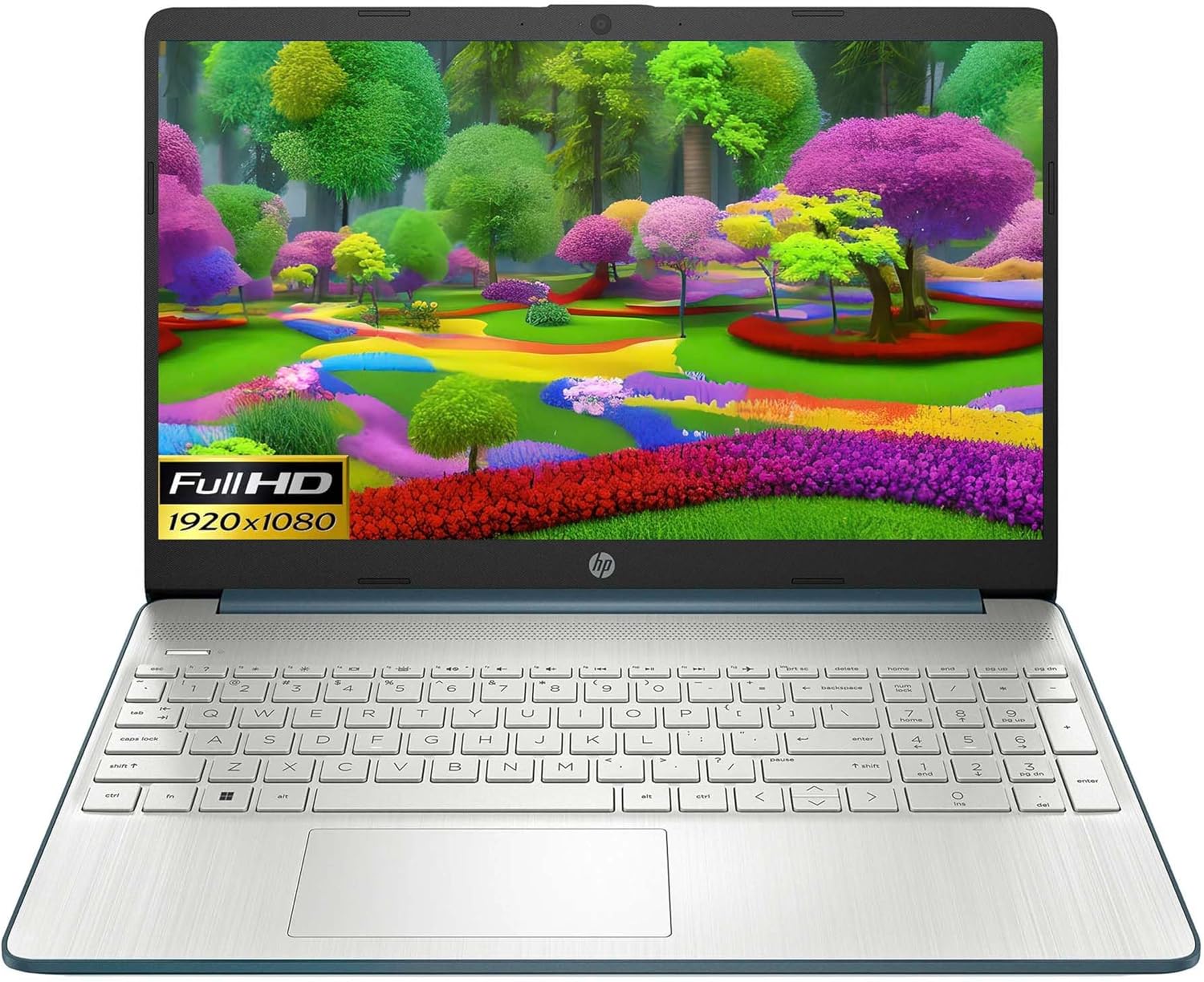
Image: HP 15 Slim Laptop, closed view, showing the blue lid with HP logo.
يثبت
1. التشغيل الأولي
- قم بتوصيل محول الطاقة: Plug the AC power adapter into the laptop's AC smart pin port and then into a wall outlet.
- افتح الكمبيوتر المحمول: ارفع غطاء الشاشة بحرص.
- تشغيل الطاقة: Press the power button, usually located on the keyboard deck. The laptop will begin the initial Windows 11 setup process.
- اتبع التعليمات التي تظهر على الشاشة: Complete the Windows 11 setup, including language selection, network connection, and user account creation.

Image: HP 15 Slim Laptop open, showcasing the Windows 11 operating system interface during initial setup.
2. توصيل الأجهزة الطرفية
Your HP 15-DY58 Slim Laptop offers various ports for connecting external devices:
- منافذ USB من النوع A: Connect USB devices such as mice, keyboards, or external storage drives. There are two SuperSpeed USB Type-A 5Gbps ports.
- منفذ USB من النوع C: Connect compatible USB-C devices. This laptop features one SuperSpeed USB Type-C 5Gbps signaling rate port.
- منفذ HDMI: Connect an external monitor or TV using an HDMI cable for extended display. The laptop has one HDMI 1.4b port.
- مقبس سماعة الرأس/الميكروفون المشترك: قم بتوصيل سماعات الرأس أو مكبرات الصوت الخارجية أو سماعة الرأس التي تحتوي على ميكروفون.
- SD Media Card Reader: أدخل بطاقة SD لنقل الصور و files.

Image: Left side ports including SD card reader, headphone jack, USB-C, AC power, and HDMI.

Image: Right side ports featuring two USB Type-A ports.
تشغيل الكمبيوتر المحمول
الوظائف الأساسية
- زر الطاقة: Located on the keyboard deck, use it to turn the laptop on or off, or to put it to sleep.
- لوحة المفاتيح: The full-size island-style keyboard provides comfortable typing. Familiarize yourself with function keys (Fn) for quick access to settings like volume, brightness, and Wi-Fi.
- لوحة اللمس: Use the integrated touchpad for navigation. It supports multi-touch gestures for scrolling, zooming, and more.

Image: HP 15 Slim Laptop open, showcasing شاشتها ولوحة المفاتيح.
الاتصال اللاسلكي
- واي فاي: Connect to wireless networks using Wi-Fi 5 (802.11ac). Access Wi-Fi settings through the Windows 11 taskbar or Settings app.
- بلوتوث: Pair Bluetooth-enabled devices such as headphones, speakers, or mice using Bluetooth 5. Manage Bluetooth devices in Windows 11 Settings.
العرض والصوت
- عرض: The 15.6-inch Full HD (1920 x 1080) micro-edge display offers clear visuals. Adjust brightness and display settings via Windows 11.
- صوتي: The laptop features dual speakers for audio output. The headphone/microphone combo jack allows for private listening or communication.
- آلة تصوير: The HP True Vision 720p HD camera with integrated dual array digital microphones is suitable for video calls and online meetings.
صيانة
تنظيف الكمبيوتر المحمول
- شاشة: استخدم قطعة قماش ناعمة وخالية من الوبر برفق دampاغسلها بالماء أو بمنظف الشاشة. تجنب المواد الكيميائية القاسية.
- لوحة المفاتيح والهيكل: استخدم قطعة قماش ناعمة لمسح الأسطح. يمكن للهواء المضغوط إزالة الغبار من بين المفاتيح.
- الموانئ: تأكد من خلو المنافذ من الغبار والحطام. استخدم الهواء المضغوط إذا لزم الأمر.
تحديثات البرامج
Regularly update your Windows operating system and drivers to ensure optimal performance and security. Access Windows Update through the Settings app.
العناية بالبطارية
- تجنب درجات الحرارة القصوى.
- لا تقم بتفريغ البطارية بالكامل بشكل متكرر.
- للتخزين طويل الأمد، قم بشحن البطارية إلى حوالي 50-70%.
استكشاف الأخطاء وإصلاحها
This section addresses common issues you might encounter with your HP 15-DY58 Slim Laptop.
لا يعمل الكمبيوتر المحمول
- تأكد من توصيل محول التيار المتردد بشكل آمن بالكمبيوتر المحمول ومأخذ الطاقة العامل.
- تأكد من أن منفذ الطاقة يعمل عن طريق توصيل جهاز آخر.
- إذا كانت البطارية فارغة تمامًا، اسمح لها بالشحن لبضع دقائق قبل محاولة تشغيلها.
مشاكل العرض
- لا يوجد عرض: If the laptop powers on but the screen remains black, try connecting an external monitor via the HDMI port to check if the issue is with the laptop's internal display.
- عرض قائمة: Adjust screen brightness using the function keys (usually F2/F3 or similar, look for sun icons) or through Windows 11 display settings.
مشاكل الاتصال (واي فاي/بلوتوث)
- واي فاي: Ensure Wi-Fi is enabled in Windows 11 settings. Restart your router and modem. Run the Windows Network Troubleshooter.
- بلوتوث: Ensure Bluetooth is enabled. Try unpairing and re-pairing the device. Update Bluetooth drivers if necessary.
تحديد
| ميزة | التفاصيل |
|---|---|
| نموذج | HP 15-DY58 Slim Laptop |
| المعالج | Intel 12th Gen Core i5-1235U (up to 4.2 GHz, 10-core) |
| الرسومات | بطاقة رسومات Intel Iris Xe مدمجة |
| نظام التشغيل | ويندوز 11 هوم (64 بت) |
| الذاكرة (RAM) | 8 جيجا بايت DDR4 |
| تخزين | قرص SSD PCIe NVMe M.2 بسعة 256 جيجابايت |
| عرض | 15.6-inch Full HD (1920 x 1080), Micro-edge, Anti-glare, 250 nits |
| الاتصال اللاسلكي | واي فاي 5 (802.11ac)، بلوتوث 5 |
| الموانئ | 1x SuperSpeed USB Type-C 5Gbps, 2x SuperSpeed USB Type-A 5Gbps, 1x HDMI 1.4b, 1x AC Smart Pin, 1x Headphone/Microphone Combo, 1x Multi-format SD Media Card Reader |
| آلة تصوير | كاميرا HP True Vision عالية الدقة بدقة 720 بكسل مع ميكروفونات رقمية مزدوجة مدمجة |
| صوتي | مكبرات صوت مزدوجة |
| لوحة المفاتيح | Full-size Island-style Keyboard |
| الأبعاد (الطول × العرض × الارتفاع) | 14 × 10 × 1 بوصة |
| وزن | 3.3 رطل |

Image: HP 15 Slim Laptop, emphasizing its energy efficiency certifications.
الضمان والدعم
للحصول على معلومات تفصيلية عن الضمان، يرجى الرجوع إلى بطاقة الضمان المرفقة مع المنتج أو زيارة موقع دعم HP الرسمي webيوفر موقع HP موارد دعم متنوعة، بما في ذلك:
- الدعم عبر الإنترنت: Access drivers, software updates, and troubleshooting guides.
- الدعم الفني: Contact HP customer service for assistance with technical issues.
- تسجيل المنتج: قم بتسجيل منتجك لتلقي التحديثات والدعم.
يزور الدعم.hp.com لمزيد من المعلومات.