1. المقدمة
This manual provides detailed instructions for the installation, operation, and maintenance of your Idatalink Momento M8 (MD-8000) Dash Camera. Please read this manual thoroughly before using the product to ensure proper functionality and safety. The Momento M8 is a 3-channel Full HD dash camera designed to record your driving experiences with advanced clarity and connectivity features.
2. محتويات العبوة
تأكد من تضمين جميع العناصر المدرجة أدناه في عبوة المنتج الخاصة بك:
- Momento M8 Front FHD Dash Camera with built-in Dual 5.0GHz Wi-Fi + GPS
- تركيب الأسلاك الصلبة
- بطاقة ذاكرة مايكرو إس دي سعة 32 جيجابايت مع محول بطاقة إس دي
- جبل
- دليل المستخدم (هذا المستند)

Image: The Momento M8 dash camera shown alongside its retail packaging, highlighting its compact design and key features like Wi-Fi and GPS.
3. انتهى المنتجview
The Momento M8 dash camera features a sleek, compact design for discreet installation. It is equipped with a high-quality lens, integrated Wi-Fi, and GPS for comprehensive recording and data logging.

الصورة: الجبهة view of the Momento M8 dash camera, showcasing the main lens and indicator light.

الصورة: الجانب view of the Momento M8 dash camera, illustrating the microSD card slot for storage expansion.
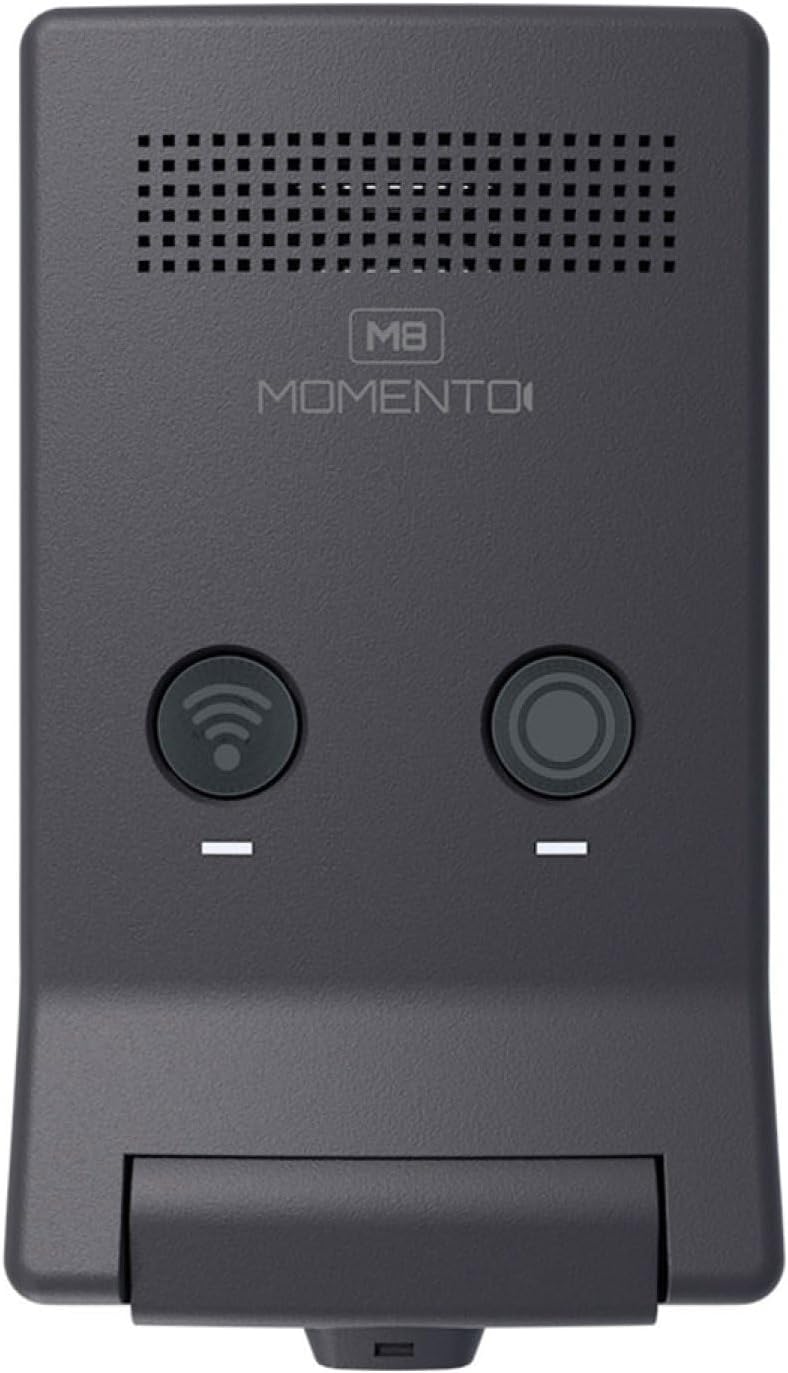
الصورة: أعلى view of the Momento M8 dash camera, showing the Wi-Fi and record buttons.

الصورة: لقطة مقربة view of the Momento M8 dash camera's lens, highlighting its optical components.
4. الإعداد والتثبيت
- تركيب الكاميرا: Securely attach the camera mount to your vehicle's windshield, ensuring it does not obstruct your view. The camera should be positioned to capture a clear view من الطريق أمامنا.
- Inserting the MicroSD Card: Insert the included 32GB MicroSD card into the designated slot on the camera. Ensure it is inserted correctly until it clicks into place. The camera supports cards up to 256GB.
- توصيل الطاقة: Connect the hardwire installation harness to your vehicle's power supply according to the provided wiring diagram. This ensures continuous power for recording, including parking mode functionality. Consult a professional for hardwire installation if you are unsure.
- التشغيل الأولي: Once connected, the camera will power on automatically when the vehicle starts. Follow any on-screen prompts or app instructions for initial setup.
5. تعليمات التشغيل
5.1. التسجيل التلقائي
The Momento M8 dash camera begins recording automatically when the vehicle's ignition is turned on. Recordings are saved in segments to the MicroSD card. In the event of an impact or sudden braking, the G-sensor will trigger emergency recording, protecting the footage من الكتابة فوقه.
5.2. Manual Recording
Press the designated record button on the camera (refer to Product Overview for button location) to manually initiate an emergency recording. This footage will also be protected from overwriting.
5.3. تشغيل/إيقاف التشغيل
The camera powers on and off with your vehicle's ignition. To manually power off, disconnect the power supply or refer to the app settings for a shutdown option.
6. الاتصال بشبكة Wi-Fi واستخدام التطبيقات
The Momento M8 features Dual 5.0GHz Wi-Fi for seamless connection to your smartphone or tablet via the Momento App.
- تنزيل التطبيق: بحث عن "Momento App" in your device's app store and install it.
- الاتصال بشبكة Wi-Fi: Turn on the dash camera. On your smartphone, go to Wi-Fi settings and connect to the Momento M8's Wi-Fi network. The network name and password can typically be found on the camera or in the camera's initial setup instructions.
- ميزات الوصول: Open the Momento App. You can now view يعيش فوtagهـ، تصفح الفيديوهات المسجلة، قم بتنزيلها files to your device, and adjust camera settings.

Image: A smartphone screen displaying the Momento M8 dash camera application interface, showing options for live view, gallery, saved videos, and settings.
7. ECO Parking Mode
The ECO Parking Mode provides surveillance when your vehicle is parked. This mode utilizes an advanced sensor to detect impacts or motion, initiating recording to capture incidents even when the vehicle is off. This feature helps conserve battery life by only recording when an event is detected. Ensure the camera is hardwired for continuous power to utilize this feature effectively.
8. سعة تخزين قابلة للتوسيع
The Momento M8 dash camera includes a 32GB MicroSD card, providing ample storage for recordings. The camera supports MicroSD cards up to 256GB, allowing for extended recording times. It is recommended to use high-endurance MicroSD cards designed for dash camera use to ensure reliable performance.
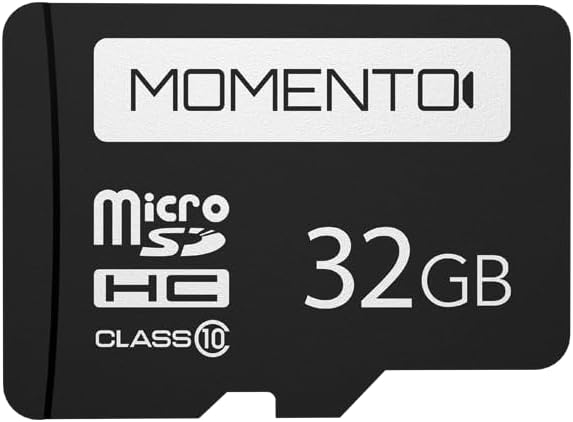
Image: A Momento branded 32GB MicroSD card, indicating its storage capacity and class rating.
9. الصيانة
- تنظيف العدسة: Use a soft, lint-free cloth to gently clean the camera lens. Avoid abrasive materials or harsh chemicals.
- إدارة بطاقة MicroSD: Regularly format the MicroSD card (at least once a month) using the camera's settings or the app to maintain optimal performance and prevent data corruption. Back up important footagقبل التنسيق.
- تحديثات البرامج الثابتة: Check the Momento App or the official Idatalink website periodically for firmware updates. Keeping your camera's firmware updated ensures access to the latest features and performance improvements.
10. استكشاف الأخطاء وإصلاحها
| مشكلة | السبب المحتمل / الحل |
|---|---|
| الكاميرا لا تعمل. | Check power connection. Ensure the hardwire harness is correctly installed and receiving power. |
| مشاكل التسجيل (مثل التلف) file(يتوقف التسجيل). | Format the MicroSD card. Ensure the card is a high-endurance type. Replace the MicroSD card if the issue persists. |
| Wi-Fi connection unstable or unable to connect. | Ensure you are within range of the camera. Restart both the camera and your smartphone. Verify the correct Wi-Fi network and password. |
| نظام تحديد المواقع العالمي (GPS) لا يستقبل إشارة. | تأكد من أن الكاميرا واضحة view من السماء. انقل المركبة إلى منطقة مفتوحة بعيدة عن المباني الشاهقة أو الأنفاق. |
| جودة الصورة رديئة. | Clean the camera lens. Ensure the windshield area in front of the camera is clean. |
11. المواصفات
| ميزة | التفاصيل |
|---|---|
| اسم الموديل | مومينتو إم 8 إم دي-8000 |
| دقة التقاط الفيديو | 1080p Full-HD (30fps) |
| مستشعر الصورة | Sony IMX Image Sensor |
| تكنولوجيا الاتصال | Dual 5.0GHz Wi-Fi, GPS, Smartphone Connectivity (Momento App) |
| المميزات الخاصة | ECO Parking Mode, Voice Control, Advanced Image Sensor |
| التخزين المتضمن | 32GB Micro-SD Card |
| Max. Storage Support | بطاقة ذاكرة مايكرو إس دي بسعة تصل إلى 256 جيجابايت |
| نوع التركيب | جبل الزجاج الأمامي |
| أبعاد المنتج | 3 × 3 × 2 بوصة |
| وزن العنصر | 12.8 أونصات |
| لون | أسود |
| نوع خدمة المركبة | Car, Minivan, RV, SUV, Truck |
12. الضمان والدعم
The Momento M8 (MD-8000) Dash Camera comes with a 2-Year Warranty from the date of purchase. This warranty covers manufacturing defects and ensures reliable operation of your device.
For technical support, warranty claims, or further assistance, please contact Idatalink customer service. Refer to the official Idatalink webالموقع للحصول على أحدث معلومات الاتصال وموارد الدعم.
الموارد المتاحة على الإنترنت: www.idatalink.com


