مقدمة
This manual provides detailed instructions for the GOBOULT Mirage Smart Watch. Please read this guide thoroughly to ensure proper setup, operation, and maintenance of your device. This smartwatch features a 1.39-inch HD display, Bluetooth calling, comprehensive health monitoring, and various sports modes.
ماذا يوجد في الصندوق
- GOBOULT Mirage Smart Watch
- كابل الشحن
- دليل المستخدم
- بطاقة الضمان
يثبت
1. شحن الجهاز
Before initial use, fully charge your GOBOULT Mirage Smart Watch. Connect the provided charging cable to the charging port on the back of the watch and to a standard USB power adapter (not included). The watch typically charges within 120 minutes.

Image: GOBOULT Mirage Smart Watch displaying its features, including charging capability.
2. الاقتران بهاتفك الذكي
- Download the official GOBOULT companion app from your smartphone's app store (available for iOS and Android).
- تأكد من تمكين Bluetooth على هاتفك الذكي.
- Open the app and follow the on-screen instructions to search for and connect to your GOBOULT Mirage Smart Watch.
- قم بتأكيد طلب الاقتران على كل من ساعتك والهاتف الذكي.
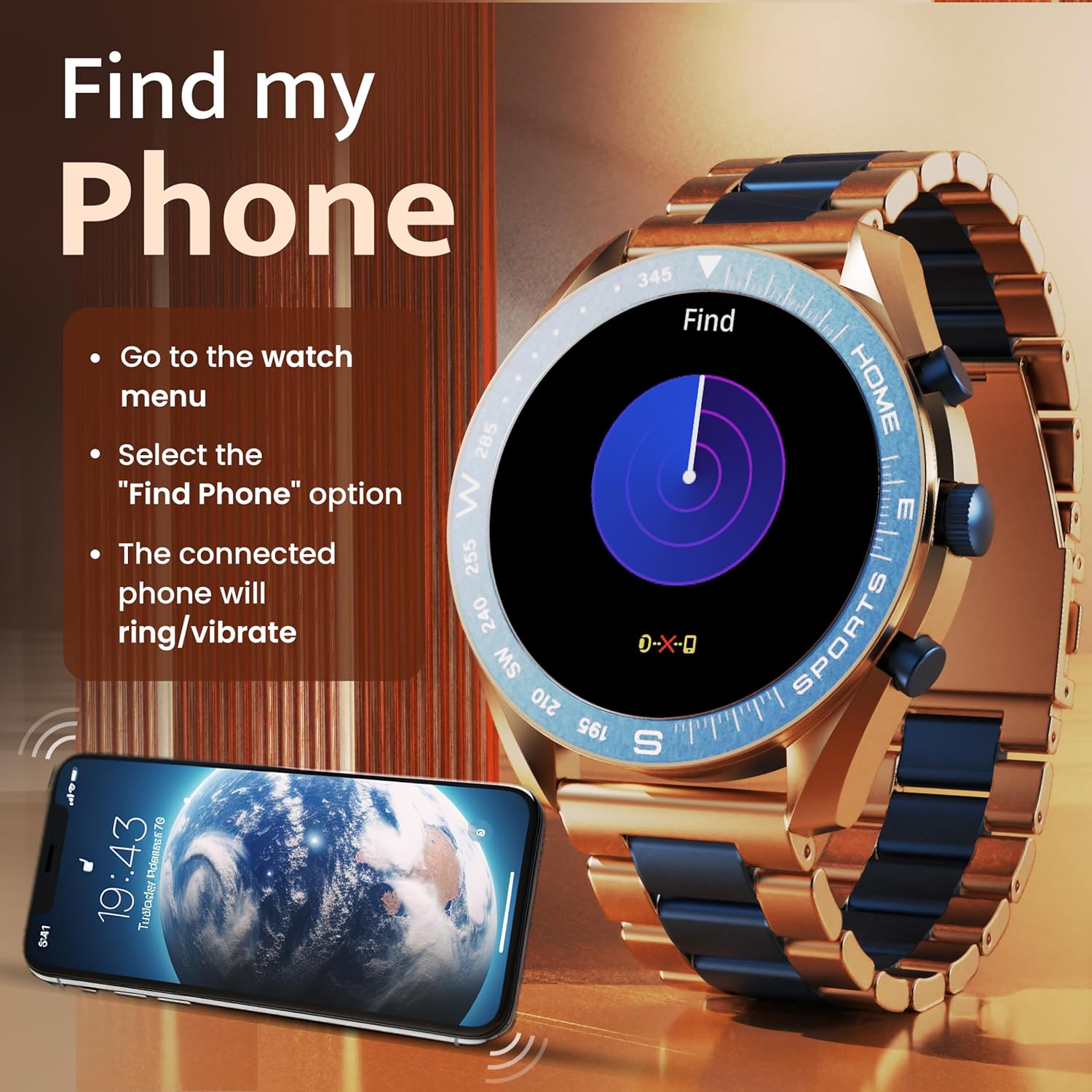
Image: The GOBOULT Mirage Smart Watch connected to a smartphone, illustrating connectivity.
تعليمات التشغيل
1. العرض والتنقل
The GOBOULT Mirage features a 1.39-inch HD display with 360x360 pixels resolution and 500 nits peak brightness for clear visibility. Navigate the watch interface using touch gestures and the digital crown.
- التاج الرقمي: Press to power on/off, switch UIs, and navigate menus. Rotate to scroll through options.
- الأزرار الجانبية: Use for quick access to specific functions, such as launching sports modes.

Image: GOBOULT Mirage Smart Watch highlighting the digital crown and its various functions.
2. مكالمات البلوتوث
With the built-in speaker and microphone, you can make and receive calls directly from your wrist once paired with your smartphone via Bluetooth 5.3.
- To answer a call, tap the green icon on the watch screen.
- To reject a call, tap the red icon.
- To make a call, access the dial pad or contacts through the watch menu.
Image: GOBOULT Mirage Smart Watch showing an incoming call notification.
3. مراقبة الصحة
The GOBOULT Mirage provides comprehensive health tracking features:
- SpO2 Blood Oxygen Monitor: قياس مستويات الأكسجين في الدم.
- مراقب معدل ضربات القلب: تتبع معدل ضربات القلب على مدار الساعة طوال أيام الأسبوع.
- مراقب النوم: يتتبع أنماط النوم والجودة.
- Breath Training Mode: يرشدك خلال تمارين التنفس.
- تذكير بشرب الماء: Prompts you to stay hydrated.
- تذكير بالخمول: Alerts you after periods of inactivity.
- تتبع النشاط: يسجل الخطوات والمسافة والسعرات الحرارية المحروقة.
- تتبع الدورة الشهرية: Helps monitor menstrual cycles.

Image: GOBOULT Mirage Smart Watch showcasing its complete health suite on the display.
4. أوضاع الرياضة
Track your performance across over 120 sports modes. Access these modes quickly using the shortcut buttons.
- Examples include Running, Cycling, Yoga, Cricket, Badminton, and Basketball.

Image: GOBOULT Mirage Smart Watch showing the selection of over 120 sports modes.
5. مشاهدة الوجوه
Personalize your watch with over 300 cloud-based watch faces. You can also customize the dial to match your style.

Image: GOBOULT Mirage Smart Watch illustrating the variety of 300+ cloud watch faces.
6. الإشعارات الذكية
Receive SMS and other smart notifications directly on your watch. Ensure your watch is connected to your phone via Bluetooth for this feature to function.

Image: GOBOULT Mirage Smart Watch showing a push notification from a messaging app.
7. مساعد صوتي بالذكاء الاصطناعي
Access an intelligent AI voice assistant for hands-free control. Long press the designated button or use the voice assistant icon on the screen to activate.
8. العثور على هاتفي
If you misplace your connected smartphone, use the 'Find My Phone' feature on your watch:
- Go to the watch menu.
- Select the "Find Phone" option.
- The connected phone will ring or vibrate, helping you locate it.
Image: GOBOULT Mirage Smart Watch showing the 'Find My Phone' interface.
9. مقاومة الماء
The GOBOULT Mirage Smart Watch is IP67 water-resistant, offering protection against dust and temporary immersion in water. It is suitable for daily wear and activities like hand washing or light rain.

Image: GOBOULT Mirage Smart Watch demonstrating its IP67 water resistance.
10. Mini Games
The watch includes several mini-games for entertainment during leisure time.
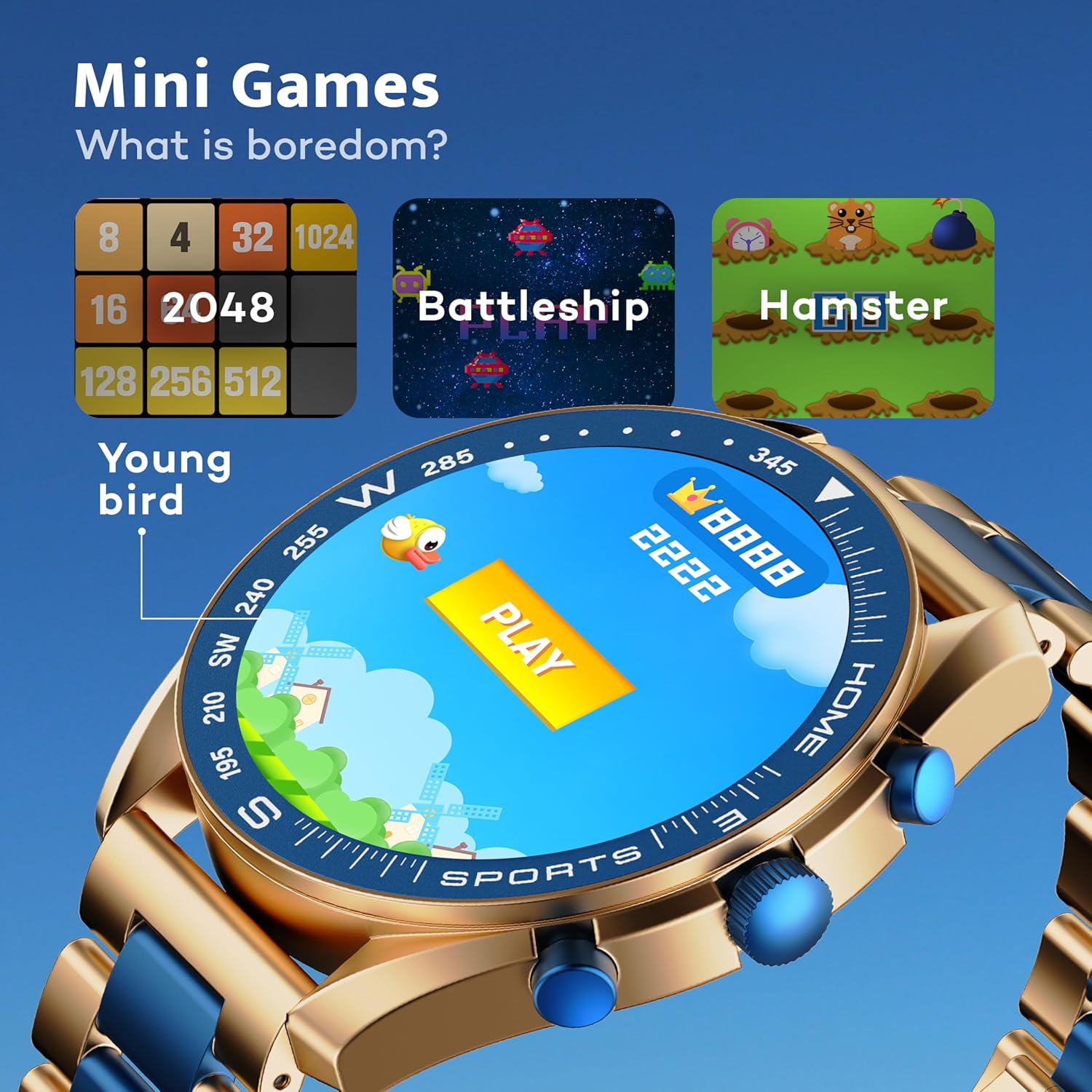
Image: GOBOULT Mirage Smart Watch showing the selection of mini-games.
صيانة
1. التنظيف
- امسح شاشة الساعة وجسمها بقطعة قماش ناعمة وجافة.
- للأوساخ العنيدة، استخدمي القليل من damp cloth and immediately dry the watch.
- تجنب استخدام المواد الكيميائية القاسية أو المواد الكاشطة، لأنها قد تتلف الطبقة النهائية.
2. إرشادات مقاومة الماء
- The IP67 rating means the watch is protected from dust and can withstand immersion in water up to 1 meter for 30 minutes.
- Do not use the watch for swimming, showering with hot water, or diving.
- Avoid exposing the watch to high-pressure water or steam.
- If the watch gets wet, dry it thoroughly before charging or using any buttons.
استكشاف الأخطاء وإصلاحها
- الساعة لا تعمل: تأكد من شحن الساعة بالكامل. وصلها بالشاحن لمدة 30 دقيقة على الأقل.
- لا يمكن الاقتران بالهاتف: تأكد من تفعيل البلوتوث على هاتفك وأن الساعة ضمن نطاق البلوتوث. أعد تشغيل كلا الجهازين وحاول الاقتران مرة أخرى.
- بيانات صحية غير دقيقة: تأكد من أن الساعة مُحكمة على معصمك، وليست ضيقة جدًا أو فضفاضة جدًا. نظّف المستشعرات بانتظام.
- عمر بطارية قصير: قم بتقليل سطوع الشاشة، وتعطيل الإشعارات غير الضرورية، والحد من مراقبة معدل ضربات القلب بشكل مستمر إذا لم تكن هناك حاجة لذلك.
- مشاكل العرض: Restart the watch. If the problem persists, contact customer support.
تحديد
| ميزة | التفاصيل |
|---|---|
| ماركة | جوبولت |
| رقم الموديل | 8906133853464 |
| حجم العرض | 1.39 بوصة |
| سطوع | 500 Nits |
| مادة الإطار | سبائك الزنك |
| نوع لاسلكي | بلوتوث 5.3 |
| نظام التشغيل | اي او اس، اندرويد |
| مقاومة الماء | IP67 |
| وقت شحن البطارية | 120 دقائق |
| نوع البطارية | بوليمر الليثيوم |
| وزن العنصر | 106 جرام |
الضمان والدعم
Your GOBOULT Mirage Smart Watch comes with a warranty card included in the box. Please refer to this card for details regarding warranty coverage and terms.
For technical support, troubleshooting assistance, or warranty claims, please contact GOBOULT customer service through their official webالموقع الإلكتروني أو معلومات الاتصال الموجودة على بطاقة الضمان الخاصة بك.


