1. المقدمة والمنتجview
This manual provides detailed instructions for the setup, operation, and maintenance of your ZEBRONICS Juke BAR 4100 Soundbar. Please read this manual thoroughly before using the product to ensure proper functionality and to maximize your audio experience.

Image 1.1: The ZEBRONICS Juke BAR 4100 Soundbar and its accompanying subwoofer, shown with the remote control. The soundbar is a long, slender unit, and the subwoofer is a compact, cube-shaped speaker.
المميزات الرئيسية:
- الإخراج الديناميكي: 200W RMS total power (90W subwoofer, 110W soundbar).
- الاتصال المتعدد: Bluetooth v5.0, HDMI (ARC), Optical, USB, and AUX inputs.
- برامج تشغيل قوية: Soundbar features 4 x 5.71 cm drivers; subwoofer features a single 16.51 cm driver for enhanced bass.
- صوت محيطي افتراضي 5.1: Creates an immersive, multi-channel audio environment.
- قابلة للتثبيت على الحائط: Designed for flexible placement and space efficiency.
- عرض الصمام: Provides clear status, volume, and connectivity mode information.
2. ماذا يوجد في الصندوق
قم بفك جميع العناصر بعناية وتأكد من استلام المكونات التالية:
- مكبر صوت - وحدة واحدة
- Subwoofer - 1 unit
- جهاز تحكم عن بعد - وحدة واحدة
- Input Cable - 1 unit
- دليل رمز الاستجابة السريعة - وحدة واحدة
3. تعليمات الإعداد
3.1 التنسيب
For optimal audio performance, place the soundbar centrally below your television. The subwoofer can be placed on the floor near the soundbar, ideally in a corner for enhanced bass response.

Image 3.1: The soundbar positioned below a television, with the subwoofer on the floor to the left, illustrating a typical home theater setup.
3.2 التركيب على الحائط
The soundbar is designed to be wall-mountable. Use appropriate wall mounting hardware (not included) and follow the instructions provided in the QR Code Guide for secure installation. Ensure the wall can support the weight of the soundbar.
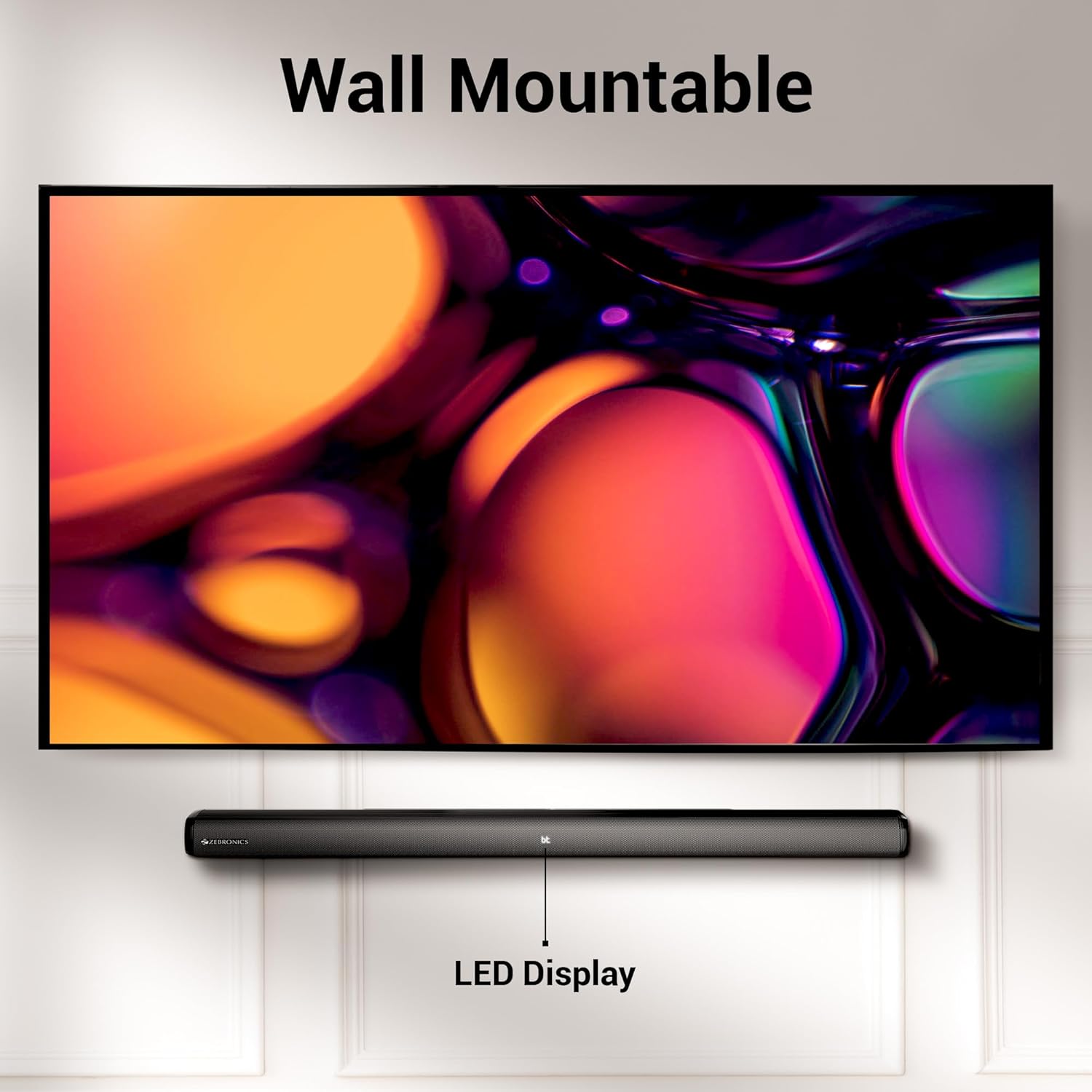
Image 3.2: The soundbar mounted on a wall beneath a television, demonstrating its wall-mountable design and integrated LED display.
3.3 توصيل مكبر الصوت الفرعي
Connect the subwoofer to the soundbar using the provided input cable. Ensure the connection is secure.
3.4 توصيل الطاقة
Connect the power cables for both the soundbar and the subwoofer to a suitable power outlet. The LED display on the soundbar will illuminate.
4. تعليمات التشغيل
4.1 تشغيل/إيقاف التشغيل
اضغط على قوة زر على مكبر الصوت أو جهاز التحكم عن بعد لتشغيل الوحدة أو إيقاف تشغيلها.
4.2 اختيار الوضع
اضغط على وضع button on the soundbar or the remote control to cycle through available input modes: Bluetooth (BT), HDMI (ARC), Optical (OPT), USB, and AUX. The selected mode will be indicated on the LED display.
4.3 التحكم في مستوى الصوت
استخدم حجم + و الصوت - أزرار على مكبر الصوت أو جهاز التحكم عن بعد لضبط مستوى الصوت.
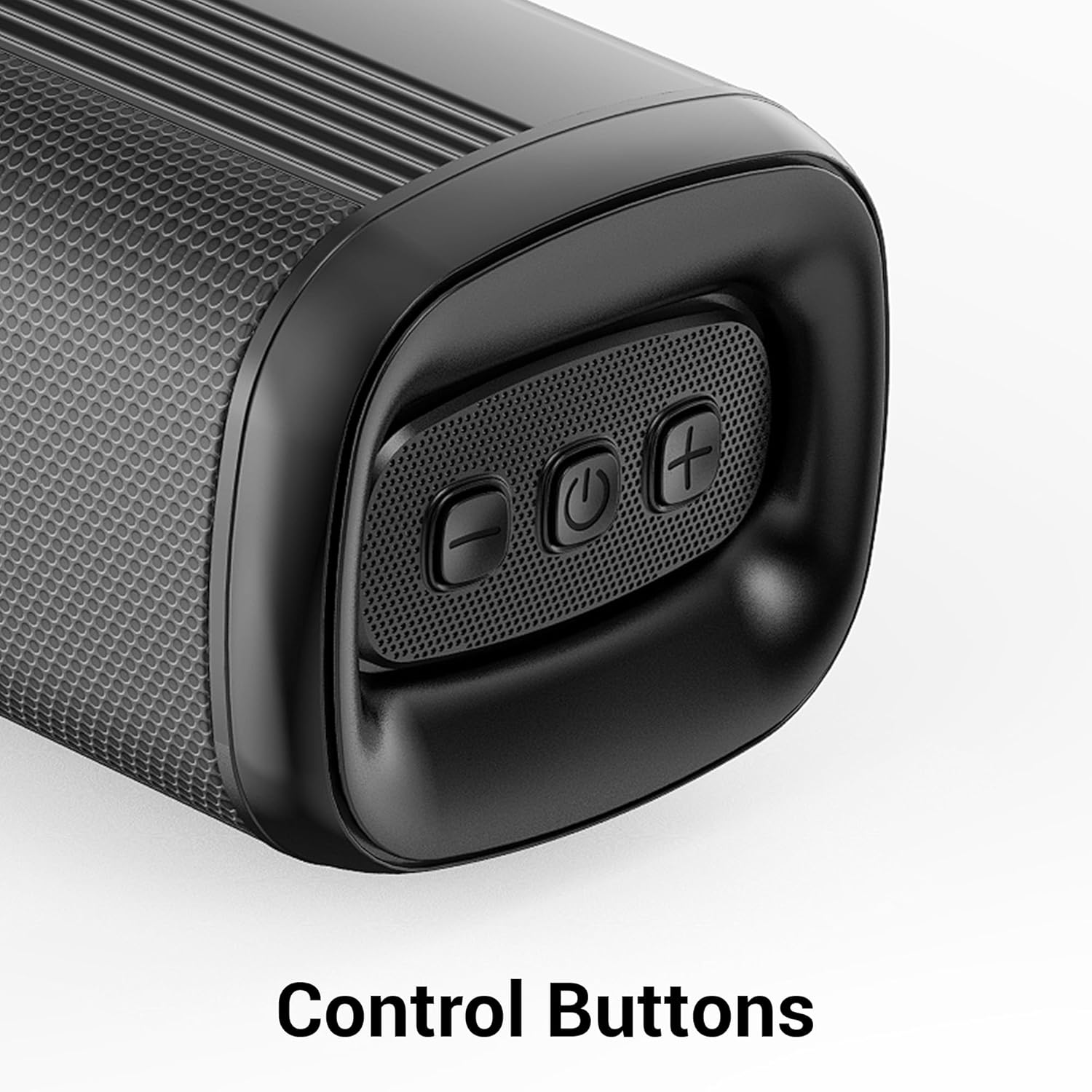
الصورة 4.1: عن قرب view of the control buttons on the soundbar, including volume down, power, and volume up.
5. الاتصال
The ZEB-Juke Bar 4100 offers multiple connectivity options for various devices.

Image 5.1: The soundbar with an overlay indicating its multi-connectivity features: Bluetooth v5.0, TV (ARC), Optical IN, USB, and AUX.
5.1 اتصال بلوتوث (BT)
- Turn on the soundbar and select BT mode. The LED display will show "BT" and flash, indicating pairing mode.
- Enable Bluetooth on your mobile device or computer and search for "ZEB-JUKE BAR 4100".
- Select the soundbar from the list of available devices to pair. Once connected, the "BT" indicator will stop flashing.
5.2 وصلة HDMI (ARC)
- قم بتوصيل كابل HDMI من قوس HDMI port on the soundbar to the قوس HDMI منفذ على جهاز التلفزيون الخاص بك.
- يختار قوس HDMI الوضع على شريط الصوت.
- تأكد من ضبط مخرج الصوت في جهاز التلفزيون الخاص بك على HDMI ARC أو مكبرات الصوت الخارجية.
5.3 Optical (OPT) Connection
- Connect an optical cable from the بصري IN port on the soundbar to the optical output port on your television or audio source.
- يختار الأراضي الفلسطينية المحتلة الوضع على شريط الصوت.
- تأكد من ضبط مخرج الصوت في جهاز التلفزيون الخاص بك على الوضع البصري أو مكبرات الصوت الخارجية.
5.4 تشغيل USB
- أدخل محرك أقراص فلاش USB يحتوي على الصوت fileس في USB منفذ على مكبرات الصوت.
- يختار USB mode. The soundbar will automatically begin playing audio files.
- Use the remote control to navigate tracks (Play/Pause, Next/Previous).
5.5 اتصال AUX
- قم بتوصيل كابل صوت 3.5 ملم من AUX IN port on the soundbar to the audio output of your device (e.g., smartphone, MP3 player).
- يختار مدخل مساعد الوضع على شريط الصوت.
6. الصيانة
لضمان طول العمر والأداء الأمثل لشريط الصوت الخاص بك، اتبع إرشادات الصيانة التالية:
- تنظيف: استخدم قطعة قماش ناعمة وجافة لتنظيف أسطح مكبر الصوت الرئيسي ومضخم الصوت الفرعي. لا تستخدم المنظفات السائلة أو المواد الكاشطة.
- تهوية: Ensure proper ventilation around the units. Do not block any ventilation openings.
- بيئة: Avoid exposing the soundbar to extreme temperatures, humidity, or direct sunlight. Keep it away from water and other liquids.
- قوة: Disconnect the power cable from the wall outlet if the unit will not be used for an extended period.
7. استكشاف الأخطاء وإصلاحها
If you encounter any issues with your ZEBRONICS Juke BAR 4100 Soundbar, refer to the following common problems and solutions:
| مشكلة | السبب المحتمل | حل |
|---|---|---|
| لا يوجد طاقة | كابل الطاقة غير موصول؛ مأخذ الطاقة غير نشط. | Ensure power cables are securely connected and the power outlet is functioning. |
| لا يوجد صوت | Incorrect input mode selected; volume too low; audio cable not connected properly. | Select the correct input mode (BT, HDMI, OPT, USB, AUX). Increase volume. Check all audio cable connections. Ensure TV audio output is set correctly. |
| فشل اقتران البلوتوث | شريط الصوت ليس في وضع الاقتران؛ الجهاز بعيد جدًا؛ تداخل. | Ensure soundbar is in BT mode and "BT" is flashing. Move device closer to the soundbar. Turn off other Bluetooth devices to reduce interference. |
| جهاز التحكم عن بعد لا يعمل | نفدت البطاريات؛ يوجد عائق بين جهاز التحكم عن بعد ومكبر الصوت. | Replace remote control batteries. Ensure no objects are blocking the remote's signal path to the soundbar's sensor. |
8. المواصفات
Technical specifications for the ZEBRONICS Juke BAR 4100 Soundbar:
- اسم الموديل: 4100 مشروع محلول زيبرا XNUMX
- إجمالي انتاج الطاقة: 200 Watts RMS (Soundbar: 110W, Subwoofer: 90W)
- نوع السماعة: Soundbar with external Subwoofer
- تكوين قناة الصوت المحيط: 5.1 الظاهري
- برامج تشغيل مكبرات الصوت: 4 × 5.71 سم
- سائق مضخم الصوت: 1 × 16.51 سم
- تقنية الاتصال: Bluetooth v5.0, HDMI (ARC), Optical, USB, Auxiliary
- نطاق البلوتوث: حتى 10 أمتار
- استجابة التردد: 45 Hz (minimum, as per data)
- نوع التركيب: قابلة للتثبيت على الحائط
- طريقة التحكم: جهاز تحكم عن بعد، أزرار على الوحدة
- Product Dimensions (Combined unit): 30.6 عمق × 19 عرض × 36.7 ارتفاع سنتيمتر
- وزن السلعة: 6 كجم
- مصدر الطاقة: كهرباء سلكية
- المكونات المتضمنة: Sound Bar, Subwoofer, Remote, Input cable, QR code guide
9. الضمان والدعم
The ZEBRONICS Juke BAR 4100 Soundbar comes with a limited warranty. Please refer to the warranty card included in your package for specific terms and conditions.
For technical assistance, troubleshooting, or warranty claims, please contact ZEBRONICS customer support. Contact details can typically be found on the official ZEBRONICS webالموقع أو في الوثائق المرفقة.
يمكنك أيضًا زيارة الموقع الرسمي متجر زيبرونيكس على أمازون لمزيد من المعلومات حول المنتج وموارد الدعم.


