1. المقدمة
Welcome to the user manual for your new MageGee SKY87 75% Wireless Mechanical Keyboard. This keyboard is designed for versatility and performance, offering multiple connectivity options, customizable features, and a comfortable typing experience. Please read this manual carefully to ensure proper setup and optimal use of your device.

This image displays the MageGee SKY87 75% Wireless Mechanical Keyboard in its Gradient White Blue color scheme, showcasinبفضل تصميمه المدمج وإضاءته الخلفية RGB.
2. محتويات العبوة
يرجى التأكد من أن جميع العناصر المدرجة أدناه متضمنة في الحزمة الخاصة بك:
- MageGee SKY87 75% Wireless Mechanical Keyboard
- كابل USB-C إلى USB-A
- 2.4GHz USB Receiver (stored in the keyboard's base)
- كيكاب بولير
- تبديل مجتذب
- مفاتيح احتياطية (قد تختلف الكمية)
- دليل المستخدم (هذا المستند)

This image shows the complete contents of the MageGee SKY87 keyboard package, including the keyboard, cables, tools, and documentation.
3. المميزات
The MageGee SKY87 keyboard boasts a range of features designed to enhance your typing and gaming experience:
- الاتصال بأجهزة متعددة: Supports BT5.0, 2.4GHz wireless, and USB wired modes, allowing connection to up to five devices simultaneously.
- تصميم قابل للتبديل السريع: Easily replace 3-pin or 5-pin switches without soldering, enabling full customization of your typing feel. Comes with pre-lubed linear switches for smooth operation.
- الإضاءة الخلفية RGB: Features 18+ RGB backlight modes and a separate strip light, with N-key rollover for responsive gaming.
- هيكل الحشية: Enhanced resilience and stability with an extended integrated silicone pad and PCB single key slotting, reducing hollow sounds.
- أغطية مفاتيح من مادة PBT: Durable double-shot PBT keycaps ensure characters remain vibrant and do not fade over time.
- بطارية عالية السعة: Built-in 8000mAh rechargeable battery for extended wireless use.
- تخطيط مضغوط بنسبة 75%: 87 keys layout saves desktop space while retaining essential arrow keys and a number area.
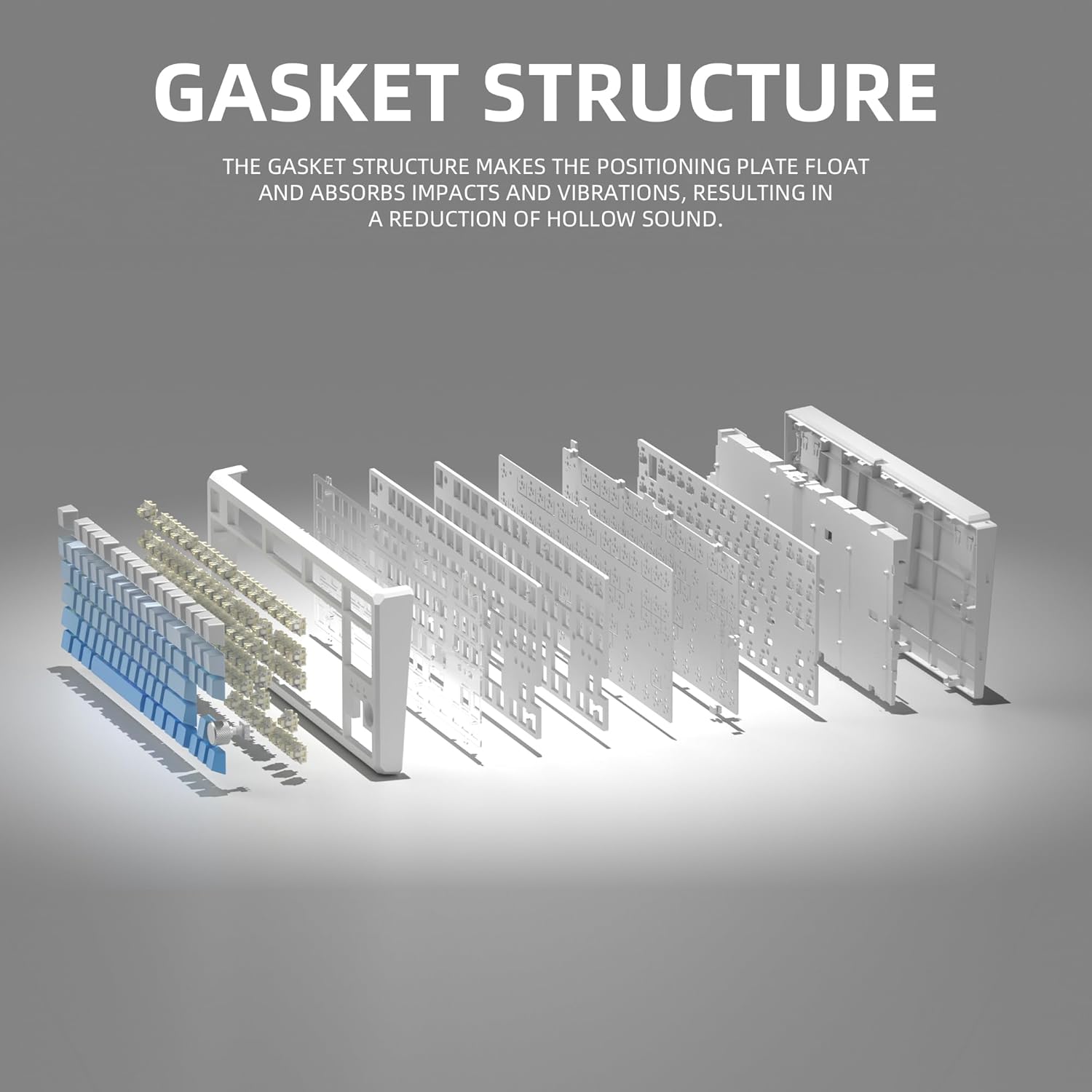
This image illustrates the internal gasket structure of the keyboard, highlighting its components that contribute to a softer and more elastic typing feel.

انفجرت view detailing the various layers and components that form the keyboard's gasket structure, including the top case, keycaps, switches, foam pads, and PCB board.
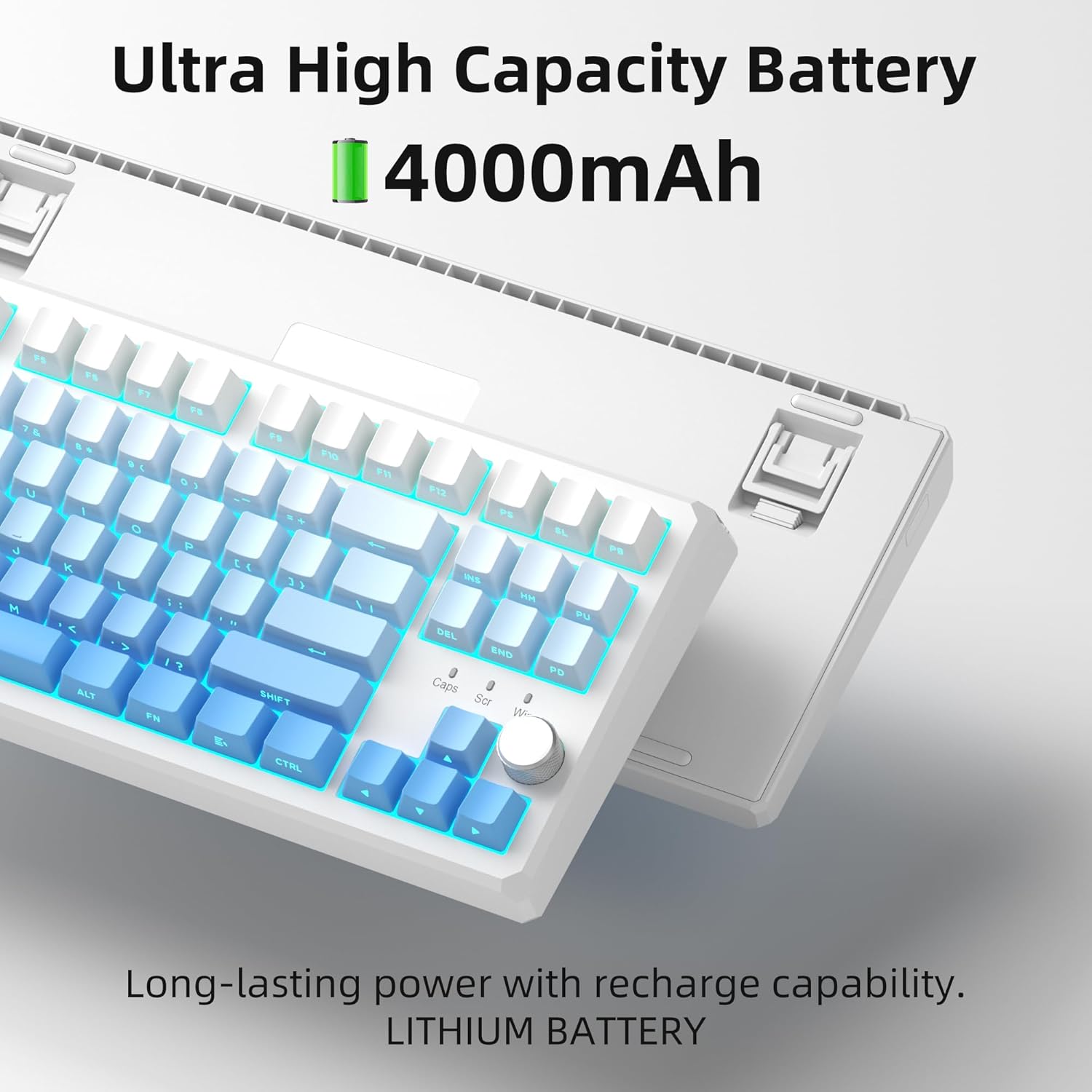
This image highlights the keyboard's internal battery, emphasizing its long-lasting power and rechargeable capability.
4. الإعداد
4.1 أوضاع الاتصال
The SKY87 keyboard supports three connection modes:
- الوضع اللاسلكي 2.4 جيجا هرتز: للحصول على اتصال مستقر ومنخفض التأخير.
- وضع البلوتوث 5.0: For connecting to multiple devices (up to 5) and easy switching.
- وضع سلكي USB: للتوصيل والشحن المباشر.

This image visually explains the three available connection modes for the keyboard: 2.4GHz wireless, Type-C wired, and Bluetooth 5.1, showing how it connects to different devices like a laptop, monitor, and tablet.
4.2 توصيل لوحة المفاتيح
- اتصال لاسلكي 2.4 جيجا هرتز:
- Locate the 2.4GHz USB receiver stored in the magnetic compartment on the back of the keyboard.
- قم بتوصيل جهاز الاستقبال بمنفذ USB متاح على جهاز الكمبيوتر الخاص بك.
- Ensure the keyboard is in 2.4GHz mode (refer to keyboard's mode switch, usually on the back or side).
- يجب أن تتصل لوحة المفاتيح تلقائيًا.
- اتصال بلوتوث:
- Turn on the keyboard and switch it to Bluetooth mode.
- On your device (PC, Mac, Xbox, tablet), enable Bluetooth and search for new devices.
- Select 'MageGee SKY87' from the list of available devices to pair.
- You can pair up to 5 Bluetooth devices and switch between them using specific FN key combinations (refer to keyboard's keycap legends or quick guide).
- اتصال سلكي USB:
- Connect the provided USB-C cable to the keyboard's USB-C port (located on the top edge).
- قم بتوصيل الطرف الآخر من الكابل بمنفذ USB-A في جهاز الكمبيوتر الخاص بك.
- The keyboard will function in wired mode and charge simultaneously.
4.3 ضبط زاوية لوحة المفاتيح
تتميز لوحة المفاتيح بحرفينtage adjustable feet on its underside, allowing you to set your preferred typing angle for ergonomic comfort.

This image shows the adjustable two-stage tripod feet on the underside of the keyboard, designed for ergonomic angle adjustment.
5. تعليمات التشغيل
5.1 التحكم في إضاءة RGB
The keyboard features a multi-function knob and dedicated keys for controlling the RGB backlighting:
- أدر المقبض: Turn left/right to adjust backlight brightness.
- مقبض الضغط القصير: Press the knob to cycle through different RGB lighting modes (18+ modes available).
- FN Key Combinations: Use FN + specific keys (refer to keycap legends) to change lighting effects, speed, or color.

This image focuses on the multi-function knob located on the keyboard, indicating its role in controlling the brightness of the RGB lighting.
5.2 مفاتيح قابلة للتبديل السريع
The SKY87 keyboard allows for easy replacement of switches without soldering:
- استخدم أداة سحب المفاتيح المرفقة لإزالة المفتاح الموجود برفق.
- قم بمحاذاة دبابيس المفتاح الجديد ذي 3 أو 5 دبابيس مع الثقوب الموجودة على لوحة الدوائر المطبوعة.
- Press firmly until the switch clicks into place.
- استخدم أداة سحب أغطية المفاتيح لإزالة أغطية المفاتيح واستبدالها حسب الرغبة.

This image illustrates the hot-swappable sockets on the keyboard's PCB, demonstrating how switches can be easily inserted and removed, supporting both 3-pin and 5-pin switch types.

This image provides detailed specifications for the 'Blue Whale Switch', including its linear type, pre-travel, end force, tactile position, and total travel, along with a force curve graph.
5.3 التبديل بين الأجهزة المتعددة
When in Bluetooth mode, you can quickly switch between paired devices using the designated FN key combinations (e.g., FN + 1, FN + 2, etc.). Refer to the keyboard's quick guide or keycap legends for specific combinations.
5.4 انقلاب المفتاح N
The keyboard supports N-key rollover, meaning it can accurately register multiple simultaneous key presses. This feature is particularly beneficial for fast-paced gaming and touch typing.
5.5 مقاطع فيديو رسمية للمنتج
Video 5.1: SKY87 Bluetooth Keyboard Overview
يقدم هذا الفيديو أكثر منview of the SKY87 Bluetooth Keyboard, demonstrating its features, unboxing, and showcasing the typing sound and RGB lighting effects.
Video 5.2: SKY87 Side Printed PBT Keycaps Keyboard
This video offers a closer look at the SKY87 keyboard, focusing on its side-printed PBT keycaps and demonstrating the typing experience.
6. الصيانة
To ensure the longevity and optimal performance of your MageGee SKY87 keyboard, follow these maintenance guidelines:
- تنظيف: Regularly clean the keycaps and keyboard surface with a soft, dry cloth. For deeper cleaning, you can remove keycaps using the provided puller and use compressed air to clear debris from beneath.
- تبديل الرعاية: If replacing switches, handle them carefully to avoid bending the pins. Ensure switches are fully seated to prevent inconsistent key presses.
- العناية بالبطارية: Avoid fully discharging the battery frequently. For long-term storage, charge the keyboard to about 50% and store in a cool, dry place.
- تخزين: When not in use, especially for extended periods, consider using a dust cover or the original packaging to protect the keyboard from dust and spills.
7. استكشاف الأخطاء وإصلاحها
إذا واجهت أي مشاكل مع لوحة المفاتيح، فيرجى الرجوع إلى خطوات استكشاف الأخطاء وإصلاحها الشائعة التالية:
- لوحة المفاتيح لا تستجيب:
- Ensure the keyboard is charged. Connect it via USB-C cable.
- Check the connection mode switch (2.4G/BT/Wired) on the keyboard and ensure it matches your intended connection.
- بالنسبة لتردد 2.4 جيجاهرتز، تأكد من توصيل مستقبل USB بإحكام. جرب منفذ USB مختلف.
- بالنسبة للبلوتوث، تأكد من تفعيل البلوتوث على جهازك وأن لوحة المفاتيح مقترنة. حاول إعادة إقران الجهاز.
- أعد تشغيل الكمبيوتر/الجهاز الخاص بك.
- إضاءة RGB لا تعمل/غير صحيحة:
- تأكد من تشغيل لوحة المفاتيح.
- Rotate or short press the knob to adjust brightness or change lighting modes.
- Check if any FN key combinations have disabled the lighting.
- المفاتيح غير مسجلة:
- If specific keys are not working, the switch might be faulty or not properly seated. Use the switch puller to remove and re-insert the switch.
- تأكد من عدم وجود أي شوائب عالقة تحت غطاء المفتاح أو المفتاح.
- Connectivity Issues (Lag/Disconnections):
- For wireless modes, ensure there are no strong interferences (e.g., other 2.4GHz devices, large metal objects) between the keyboard and receiver/device.
- Move closer to the receiver/device.
- تأكد من أن بطارية لوحة المفاتيح ليست منخفضة.
If the issue persists after trying these steps, please contact MageGee customer support for further assistance.
8. المواصفات
| ميزة | التفاصيل |
|---|---|
| ماركة | ماجي |
| نموذج | سكاى 87 |
| تكنولوجيا الاتصال | لاسلكي بتردد 2.4 جيجا هرتز، بلوتوث 5.0، سلكي USB-C |
| تخطيط لوحة المفاتيح | 75% (87 Keys), QWERTY |
| نوع المفتاح | Linear (Hot-swappable 3-pin/5-pin) |
| المواد Keycap | طلقة مزدوجة PBT |
| الإضاءة الخلفية | RGB (18+ modes) |
| سعة البطارية | 8000 مللي أمبير (قابلة لإعادة الشحن) |
| الأجهزة المتوافقة | PC, Xbox, MAC |
| وزن العنصر | 2 رطل |
| أبعاد الحزمة | 13 × 13 × 1 بوصة |
| الشركة المصنعة | ماجي |
| متوفر أولاً | 31 أكتوبر 2024 |
9. الضمان والدعم
Your MageGee SKY87 Mechanical Keyboard comes with a ضمان لمدة سنتين من تاريخ الشراء.
This warranty covers manufacturing defects and issues arising from normal use. It does not cover damage caused by misuse, accidents, unauthorized modifications, or improper maintenance.
For warranty claims, technical support, or any questions regarding your product, please contact MageGee customer support. You can typically find contact information on the manufacturer's official webالموقع أو من خلال نقطة الشراء الخاصة بك.
MageGee aims to respond to inquiries within 12 hours and provide satisfactory solutions.


