1. المقدمة
This manual provides detailed instructions for the installation, operation, and maintenance of your GENBOLT GB220K 2.5K PTZ Dual-Lens WiFi/PoE Security Camera. Please read this manual thoroughly before using the product to ensure proper functionality and safety. Keep this manual for future reference.

Figure 1: GENBOLT GB220K 2.5K PTZ Dual-Lens WiFi/PoE Security Camera. This image shows the camera's front view, highlighting its dual lenses and the 2.5K resolution, 10X zoom, and PoE capabilities.
2. محتويات العبوة
Verify that all items listed below are included in your package. If any items are missing or damaged, please contact GENBOLT customer support.
- GENBOLT GB220K Security Camera
- محول الطاقة
- تزايد شريحة
- كابل الشبكة
- طقم مقاوم للماء
- البراغي ومقابس الحائط
- دليل المستخدم (هذا المستند)

Figure 2: Included Components. This image displays the camera along with its accessories: power adapter, mounting bracket, network cable, waterproof kit, screws, and user manual.
3. معلومات السلامة
- تأكد من تثبيت الكاميرا في مكان ثابت لمنع سقوطها.
- Use only the provided power adapter or a compatible PoE switch to power the camera.
- Avoid placing the camera directly facing strong light sources to prevent image quality degradation.
- لا تعرض الكاميرا لدرجات حرارة قصوى أو بيئات أكالة.
- احتفظ بالكاميرا بعيدًا عن متناول الأطفال.
4. الإعداد والتثبيت
4.1 تركيب الكاميرا
The GENBOLT GB220K camera is designed for ceiling mount installation. Ensure the mounting surface is strong enough to support the camera's weight.
- اختر موقعًا مناسبًا على السقف للتثبيت.
- Use the mounting template (if provided) to mark the drill holes.
- Drill holes according to the marks and insert the wall plugs.
- قم بتثبيت دعامة التثبيت في السقف باستخدام البراغي المتوفرة.
- قم بتثبيت الكاميرا على حامل التثبيت.

Figure 3: Ceiling Installation. This image illustrates the camera mounted on a ceiling, demonstrating its wide coverage area with pan and tilt functionality.
4.2 Powering the Camera (DC & PoE)
The camera supports both DC power and Power over Ethernet (PoE).
- طاقة التيار المستمر: Connect the provided power adapter to the camera's DC power input and plug it into a power outlet.
- بو: Connect an Ethernet cable from a PoE-enabled switch or NVR to the camera's Ethernet port. This will provide both power and data connectivity.

Figure 4: DC and PoE Connection Options. This diagram illustrates how to connect the camera using either a DC power adapter or a PoE switch for both power and network.
4.3 Network Connection (WiFi & PoE)
The camera supports both 2.4GHz/5GHz Dual-Band WiFi and wired Ethernet (PoE) connections.
- Wired Connection (PoE): If using PoE, the network connection is established automatically once the Ethernet cable is connected to a PoE switch/NVR.
- الاتصال اللاسلكي (واي فاي):
- Download the 'GENBOLT CAM' app from your smartphone's app store.
- Ensure your phone's location services and Bluetooth are enabled.
- Open the app, tap 'Add Camera', and follow the on-screen instructions to connect to your WiFi network. You may need to scan a QR code displayed on your phone with the camera lens.
Video 1: Bluetooth Network Connection Method. This video demonstrates the process of connecting the camera to your network using the GENBOLT CAM app via Bluetooth setup.
Video 2: Camera Connection Instructions. This video provides a general guide on how to establish a connection with your GENBOLT camera.
5. تعليمات التشغيل
5.1 مباشر View & تشغيل
الوصول إلى بث الفيديو المباشر وإعادةview تم تسجيل فوtage through the 'GENBOLT CAM' app or compatible desktop client.

Figure 5: Multi-Platform Access. This image shows the GENBOLT CAM app interface on various devices (smartphone, tablet, laptop, desktop), demonstrating live view and playback capabilities across multiple platforms.
5.2 Pan/Tilt/Zoom Control
The camera features Pan-Tilt-Zoom (PTZ) functionality, allowing you to adjust the viewزاوية عن بعد.
- بان: قم بتدوير الكاميرا أفقياً حتى 355 درجة.
- الإمالة: اضبط الكاميرا عموديًا حتى 90 درجة.
- تكبير هجين 10X: Utilize the dual lenses for 10X hybrid zoom to view details or a wider area. The camera automatically zooms 3X when human motion is detected.
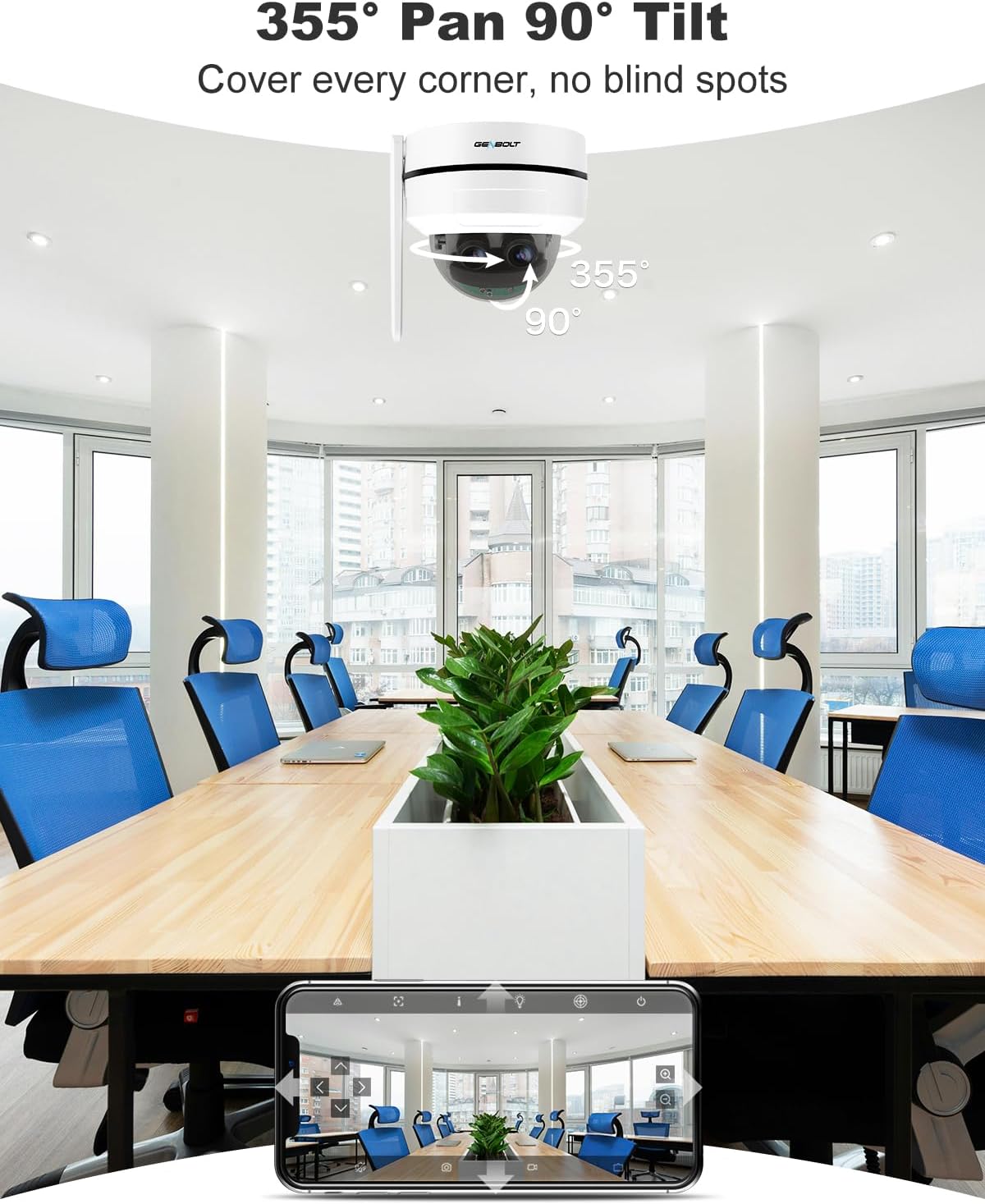
Figure 6: Pan and Tilt Coverage. This image illustrates the camera's ability to pan 355 degrees horizontally and tilt 90 degrees vertically, covering a wide area without blind spots.

Figure 7: Dual Lens & 10X Hybrid Zoom. This image highlights the camera's dual lens system, featuring a 4mm lens for a wide overview and a 12mm lens for detailed close-ups, enabling 10X hybrid zoom.
5.3 الصوت ثنائي الاتجاه
The integrated microphone and speaker allow for two-way communication through the camera.
- Use the app to speak through the camera's speaker.
- استمع إلى الصوت من محيط الكاميرا من خلال التطبيق.

Figure 8: Two-Way Audio. This image demonstrates the camera's two-way audio feature, allowing communication between the camera's location and the user via the mobile app.
5.4 كشف الحركة والتنبيهات
The camera can detect motion and send instant alerts to your device.
- Configure motion detection zones and sensitivity in the app.
- Receive push notifications or email alerts when motion is detected.
- Set up customizable sound alarms (e.g., siren, dog barking) to deter intruders.
- The auto-tracking feature allows the camera to follow detected human movement.

Figure 9: Auto Tracking. This image shows the camera's auto-tracking feature, where it follows a moving person, ensuring important events are captured.

Figure 10: Customizable Sound Alarm. This image illustrates the camera's ability to trigger a customizable siren or other sounds to deter potential intruders, with app settings shown.
5.5 الرؤية الليلية
The camera provides clear surveillance even in low-light conditions with its IR night vision feature.
- Automatically switches to night vision mode in dark environments.
- Night vision range up to 15 meters.
5.6 خيارات التخزين
يمكن تخزين التسجيلات محليًا أو في السحابة.
- بطاقة MicroSD: يدعم حتى 128 جيجابايت (غير مرفقة).
- التخزين السحابي: Offers a 7-day free trial. Uploads events to an encryption server for secure playback.

Figure 11: Flexible Storage Options. This image displays the mobile app interface, illustrating the available storage methods: cloud storage (with a 7-day free trial) and TF card storage (up to 128GB).
6. الصيانة
- قم بتنظيف عدسة الكاميرا بانتظام باستخدام قطعة قماش ناعمة وجافة لضمان جودة صورة واضحة.
- افحص توصيلات الكابلات بشكل دوري بحثًا عن أي علامات تآكل أو تلف.
- Ensure the camera's firmware is updated to the latest version for optimal performance and security.
- If using an SD card, consider formatting it periodically to maintain performance.
7. استكشاف الأخطاء وإصلاحها
7.1 لا يوجد طاقة
- تأكد من توصيل محول الطاقة بالكاميرا ومأخذ الطاقة بشكل آمن.
- If using PoE, ensure the Ethernet cable is properly connected to a PoE-enabled switch/NVR and that the switch/NVR is powered on.
7.2 Cannot Connect to WiFi
- Ensure your WiFi network is 2.4GHz or 5GHz compatible.
- Verify the WiFi password entered is correct.
- قم بتقريب الكاميرا من جهاز توجيه الواي فاي لتحسين قوة الإشارة.
- أعد تشغيل الكاميرا وجهاز التوجيه الخاص بك.
7.3 جودة الصورة الرديئة
- تنظيف عدسة الكاميرا.
- تأكد من عدم وجود أي عوائق تعيق حركة الكاميرا view.
- تحقق من سرعة اتصالك بالإنترنت. قد يؤثر الاتصال البطيء على جودة البث.
7.4 خاصية التتبع التلقائي لا تعمل
- Ensure the auto-tracking feature is enabled in the app settings.
- تأكد من أن مجال رؤية الكاميرا view واضح وغير معاق.
- Adjust motion detection sensitivity if necessary.
للحصول على مزيد من المساعدة، يرجى الرجوع إلى قسم الدعم.
8. المواصفات
| رقم الموديل | GB220K |
| دقة الفيديو | 2.5K HD (4MP+4MP Dual Lens) |
| تكبير | تكبير هجين 10x |
| عموم / الميل زاوية | Pan: 355 Degrees, Tilt: 90 Degrees |
| نطاق الرؤية الليلية | 15 مترا |
| الاتصال | 2.4/5GHz Dual WiFi, Power over Ethernet (PoE) |
| تخزين | MicroSD Card (Max 128GB, not included), Cloud Storage |
| صوتي | اتصال ثنائي الاتجاه (ميكروفون وسماعة مدمجان) |
| متانة | IK10 Vandalproof, IP66 Waterproof |
| نوع التركيب | التركيب على السقف |
| أبعاد | 15 × 14.99 × 15 سم |
| وزن | 890 جرام |

Figure 12: 2.5K Image Quality. This image visually compares the clarity of 2.5K resolution against 1080P, demonstrating the superior detail captured by the camera.

Figure 13: Reliable Protection. This image emphasizes the camera's robust design with IK10 vandal resistance and IP66 weatherproofing, ensuring durability in various environments.
9. الضمان والدعم
- ضمان استرداد الأموال لمدة 30 يومًا: If you are not satisfied with your purchase, you may return it within 30 days for a full refund or exchange.
- ضمان محدود لمدة عامين: The GENBOLT GB220K camera is covered by a 1-year limited warranty against manufacturing defects.
- 24/7 Lifetime Free Technical Support: For any technical issues or questions, please contact GENBOLT customer support.
معلومات الاتصال:
- Visit the official GENBOLT webموقع لموارد الدعم.
- Refer to the 'GENBOLT CAM' app for in-app support options.
Video 3: 4K Dual Lens WiFi Security Camera Outdoor with PoE. This video showcases the features and capabilities of a GENBOLT dual-lens security camera, including WiFi and PoE connectivity, similar to the GB220K model.


