1. المقدمة
Thank you for choosing the Montech Titan PLA 850W ATX Gaming Power Supply. This manual provides essential information for the proper installation, operation, and maintenance of your power supply unit (PSU). Please read this manual thoroughly before installation and retain it for future reference.
2. معلومات السلامة
WARNING: Improper installation or use can lead to equipment damage, electric shock, or serious injury. Always follow these safety guidelines:
- Ensure the power supply is disconnected from the AC power outlet before installation, removal, or any maintenance.
- This product is designed for indoor use only. Do not expose it to moisture, high temperatures, or dusty environments.
- لا تفتح وحدة التزويد بالطاقةasinز. حجم الصوت العاليtagقد تكون هناك مكونات موجودة بالداخل، وفتح الوحدة سيؤدي إلى إبطال الضمان.
- Use only the modular cables provided with this power supply. Using third-party cables may cause damage to the PSU or connected components.
- Ensure proper grounding for your computer system.
- إذا لم تكن متأكدًا من أي خطوات التثبيت، فاستشر فنيًا مؤهلًا.
3. محتويات العبوة
تأكد من وجود جميع العناصر في الحزمة الخاصة بك:
- Montech Titan PLA 850W Power Supply Unit
- Modular Cable Set (including ATX 24-pin, CPU 8-pin, PCIe 6+2-pin, SATA, Peripheral 4-pin)
- سلك الطاقة المتردد
- مسامير التثبيت
- روابط الكابلات
- دليل المستخدم
4. انتهى المنتجview
The Montech Titan PLA 850W is a high-performance, fully modular power supply designed for gaming and high-end PC systems. It features 80 Plus Platinum and Cybenetics Platinum certifications for exceptional efficiency, ATX 3.1 and PCIe 5.1 readiness for next-generation components, and a silent 135mm Fluid Dynamic Bearing (FDB) fan with a Zero RPM mode.
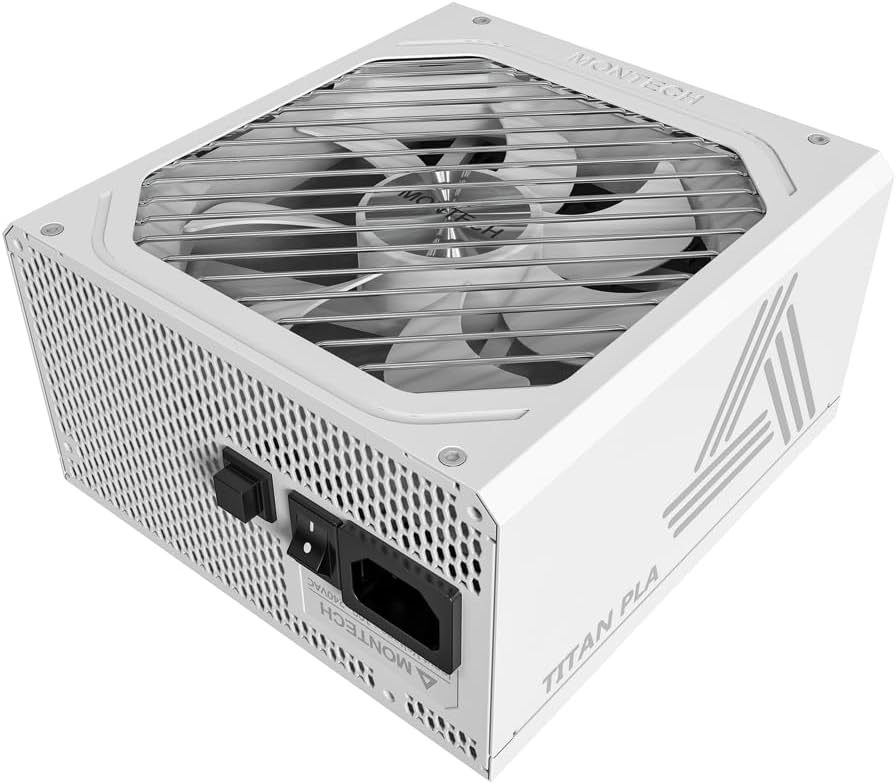
الصورة: بزاوية view of the Montech Titan PLA 850W Power Supply, showcasing its white chassis and top fan grill.

الصورة: أكثر منview of key features including 80 PLUS Platinum, Cybenetics A+ certification, ATX 3.1 & PCIe 5.1 readiness, silent performance, premium build, and ultimate protection.
4.1 الميزات الرئيسية
- 80 PLUS Platinum & Cybenetics Platinum Certified: Achieves up to 90% efficiency, reducing heat and operating costs.
- جاهز لتقنية ATX 3.1 و PCIe 5.1: Fully compliant with the latest power standards for modern GPUs, supporting 2x total power excursion and 3x GPU power excursion.
- تصميم وحدات بالكامل: Allows for clean cable management and improved airflow within your PC case.
- 135mm FDB Silent Fan with Zero RPM Mode: Ensures quiet operation under low to moderate loads by stopping the fan.
- 100% Japanese 105°C Capacitors: Provides enhanced durability, stability, and reliability.
- الحماية الشاملة: Includes OVP, OPP, SCP, OCP, UVP, OTP for system safety.

Image: Diagram illustrating ATX 3.1 and PCIe 5.1 readiness, showing support for power and GPU excursions and hold time above 21ms.

Image: Logos for 80 PLUS Platinum and Cybenetics Platinum certifications, indicating high power efficiency.

الصورة: عن قرب view of internal Japanese 105°C capacitors, highlighting premium component quality.

Image: Cybenetics A+ certification logo alongside a view of the 135mm FDB fan, emphasizing silent operation.
5. تعليمات الإعداد
5.1 قائمة التحقق من التثبيت المسبق
- Ensure your computer case is compatible with ATX power supplies.
- Gather all necessary tools: screwdriver, cable ties (included).
- Unpack the PSU and all modular cables.
5.2 التثبيت المادي
- قم بإيقاف تشغيل الكمبيوتر وفصل سلك التيار المتردد من مأخذ الحائط.
- افتح علبة الكمبيوتر الخاص بك.
- Carefully place the Montech Titan PLA 850W PSU into the designated PSU bay in your computer case. Ensure the fan is facing the correct direction (typically facing down if your case has a bottom vent, or up if it draws air from inside the case).
- قم بتثبيت وحدة تزويد الطاقة في الهيكل باستخدام براغي التثبيت المرفقة.
5.3 اتصالات الكابلات
The Montech Titan PLA 850W is a fully modular power supply, allowing you to connect only the cables you need. Refer to the diagram below for connector types and locations.

الصورة: الخلفية view of the Montech Titan PLA power supply showing the fully modular cable connection ports, labeled for M/B, CPU/PCI-E, Peripheral-IDE/SATA/Molex, and 12V-2x6.
- Motherboard (M/B) Power: Connect the 24-pin ATX cable to the PSU and then to your motherboard's 24-pin connector.
- طاقة وحدة المعالجة المركزية: Connect the 8-pin (4+4-pin) CPU cable(s) to the PSU and then to your motherboard's CPU power connector(s).
- طاقة PCIe: Connect the 6+2-pin PCIe cable(s) to the PSU and then to your graphics card(s). Use separate cables for each high-power GPU connector if possible.
- طاقة SATA: Connect SATA power cables to the PSU and then to your SSDs, HDDs, or optical drives.
- Peripheral (Molex) Power: Connect peripheral cables to the PSU and then to any components requiring Molex connectors.
- Once all necessary cables are connected, use cable ties to manage them neatly for better airflow and aesthetics.
5.4 التشغيل الأولي
- تأكد من أن جميع التوصيلات آمنة.
- أغلق علبة الكمبيوتر.
- Connect the AC power cord to the PSU's input socket and then to a wall outlet.
- قم بقلب مفتاح الطاقة الموجود على الجزء الخلفي من وحدة إمداد الطاقة إلى وضع التشغيل (I).
- قم بتشغيل جهاز الكمبيوتر الخاص بك.

Image: Rear panel of the Montech Titan PLA 850W Power Supply, showing the AC input, power switch, and input voltage label (100~240VAC).
6. تعليمات التشغيل
6.1 تشغيل/إيقاف التشغيل
To power on your system, ensure the PSU switch is in the 'ON' position and press your computer's power button. To power off, shut down your operating system normally. For complete power disconnection, flip the PSU switch to the 'OFF' (O) position and unplug the AC cord.
6.2 وضع صفر دورة في الدقيقة
The Montech Titan PLA 850W features a Zero RPM mode. In this mode, the PSU fan will remain off under low to moderate loads to provide silent operation. The fan will automatically activate when the load increases to maintain optimal temperatures. This is normal operation and not an indication of a fault.
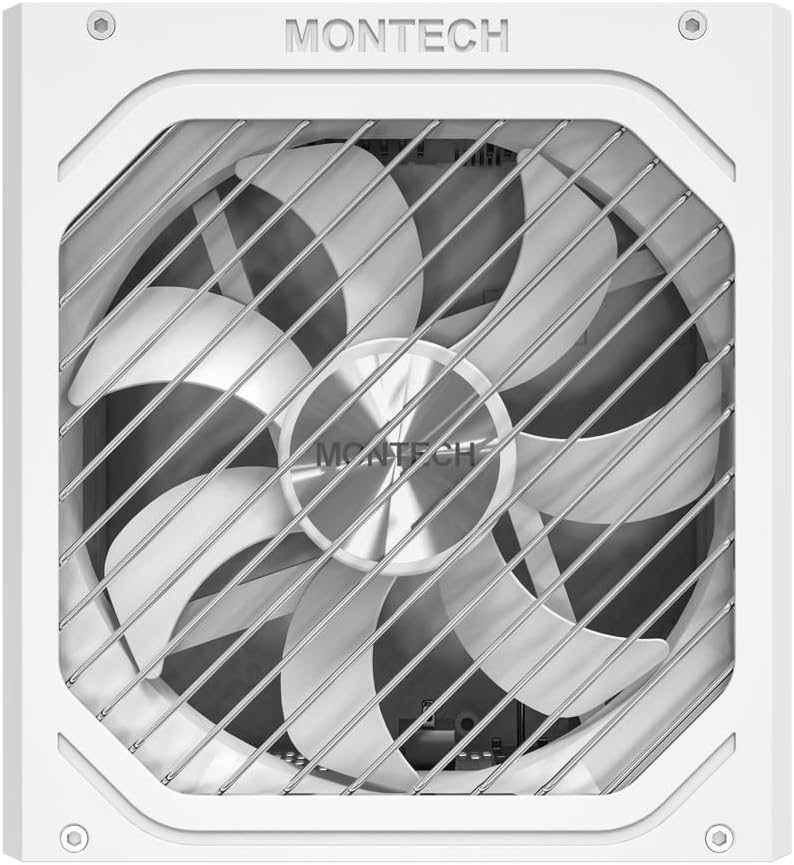
الصورة: من أعلى إلى أسفل view of the Montech Titan PLA 850W Power Supply fan, visible through the protective grill.
7. الصيانة
To ensure the longevity and optimal performance of your Montech Titan PLA 850W PSU, follow these maintenance guidelines:
- إزالة الغبار: Periodically clean the exterior of the PSU and the fan grill to prevent dust buildup. Use compressed air to gently clear dust from the fan blades and internal components. Always disconnect the AC power before cleaning.
- الظروف البيئية: Operate the PSU in a well-ventilated area, away from direct sunlight, heat sources, and excessive humidity.
- فحص الكابلات: قم بفحص جميع توصيلات الكابلات المعيارية من حين لآخر للتأكد من أنها آمنة وخالية من التلف.
8. استكشاف الأخطاء وإصلاحها
If you encounter issues with your Montech Titan PLA 850W PSU, refer to the following common problems and solutions:
| مشكلة | السبب المحتمل | حل |
|---|---|---|
| لا يتم تشغيل النظام. | AC power cord disconnected. تم إيقاف تشغيل مفتاح PSU. وصلات كابل فضفاضة. مكون معيب. | تأكد من توصيل سلك التيار المتردد بشكل آمن. Flip PSU switch to 'ON' (I). Check all modular cable connections. Test PSU with a PSU tester (if available) or try minimal components. |
| System powers on but is unstable/shuts down. | التحميل الزائد. ارتفاع درجة الحرارة. مكون معيب. | تأكد من إجمالي استهلاك الطاقة للنظامtagلا يتجاوز 850 وات. Check for proper case ventilation and dust buildup. Verify all components are correctly installed. |
| مروحة PSU لا تدور. | Zero RPM mode active. انسداد المروحة. مروحة معيبة. | This is normal under low loads. The fan will spin up when needed. Check for any obstructions. Clean dust if necessary. If fan never spins under load, contact support. |
If the problem persists after attempting these solutions, please contact Montech customer support for further assistance.
9. المواصفات
Detailed specifications for the Montech Titan PLA 850W Power Supply:
| ميزة | مواصفة |
|---|---|
| اسم الموديل | TITAN PLA 850W |
| واتtage | 850 واط |
| شهادة الكفاءة | 80 PLUS Platinum, Cybenetics Platinum |
| عامل الشكل | ايه تي اكس |
| الأبعاد (الطول × العرض × الارتفاع) | 6.3 × 5.91 × 3.39 بوصة (160 × 150 × 86 مم) |
| نوع المروحة | 135mm Fluid Dynamic Bearing (FDB) |
| المكثفات | 100% Japanese 105°C |
| وحدات نمطية | وحدات كاملة |
| معيار ATX | ايه تي اكس 3.1 |
| معيار PCIe | منفذ PCIe 5.1 |
| الحماية | OVP, OPP, SCP, OCP, UVP, OTP |
| حجم الإدخالtage | 100-240 فولت تيار متردد |
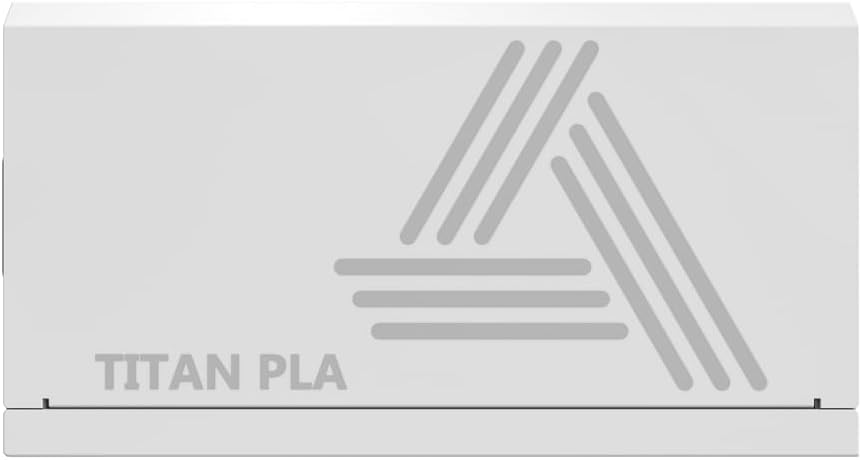
Image: Rating label of a Montech Titan PLA power supply (750W variant shown), detailing AC input and DC output specifications.
10. الضمان والدعم
The Montech Titan PLA 850W Power Supply is backed by a ضمان الشركة المصنعة لمدة عامين, covering defects in materials and workmanship under normal use. For warranty claims or technical support, please visit the official Montech webالموقع الإلكتروني أو تواصل مع قسم خدمة العملاء. احتفظ بإيصال الشراء للتحقق من صحة الضمان.
For the most up-to-date support information, please refer to the official Montech support channels.


