مقدمة
This manual provides comprehensive instructions for the setup, operation, maintenance, and troubleshooting of your NYXI Hyperion Meteor Light Wireless Joy-pad. Please read this manual carefully before using the product to ensure optimal performance and longevity.
الميزات الرئيسية
- Breathing RGB Light: Features 8 mesmerizing colors and 3 dynamic breathing modes to enhance your gaming atmosphere.
- Super-Comfortable Ergonomics: Designed for maximum comfort and minimal fatigue during extended gaming sessions.
- أزرار خلفية قابلة للبرمجة: Customizable back buttons for streamlined tasks and precise control.
- وظيفة التوربو القابلة للتعديل: Customize button response rate for rapid inputs with 3 speed levels.
- استشعار الحركة بواسطة الجيروسكوب سداسي المحاور: Captures subtle movements for enhanced realism and precise maneuvers.
- وظيفة الاهتزاز: Provides immersive haptic feedback, from subtle to strong, amplifying the gaming experience.
يثبت
The NYXI Hyperion Meteor Light Joy-pad is designed for seamless integration with your Nintendo Switch or Switch OLED console. Follow these steps to attach and begin using your controller.
Attaching the Joy-pad to your Nintendo Switch
Align the rails of the Joy-pad with the grooves on the sides of your Nintendo Switch console. Slide the Joy-pad downwards until you hear a click, indicating it is securely locked into place.

Image: The NYXI Hyperion Meteor Light Wireless Joy-pad shown attached to a Nintendo Switch console, highlighting its integrated design.
تصميم مريح لتعزيز الراحة
The controller features a contoured design and thoughtful button placement to ensure maximum comfort and reduce hand fatigue during long gaming sessions.

الصورة: الجانب view of the NYXI Hyperion Joy-pad, emphasizing its ergonomic shape and lightweight, non-slip materials for comfortable gameplay.
تعليمات التشغيل
أوضاع إضاءة RGB
The NYXI Hyperion Meteor Light Joy-pad features 8 vibrant colors and 3 dynamic breathing modes (Palette, Breathe, Rainbow Breathe) for customizable lighting effects. Use the dedicated buttons on the back of the controller to cycle through these modes and colors.

Image: The NYXI Hyperion Joy-pad illuminated with various RGB colors, demonstrating the 8-color breathing LED feature and different lighting options.
وظيفة اهتزاز قابلة للتعديل
Experience immersive feedback with the adjustable vibration function. You can select from 5 levels of rumble intensity: 0%, 30%, 50%, 75%, and 100% to match your preference and game requirements.

Image: The NYXI Hyperion Joy-pad illustrating its 5 levels of adjustable vibration rumble, from 0% to 100% intensity.
توربو وظيفة
Gain an edge in fast-paced games with the adjustable Turbo function. Choose from 3 speeds (5 shots/s, 12 shots/s, 20 shots/s) to customize your button response rate for lightning-fast actions.

Image: The NYXI Hyperion Joy-pad showcasing its 3 speeds of turbo function, indicating shots per second.
التحكم في حركة الجيروسكوب بستة محاور
The super-sensitive 6-axis gyro sensor provides precise motion control, allowing for accurate in-game movements and enhanced realism.
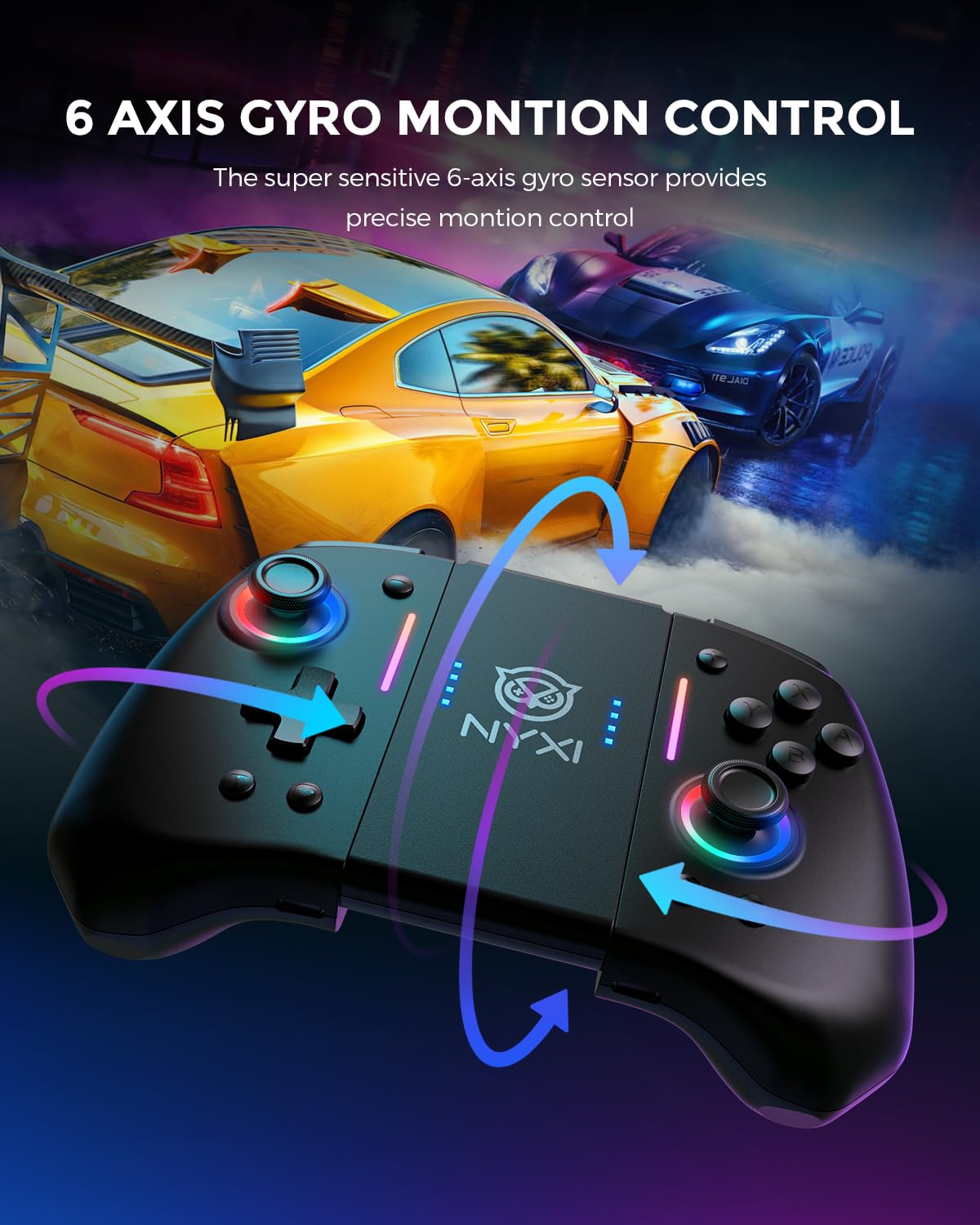
Image: The NYXI Hyperion Joy-pad demonstrating its 6-axis gyro motion control capabilities with directional arrows.
أزرار خلفية قابلة للبرمجة
Elevate your gaming with personalized programmable back buttons. These customizable buttons allow you to map functions for one or more buttons, providing a hidden advantage and tailored control for any gaming endeavor.

الصورة: لقطة مقربة view of the back of the NYXI Hyperion Joy-pad, highlighting the programmable back buttons.
صيانة
To ensure the longevity and optimal performance of your NYXI Hyperion Meteor Light Joy-pad, follow these maintenance guidelines:
- تنظيف: Use a soft, dry cloth to wipe down the controller regularly. Avoid using harsh chemicals or abrasive materials that could damage the surface.
- تخزين: قم بتخزين وحدة التحكم في مكان بارد وجاف بعيدًا عن أشعة الشمس المباشرة ودرجات الحرارة القصوى.
- العناية بالبطارية: Avoid fully draining the battery frequently. Charge the controller regularly, even if not in use for extended periods, to maintain battery health.
استكشاف الأخطاء وإصلاحها
If you encounter any issues with your NYXI Hyperion Meteor Light Joy-pad, refer to the following common troubleshooting steps:
| مشكلة | السبب المحتمل | حل |
|---|---|---|
| وحدة التحكم غير متصلة | Low battery, incorrect pairing, or interference. | Ensure the controller is charged. Re-pair the controller with your Switch. Move closer to the console to reduce interference. |
| الأزرار لا تستجيب | خلل في البرنامج أو ضرر مادي. | Restart the controller and the Switch. If the problem persists, contact customer support. |
| الاهتزاز لا يعمل | Vibration function disabled or set to 0%. | Check the vibration settings on the controller and in the game. Increase the vibration intensity. |
تحديد
- ASIN: B0DKSVH3CF
- تاريخ الافراج عنه: 31 ديسمبر 2024
- أبعاد الحزمة: 5.83 × 5.79 × 2.72 بوصة
- وزن السلعة: 10.5 أونصات
- الشركة المصنعة: نيويورك
- البطاريات: 1 بطاريات ليثيوم أيون مطلوبة (مضمنة)
الضمان والدعم
For warranty information or technical support, please refer to the contact details provided with your product packaging or visit the official NYXI webموقع. احتفظ بإيصال الشراء الخاص بك لمطالبات الضمان.


