1. المقدمة
This manual provides detailed instructions for the safe and effective use of your ScopeAround SA200S Digital Otoscope. This device is designed for visual inspection of the ear canal and eardrum, featuring an integrated 1.85-inch IPS screen, a 720p HD camera, and adjustable LED lighting. It also supports photo and video capture for documentation.
يرجى قراءة هذا الدليل بعناية قبل تشغيل الجهاز والاحتفاظ به للرجوع إليه في المستقبل.
2. معلومات السلامة
- لا تدخل منظار الأذن بعمق شديد في قناة الأذن لتجنب الإصابة.
- Always use the provided specula to prevent direct contact with the ear canal.
- Clean the lens and accessories thoroughly before and after each use to prevent cross-contamination. Refer to the "Maintenance and Cleaning" section.
- Keep the device out of reach of children. Adult supervision is required if used on children.
- Do not use the device if you experience pain or discomfort. Consult a medical professional.
- تجنب تعريض الجهاز لدرجات حرارة عالية، أو أشعة الشمس المباشرة، أو الرطوبة.
- لا تحاول تفكيك الجهاز أو إصلاحه بنفسك. اتصل بدعم العملاء للحصول على المساعدة.
- The built-in battery pack is non-removable.

Figure 2.1: Safe and Dangerous Ear Canal Insertion
3. محتويات العبوة
تأكد من وجود جميع العناصر في العبوة:
- SA200S Digital Otoscope with Screen
- Ear Picks (x4)
- Specula (x5)
- وسادات الكحول
- أعواد قطنية
- بطاقة ذاكرة 8 جيجا
- كبل USB (من النوع C)
- دليل المستخدم

الشكل 3.1: محتويات العبوة
4. انتهى المنتجview
The ScopeAround SA200S Digital Otoscope is an all-in-one device designed for convenient ear examination. It features a high-resolution camera and an integrated display for direct viewعمل.

Figure 4.1: ScopeAround SA200S Digital Otoscope
4.1 مكونات الجهاز

Figure 4.2: Labeled Components of the Otoscope
- Navigation Buttons UP: Used to navigate menus or adjust settings.
- Navigation Buttons Down: Used to navigate menus or adjust settings.
- فتحة لبطاقة ذاكرة: For inserting the 8GB memory card (included).
- Photo / Video Button: Press to capture photos or start/stop video recording.
- Power Button / LED Light Adjustment: Long press to power on/off. Short press to cycle through LED brightness levels.
- 1.85" IPS LCD Screen: Integrated display for real-time viewعمل.
- زر الإعدادات: الوصول إلى إعدادات الجهاز.
- زر موافق: Confirm selections in menus.
- Otoscope Camera: The camera probe for ear canal inspection.
- ميناء من النوع C: للشحن ونقل البيانات.
5. الإعداد
5.1 شحن الجهاز
Before first use, fully charge the otoscope. Connect the provided USB Type-C cable to the device's Type-C port and a compatible USB power adapter (not included). The charging indicator will show the charging status. A full charge provides approximately 3 hours of working time.
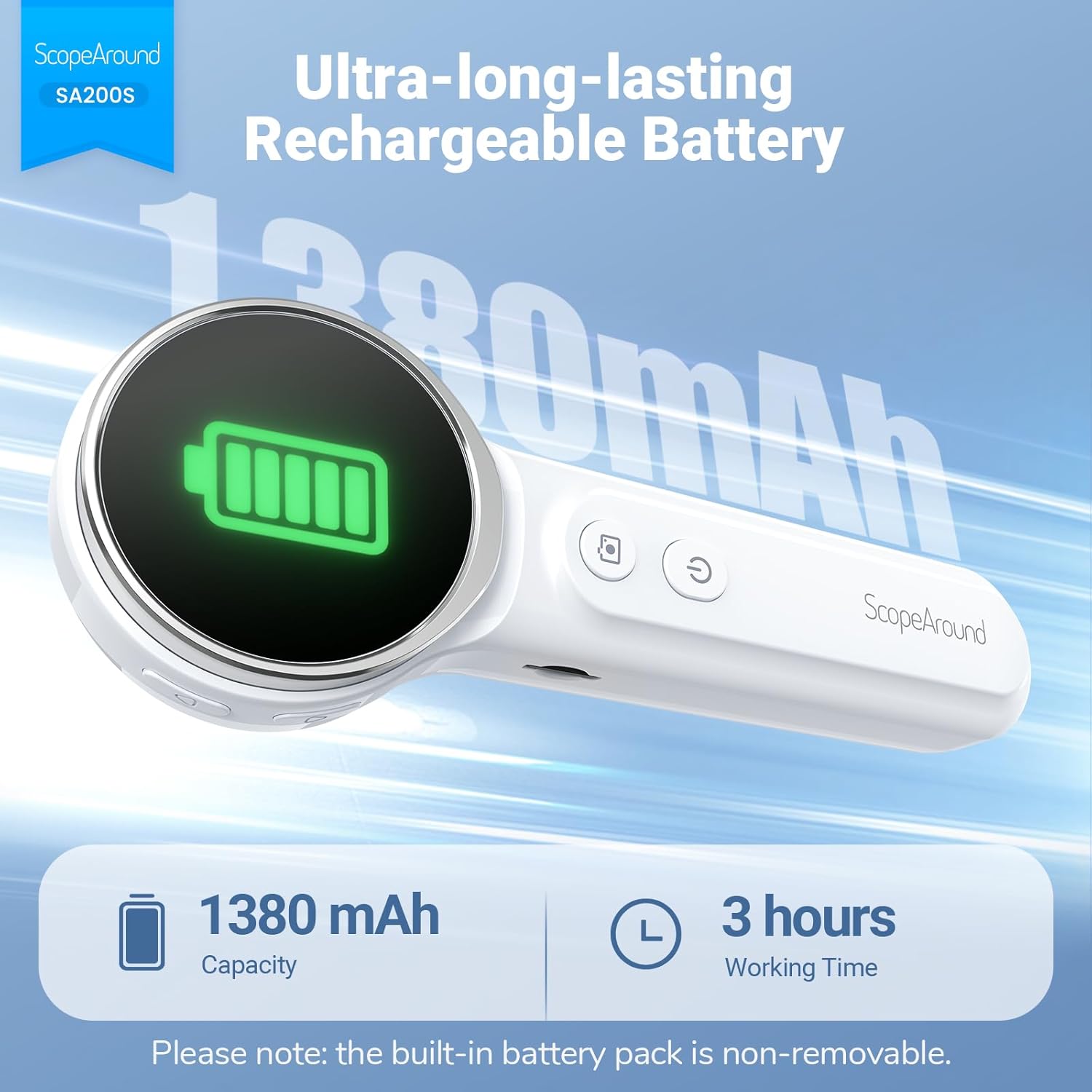
الشكل 5.1: الشحن وعمر البطارية
5.2 إرفاق الملحقات
Select an appropriate speculum and ear pick. Gently attach the chosen speculum to the tip of the otoscope camera. If using an ear pick, ensure it is securely fitted over the camera tip, inside the speculum, before insertion into the ear.
5.3 تشغيل/إيقاف التشغيل
- لتشغيل الجهاز: اضغط مطولاً على زر الطاقة (5) until the screen illuminates.
- لإيقاف التشغيل: اضغط مطولاً زر الطاقة (5) again until the screen turns off.
5.4 الاتصال بالتطبيق (اختياري)
For additional features and a larger viewing experience, you can connect the otoscope to your smartphone or tablet via Wi-Fi.
- تنزيل التطبيق: Scan the QR code provided in the manual or on the device packaging, or search for "Smart Otoscope" in the Apple App Store or Google Play Store. You can also visit gto.so/smart-otoscope.
- Power On Otoscope: Long press the power button on the otoscope to turn it on.
- قم بتوصيل Wi-Fi: On your smartphone or tablet, go to Wi-Fi settings and connect to the network named "Smart Otoscope_XXX". The default password is 55556666.
- إطلاق التطبيق: Open the "Smart Otoscope" app. The live view from the otoscope camera should appear.

Figure 5.2: Wi-Fi Connection Steps
Note: Once connected to the app, you can operate the device and view the feed on your phone.
6. تعليمات التشغيل
6.1 Basic Ear Examination
- Ensure a clean speculum is attached to the otoscope camera.
- Gently pull the outer ear up and back to straighten the ear canal.
- Carefully insert the speculum tip into the ear canal while observing the integrated 1.85-inch IPS screen. Do not force the device.
- اضبط الزاوية والعمق ببطء للحصول على صورة واضحة view of the ear canal and eardrum.

Figure 6.1: Self-Examination with Integrated Screen
6.2 Adjusting LED Lights and Brightness
The otoscope features 6 adjustable LED lights with 3 brightness settings for optimal visibility.
- اضغط لفترة قصيرة على زر الطاقة (5) to cycle through the 3 brightness levels.

Figure 6.2: Camera Specifications and Brightness Settings
6.3 Magnification Levels
The device supports 3 levels of magnification (1.0x, 1.3x, 1.5x) for detailed viewing. Use the Navigation Buttons UP/DOWN (1, 2) to adjust magnification.

Figure 6.3: Adjustable Magnification and Image Rotation
6.4 التقاط الصور والفيديو
The otoscope allows you to capture images and record videos directly to the included 8GB memory card.
- لالتقاط صورة: اضغط على زر الصورة / الفيديو (4) مرة واحدة.
- To record a video: Long press the زر الصورة / الفيديو (4) to start recording. Long press again to stop recording.
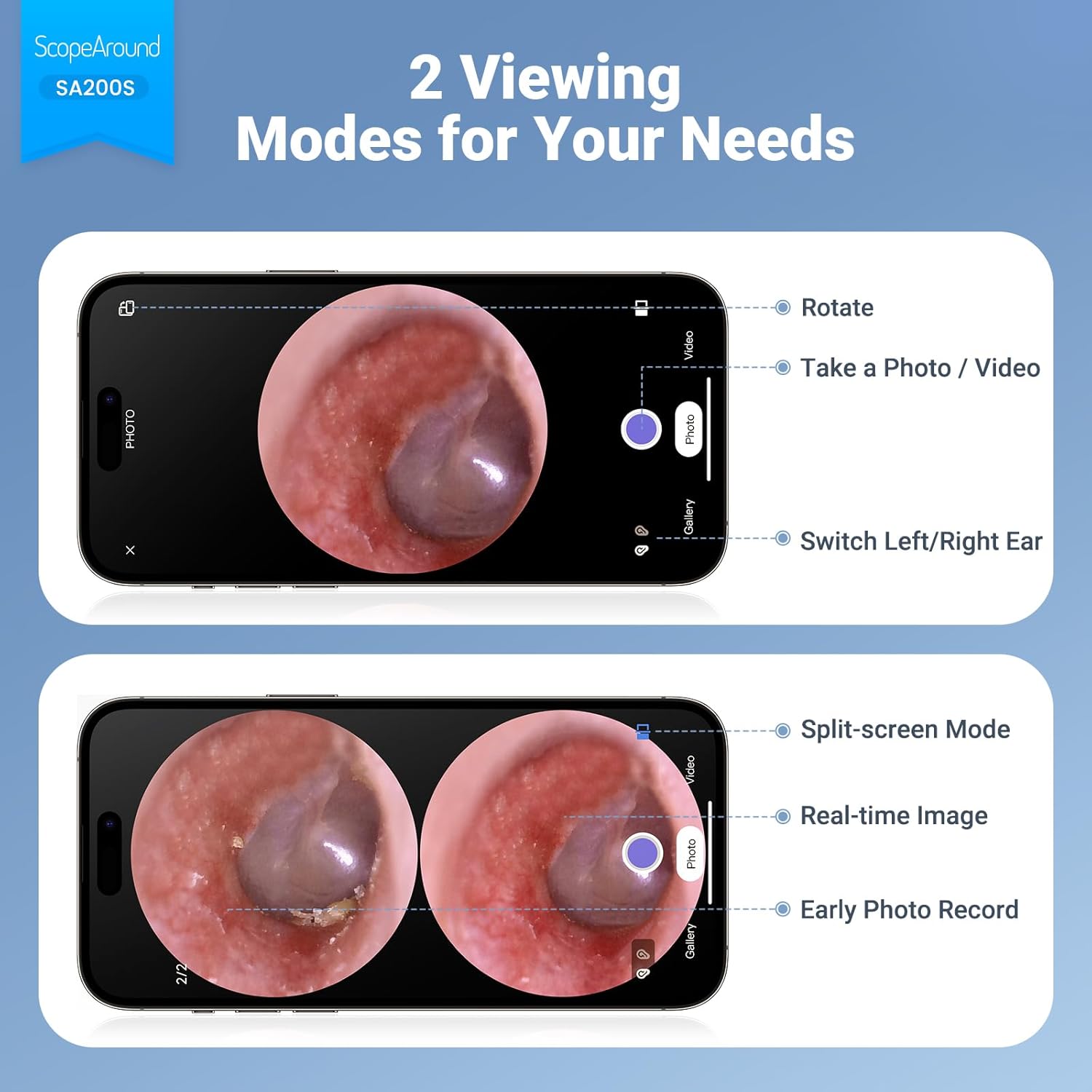
Figure 6.4: Photo and Video Capture Interface (App View)
6.5 النقل Files
To transfer captured photos and videos to a computer:
- Connect the otoscope to your computer using the provided USB Type-C cable.
- The device should appear as a removable storage device. You can then access the files on the 8GB memory card.
- Alternatively, remove the 8GB memory card from the slot (3) and insert it into a compatible card reader connected to your computer.

الشكل 6.5: File Transfer for Sharing Insights
7. الصيانة والتنظيف
Proper maintenance ensures the longevity and hygiene of your otoscope.
- تنظيف العدسة: Use the provided Q-tips and alcohol pads to gently clean the camera lens before and after each use. Ensure no residue remains.
- ملحقات التنظيف: Wash the reusable ear picks and specula with soap and water, then sterilize them with alcohol pads. Allow them to dry completely before storage or reuse.
- جسم الجهاز: Wipe the main body of the otoscope with a soft, dry cloth. Do not immerse the device in water.
- تخزين: قم بتخزين الجهاز في مكان بارد وجاف، بعيدًا عن أشعة الشمس المباشرة ودرجات الحرارة القصوى.

Figure 7.1: Cleaning the Otoscope Lens
8. استكشاف الأخطاء وإصلاحها
| مشكلة | السبب المحتمل | حل |
|---|---|---|
| الجهاز لا يعمل. | بطارية منخفضة. | قم بشحن الجهاز بالكامل باستخدام كابل USB المرفق. |
| لا توجد صورة على الشاشة. | Device not powered on; Camera lens obstructed. | Ensure device is powered on. Check and clean the camera lens. |
| الصورة ضبابية أو غير واضحة. | Dirty lens; Incorrect focal distance; Magnification setting. | Clean the camera lens. Adjust the distance from the ear canal. Adjust magnification using navigation buttons. |
| لا يمكن الاتصال بشبكة Wi-Fi. | Incorrect Wi-Fi password; Device not in pairing mode; App issue. | Ensure the otoscope is powered on. Verify the Wi-Fi password (55556666). Restart the otoscope and your phone/tablet. Reinstall the app if necessary. |
| لا يمكن حفظ الصور/مقاطع الفيديو. | Memory card full or faulty; Memory card not inserted. | Check if the 8GB memory card is correctly inserted. Ensure there is sufficient space. Try formatting the card (if data is backed up) or using a different card. |
9. المواصفات
| ميزة | التفاصيل |
|---|---|
| اسم الموديل | SA200S |
| حجم الشاشة | شاشة IPS LCD مقاس 1.85 بوصات |
| دقة الكاميرا | 720 بكسل عالية الدقة |
| قطر العدسة | 3.9mm Ultra-thin Lens |
| مصدر الضوء | 6 LED Lights (3 brightness settings) |
| المسافة البؤرية | 0.39 - 1.18 بوصة |
| زاوية حقيقية View | 78 درجة |
| التكبير | Up to 1.5x (1.0x, 1.3x, 1.5x) |
| سعة البطارية | 1380mAh ليثيوم بوليمر |
| وقت العمل | حوالي 3 ساعات |
| الاتصال | شبكة واي فاي (للاتصال بالتطبيق) |
| تخزين | بطاقة ذاكرة سعة 8 جيجابايت (مرفقة) |
| منفذ الشحن | النوع-C |
| الأجهزة المتوافقة | Android/iPhone smartphones and tablets (Not compatible with Macbook & Windows PC) |
| وزن العنصر | 12 أونصات |
| أبعاد | 7.52 × 4.61 × 2.68 بوصة (الحزمة) |
| مادة | بلاستيك |
| لون | أبيض |
10. الضمان والدعم
ScopeAround is committed to providing high-quality products and customer satisfaction. For any questions, technical support, or warranty inquiries, please contact our US-based after-sales support team.
Contact information can typically be found on the product packaging, the official ScopeAround webالموقع، أو من خلال منصة الشراء الخاصة بك.


