1. انتهى المنتجview
The WIITHINK Cassette Tape Player Recorder Boombox is a versatile audio device combining vintage appeal with modern functionality. It allows you to enjoy classic cassette tapes, listen to AM/FM/SW radio, stream music via Bluetooth, and play/record audio to USB drives and SD cards. Its portable design and dual power options make it suitable for various environments.
المميزات الرئيسية:
- مشغل ومسجل أشرطة الكاسيت: Play your favorite cassette tapes and record audio from the built-in microphone, external sources, or radio directly to cassette.
- الاتصال عبر البلوتوث: قم ببث الصوت لاسلكيًا من هاتفك الذكي أو جهازك اللوحي أو أي أجهزة أخرى تدعم تقنية البلوتوث.
- USB/SD Player & Recorder: Play MP3, WAV, AAC, WMA files from USB flash drives and SD cards. Easily convert cassette audio to MP3 format on USB/SD.
- راديو AM/FM/SW: Enjoy a wide range of radio stations with excellent reception thanks to the long antenna and DSP upgrade chip.
- Premium 10W Sound: Equipped with dual 5W speakers for clear, powerful, and full sound quality.
- AC/DC Dual Power Supply: Operates on AC power (adapter included) or battery power (batteries not included) for true portability.
- مقبس سماعة رأس مقاس 3.5 ملم: للاستماع الخاص.
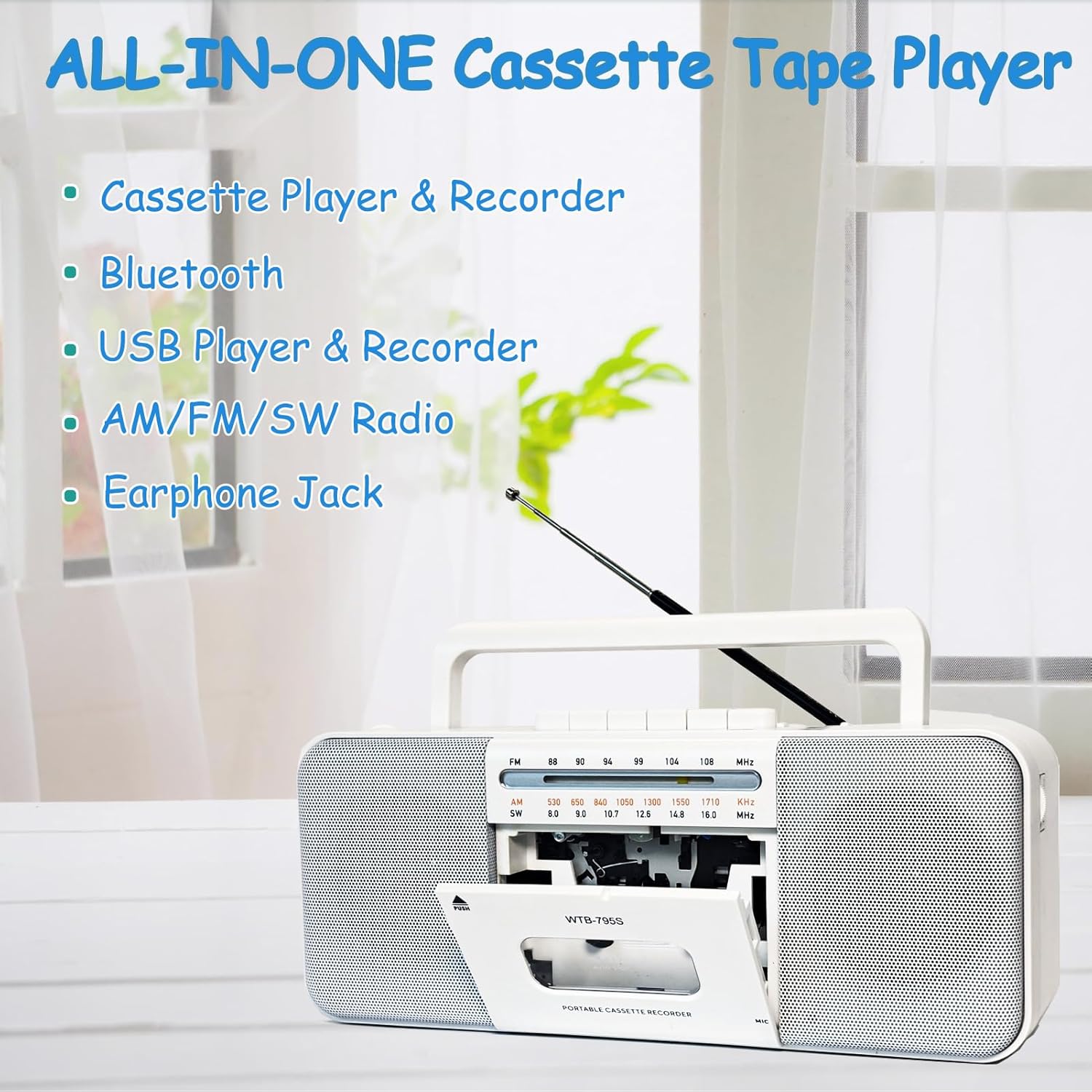
Image: The WIITHINK boombox highlighting its all-in-one capabilities including cassette, Bluetooth, USB, radio, and earphone jack.
2. دليل الإعداد
2.1 التشغيل
Your WIITHINK boombox can be powered by either AC electricity or batteries.
- طاقة التيار المتردد: Connect the included AC power cable to the AC input jack on the back of the unit and plug the other end into a standard wall outlet.
- طاقة البطارية: For portable use, open the battery compartment on the back. Insert 4 x D-cell batteries (not included) or 2 x 18650 button-top rechargeable lithium-ion batteries (not included). Ensure correct polarity (+/-). Flat-top 18650 batteries are not compatible.

الصورة: الخلفية view of the boombox illustrating its dimensions and the battery compartments for D-cell and 18650 batteries, along with the AC power input.

Image: A detailed diagram showing the battery types (D-cell and 18650 button-top) and the AC power connection for the boombox.
3. تعليمات التشغيل
3.1 تشغيل وتسجيل الكاسيت
- To Play a Cassette: Press the 'PUSH' button to open the cassette door. Insert a cassette tape with the open edge facing upwards. Close the door. Select 'TAPE' mode using the function switch. Press the 'PLAY' button to begin playback. Use 'STOP', 'FF' (Fast Forward), and 'REW' (Rewind) buttons as needed.
- To Record to Cassette:
- From Built-in Microphone: Insert a blank cassette. Select 'TAPE' mode. Press the 'RECORD' button (red button) along with 'PLAY' simultaneously. The unit will start recording from its internal microphone.
- From Radio: Tune to your desired radio station. Insert a blank cassette. Press 'RECORD' and 'PLAY' simultaneously. The radio broadcast will be recorded onto the cassette.
- From External Source (e.g., AUX-in): Connect an external audio device to the AUX-in port (if available, refer to specifications). Select 'AUX' mode. Insert a blank cassette. Press 'RECORD' and 'PLAY' simultaneously. Play audio from your external device.
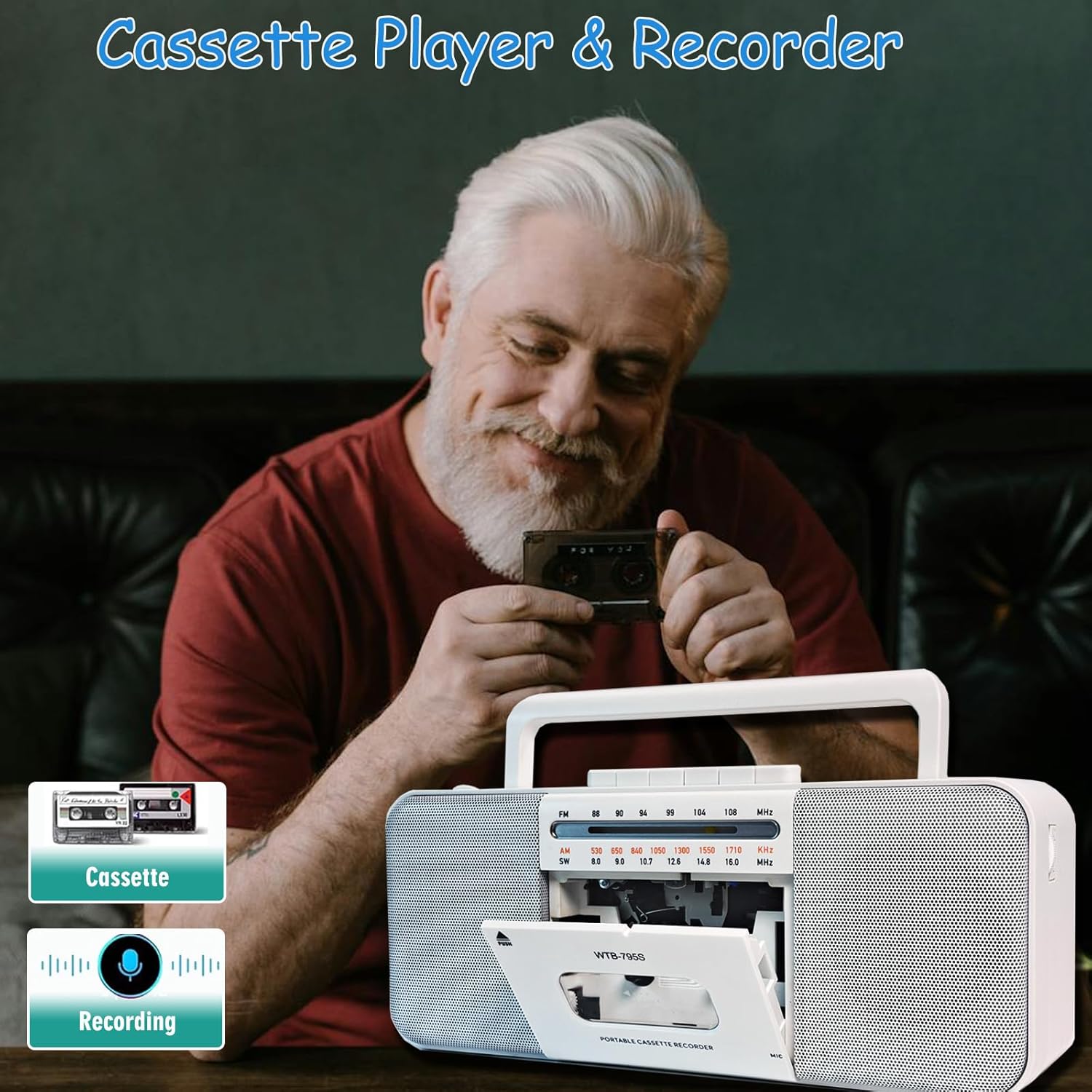
Image: A person holding a cassette tape, with the WIITHINK boombox in the foreground showing its open cassette compartment, ready for tape insertion.
3.2 AM/FM/SW Radio
- قم بتمديد الهوائي التلسكوبي للحصول على استقبال مثالي.
- Set the function switch to 'RADIO'.
- Select the desired band: AM, FM, or SW (Shortwave) using the band selector switch.
- Rotate the 'TUNING' knob to find your desired radio station.

Image: An elderly man smiling while the WIITHINK boombox with its extended antenna is visible on a table, indicating its radio functionality.
3.3 اتصال البلوتوث
- Set the function switch to 'BT' (Bluetooth) mode. The unit will enter pairing mode, indicated by an audible prompt or flashing indicator.
- على جهازك الممكّن بتقنية Bluetooth (الهاتف الذكي، والكمبيوتر اللوحي، وما إلى ذلك)، قم بتمكين Bluetooth وابحث عن الأجهزة المتوفرة.
- Select 'WIITHINK' or a similar name from the list of devices.
- Once paired, you will hear a confirmation sound. You can now play audio from your device through the boombox.

Image: The WIITHINK boombox on a table, with a hand holding a smartphone displaying a music player interface, illustrating Bluetooth music streaming.
3.4 تشغيل وتسجيل USB/SD
- To Play from USB/SD: Insert a USB flash drive into the USB port or an SD card into the SD card slot. Set the function switch to 'USB/SD' mode. The unit will automatically detect and begin playing compatible audio files (MP3, WAV, AAC, WMA).
- To Record to USB/SD (MP3 Conversion):
- أدخل ذاكرة فلاش USB أو بطاقة SD.
- Select the source you wish to record from (Cassette, Radio, or Microphone).
- Press and hold the 'RECORD' button on the MP3 player section. The unit will start recording the audio source directly to the USB/SD card in MP3 format.
- Recordings are typically saved in a directory named 'AB_REC' with filenames like AUX00xx.MP3 (for external/cassette/radio) or MIC00xx.MP3 (for microphone).

Image: The WIITHINK boombox on a wooden surface, with a USB flash drive inserted into its port, demonstrating its USB playback and recording capability.

Image: A diagram illustrating various recording options: Tape to USB, USB to Tape, and Radio to Tape, highlighting the versatility of the boombox's recording functions.
3.5 استخدام سماعات الرأس
To enjoy private listening, plug your 3.5mm headphones into the headphone jack located on the unit. The internal speakers will automatically mute when headphones are connected.

Image: A young woman wearing headphones, smiling and looking upwards, with the WIITHINK boombox visible on a table, demonstrating the use of the earphone jack for personal listening.
4. الصيانة
- تنظيف: استخدم قطعة قماش ناعمة وجافة لتنظيف الجزء الخارجي من الوحدة. لا تستخدم منظفات أو مذيبات كاشطة.
- تنظيف رأس الكاسيت: Regularly clean the cassette tape heads, pinch roller, and capstan with a cotton swab lightly dampتم معالجته بالكحول الأيزوبروبيلي لضمان جودة صوت مثالية ومنع تلف الشريط.
- تخزين: عند عدم الاستخدام لفترات طويلة، قم بإزالة البطاريات وتخزين الوحدة في مكان بارد وجاف بعيدًا عن أشعة الشمس المباشرة ودرجات الحرارة القصوى.
5. استكشاف الأخطاء وإصلاحها
| مشكلة | السبب المحتمل | حل |
|---|---|---|
| لا يوجد طاقة | AC cable not connected properly; Batteries drained or inserted incorrectly. | تحقق من توصيل كابل التيار المتردد؛ استبدل البطاريات أو تأكد من صحة القطبية. |
| استقبال الراديو ضعيف | الهوائي غير ممتد، منطقة الإشارة ضعيفة. | قم بتمديد الهوائي التلسكوبي بالكامل؛ أعد وضع الوحدة للحصول على إشارة أفضل. |
| تشغيل الكاسيت مشوه أو مكتوم | Tape heads are dirty; Worn out tape. | Clean tape heads, pinch roller, and capstan; Try a different tape. |
| البلوتوث غير مقترن | Unit not in pairing mode; Device too far; Already paired with another device. | Ensure unit is in BT mode; Move device closer; Disconnect from other devices. |
| لا يعمل منفذ USB/SD | غير صحيح file تنسيق البطاقة؛ لم يتم إدخال بطاقة USB/SD بشكل صحيح أو أنها تالفة. | يضمن files are compatible (MP3, WAV, AAC, WMA); Reinsert USB/SD; Try a different card/drive. |
| Recording quality is poor | Source volume too low; Dirty tape heads (for cassette recording); Microphone too far from source. | Increase source volume; Clean tape heads; Position microphone closer to sound source. |
6. المواصفات الفنية
| ميزة | مواصفة |
|---|---|
| ماركة | بداخلنا |
| رقم الموديل | WTB-795S-Black |
| لون | أبيض |
| تكنولوجيا الاتصال | بلوتوث، يو اس بي |
| الأجهزة المتوافقة | مشغل MP3 ، هاتف ذكي |
| تنسيقات الصوت المدعومة | Cassette, MP3, WAV, AAC, WMA |
| نوع السماعة | ستيريو |
| واتtage | 10 واط (2 × 5 واط) |
| تكوين قناة الصوت المحيطي للسماعات | 2.0 |
| مصدر الطاقة | سلك كهرباء / يعمل بالبطارية |
| أبعاد المنتج (الطول × العرض × الارتفاع) | 27.94 x 12.7 x 5.08 cm (10.99 x 5 x 2 inches) |
| وزن العنصر | 1.51 كجم (3.33 رطل) |
| البطاريات المطلوبة | No (for AC operation); Yes (for battery operation - 4x D-cell or 2x 18650 button-top) |
7. الضمان والدعم
This product comes with a standard manufacturer's warranty. For specific warranty details, duration, and terms, please refer to the documentation included with your purchase or visit the official WIITHINK webموقع.
If you encounter any issues or require technical assistance, please contact WIITHINK customer support through their official channels. You can typically find contact information on the product packaging, the WIITHINK brand store on Amazon, or their official webموقع.
WIITHINK Store Link: https://www.amazon.ca/stores/WIITHINKCDPlayer/page/58D472AC-5AC0-4762-9B43-106A71731F34


