مقدمة
The RadioShack Tempo Pro Smartwatch is designed to seamlessly integrate into your daily life, offering a blend of style, advanced functionality, and robust technology. This manual provides essential information for setting up, operating, maintaining, and troubleshooting your device to ensure optimal performance and longevity.

الشكل 1: أمام view of the RadioShack Tempo Pro Smartwatch, showcasing its 2.4-inch AMOLED display with current time, step count, and heart rate monitoring. The watch features a sleek black design with a comfortable strap.
يثبت
1. فك الصندوق والفحص الأولي
عند فتح العبوة، تأكد من وجود جميع المكونات وسلامتها. تتضمن العبوة القياسية ما يلي:
- RadioShack Tempo Pro Smartwatch
- كابل الشحن
- دليل المستخدم (هذا المستند)

الشكل 2: The contents of the RadioShack Tempo Pro Smartwatch retail box, including the smartwatch itself and its dedicated charging cable, neatly packaged.
2. شحن الجهاز
Before first use, fully charge your smartwatch. Connect the provided charging cable to the charging contacts on the back of the watch and plug the USB end into a compatible USB power adapter (not included) or a computer's USB port. A full charge typically takes approximately 2 hours.

الشكل 3: مؤخرة view of the RadioShack Tempo Pro Smartwatch, highlighting the magnetic charging contacts and the optical sensors used for health monitoring, such as heart rate.
3. التشغيل وإيقاف التشغيل
- لتشغيل: Press and hold the side button until the RadioShack logo appears on the screen.
- لإيقاف التشغيل: Navigate to the 'Settings' menu on the watch, select 'System', then 'Power Off', and confirm.
4. الاقتران بهاتفك الذكي
To unlock the full potential of your Tempo Pro Smartwatch, pair it with your smartphone via Bluetooth. This allows for notifications, data synchronization, and advanced features.
- Download the official RadioShack Smartwatch app from your smartphone's app store (iOS App Store or Google Play Store).
- تأكد من تمكين Bluetooth على هاتفك الذكي.
- افتح التطبيق واتبع التعليمات التي تظهر على الشاشة لإنشاء حساب أو تسجيل الدخول.
- اختر "إضافة جهاز" أو "إقران جهاز جديد" داخل التطبيق.
- The app will search for available devices. Select 'Tempo Pro' from the list.
- قم بتأكيد طلب الاقتران على كل من هاتفك الذكي والساعة الذكية.
تعليمات التشغيل
1. تصفح الواجهة
The Tempo Pro Smartwatch features a responsive 2.4-inch AMOLED touchscreen. Navigation is primarily gesture-based:
- اسحب لأعلى/لأسفل: قم بالتنقل عبر القوائم والإشعارات.
- اسحب لليسار/اليمين: الوصول إلى الأدوات المختلفة أو الإعدادات السريعة.
- مقبض: حدد عنصرًا أو قم بتأكيد إجراء.
- اضغط على الزر الجانبي: ارجع إلى الشاشة الرئيسية أو قم بتنشيط الجهاز.

الشكل 4: A full-length view of the RadioShack Tempo Pro Smartwatch, showcasing its sleek design and adjustable strap, suitable for various wrist sizes.
2. الوظائف الأساسية
- الوقت والتاريخ: Automatically synchronized with your paired smartphone.
- إشعارات: Receive alerts for calls, messages, and app notifications directly on your wrist. Manage notification settings via the smartphone app.
- تتبع النشاط: يراقب الخطوات والمسافة والسعرات الحرارية المحروقة والدقائق النشطة على مدار اليوم.
- رصد معدل ضربات القلب: يوفر قراءات مستمرة أو عند الطلب لمعدل ضربات القلب.
- مراقبة النوم: Tracks sleep patterns, including deep, light, and REM sleep, and provides insights into sleep quality.
3. Multi-Sport Tracking
The Tempo Pro Smartwatch supports various sports modes to accurately track your workouts. Select your desired activity from the 'Workout' or 'Sports' menu on the watch. Supported activities may include running, walking, cycling, swimming, and more. The watch will record relevant metrics such as duration, distance, pace, and heart rate during your exercise.
4. التحكم في تشغيل الموسيقى
Control music playing on your paired smartphone directly from your smartwatch. Access the music control widget to play, pause, skip tracks, and adjust volume without needing to take out your phone.
5. Special Features: Snore Detection
The Tempo Pro Smartwatch includes a unique snore detection feature. When enabled, the watch can monitor for snoring sounds during your sleep, providing data that can help you understand your sleep patterns better. This feature is typically managed and viewيتم ذلك داخل تطبيق الهاتف الذكي المصاحب.
صيانة
1. تنظيف ساعتك الذكية
Regular cleaning helps maintain the appearance and functionality of your device. Use a soft, lint-free cloth to wipe the screen and body. For stubborn smudges, slightly dampاغسل قطعة القماش بالماء. تجنب استخدام المواد الكيميائية القاسية أو المواد الكاشطة.
2. مقاومة الماء والغبار (IP68)
The Tempo Pro Smartwatch is IP68 certified, meaning it is resistant to dust and can withstand immersion in water up to 1.5 meters for up to 30 minutes. While it is suitable for daily use, hand washing, and light rain, it is not recommended for diving, high-pressure water activities, or prolonged submersion. Always dry the watch thoroughly after exposure to water, especially the charging contacts.
3. العناية بالبطارية
لزيادة عمر البطارية وطول عمرها:
- تجنب درجات الحرارة القصوى.
- قم بشحن الجهاز بانتظام، ولكن تجنب تركه فارغًا بالكامل لفترات طويلة.
- استخدم فقط كابل الشحن المرفق.
استكشاف الأخطاء وإصلاحها
| مشكلة | السبب المحتمل | حل |
|---|---|---|
| الجهاز لن يتم تشغيله | بطارية منخفضة، الجهاز متجمد. | Charge the device for at least 30 minutes. If still unresponsive, perform a forced restart by holding the side button for 10-15 seconds. |
| لا يمكن الاقتران بالهاتف الذكي | تم إيقاف تشغيل البلوتوث؛ مشكلة في التطبيق؛ الجهاز غير قابل للاكتشاف. | Ensure Bluetooth is on for both devices. Restart both the watch and phone. Clear app cache or reinstall the app. Ensure the watch is in pairing mode. |
| لم يتم تلقي الإخطارات | Bluetooth disconnected; app permissions; notification settings. | Check Bluetooth connection. Verify app permissions for notifications on your phone. Ensure notification settings are enabled in the smartwatch app. |
| تتبع النشاط غير الدقيق | عدم ملاءمة المنتج؛ خلل في البرنامج. | Ensure the watch is worn snugly on your wrist, about one finger's width above the wrist bone. Restart the device. Update firmware if available. |
تحديد
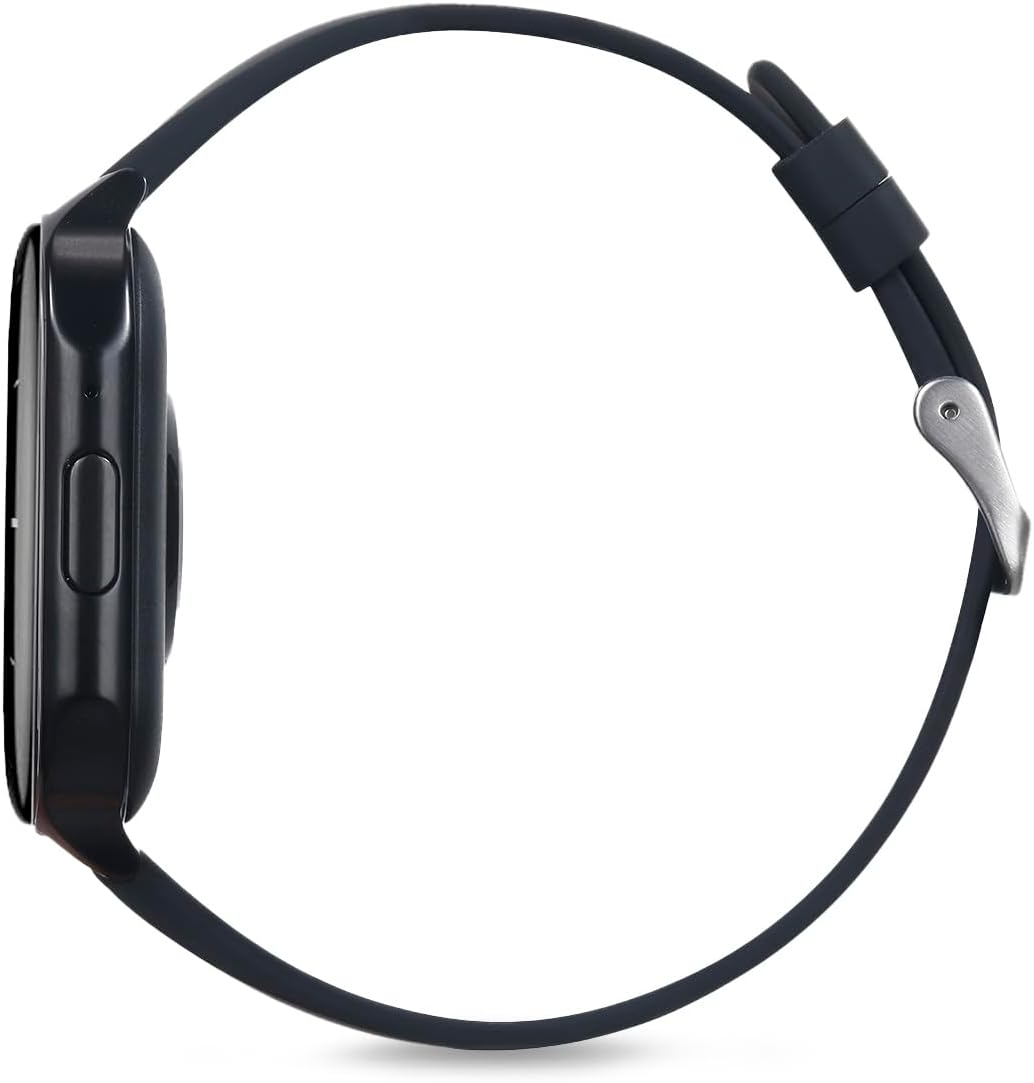
الشكل 5: سايد بروfile of the RadioShack Tempo Pro Smartwatch, illustrating its slim design and the single physical button for navigation and control.
| ميزة | التفاصيل |
|---|---|
| ماركة | راديوشاك |
| نموذج | 207 معرف207 |
| حجم العرض | 2.4 بوصة |
| نوع العرض | أموليد |
| دقة العرض | 368 × 448 بكسل |
| سعة البطارية | 260 مللي أمبير |
| متوسط عمر البطارية | 24 Hours (typical usage) |
| الاتصال | بلوتوث |
| مقاومة الماء | IP68 (مقاوم للغبار والماء) |
| المميزات الخاصة | Multi-sport tracking, Music control, Snore Detection |
| أبعاد | 19.1 × 11 × 2.4 سم |
| وزن | 170 جرام |
الضمان والدعم
معلومات الضمان
RadioShack products are manufactured to high-quality standards. For specific warranty terms and conditions, please refer to the warranty card included with your product or visit the official RadioShack webالموقع. احتفظ بإيصال الشراء الخاص بك كإثبات للشراء في حالة مطالبات الضمان.
دعم العملاء
If you encounter any issues not covered in this manual or require further assistance, please contact RadioShack customer support. Contact details can typically be found on the product packaging, the official RadioShack website, or through the companion smartphone application.


