1. المقدمة
This manual provides essential information for the proper setup, operation, and maintenance of your redbeat M2 Android 14 Tablet. Please read this guide thoroughly before using your device to ensure optimal performance and longevity.

Image: The redbeat M2 Tablet shown with its included pink protective case. The tablet features a sleek design with a large display.
2. ماذا يوجد في الصندوق
تأكد من وجود جميع العناصر في الحزمة الخاصة بك:
- redbeat M2 Tablet
- Pink Protective Case
- كابل شحن من النوع C
- كتيب التعليمات (هذا الدليل)
- SIM Card Tray Ejector Tool

Image: A visual representation of the redbeat M2 Tablet's physical features, including camera, ports, and buttons, alongside a list of included accessories: the tablet, pink case, Type-C cable, instruction book, and card needle.
3. تخطيط الجهاز
Familiarize yourself with the physical components of your redbeat M2 Tablet:
- الكاميرا الأمامية: Located at the top center when held vertically.
- شاشة عالية الدقة مقاس 10.95 بوصة: Main touchscreen interface.
- الكاميرا الخلفية: Located on the back, typically in the upper left corner.
- زر الطاقة: عادة ما يكون موجودًا على الجانب، ويستخدم لتشغيل/إيقاف تشغيل الجهاز أو تنبيهه/وضعه في وضع السكون.
- أزرار التحكم في الصوت: بجوار زر التشغيل، لضبط مستويات الصوت.
- منفذ USB من النوع C: للشحن ونقل البيانات.
- مقبس سماعة رأس مقاس 3.5 ملم: لتوصيل أجهزة الصوت السلكية.
- SIM Card/MicroSD Card Slot: For inserting SIM cards and expanding storage.
- Four Stereo Speakers: تم تصميمها لتحسين جودة الصوت.
4. دليل الإعداد
4.1 الشحن الأولي
Before first use, fully charge your tablet using the provided Type-C cable and a compatible 18W fast charger. The 8000mAh battery provides extended usage time.
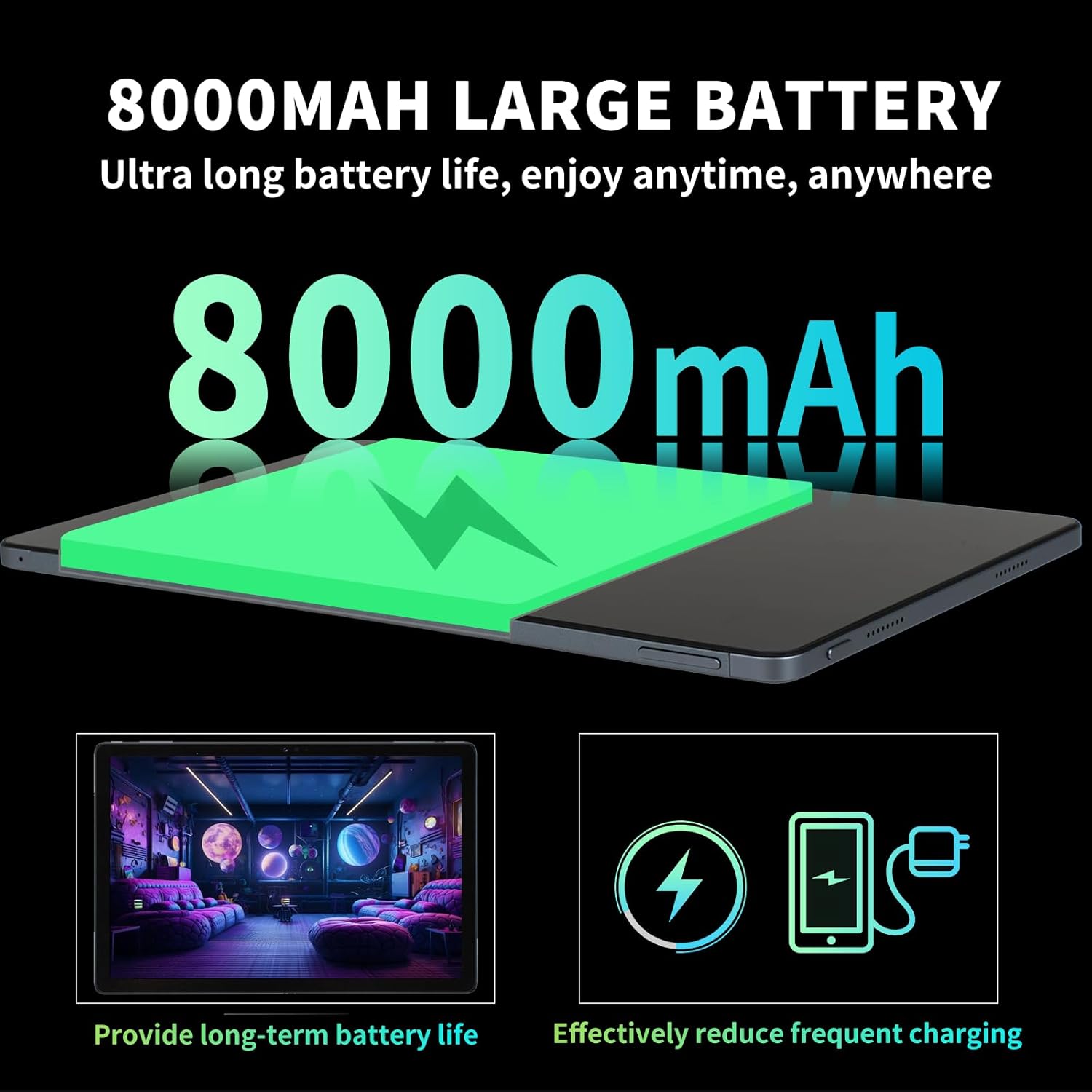
Image: Illustration highlighting the 8000mAh large battery capacity, emphasizing long battery life and reduced charging frequency.
4.2 تشغيل/إيقاف التشغيل
- لتشغيل: Press and hold the Power button until the redbeat logo appears.
- لإيقاف التشغيل: اضغط مع الاستمرار على زر الطاقة، ثم حدد "إيقاف التشغيل" من الخيارات الموجودة على الشاشة.
- لإعادة التشغيل: اضغط مع الاستمرار على زر الطاقة، ثم حدد "إعادة التشغيل".
4.3 بطاقة SIM وتوسيع سعة التخزين
The redbeat M2 Tablet supports dual Nano SIM cards for 4G LTE connectivity and a TF (MicroSD) card for storage expansion up to 1TB.
- حدد مكان درج بطاقة SIM على جانب الجهاز اللوحي.
- Insert the SIM card tray ejector tool into the small hole next to the tray and press gently until the tray pops out.
- ضع بطاقة (بطاقات) نانو SIM و/أو بطاقة TF في الفتحات المخصصة لها على الدرج. تأكد من الوضع الصحيح.
- قم بإعادة إدخال الدرج داخل الجهاز اللوحي بعناية.

Image: The redbeat M2 Tablet displaying its 4G Global Connectivity feature, with an emphasis on dual SIM card support and compatible network frequency bands.
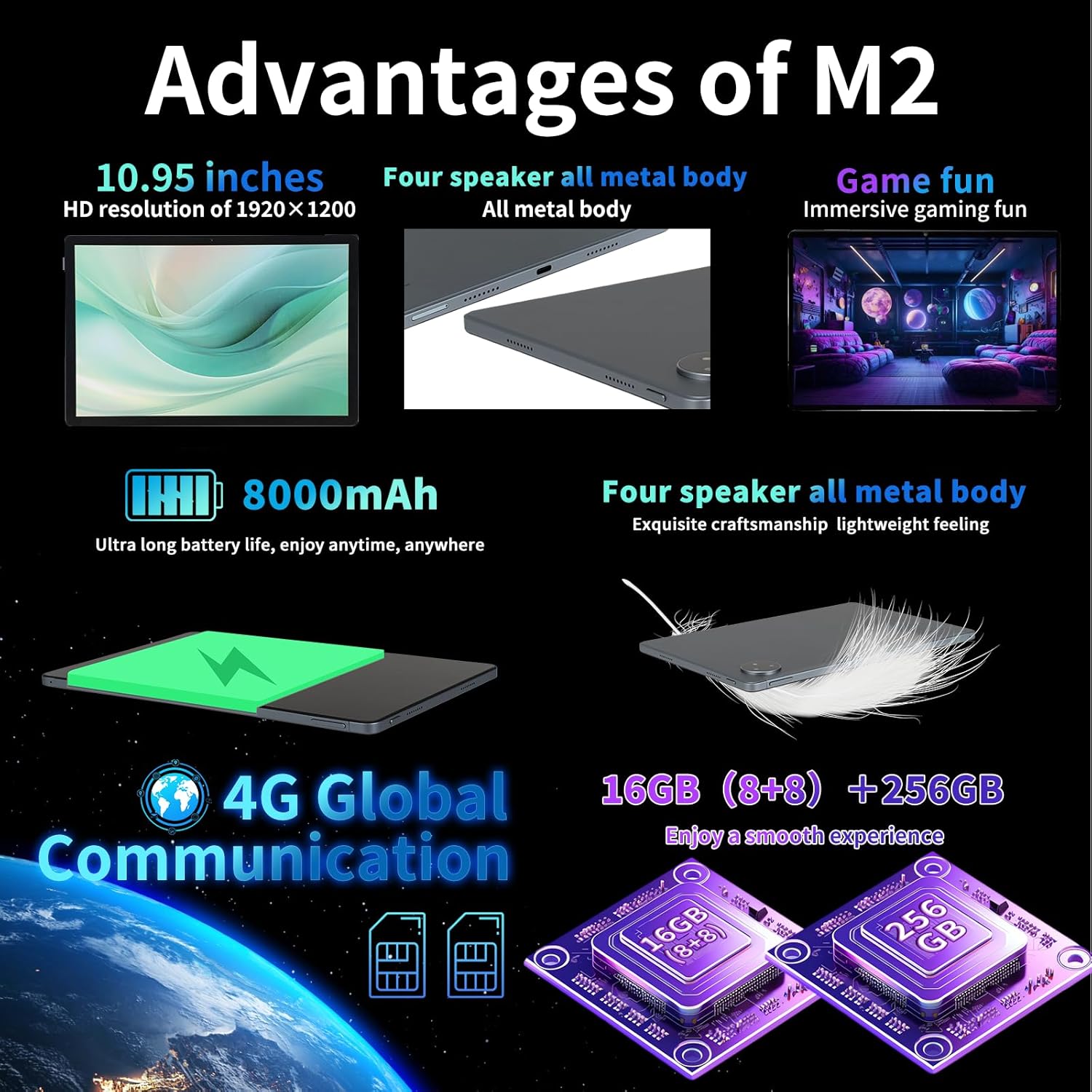
Image: A graphic illustrating the tablet's memory configuration: 16GB (8GB physical + 8GB extended) RAM and 256GB internal storage, with support for up to 1TB external storage.
4.4 الإعداد الأولي للجهاز
عند تشغيل الجهاز لأول مرة، اتبع الإرشادات التي تظهر على الشاشة لتكوين جهازك اللوحي:
- حدد لغتك ومنطقتك.
- الاتصال بشبكة Wi-Fi (يدعم نطاقي 2.4 جيجا هرتز و5 جيجا هرتز).
- سجّل الدخول باستخدام حسابك على جوجل أو أنشئ حسابًا جديدًا. هذا ضروري لتنزيل التطبيقات من متجر جوجل بلاي.
- قم بإعداد قفل الشاشة (رمز PIN أو نمط أو كلمة مرور أو فتح الوجه).
- Review وقبول الشروط والأحكام.
5. تعليمات التشغيل
5.1 إيماءات شاشة اللمس
استخدم إيماءات نظام أندرويد القياسية للتنقل في جهازك اللوحي:
- مقبض: حدد عنصرًا أو افتح تطبيقًا.
- ضغطة طويلة: الوصول إلى القوائم السياقية أو نقل الأيقونات.
- انتقاد: تصفح الصفحات والقوائم، أو انتقل بين الشاشات الرئيسية.
- التكبير والتصغير: تكبير أو تصغير الصور و web الصفحات.
5.2 الاتصال
- واي فاي: اذهب الى الإعدادات > الشبكة والإنترنت > Wi-Fi to connect to available networks. Supports 2.4G and 5G bands.
- بلوتوث: اذهب الى الإعدادات > الأجهزة المتصلة > البلوتوث to pair with Bluetooth devices (e.g., headphones, keyboards). Supports BT5.0.
- بيانات الجوال (4G LTE): Ensure a valid SIM card is inserted. Enable mobile data in الإعدادات> الشبكة والإنترنت> شبكة الهاتف المحمول.
5.3 استخدام الكاميرا
يتميز التابلت بكاميرا خلفية بدقة 13 ميجابكسل وكاميرا أمامية بدقة 5 ميجابكسل.
- افتح تطبيق الكاميرا من الشاشة الرئيسية أو درج التطبيقات.
- اضغط على زر الغالق لالتقاط صورة.
- التبديل بين الكاميرات الأمامية والخلفية باستخدام أيقونة الكاميرا.
- حدد وضع الفيديو لتسجيل مقاطع الفيديو.
5.4 الصوت والوسائط المتعددة
Enjoy immersive audio with the tablet's four stereo speakers and Dolby panoramic surround sound. A 3.5mm headphone jack is available for private listening.

الصورة: لقطة مقربة view of the redbeat M2 Tablet's all-metal body and speaker grilles, highlighting its four-speaker audio system and exquisite craftsmanship.
5.5 Face Unlock and GPS
The redbeat M2 Tablet includes Face Unlock for convenient security and GPS for navigation and location-based services.
6. الصيانة
6.1 تنظيف جهازك اللوحي
Use a soft, lint-free cloth to clean the screen and body of your tablet. Avoid abrasive materials or harsh chemicals that could damage the surface.
6.2 تحديثات البرامج
تحقق بانتظام من وجود تحديثات للبرامج وقم بتثبيتها لضمان حصول جهازك اللوحي على أحدث الميزات والتصحيحات الأمنية وتحسينات الأداء. انتقل إلى الإعدادات > النظام > تحديث النظام.
6.3 إدارة التخزين
To optimize performance, periodically manage your tablet's storage. Delete unnecessary fileقم بإلغاء تثبيت التطبيقات غير المستخدمة ونقل الوسائط الكبيرة files to external storage (TF card) if applicable. Go to الإعدادات > التخزين.
7. استكشاف الأخطاء وإصلاحها
If you encounter issues with your redbeat M2 Tablet, refer to the following common solutions:
- الجهاز لا يعمل: Ensure the battery is charged. Connect the tablet to the charger for at least 30 minutes before attempting to power on.
- الشاشة لا تستجيب: Try restarting the tablet by holding the Power button for 10-15 seconds.
- مشاكل الاتصال بشبكة Wi-Fi/4G: Toggle Wi-Fi/Mobile Data off and on. Restart your router or check your SIM card insertion.
- تعطل التطبيقات أو بطء أدائها: Close background apps, clear app cache (الإعدادات > التطبيقات > [اسم التطبيق] > التخزين والذاكرة المؤقتة > مسح الذاكرة المؤقتة), or restart the tablet.
- استنزاف البطارية بسرعة: Reduce screen brightness, disable unused features (Bluetooth, GPS, Wi-Fi when not needed), and check for power-intensive apps in الإعدادات> البطارية.
- الجهاز اللوحي لا يشحن: Ensure the Type-C cable and charger are working correctly. Try a different cable or power adapter. Clean the charging port for any debris.
If problems persist, contact redbeat customer support for further assistance.
8. المواصفات
| ميزة | مواصفة |
|---|---|
| اسم الموديل | M2 |
| نظام التشغيل | أندرويد 14 |
| المعالج | Unisoc T616 ثماني النواة، 2 جيجاهرتز |
| كبش | 16 جيجابايت (8 جيجابايت + 8 جيجابايت إضافية) |
| التخزين الداخلي | 256 جيجا بايت |
| تخزين قابل للتوسيع | تصل سعتها إلى 1 تيرابايت (بطاقة TF) |
| حجم الشاشة | 10.95 بوصة |
| دقة الشاشة | 1920 x 1200 pixels (2K HD) |
| الكاميرا الخلفية | 13 ميجا بكسل |
| الكاميرا الأمامية | 5 ميجا بكسل |
| سعة البطارية | 8000 مللي أمبير |
| الشحن | 18W Fast Charge (Type-C) |
| الاتصال اللاسلكي | Wi-Fi (802.11n, 2.4G/5G), Bluetooth 5.0 |
| الاتصال الخلوي | 4G LTE Dual SIM (GSM, WCDMA, LTE bands) |
| الأبعاد (الطول × العرض × الارتفاع) | 10.28 × 6.89 × 0.47 بوصة |
| وزن العنصر | 1.54 رطل (حوالي 511 جرامًا) |
| مميزات اخرى | GPS, Face Unlock, Four Stereo Speakers |
9. الضمان والدعم
redbeat is committed to providing quality products and customer satisfaction.
- خدمة العملاء مدى الحياة: redbeat offers lifetime customer service to assist with any queries or issues.
- ضمان محدود لمدة عام واحد: Your redbeat M2 Tablet includes a one-year warranty covering manufacturing defects.
- ضمان استرداد الأموال لمدة 30 يومًا: A 30-day money-back guarantee and free return policy are available.
For support, please refer to the contact information provided with your purchase or visit the official redbeat webموقع.


