1. المقدمة
Welcome to the user manual for your HyperX Clutch Tanto Mini Wired Gaming Controller. This guide provides essential information on setting up, operating, maintaining, and troubleshooting your new gaming accessory. Designed for versatility and portability, the HyperX Clutch Tanto Mini offers a reliable wired connection for an optimal gaming experience across multiple platforms.
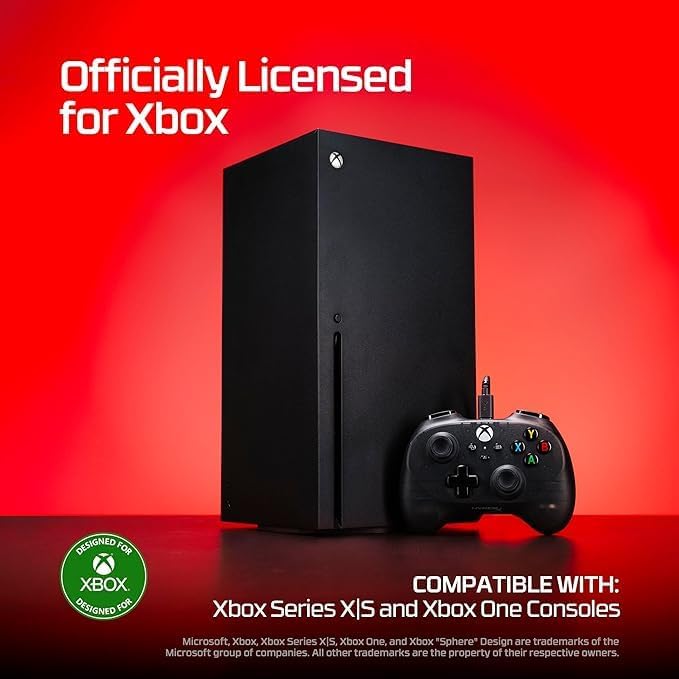
وصف الصورة: The HyperX Clutch Tanto Mini controller positioned in front of an Xbox Series X console, with text indicating "Officially Licensed for Xbox" and compatibility with "Xbox Series X|S and Xbox One Consoles". A "Designed for Xbox" logo is also visible. This image highlights the controller's official Xbox licensing and broad console compatibility.
2. انتهى المنتجview
The HyperX Clutch Tanto Mini is a compact and lightweight wired gaming controller, officially licensed for Xbox. Its ergonomic design ensures comfortable use during extended gaming sessions.
2.1 الميزات الرئيسية
- Official Xbox License: Ensures full compatibility and optimal performance with Xbox consoles.
- التوافق مع منصات متعددة: Works seamlessly with Xbox Series X|S, Xbox One, PC, and compatible Android devices.
- تصميم خفيف الوزن وصغير الحجم: Weighing only 165g, its mini size makes it highly portable and comfortable for various hand sizes.
- الاتصال السلكي: Provides a stable, low-latency connection for responsive gameplay.
- Built-in 3.5mm Audio Jack: Allows direct connection of a headset or microphone for in-game audio and communication.

وصف الصورة: جبهة view of the black wired HyperX Clutch Tanto Mini gaming controller, showcasinشفافية جasing, Xbox button, joysticks, D-pad, and face buttons (A, B, X, Y). The wired connection extends from the top. This image provides a clear visual of the controller's overall design and button layout.

وصف الصورة: A side-by-side comparison of the HyperX Clutch Tanto Mini controller (left) and the HyperX Clutch Gladiate controller (right). Dimensions are shown for the Tanto Mini (130.3mm width, 92.5mm height), highlighting its smaller and lighter design. This image illustrates the compact nature of the Tanto Mini.

وصف الصورة: The HyperX Clutch Tanto Mini controller connected via its USB cable to a smartphone, demonstrating its use in a portable mobile gaming setup. Wireless earbuds are also visible next to the controller. This image emphasizes the controller's portability and suitability for mobile gaming.
3. دليل الإعداد
The HyperX Clutch Tanto Mini is a plug-and-play device, requiring minimal setup.
3.1 Connecting to Xbox Console (Series X|S, One)
- حدد موقع منفذ USB متاح على جهاز Xbox الخاص بك.
- Plug the USB connector of the HyperX Clutch Tanto Mini controller into the USB port.
- The controller will automatically be detected and configured by your Xbox. The Xbox button on the controller will illuminate when connected.
3.2 الاتصال بجهاز الكمبيوتر
- حدد موقع منفذ USB متاح على جهاز الكمبيوتر الخاص بك.
- Plug the USB connector of the HyperX Clutch Tanto Mini controller into the USB port.
- Your PC will automatically install the necessary drivers. This may take a few moments. The controller will be recognized as an Xbox controller.
- You can verify the connection in your PC's Device Manager or game controller settings.
3.3 Connecting to Android Devices
- Ensure your Android device supports USB OTG (On-The-Go) and has a compatible USB port (e.g., USB-C). You may need a USB-A to USB-C adapter if your controller has a USB-A connector and your device has USB-C.
- Connect the controller's USB cable to your Android device, possibly via an adapter.
- The Android device should recognize the controller automatically. Some games may require specific controller support.

وصف الصورة: A close-up of the HyperX Clutch Tanto Mini controller's side, showing icons for Xbox, PC, and Mobile, indicating its broad compatibility across these platforms. This image visually confirms the controller's multi-platform support.
3.4 Connecting a Headset/Microphone
- Plug your 3.5mm headset or microphone into the audio jack located at the bottom of the controller.
- Audio and microphone input will be routed through the controller to your connected device (Xbox, PC, Android).

وصف الصورة: The HyperX Clutch Tanto Mini controller connected to a white gaming headset via its 3.5mm audio jack. The image emphasizes the controller's ability to connect external audio devices for in-game communication and audio.
4. تشغيل وحدة التحكم
Once connected, the HyperX Clutch Tanto Mini functions as a standard Xbox-compatible controller.
4.1 الضوابط الأساسية
| عنصر | وظيفة |
|---|---|
| Left/Right Analog Sticks | Movement, camera control, menu navigation. |
| لوحة التحكم الرقمية | Directional input, menu navigation, quick selections. |
| أزرار A / B / X / Y | Primary action buttons, context-sensitive actions. |
| Left/Right Bumpers (LB/RB) | Secondary actions, weapon switching, quick commands. |
| Left/Right Triggers (LT/RT) | مدخل تناظري للتسارع والكبح وإطلاق النار وما إلى ذلك. |
| زر Xbox | Powers on/off console (if applicable), opens system menu/guide. |
| View زر | Opens in-game map, inventory, or other context-specific views. |
| زر القائمة | Opens in-game menu, pause menu, or system options. |
| زر المشاركة | Captures screenshots or video clips (functionality depends on platform). |
4.2 In-Game Use
The controller's functionality within games will depend on the specific game's control scheme. Most modern games with controller support will automatically map controls to the standard Xbox layout. Refer to your game's settings or manual for specific button assignments.
5. الصيانة والعناية
Proper care will extend the life of your HyperX Clutch Tanto Mini controller.
- تنظيف: استخدم قطعة قماش ناعمة وجافة لمسح وحدة التحكم. لإزالة الأوساخ العنيدة، امسحها برفق.ampبللي قطعة القماش بالماء أو بمنظف إلكتروني خفيف. تجنبي الرطوبة الزائدة.
- تخزين: قم بتخزين وحدة التحكم في مكان بارد وجاف بعيدًا عن أشعة الشمس المباشرة ودرجات الحرارة القصوى.
- العناية بالكابلات: Avoid sharp bends or kinks in the cable. Do not pull the controller by its cable.
- تجنب القطرات: حماية وحدة التحكم من السقوط والصدمات، والتي قد تؤدي إلى تلف المكونات الداخلية.
6. استكشاف الأخطاء وإصلاحها
If you encounter issues with your HyperX Clutch Tanto Mini controller, try the following solutions:
6.1 وحدة التحكم لا تستجيب
- تحقق من اتصال: Ensure the USB cable is securely plugged into both the controller and the console/PC/Android device. Try a different USB port.
- إعادة تشغيل الجهاز: Restart your Xbox console, PC, or Android device.
- اختبار على جهاز آخر: If possible, test the controller on another compatible device to determine if the issue is with the controller or the original device.
- Driver Check (PC): On PC, go to Device Manager and check for any issues with "Xbox 360 Peripherals" or "Human Interface Devices." You may need to update or reinstall drivers.
6.2 Audio Issues (Headset Jack)
- تحقق من اتصال سماعة الرأس: تأكد من إدخال مقبس سماعة الرأس مقاس 3.5 ملم بالكامل في وحدة التحكم.
- Test Headset: Test your headset directly with another device (e.g., smartphone) to confirm it is working correctly.
- إعدادات الصوت: On Xbox or PC, check your audio output settings to ensure the controller's headset jack is selected as the primary audio device.
6.3 Buttons/Sticks Not Working Correctly
- أزرار نظيفة: Ensure no debris is lodged around the buttons or sticks. Gently clean with a cotton swab and a small amount of isopropyl alcohol if necessary (ensure controller is unplugged and dry before reconnecting).
- Software Calibration (PC): On PC, you can try calibrating the controller through Windows "Set up USB game controllers" settings.
7. المواصفات
| ميزة | التفاصيل |
|---|---|
| اسم الموديل | HyperX Clutch Tanto Mini |
| رقم موديل المنتج | 8B1S0AA |
| الاتصال | USB سلكي |
| التوافق | Xbox Series X|S, Xbox One, PC, Android |
| لون | أسود |
| وزن | حوالي 165 غرام (0.36 رطل) |
| الأبعاد (الطول × العرض × الارتفاع) | Approx. 130.3 x 92.5 x 63 mm (based on image comparison) |
| مقبس الصوت | 3.5mm ستريو سماعة رأس جاك |
8. الضمان والدعم
HyperX products are built with quality and reliability in mind.
8.1 الضمان المحدود
This HyperX Clutch Tanto Mini Wired Gaming Controller comes with a limited manufacturer's warranty. Please refer to the official HyperX website or your purchase documentation for specific warranty terms and conditions, including duration and coverage details. Keep your proof of purchase for warranty claims.
8.2 الدعم الفني
For technical assistance, troubleshooting beyond this manual, or warranty inquiries, please contact HyperX customer support through their official website. You may find FAQs, driver downloads, and contact information for your region.
- هايبر إكس الرسمية Webموقع: www.hyperx.com/support


