مقدمة
Thank you for choosing the Defender ARGA GM-049 Gaming Mouse. This manual provides detailed instructions for setting up, operating, maintaining, and troubleshooting your new gaming mouse. Please read this manual carefully before use to ensure optimal performance and longevity of your device.
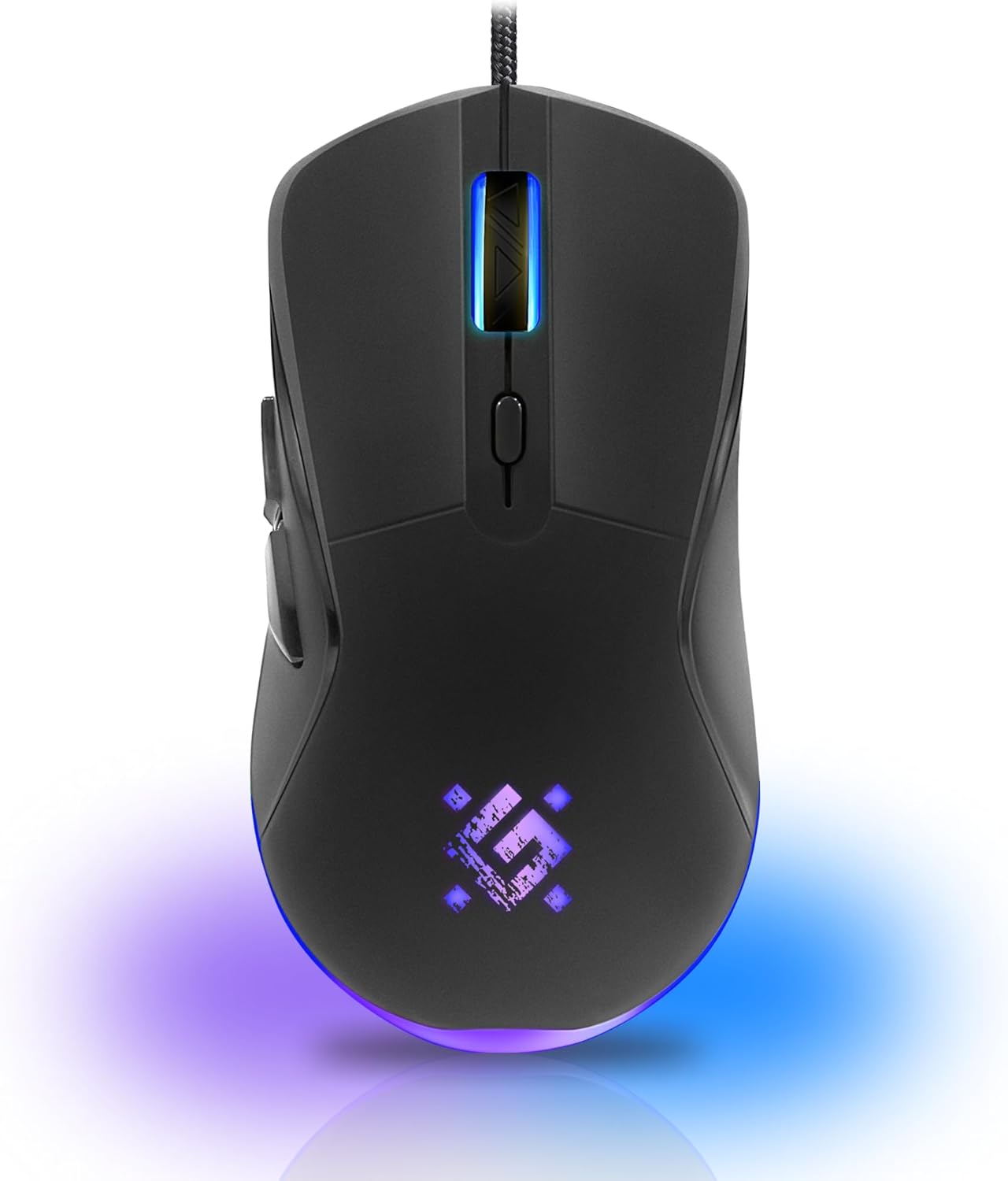
الصورة: الجبهة view of the Defender ARGA GM-049 Gaming Mouse, showcasing its ergonomic design and customizable RGB lighting.
يثبت
1. توصيل الماوس
- حدد موقع منفذ USB متاحًا على جهاز الكمبيوتر الخاص بك.
- Plug the gold-plated USB connector of the Defender ARGA GM-049 mouse into the USB port.
- سيقوم نظام التشغيل تلقائيًا باكتشاف برامج التشغيل اللازمة وتثبيتها. قد تستغرق هذه العملية بضع لحظات.
2. تثبيت البرنامج (اختياري)
For advanced customization, including macro programming and button remapping, install the Defender Game Center Software.
- Visit the official Defender website to download the latest version of the Defender Game Center Software.
- اتبع الإرشادات التي تظهر على الشاشة لإكمال التثبيت.
- بعد التثبيت، قم بتشغيل البرنامج لضبط إعدادات الماوس.

Image: Diagram illustrating the Defender Game Center Software, macro editor, optical sensor, and compatibility with Windows 2000/XP/Vista/7/8/10+ and macOS X10+.
تعليمات التشغيل
1. الوظائف الأساسية
- الزر الأيسر: الإجراء الأساسي.
- انقر على اليمين: الإجراء الثانوي، يفتح عادةً قوائم السياق.
- عجلة التمرير: Scroll up/down documents or web pages. Pressing the scroll wheel often acts as a middle click.
2. ضبط DPI
The Defender ARGA GM-049 features adjustable DPI (Dots Per Inch) settings, allowing you to change mouse sensitivity on the fly. The available DPI levels are 1200, 1800, 2400, and 3600.
- Press the dedicated DPI button (usually located behind the scroll wheel) to cycle through the preset DPI levels.
- Each DPI level may correspond to a different LED lighting color for easy identification (refer to software for customization).
3. أزرار قابلة للبرمجة
The mouse is equipped with 6 buttons, 5 of which are programmable using the Defender Game Center Software. These include the two main clicks, the scroll wheel click, and two side buttons.
- Launch the Defender Game Center Software.
- Navigate to the button assignment section.
- Select a button and assign a desired function, macro, or key combination.
4. إضاءة RGB
The ARGA GM-049 features customizable RGB lighting. The lighting effects and colors can be configured through the Defender Game Center Software to match your preferences or current DPI setting.

Image: Visual representation of the mouse's features including 10 million clicks lifespan, 5 programmable buttons, RGB lighting, and DPI settings (1200/1800/2400/3600).
صيانة
Proper maintenance ensures the longevity and optimal performance of your gaming mouse.
1. التنظيف
- افصل الماوس عن الكمبيوتر قبل التنظيف.
- استخدم قطعة قماش ناعمة وجافة وخالية من الوبر لمسح سطح الفأرة.
- بالنسبة للأوساخ العنيدة، قم بإزالة الأوساخ برفق.ampاغسل قطعة القماش بالماء أو بمنظف لطيف غير كاشط. تجنب المواد الكيميائية القاسية.
- Use a cotton swab or compressed air to clean around the buttons and scroll wheel.
- لا تسمح بدخول السوائل إلى الفأرةasing.
2. العناية العامة
- تجنب إسقاط الفأرة أو تعريضها لصدمات قوية.
- أبقِ الفأرة بعيداً عن درجات الحرارة القصوى وأشعة الشمس المباشرة.
- Do not attempt to disassemble the mouse, as this may void your warranty.
استكشاف الأخطاء وإصلاحها
If you encounter issues with your Defender ARGA GM-049 mouse, refer to the following common solutions:
| مشكلة | الحل المحتمل |
|---|---|
| الماوس لا يستجيب |
|
| حركة المؤشر غير المنتظمة |
|
| الأزرار أو عجلة التمرير لا تعمل |
|
| إضاءة LED لا تعمل |
|
تحديد
| ميزة | التفاصيل |
|---|---|
| ماركة | المدافع |
| نموذج | ARGA GM-049 |
| تكنولوجيا الاتصال | Wired USB (Gold-plated connector) |
| تقنية كشف الحركة | بصري |
| مستويات DPI | 1200 / 1800 / 2400 / 3600 |
| عدد الأزرار | 6 (5 قابلة للبرمجة) |
| المميزات الخاصة | RGB LED lighting, Programmable buttons, Macro editor, Durable rubberized surface, Teflon feet, Ferrite noise filter |
| طول الكابل | 1.5 meters (Braided cable structure) |
| عمر الزر | ما يصل إلى 10 ملايين نقرة |
| التوافق | Windows 2000/XP/Vista/7/8/10+, macOS X10+ |
| الملحق المتضمن | Mouse Pad (220 x 180 mm) |

Image: Product packaging highlighting key features such as rainbow backlight, 2 thumb buttons, 4 resolution modes up to 3600 DPI, wide rubberized backlit scroll wheel, 5 customizable buttons, durable Teflon feet, ferrite noise filter, gold-plated USB connector, and bonus mouse pad.

Image: The Defender ARGA GM-049 Gaming Mouse shown alongside its included mouse pad, indicating dimensions of 220mm by 180mm.
الضمان والدعم
معلومات الضمان
For detailed warranty information regarding your Defender ARGA GM-049 Gaming Mouse, please refer to the warranty card included with your product or consult the retailer from whom you purchased the device. Warranty terms and conditions may vary by region and retailer.
الدعم الفني
If you require further assistance or encounter issues not covered in this manual, please visit the official Defender website for support resources, FAQs, and contact information for technical support.


