مقدمة
The stylish Logitech MK270 Wireless Keyboard and Mouse Combo is ideal for the home office or workplace. Ditch the touchpad for this full size keyboard and mouse. Easily connect using Logitech's plug and forget receiver—just plug it into the USB port, and you're ready to work. There's no lengthy installation procedure to slow you down. When you're on the move, the receiver stores comfortably inside the compact mouse. Both the keyboard and mouse included in this Logitech keyboard and mouse combo use wireless 2.4GHz connectivity to provide seamless, interruption-free use. Use the wireless mouse and keyboard combo within a 10 m range without keyboard lag. Work for longer with the MK270's long battery life. The wireless keyboard with mouse can be used for up to 24 months, and the mouse for 12 months, without replacing batteries. The computer keyboard & mouse combos include 8 hotkeys that are programmable to your most used applications to boost your productivity. The wireless keyboards from Logitech are known for their reliable performance, and this logitech mk270 wireless keyboard and mouse combo for windows ensures a productive workflow. With features like the usb keyboard and mouse combo and keyboard and mouse wireless logitech design, it fits well for those looking to enhance their office setup. Enjoy a wireless keyboard and mouse ergonomic experience with this reliable setup.
المميزات الرئيسية:
- Reliable Plug and Play: The USB receiver provides a reliable wireless connection up to 33 ft (1) for this Logitech wireless keyboard and mouse combo, so you can forget about drop-outs and delays and take it wherever you use your computer.
- عمر بطارية طويل: Logitech MK270 wireless keyboard and mouse combo for Windows features a 36-month keyboard and 12-month mouse battery life, with on/off switches so you can go months without the hassle of changing batteries.
- Type in Comfort: The design of this wireless keyboard and mouse Logitech creates a comfortable typing experience thanks to the low-profile, quiet keys and standard layout with full-size F-keys, number pad, and arrow keys.
- Durable and Resilient: This Logitech keyboard and mouse wireless features a spill-resistant design, durable keys and sturdy tilt legs with adjustable height, suitable as an office keyboard and mouse.
- سهل الاستخدام: This wireless keyboard Logitech combo features 8 multimedia hotkeys for instant access to the Internet, email, play/pause, and volume so you can easily check out your favorite sites.
- Fully compatible with Windows 11.

The Logitech MK270 Wireless Keyboard and Mouse Combo in Off White, showcasing both the full-size keyboard and the compact mouse.
يثبت
Setting up your Logitech MK270 Wireless Keyboard and Mouse Combo is quick and easy. Follow these steps to get started:
- Unpack the Combo: قم بإزالة لوحة المفاتيح والماوس وجهاز استقبال USB من العبوة بعناية.
- أدخل البطاريات: The keyboard requires two AAA batteries and the mouse requires one AA battery. Open the battery compartments on the underside of each device and insert the batteries, ensuring correct polarity.
- حدد موقع جهاز استقبال USB: The tiny USB receiver is typically stored inside the mouse's battery compartment or in a dedicated slot within the packaging.
- توصيل جهاز الاستقبال: قم بتوصيل مستقبل USB بمنفذ USB متاح على جهاز الكمبيوتر الخاص بك.
- تشغيل الطاقة: Turn on the keyboard and mouse using their respective On/Off switches. The devices should automatically connect to your computer. No software installation is typically required for basic functionality.
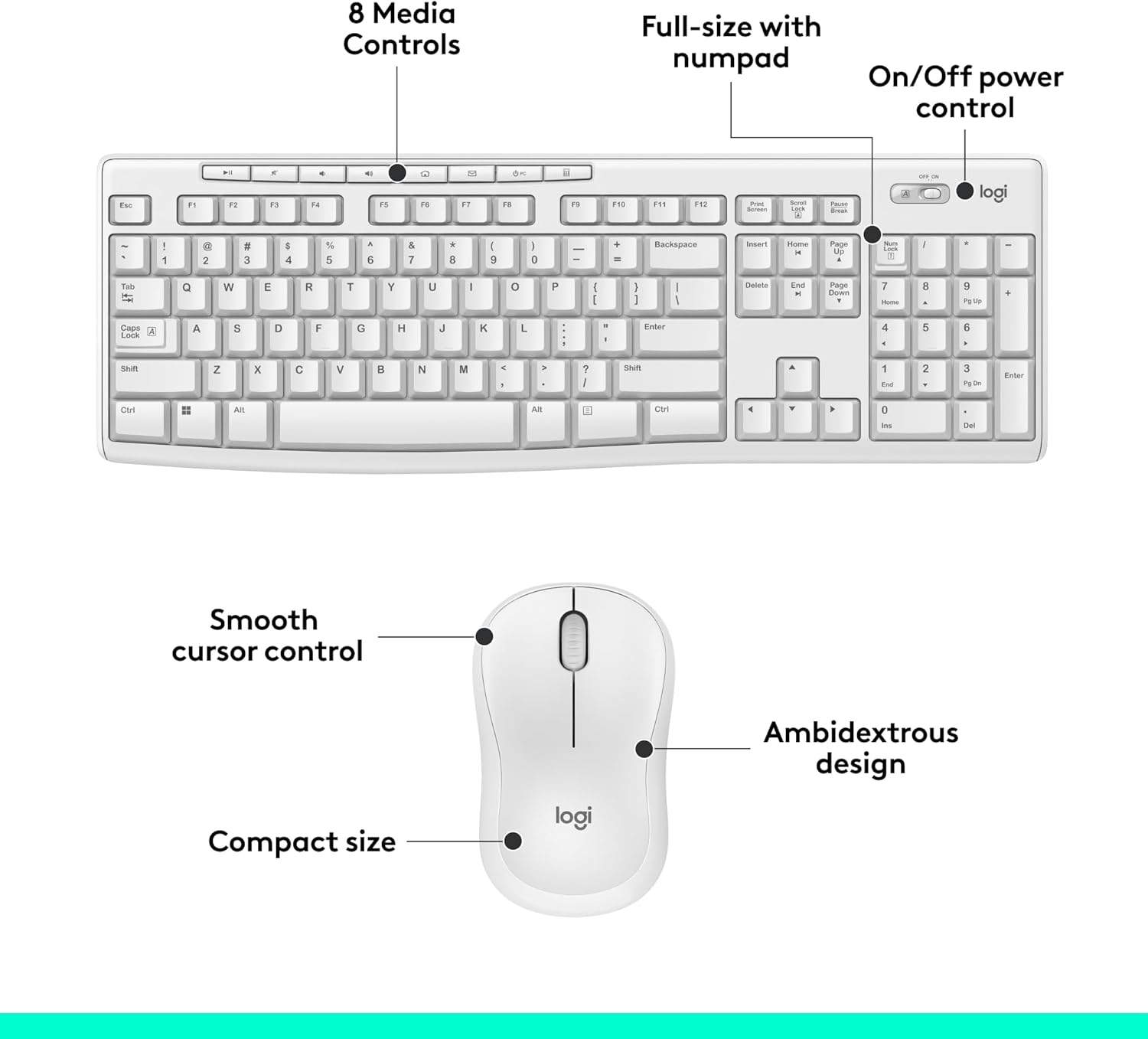
Image showing the contents included in the box: the wireless keyboard, wireless mouse, two AAA batteries for the keyboard, one AA battery for the mouse, and the USB receiver.

لقطة مقرّبة view of the compact USB receiver, often found securely placed within the product's packaging or inside the mouse itself for convenient storage.
التشغيل
The Logitech MK270 combo is designed for intuitive and comfortable operation, enhancing your productivity.
استخدام لوحة المفاتيح:
- الكتابة: The full-size keyboard with low-profile, quiet keys provides a comfortable and familiar typing experience.
- مفاتيح التشغيل السريع للوسائط المتعددة: Located above the function keys (F1-F12), these 8 hotkeys provide instant access to common functions such as internet browser, email, play/pause, volume control, and more. Simply press the desired hotkey to activate the function.
- أرجل قابلة للتعديل: For improved ergonomics, you can extend the sturdy tilt legs on the underside of the keyboard to adjust its angle.
استخدام الماوس:
- Smooth Cursor Control: The compact, ambidextrous mouse offers precise and smooth cursor movement for efficient navigation.
- عجلة التمرير: Use the scroll wheel for easy vertical scrolling through documents and web الصفحات.

A clean desk setup featuring the Logitech MK270 keyboard and mouse, highlighting the convenience of wireless connectivity for a clutter-free workspace.
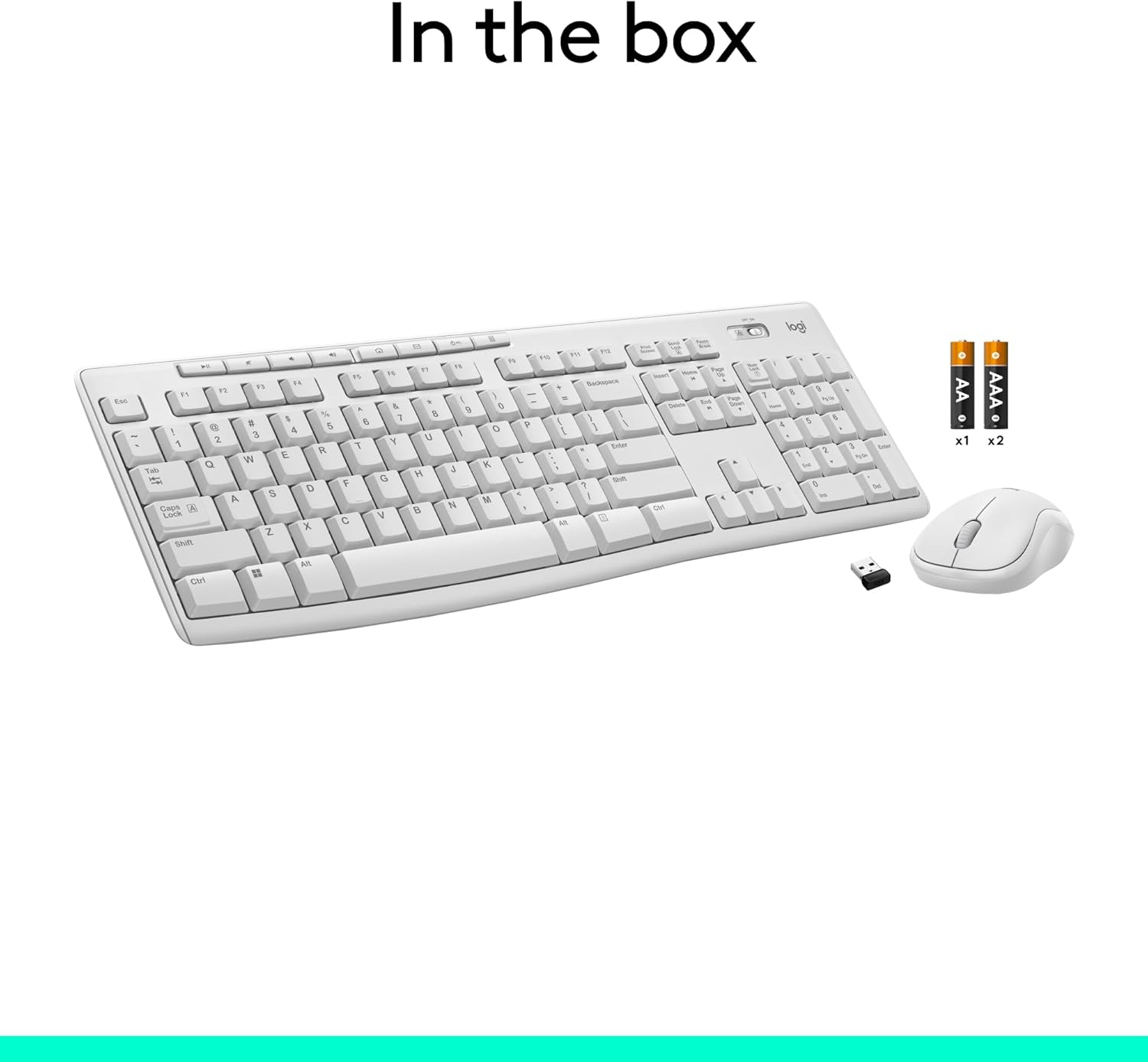
مفصل view of the keyboard and mouse, pointing out key features such as the 8 media controls, full-size layout with numpad, on/off power control, smooth cursor control, and ambidextrous design.
صيانة
Proper maintenance ensures the longevity and optimal performance of your Logitech MK270 combo.
- استبدال البطارية: The keyboard has a battery life of up to 36 months, and the mouse up to 12 months. When performance degrades, replace the batteries (2x AAA for keyboard, 1x AA for mouse). Use the On/Off switches to conserve battery life when not in use.
- تنظيف: استخدم قطعة قماش ناعمة وجافة لتنظيف أسطح لوحة المفاتيح والماوس. وللتنظيف العميق، استخدم قطعة قماش مبللة قليلاً.amp يمكن استخدام القماش، ولكن يجب التأكد من عدم دخول أي رطوبة إلى المكونات الداخلية.
- مقاومة للانسكاب: The keyboard features a spill-resistant design, meaning it can withstand minor liquid spills (up to 60 ml). However, it is not waterproof; do not immerse the keyboard in liquid. In case of a spill, immediately disconnect the keyboard and allow it to dry completely before reuse.
- متانة: The combo is built with durable keys and a sturdy design for long-lasting use. Avoid dropping the devices or exposing them to extreme temperatures.

The Logitech MK270 keyboard, designed with spill resistance to protect against accidental liquid exposure. Note: Do not immerse in liquid.
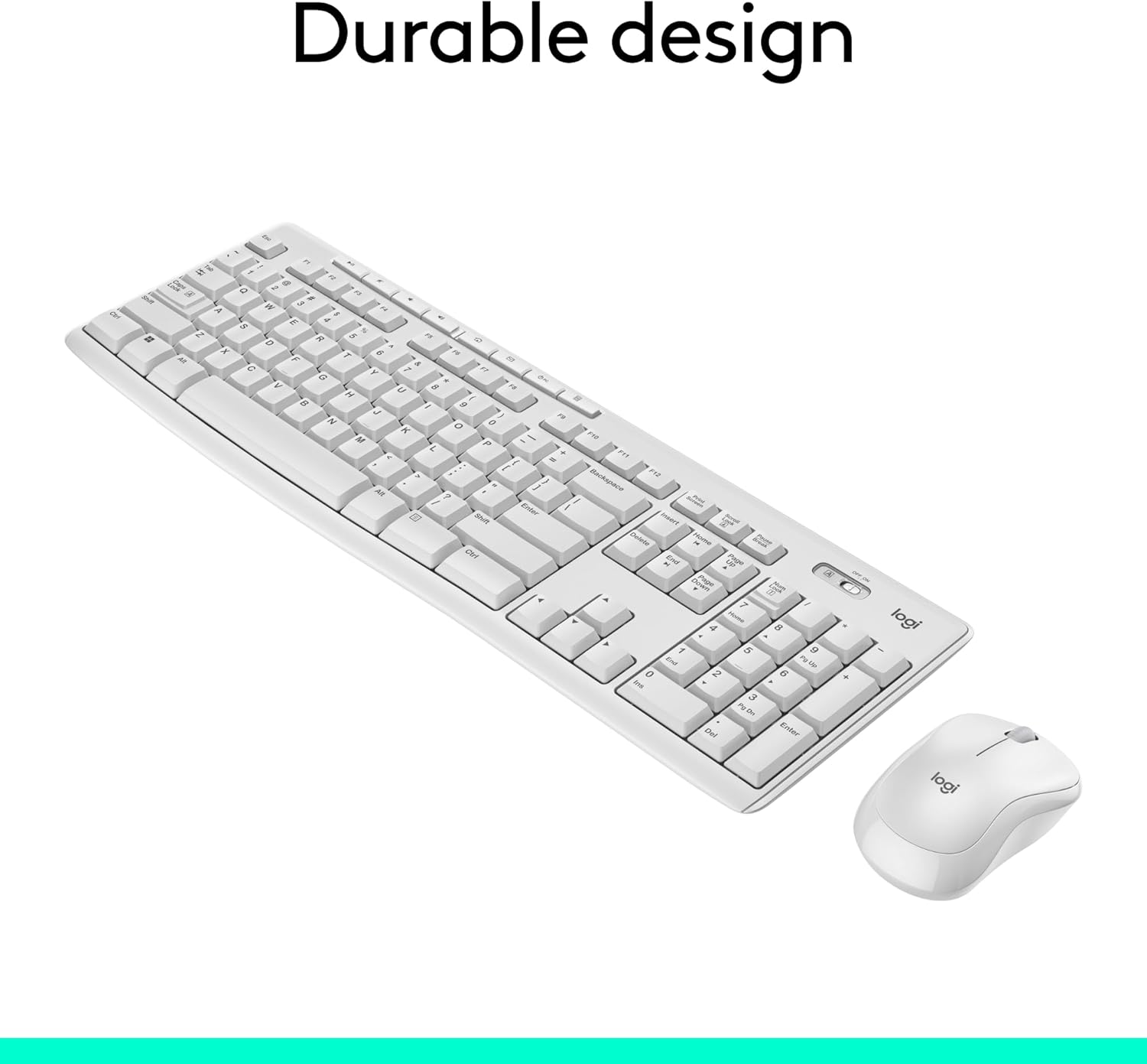
زاوية view of the Logitech MK270 keyboard and mouse, emphasizing their robust and durable construction for everyday use.
استكشاف الأخطاء وإصلاحها
If you encounter issues with your Logitech MK270 Wireless Keyboard and Mouse Combo, try the following troubleshooting steps:
- لا يوجد اتصال/تأخر:
- تأكد من توصيل جهاز استقبال USB بشكل آمن بمنفذ USB يعمل على جهاز الكمبيوتر الخاص بك.
- Check that both the keyboard and mouse are powered on.
- Replace the batteries in both devices, even if they seem to have some charge left.
- Move the keyboard and mouse closer to the USB receiver to ensure they are within the 10m wireless range.
- حاول توصيل جهاز الاستقبال USB بمنفذ USB مختلف على جهاز الكمبيوتر الخاص بك.
- أعد تشغيل الكمبيوتر الخاص بك.
- المفاتيح لا تستجيب:
- Check for debris under the keys.
- تأكد من تشغيل لوحة المفاتيح وتوصيلها بالكهرباء.
- Mouse Cursor Jumps/Stops:
- قم بتنظيف المستشعر البصري الموجود في الجزء السفلي من الماوس.
- تأكد من استخدام الماوس على سطح مناسب (ليس عاكسًا أو شفافًا بدرجة كبيرة).
- استبدال بطارية الماوس.
- مفاتيح الوسائط المتعددة لا تعمل:
- تأكد من أن نظام التشغيل لديك محدث.
- While typically plug-and-play, some advanced functions might benefit from Logitech's optional software (if available for your OS).
تحديد
| ميزة | التفاصيل |
|---|---|
| ماركة | لوجيتك |
| رقم الموديل | 920-013290 |
| تكنولوجيا الاتصال | RF, USB (2.4 GHz wireless) |
| لاسلكي المدى | حتى 10 مترا (33 قدما) |
| وصف لوحة المفاتيح | Membrane, Full-size with numpad |
| عدد المفاتيح (لوحة المفاتيح) | 104 |
| عمر بطارية لوحة المفاتيح | تدوم حتى 36 شهرًا (بطاريتان AAA) |
| عمر بطارية الماوس | تدوم حتى 12 شهرًا (بطارية AA واحدة) |
| توافق نظام التشغيل | ويندوز 10 أو أحدث، ماك أو إس 10.15 أو أحدث، نظام التشغيل كروم، نواة لينكس 2.6+ |
| لون | أبيض فاتح |
| أبعاد لوحة المفاتيح (الطول × العرض × الارتفاع) | 17.36 × 5.87 × 0.71 بوصة (441 × 149 × 18 مم) |
| وزن لوحة المفاتيح (مع البطاريات) | 17.57 أونصة (498 جرام) |
| أبعاد الفأرة (الطول × العرض × الارتفاع) | 3.9 × 2.36 × 1.54 بوصة (99 × 60 × 39 مم) |
| Mouse Weight (with batteries) | 2.65 أونصة (75.2 جرام) |

Detailed dimensions of the Logitech MK270 keyboard, including length, width, and height.
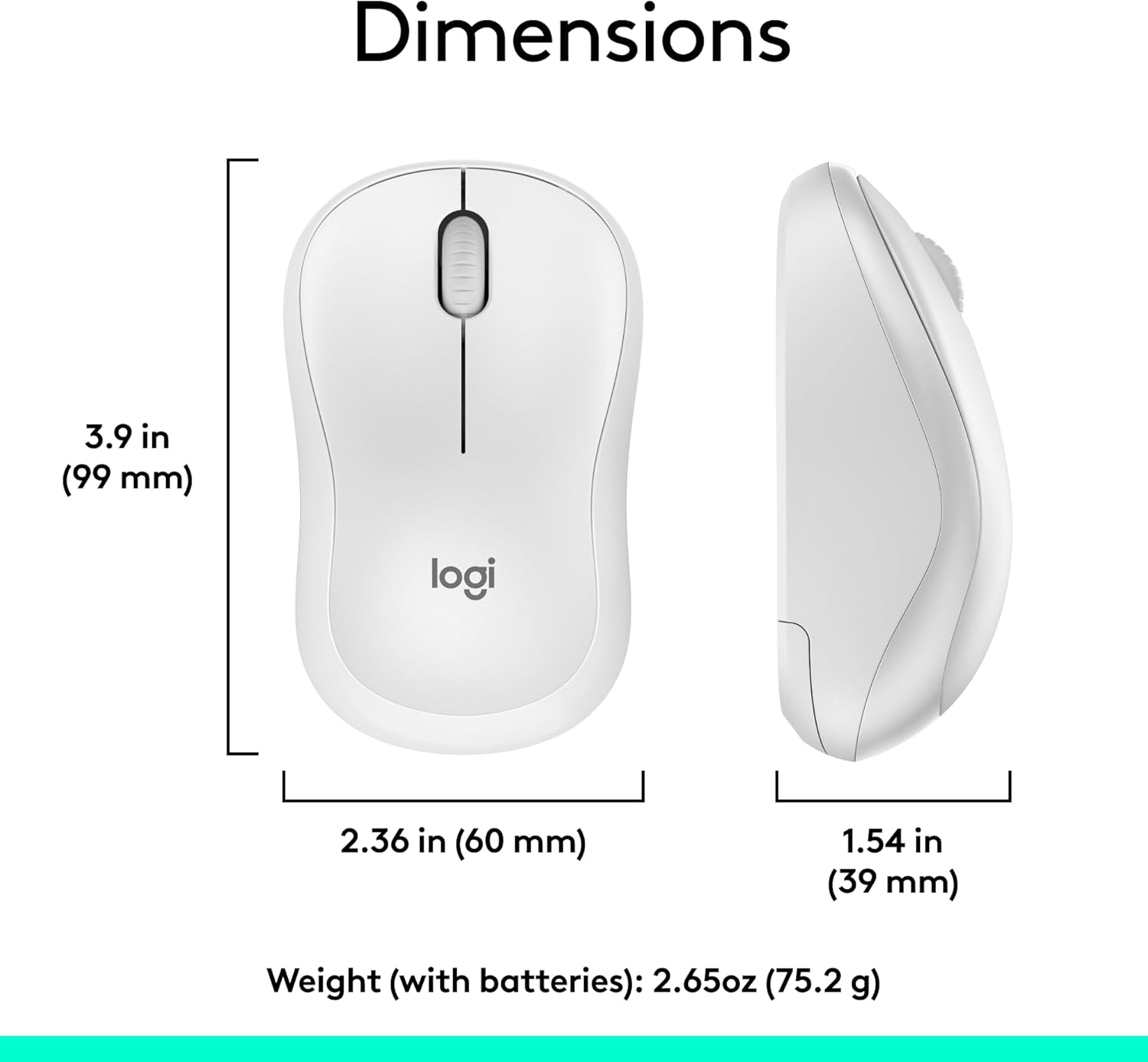
Detailed dimensions of the Logitech MK270 mouse, including length, width, and height.
الضمان والدعم
Logitech products are manufactured to the highest quality standards. For information regarding warranty coverage, please refer to the warranty card included with your product or visit the official Logitech support webيغطي الضمان عادةً عيوب المواد والصناعة في ظل الاستخدام العادي.
For technical support, frequently asked questions, and driver downloads (if applicable), please visit the Logitech support page for the MK270 combo. You can find contact information for customer service there if further assistance is needed.
الدعم عبر الإنترنت: www.logitech.com/support/mk270 (مثالample link, please verify official Logitech support page)


