1. المقدمة
The Bose QuietComfort Wireless Noise Cancelling Earbuds deliver a high-quality audio experience with advanced noise cancellation capabilities. This manual provides essential information for the proper setup, operation, and maintenance of your earbuds to ensure optimal performance and longevity.
Key features include active noise cancellation, customizable tap controls, IPX4 water resistance, up to 8.5 hours of battery life per charge, and advanced Bluetooth 5.3 connectivity. The Bose QCE app allows for personalized sound adjustments and device management.
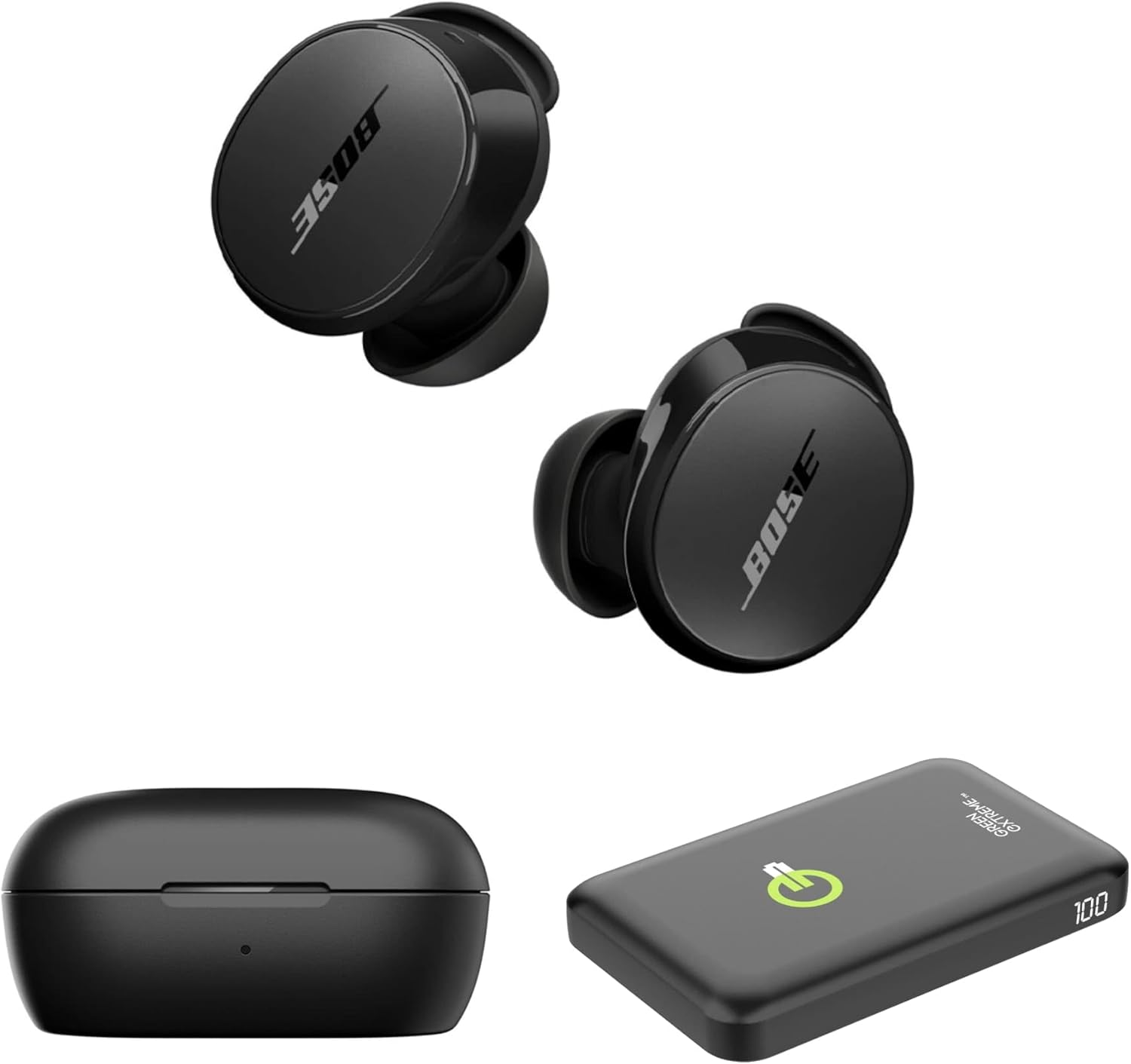
Image 1.1: Bose QuietComfort Earbuds, charging case, and Green Extreme portable charger.
2. الإعداد
2.1 فك الصندوق والمكونات
تأكد من وجود جميع المكونات في العبوة:
- Bose QuietComfort Earbuds (Black)
- حافظة الشحن
- كابل USB-A إلى USB-C
- Small, Medium, and Large Eartips & Stability Bands
- Green Extreme 10000mAh Qi Power Bank

Image 2.1: Bose QuietComfort Earbuds in open charging case with included eartips and stability bands.
2.2 شحن سماعات الأذن والعلبة
- ضع سماعات الأذن في علبة الشحن. تأكد من تثبيتها بشكل صحيح.
- Connect the USB-A to USB-C cable to the charging case and a power source.
- The charging case can also be charged wirelessly.
- A 20-minute charge provides approximately 2 hours of playback. Full charge provides up to 8.5 hours of playback. The case holds an additional 2.5 charges.

Image 2.2: Hand holding the Bose QuietComfort Earbuds charging case.
2.3 Selecting the Correct Fit
The earbuds come with three sizes of eartips and stability bands (S, M, L) to ensure a comfortable and secure fit. Experiment with different sizes to find the best seal for optimal sound quality and noise cancellation.
- Gently pull the eartip and stability band off the earbud.
- Select a new size and align it with the earbud.
- Press firmly until it clicks into place.

Image 2.3: Close-up of Bose QuietComfort Earbuds, highlighting the design and fit components.
2.4 اقتران بلوتوث
The earbuds utilize Bluetooth 5.3 for stable and efficient wireless connectivity.
- افتح علبة الشحن. ستدخل سماعات الأذن في وضع الاقتران.
- على جهازك (الهاتف الذكي، الجهاز اللوحي، الكمبيوتر)، قم بتمكين البلوتوث وابحث عن الأجهزة المتاحة.
- Select "Bose QuietComfort Earbuds" from the list.
- The earbuds support multipoint connection, allowing seamless switching between multiple paired devices.
3. تعليمات التشغيل
3.1 Customizable Tap Controls
The earbuds feature customizable tap controls for managing audio playback and calls. These controls can be configured via the Bose QCE app.
- تشغيل/إيقاف مؤقت: ضغطة واحدة على أي سماعة أذن.
- تخطي المسار: اضغط مرتين على سماعة الأذن اليمنى.
- التحكم في مستوى الصوت: Swipe up or down on the earbud surface (customizable).
- الرد/إنهاء المكالمة: ضغطة واحدة على أي سماعة أذن.
3.2 إلغاء الضوضاء النشط (ANC)
The earbuds feature active noise cancellation to reduce ambient sound. ANC settings can be adjusted through the Bose QCE app.
- الوضع الهادئ: Maximizes noise cancellation for immersive listening.
- الوضع الواعي: Allows some ambient sound to pass through, enhancing situational awareness.
- عن: يعطل خاصية إلغاء الضوضاء.
3.3 Bose QCE App Integration
The Bose QCE app provides comprehensive control and customization options for your earbuds:
- معادل صوت قابل للتعديل: Fine-tune bass, mid-range, and treble levels.
- ANC Settings: Switch between Quiet, Aware, and Off modes.
- عمر البطارية: Monitor the current battery level of each earbud and the charging case.
- اختصارات مخصصة: Personalize tap control functions.
- إدارة الأجهزة: View and manage connected Bluetooth devices.
فيديو 3.1: أكثر منview of the Bose QuietComfort Wireless Noise Cancelling Earbuds, demonstrating key features and design.
4. الصيانة
4.1 التنظيف
يساعد التنظيف المنتظم في الحفاظ على أداء ونظافة سماعات الأذن الخاصة بك.
- استخدم قطعة قماش ناعمة وجافة لمسح سماعات الأذن وعلبة الشحن.
- بالنسبة لأطراف الأذن، قم بإزالتها من سماعات الأذن ونظفها بمحلول صابون خفيف، ثم اشطفها وجففها جيداً قبل إعادة تركيبها.
- تجنب استخدام المواد الكاشطة أو المواد الكيميائية القاسية.
4.2 مقاومة الماء
The earbuds have an IPX4 rating, meaning they are resistant to splashes, drips, and sweat. This rating does not indicate resistance to submersion in water. Avoid exposing the earbuds to excessive moisture or liquids.
5. استكشاف الأخطاء وإصلاحها
If you encounter issues with your Bose QuietComfort Earbuds, refer to the following common solutions:
- لا يوجد صوت/جودة الصوت رديئة: Ensure earbuds are properly seated in your ears with a good seal. Check the volume levels on both your device and the earbuds. Verify EQ settings in the Bose QCE app.
- مشاكل الاتصال: Ensure Bluetooth is enabled on your device and the earbuds are in pairing mode. Try unpairing and re-pairing the earbuds. Ensure your device is within the 30-foot Bluetooth range.
- سماعات الأذن لا تشحن: Ensure the earbuds are correctly placed in the charging case. Check that the charging case itself is charged or connected to a power source. Clean charging contacts if necessary.
- إلغاء الضوضاء لا يعمل: Verify ANC settings in the Bose QCE app. Ensure a proper fit of the eartips and stability bands to create an effective seal.
للحصول على مزيد من المساعدة، يُرجى مراجعة دعم Bose webالموقع أو الاتصال بخدمة العملاء.
6. المواصفات
| ميزة | مواصفة |
|---|---|
| ماركة | بوس |
| رقم الموديل | 888507-طقم |
| رمز المنتج الموحد | 192223262270 |
| نسخة البلوتوث | 5.3 |
| مدى البلوتوث | 30 أقدام |
| عمر البطارية (سماعات الأذن) | حتى ساعتين |
| رسوم علبة الشحن | 2.5 additional charges |
| شحن سريع | 20 دقيقة لمدة ساعتين من التشغيل |
| ميزات التحكم في الضوضاء | إلغاء الضوضاء النشط |
| مستوى مقاومة الماء | IPX4 (مقاوم للماء) |
| طريقة التحكم | يلمس |
| نوع برنامج تشغيل الصوت | سائق ديناميكي |
| شكل سماعة الأذن | طرف مدور |
| مادة | Plastic or Aluminum (Case) |
7. الضمان والدعم
Your Bose QuietComfort Wireless Noise Cancelling Earbuds are covered by a manufacturer's warranty. Please refer to the warranty card included in your product packaging for specific terms and conditions.
For product support, frequently asked questions, and additional resources, visit the official Bose support webالموقع أو الاتصال بقسم خدمة العملاء.


