المنتج انتهىview
The SimpliSafe Smart Lock Series 2 is designed to integrate seamlessly with your SimpliSafe Gen 3 Home Security System, providing enhanced door security and convenient access control. This smart lock ensures your door is secured automatically when your system is armed and offers multiple unlocking methods.

Image: The SimpliSafe Smart Lock Series 2 (Black) and its accompanying PIN Pad, showcasing the sleek design of both components.

Image: An installed SimpliSafe Smart Lock on a door, illustrating its function in securing the home when the system is armed.
الإعداد والتثبيت
The SimpliSafe Smart Lock is designed for straightforward installation without the need for drilling. It requires a single-cylinder deadbolt and is compatible with the SimpliSafe Gen 3 Home Security System.
متطلبات التوافق
- Requires the latest SimpliSafe Home Security system (Gen 3).
- Compatible with single-cylinder deadbolts.
خطوات التثبيت
- Remove your existing deadbolt's interior thumb turn. The exterior portion of the deadbolt remains in place.
- Attach the SimpliSafe Smart Lock interior unit over the existing deadbolt mechanism. Ensure proper alignment.
- Secure the Smart Lock with the provided screws. No drilling is typically required.
- Pair the Smart Lock with your SimpliSafe Base Station following the instructions in the SimpliSafe App.
- Calibrate the lock through the SimpliSafe App to ensure smooth operation.
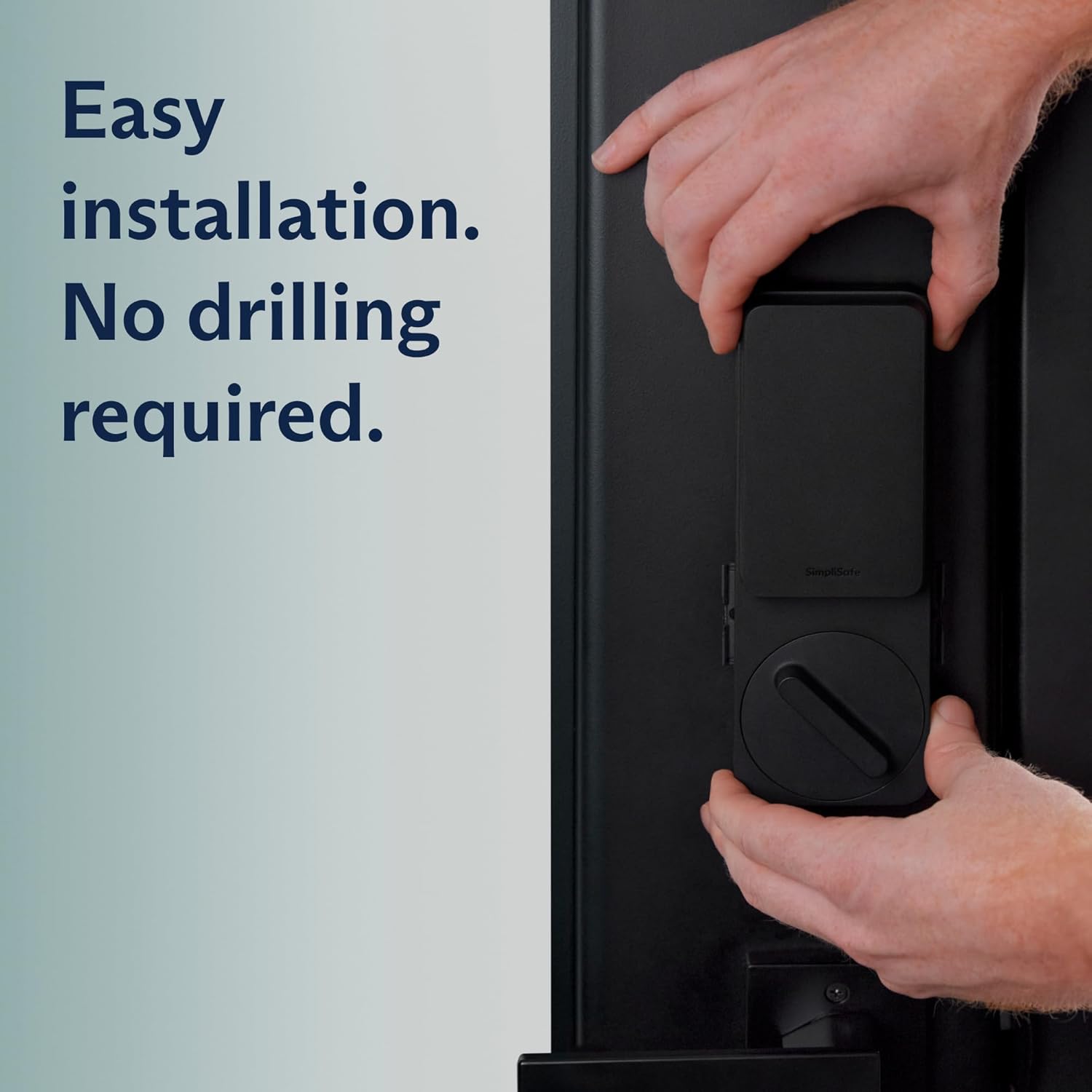
Image: A close-up of hands installing the SimpliSafe Smart Lock onto a door, demonstrating the screw-in installation process.

Image: Visual representation of the easy installation process, highlighting compatibility with existing keys, screwdriver-only installation, and no drilling required.
تشغيل القفل الذكي
The SimpliSafe Smart Lock offers multiple ways to secure and access your home, integrating with your security system for automated locking and remote control.
قفل تلقائي
- The lock automatically secures your door when you arm your SimpliSafe system.
- You can set a timer within the SimpliSafe App for automatic locking at specific intervals or after a set duration.

Image: The SimpliSafe Smart Lock on a door, emphasizing its automatic locking feature when the system is armed or a timer is set.
Manual and Remote Control
- PIN Pad: Use the included PIN Pad to enter your access code for unlocking. The PIN Pad lights up for visibility in low light conditions.
- SimpliSafe App: Lock and unlock your door remotely from anywhere using the SimpliSafe App on your smartphone or tablet.
- SimpliSafe Key Fob (sold separately): For quick access, use a SimpliSafe Key Fob to unlock the door.

Image: A user interacting with the SimpliSafe PIN Pad, demonstrating how to manually unlock the door using a code.

Image: The SimpliSafe PIN Pad mounted on a door, highlighting its design and functionality as a primary access method.

Image: A user operating the SimpliSafe app on a smartphone to control the smart lock remotely.

Image: The SimpliSafe app interface on a smartphone, illustrating the ability to grant remote access and manage user codes.
ميزات الأمان
- Instant Phone Alerts: Receive notifications via the SimpliSafe App when your door is locked or unlocked.
- ردع المتسللين: If an incorrect PIN is entered five times, the Smart Lock will notify you, indicating a potential security breach.
- اتصال موثوق به: Maintains a stable connection to your SimpliSafe system and wireless network for continuous protection.
صيانة
Regular maintenance ensures the optimal performance and longevity of your SimpliSafe Smart Lock.
استبدال البطارية
The Smart Lock is battery-powered. When battery levels are low, you will receive notifications through the SimpliSafe App and potentially on the device itself. Replace batteries promptly to avoid interruption of service.
- Use alkaline batteries as specified by SimpliSafe.
- Refer to the SimpliSafe App for specific instructions on accessing the battery compartment and replacing batteries.
تنظيف
Wipe the exterior of the Smart Lock and PIN Pad with a soft, dry cloth. Avoid using abrasive cleaners or solvents that could damage the finish.
استكشاف الأخطاء وإصلاحها
This section addresses common issues you might encounter with your SimpliSafe Smart Lock.
Lock is Noisy or Requires Frequent Recalibration
- Ensure the deadbolt mechanism operates smoothly without the Smart Lock installed. Stiffness in the deadbolt can affect Smart Lock performance.
- Re-run the calibration process through the SimpliSafe App.
- Check that the Smart Lock is securely mounted and not loose.
Unreliable Status Reporting or Random Unlocking
- Verify the Smart Lock's connection to your SimpliSafe Base Station. Ensure the Base Station is within range and not obstructed.
- تحقق من مستوى شحن البطارية واستبدلها إذا كان منخفضًا.
- Ensure your SimpliSafe system firmware and app are up to date.
PIN Pad Not Responding
- Check the PIN Pad's batteries.
- Ensure the PIN Pad is properly paired with your SimpliSafe system.
For further assistance, refer to the SimpliSafe support webالموقع أو الاتصال بخدمة العملاء.
تحديد
| ميزة | التفاصيل |
|---|---|
| ماركة | سيمبلي سيف |
| رقم الموديل | CA010-02RUS |
| لون | أسود |
| مصدر الطاقة | تعمل بالبطارية |
| الأجهزة المتوافقة | SimpliSafe Gen 3 Home Security System, Personal Computer, Smartphone, Tablet |
| الأبعاد (الطول × العرض × الارتفاع) | 7.67 × 2.75 × 1.27 بوصة |
| وزن العنصر | 15.2 أونصات |
| تكنولوجيا الاتصال | لاسلكي |
| نوع التثبيت | Screw-In (No drilling required) |
| طريقة التحكم | App, Touch (PIN Pad) |
| تكوين خلية البطارية | قلوي |
| المكونات المضمنة | Smart Lock, PIN Pad |
| المميزات الخاصة | Alarm, Auto-Lock, Break-in Detection, Fob Unlock, Passcode Unlock |
| رمز المنتج الموحد | 843261113986 |
الضمان والدعم
For detailed warranty information and customer support, please refer to the official SimpliSafe website or contact SimpliSafe customer service directly. Keep your purchase receipt for warranty claims.
دعم سيمبلي سيف: simplisafe.com/support
SimpliSafe Store: SimpliSafe Amazon Store


