1. المقدمة
Thank you for choosing the CZEview ZY-Q6 2K Outdoor Battery Surveillance Camera. This manual provides essential information for the proper installation, operation, and maintenance of your device. This robust security camera is designed for outdoor use, featuring a waterproof construction suitable for various weather conditions. It offers versatile installation options, including magnetic mounting, and provides clear surveillance with 2K resolution, 300° horizontal PTZ, motion detection, and night vision capabilities.
For optimal performance and safety, please read this manual thoroughly before using the camera and retain it for future reference.
2. مكونات المنتج
تتضمن الحزمة العناصر التالية:
- جمهورية التشيكview ZY-Q6 2K Outdoor Battery Surveillance Camera
- كابل الشحن
- تزايد شريحة
- دليل التعليمات
Unboxing Videos
وصف الفيديو: This video demonstrates the unboxing process for a JSX Electronics camera, showing the contents typically found in the package, including the camera, mounting accessories, and cables.
وصف الفيديو: This unboxing video for the ieGeek S2 camera (a similar model) showcases the camera and its accessories, providing a visual guide to what to expect in your package.
3. الإعداد والتثبيت
3.1 التثبيت المادي
جمهورية التشيكview ZY-Q6 camera offers versatile installation options, including magnetic mounting for easy placement on metallic surfaces or screw mounting for more permanent fixtures.
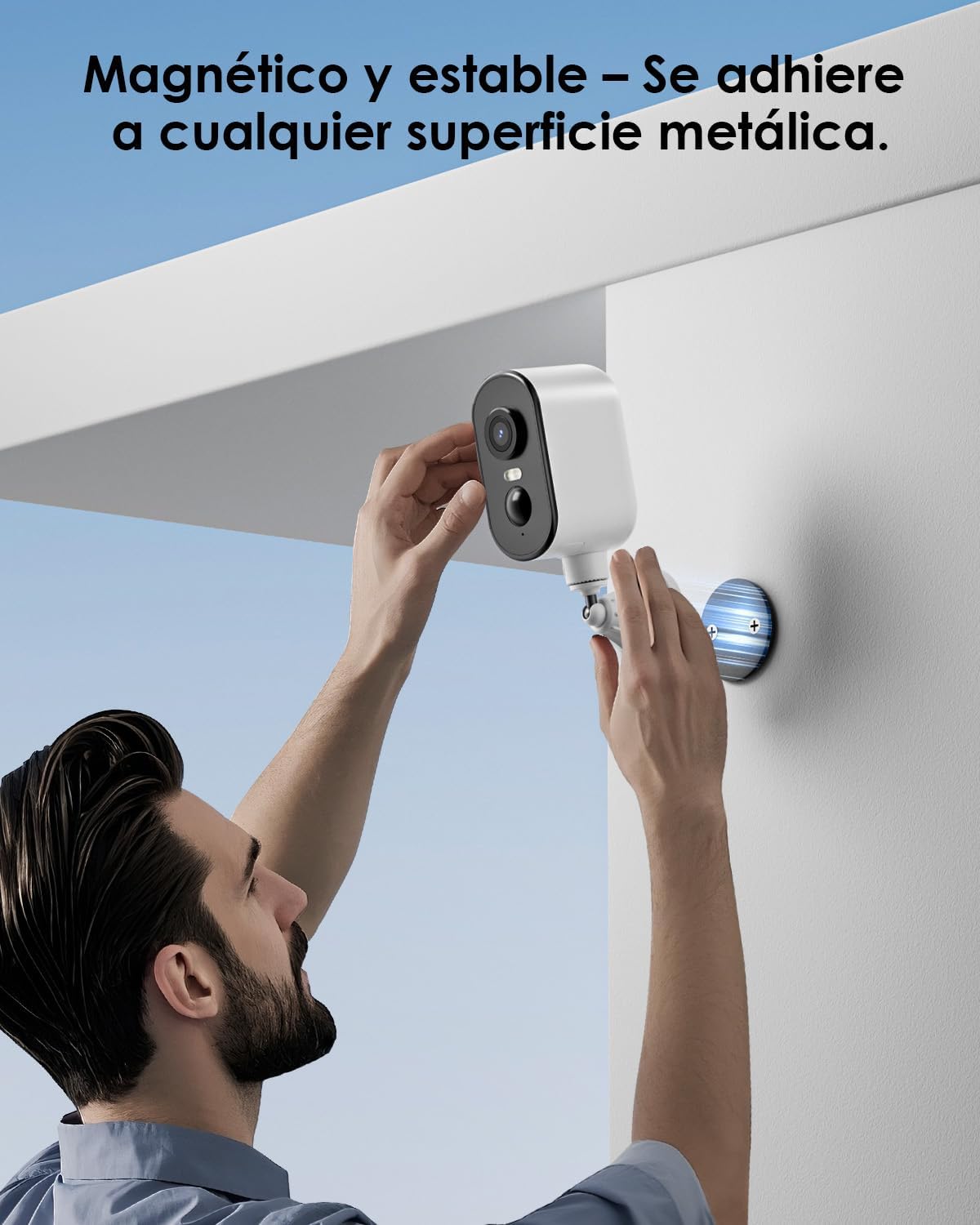
وصف الصورة: A man is shown easily attaching the CZEview ZY-Q6 camera to a metallic surface on a wall using its magnetic base, highlighting its stable and convenient mounting.
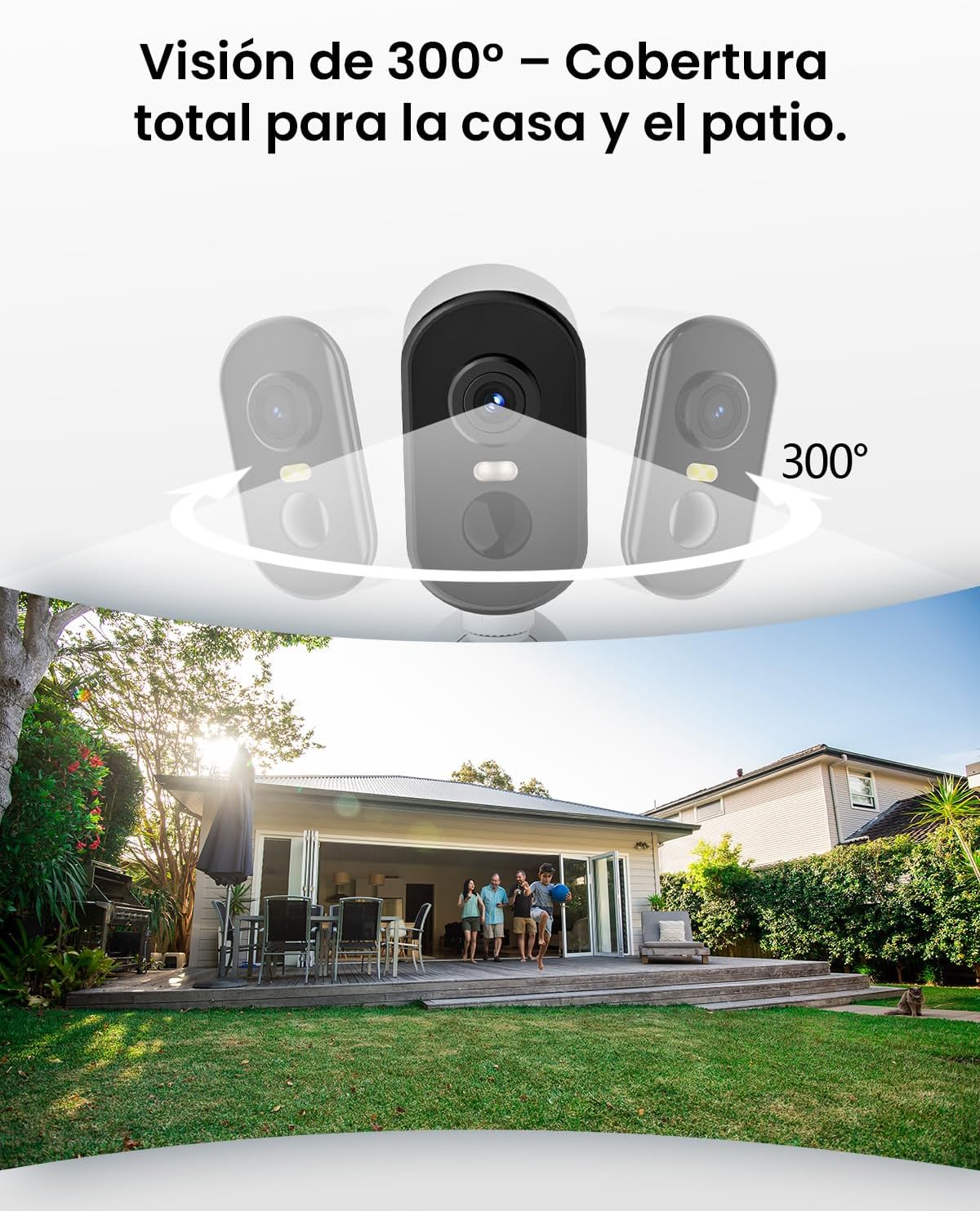
وصف الصورة: This image illustrates the camera's 300-degree horizontal PTZ (Pan-Tilt-Zoom) capability, showing how multiple cameras can provide total coverage for a house and patio area.
3.2 اتصال التطبيق
To connect your camera to your smartphone, follow the instructions in the app. Ensure your phone is connected to a 2.4G WiFi network.
وصف الفيديو: This video provides a step-by-step guide on how to connect your outdoor WiFi battery surveillance camera to your smartphone application, covering initial setup and pairing.
وصف الفيديو: This video demonstrates the setup process for an outdoor WiFi battery camera, including app configuration and initial connection steps for remote monitoring.
وصف الفيديو: This video illustrates the installation process for a portable 4G camera. While this model is 2.4G WiFi, the physical mounting steps may offer general guidance.
4. تعليمات التشغيل
4.1 اكتشاف الحركة والتنبيهات
The camera features automatic activation upon detecting motion, recording important events. It can differentiate between people, animals, vehicles, and packages to reduce false alarms.

وصف الصورة: This image shows the camera's automatic activation feature, detecting and recording important events triggered by people, animals, vehicles, and packages.
4.2 Night Vision and Security Features
In night mode, upon detecting motion, the camera illuminates and emits an audible alarm, enhancing security during low-light conditions. The infrared illumination system provides clear and sharp surveillance even in total darkness.
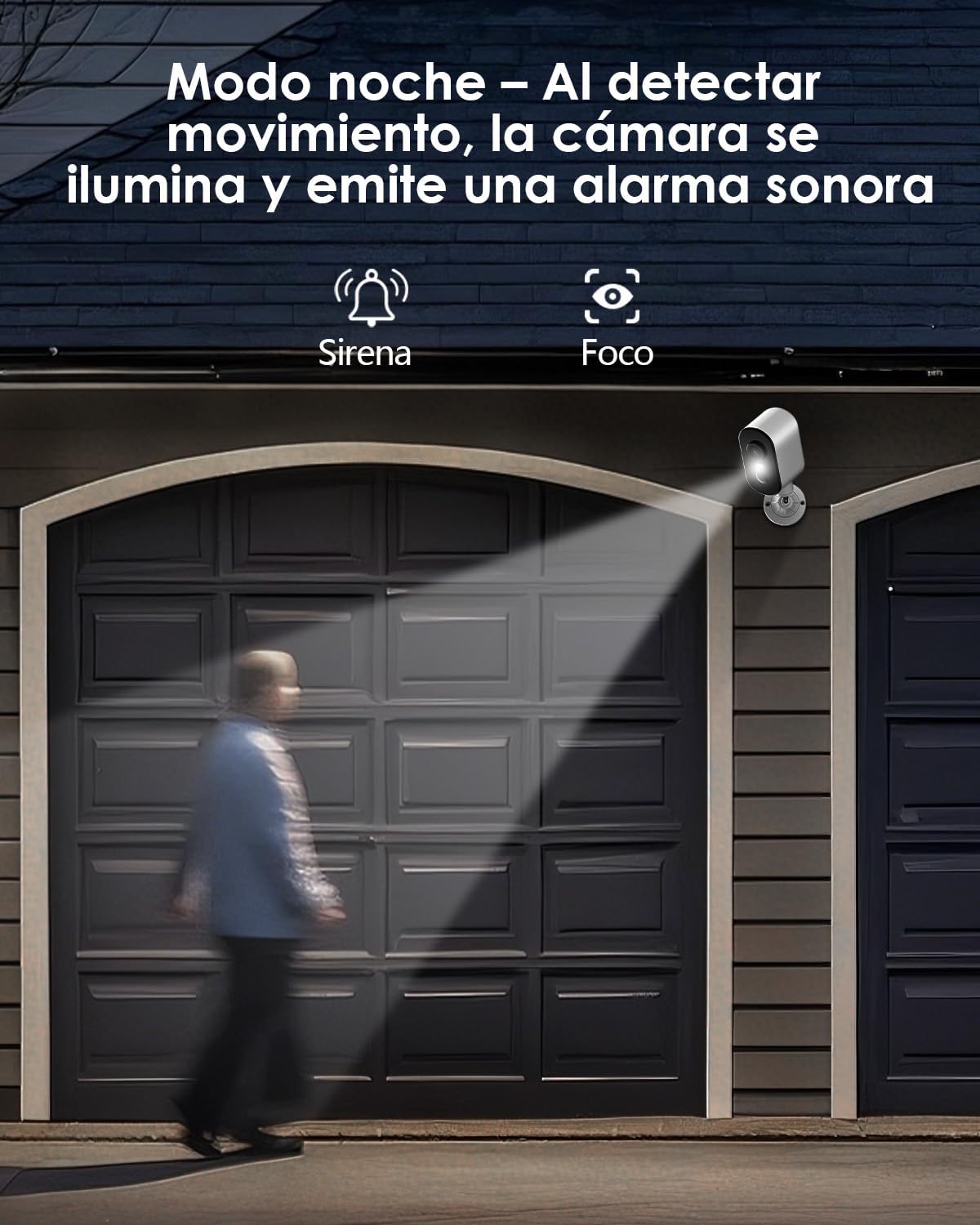
وصف الصورة: The camera is depicted in night mode, with its spotlight and siren activating upon motion detection to deter intruders and provide clear visibility.
4.3 Remote Monitoring and Multi-User Access
The camera supports remote monitoring, allowing real-time video streaming access from your smartphone. Multiple users can simultaneously access the camera feed.
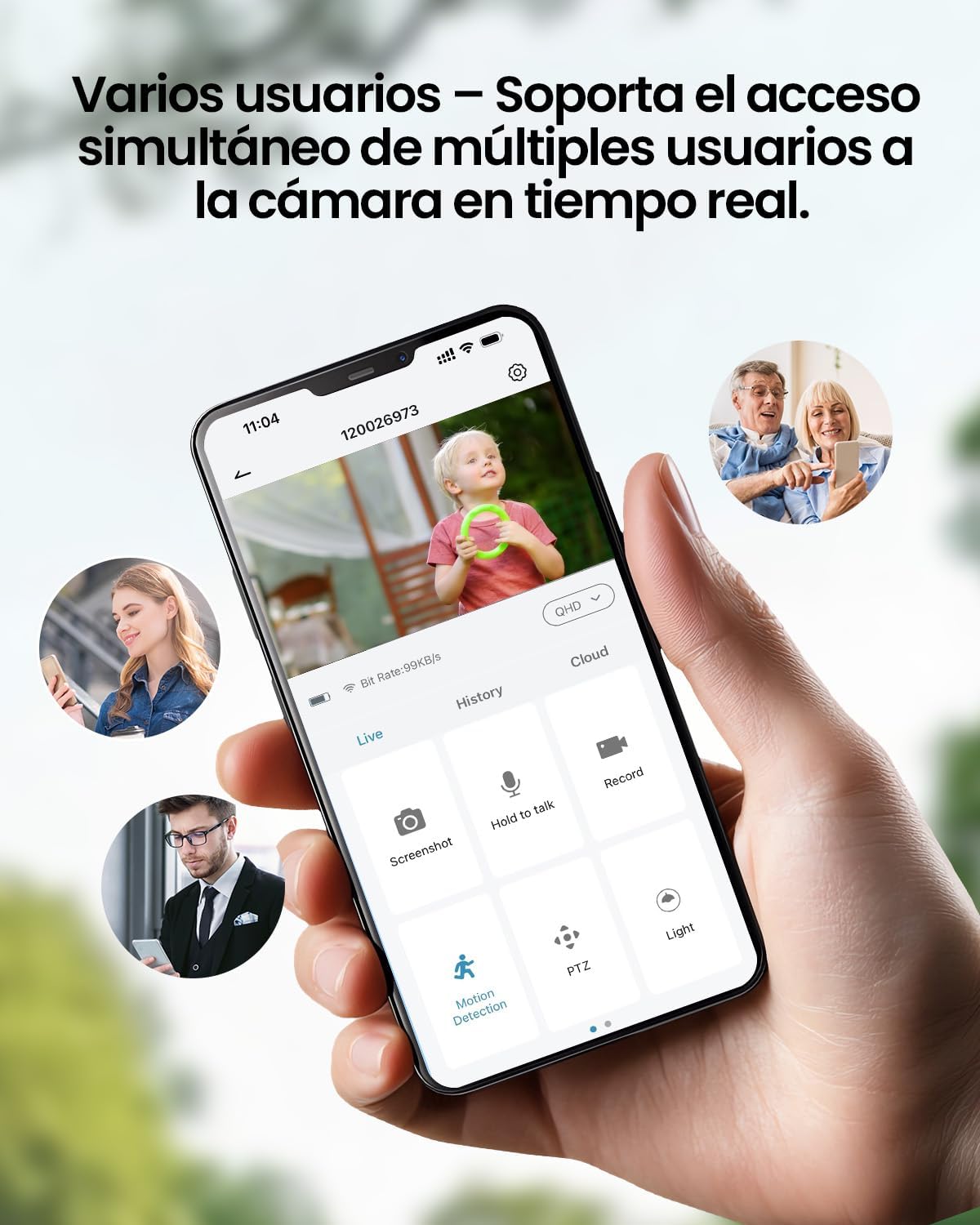
وصف الصورة: A smartphone displays the live feed from the camera, with icons indicating support for simultaneous access by multiple users, enabling shared monitoring.
5. مقاومة الطقس
جمهورية التشيكview ZY-Q6 camera is designed to withstand various outdoor conditions. Its fully dustproof and waterproof construction ensures continuous surveillance in any climate, from heavy rain to direct sun exposure.

وصف الصورة: جمهورية التشيكview ZY-Q6 camera is shown mounted outdoors during rainfall, demonstrating its fully dustproof and waterproof design, ideal for continuous outdoor use.
6. المواصفات
| ميزة | التفاصيل |
|---|---|
| الشركة المصنعة | جمهورية التشيكview |
| أبعاد المنتج | 6 x 6.5 x 12 cm ؛ 530 ز |
| البطاريات | 1 9V battery required, included |
| رقم الموديل | ZY-Q6 |
| لون | أبيض |
| مادة | بلاستيك ايه بي اس |
| مصدر الطاقة | بطارية |
| المجلدtage | 12 فولت |
| الطاقة الكهربائية | 5 واط |
| طريقة التثبيت | حامل الحائط |
| نوع المصباح | الصمام تحت الأحمر |
| نوع التركيب | حامل الطاولة |
| المميزات الخاصة | Motion Detection, Night Vision |
| الاستخدامات الموصى بها | Property Monitoring, Home Security, Outdoor Surveillance |
| وزن المنتج | 530 جرام |
| الحد الأقصى للمدى | 20 مترا |
| الأجهزة المتوافقة | الهاتف الذكي |
7. الصيانة
- تنظيف: امسح عدسة الكاميرا وجسمها بانتظام بقطعة قماش ناعمة.amp قطعة قماش لإزالة الغبار والأوساخ. تجنب استخدام المواد الكيميائية القاسية التي قد تلحق الضرر بالسطح.
- إدارة البطارية: Monitor the battery level through the app. Recharge the camera promptly when the battery is low to ensure continuous operation.
- تحديثات البرامج الثابتة: Check for and install any available firmware updates through the companion app to ensure optimal performance and security.
- فحص التركيب: Periodically inspect the mounting bracket and ensure the camera is securely attached, especially after severe weather conditions.
8. استكشاف الأخطاء وإصلاحها
- الكاميرا لا تتصل بشبكة الواي فاي:
- تأكد من أن جهاز التوجيه الخاص بك يبث إشارة واي فاي بتردد 2.4 جيجاهرتز. الكاميرا لا تدعم شبكات 5 جيجاهرتز.
- تأكد من صحة كلمة مرور الواي فاي التي أدخلتها في التطبيق.
- Place the camera closer to the WiFi router during the initial setup process.
- Reset the camera by pressing the reset button for 5 seconds and attempt to reconnect.
- جودة الفيديو رديئة:
- Check your WiFi signal strength. A weak signal can affect video quality.
- Clean the camera lens to ensure it is free from dirt or smudges.
- تأكد من عدم وجود أي عوائق تعيق حركة الكاميرا view.
- كشف الحركة لا يعمل:
- Verify that motion detection is enabled in the camera's app settings.
- اضبط إعدادات حساسية كشف الحركة.
- تأكد من مجال الكاميرا view يغطي منطقة المراقبة المطلوبة.
- تُستنزف البطارية بسرعة:
- أحداث كشف الحركة المتكررة أو البث المباشر viewing can consume more battery power. Adjust sensitivity or reduce live viewالوقت جي.
- Ensure the camera is installed in an area with optimal WiFi signal to avoid excessive power consumption from searching for a connection.
- يمكن أن تؤثر درجات الحرارة القصوى على أداء البطارية.
9. معلومات السلامة
- لا تحاول تفكيك الكاميرا أو تعديلها. قد يؤدي ذلك إلى إلغاء الضمان والتسبب في تلفها.
- Use only the provided charging cable or a compatible certified cable for charging.
- Keep the camera away from extreme heat sources, open flames, or corrosive substances.
- Ensure the camera is securely mounted to prevent it from falling and causing injury or damage.
- تخلص من البطاريات وفقًا للوائح المحلية. لا تتخلص منها بإلقائها في النار.
10. الضمان والدعم
For warranty information, technical support, or any inquiries regarding your CZEview ZY-Q6 camera, please refer to the contact details provided in the product packaging or visit the official CZEview webموقع.
يرجى الاحتفاظ بإيصال الشراء الخاص بك كدليل على الشراء للمطالبات بالضمان.


