1. المقدمة
The FREEWOLF A2 is a transparent wireless gaming mouse designed for versatility and performance. It features dual-mode connectivity (2.4G wireless and Bluetooth 5.0), a PixArt 3212 optical sensor with adjustable DPI, a built-in rechargeable battery with a digital display, and customizable RGB backlighting. Its ergonomic design ensures comfort during extended use across various operating systems like Windows, Mac, and Linux.

Image 1.1: The FREEWOLF A2 Transparent Wireless Gaming Mouse, showcasing its transparent shell and internal components.
2. محتويات العبوة
يرجى التأكد من وجود جميع العناصر في الحزمة:
- FREEWOLF A2 Wireless Gaming Mouse
- USB Receiver (2.4G dongle)
- كابل شحن USB-C
- دليل المستخدم (هذا المستند)
3. انتهى المنتجview
Familiarize yourself with the various components and features of your FREEWOLF A2 mouse.

Image 3.1: Exploded diagram illustrating the internal components of the FREEWOLF A2 mouse, including the transparent shell, battery, PCB board, and switches.

الصورة 3.2: من أعلى إلى أسفل view of the FREEWOLF A2 mouse with key components labeled, including the 2.4G receiver storage, DPI switch, power switch, and dimensions.
المميزات الرئيسية:
- Dual Mode Connection: 2.4G Wireless and Bluetooth 5.0.
- PixArt 3212 Sensor: High sensitivity and accuracy.
- DPI قابل للتعديل: 5 levels up to 4000 DPI.
- بطارية قابلة لإعادة الشحن: Built-in 400 mAh battery with USB-C charging.
- الشاشة الرقمية: يعرض نسبة البطاريةtage and DPI level.
- الإضاءة الخلفية RGB: تأثيرات إضاءة قابلة للتخصيص.
- تصميم مريح: Comfortable for various grip styles.
4. الإعداد
4.1. شحن الماوس
Before first use, it is recommended to fully charge the mouse. Connect the provided USB-C charging cable to the mouse's charging port and the other end to a USB power source (e.g., computer USB port, USB wall adapter). The digital screen will display the battery percentagه أثناء الشحن.
Note: The USB-C cable is for charging only and does not provide a wired connection for mouse operation.

Image 4.1: Close-up of the FREEWOLF A2 mouse showing the digital screen displaying battery percentage.
4.2. الاتصال عبر شبكة لاسلكية 2.4G
- Locate the USB receiver (dongle) stored in the compartment on the underside of the mouse.
- قم بتوصيل مستقبل USB بمنفذ USB متاح على جهاز الكمبيوتر الخاص بك.
- Slide the power switch on the underside of the mouse to the '2.4G' position.
- The mouse should connect automatically. Your computer will typically install the necessary drivers.
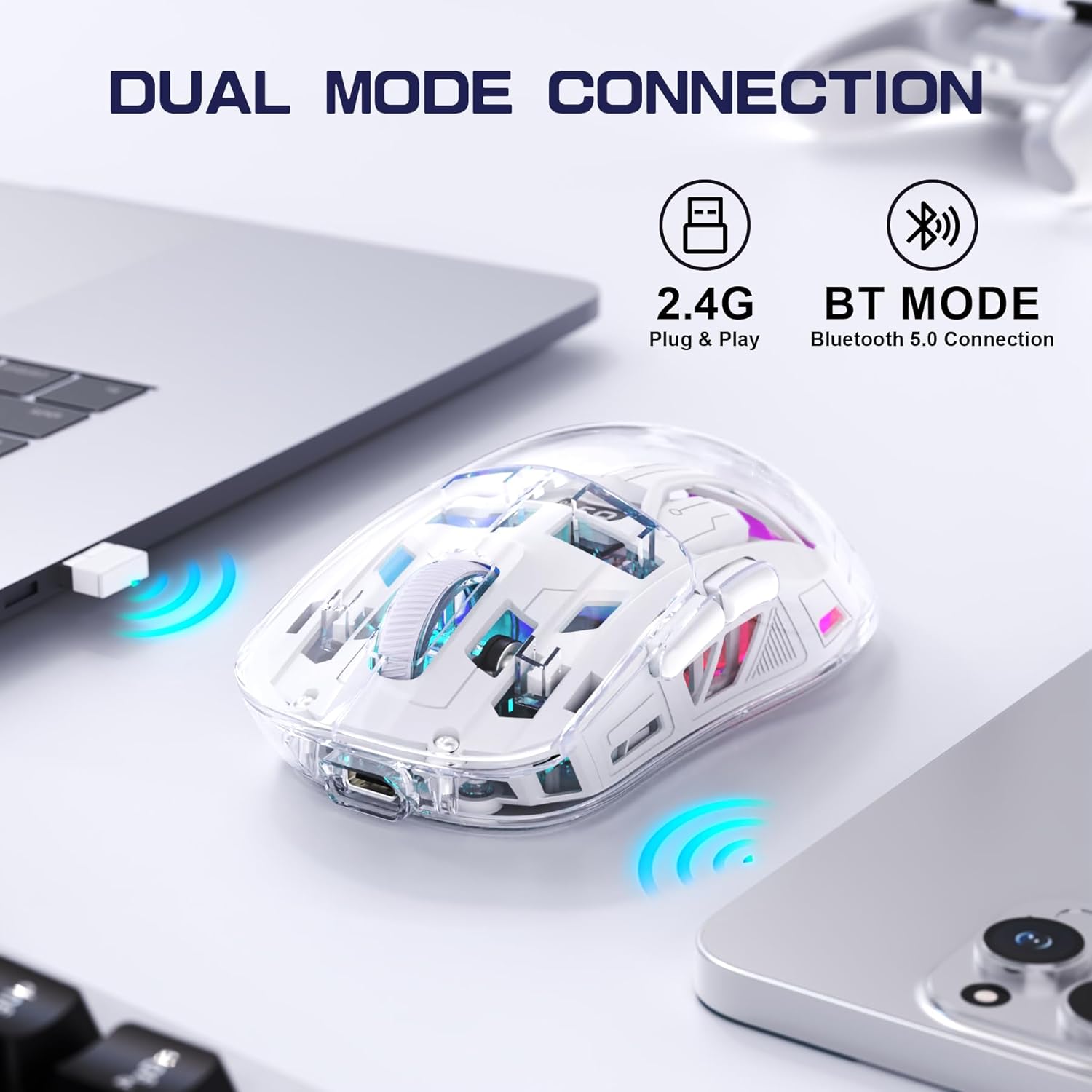
Image 4.2: The FREEWOLF A2 mouse connected to a laptop via its 2.4G wireless USB receiver.
4.3. Connecting via Bluetooth 5.0
- Slide the power switch on the underside of the mouse to the 'BT' (Bluetooth) position.
- على جهاز الكمبيوتر أو الجهاز الخاص بك، افتح إعدادات البلوتوث.
- بحث عن new devices. The mouse should appear as 'FREEWOLF A2' or similar.
- اختر الماوس المُراد إقرانه. اتبع التعليمات التي تظهر على الشاشة.
5. تعليمات التشغيل
5.1. ضبط DPI
The mouse features 5 adjustable DPI levels (1200-4000 DPI) to suit different tasks and preferences. To change the DPI, press the DPI button located on the underside of the mouse. The digital screen will briefly display the current DPI setting.

Image 5.1: Diagram illustrating the 5 adjustable DPI levels (1200, 1600, 2000, 2400, 4000) available on the FREEWOLF A2 mouse.
5.2. التحكم في الإضاءة الخلفية RGB
The FREEWOLF A2 mouse features vibrant RGB backlighting. To cycle through different lighting effects or turn the backlight off, press and hold the scroll wheel button for a few seconds.

Image 5.2: Two FREEWOLF A2 mice on a desk, showcasing their cool RGB lighting effects in a low-light environment.
5.3. عرض البطارية
The integrated digital screen on the mouse continuously displays the current battery percentage, allowing you to monitor power levels and recharge as needed.
5.4. تصميم مريح
The mouse is designed to conform to various hand grip styles (Palm Grip, Fingertip Grip, Claw Grip), reducing discomfort during prolonged use.
Image 5.3: A hand demonstrating a comfortable grip on the FREEWOLF A2 mouse, highlighting its ergonomic design.
6. الصيانة
- تنظيف: استخدم قطعة قماش ناعمة وجافة لتنظيف الفأرة. تجنب استخدام المواد الكيميائية القاسية أو المواد الكاشطة.
- تخزين: When not in use, store the mouse in a cool, dry place. If storing for an extended period, ensure the mouse is fully charged and turn off the power.
- العناية بالبطارية: To prolong battery life, avoid fully discharging the mouse frequently. Recharge when the battery level is low.
7. استكشاف الأخطاء وإصلاحها
- الفأرة لا تستجيب:
- Ensure the mouse is powered on and the correct connection mode (2.4G or BT) is selected.
- Check battery level on the digital screen and recharge if necessary.
- For 2.4G mode, ensure the USB receiver is securely plugged into a working USB port. Try a different USB port.
- For Bluetooth mode, ensure Bluetooth is enabled on your device and the mouse is paired correctly. Try unpairing and re-pairing.
- أعد تشغيل الكمبيوتر أو الجهاز.
- Cursor movement is erratic or frozen:
- قم بتنظيف المستشعر البصري الموجود على الجانب السفلي للفأرة.
- تأكد من استخدام الماوس على سطح مناسب (ليس عاكسًا أو شفافًا بدرجة كبيرة).
- تحقق من عدم وجود تداخل من الأجهزة اللاسلكية الأخرى.
- Adjust DPI settings to see if it resolves the issue.
- الإضاءة الخلفية RGB لا تعمل:
- تأكد من أن بطارية الماوس مشحونة بشكل كافٍ.
- Press and hold the scroll wheel button to cycle through lighting modes or turn the backlight on/off.
- قضايا الشحن:
- Ensure the USB-C cable is properly connected to both the mouse and the power source.
- جرّب كابل USB-C أو محول طاقة مختلفًا.
- تأكد من أن مصدر الطاقة يعمل.
8. المواصفات
| ميزة | التفاصيل |
|---|---|
| رقم الموديل | A2 |
| تكنولوجيا الاتصال | لاسلكي بتردد 2.4 جيجا هرتز، بلوتوث 5.0 |
| تقنية كشف الحركة | بصري (PixArt 3212) |
| قابل للتعديل DPI | 1200-4000 (5 levels) |
| سعة البطارية | 400 مللي أمبير (مدمجة) |
| منفذ الشحن | يو اس بي-سي |
| المميزات الخاصة | Ergonomic Design, LED Lights (RGB), Portable, Rechargeable, Digital Battery Display |
| أبعاد المنتج | 6.89 × 4.53 × 0.04 بوصة |
| وزن العنصر | 4.9 أونصات |
| الشركة المصنعة | فري وولف |
9. الضمان والدعم
Specific warranty information for the FREEWOLF A2 Transparent Wireless Gaming Mouse is not provided in the available product data. Please refer to the product packaging or the retailer's website for details regarding warranty coverage.
For technical support or further assistance, please contact the manufacturer or your point of purchase. Contact information may be available on the product packaging or the official FREEWOLF webموقع.


