1. المقدمة
This manual provides instructions for the proper setup, operation, and maintenance of your ciciglow 1080P Full HD Webcam. This device is designed for high-definition video communication and streaming on desktop PCs and laptops.
2. انتهى المنتجview
2.1 محتويات العبوة
- 1 x ciciglow 1080P Full HD Webكاميرا
2.2 الميزات الرئيسية
- Full HD 1080P Resolution (30fps)
- 120 ° زاوية واسعة عدسة
- Built-in Digital Noise Canceling Microphone
- USB 2.0 Interface (Plug and Play)
- 360° Rotatable Head and 30° Up/Down Tilt
- وضع التركيز اليدوي
2.3 تحديد المكون
Familiarize yourself with the main components of the webكام:
- عدسة الكاميرا: Captures video. Features manual focus adjustment.
- ميكروفون: Integrated digital noise-canceling microphone for audio input.
- كابل USB: للاتصال بجهاز الكمبيوتر الخاص بك.
- Mounting Clip/Base: يسمح ل webcam to be placed on a monitor or flat surface, with 360° rotation and 30° tilt.

الصورة 1: الجبهة view of the ciciglow 1080P Full HD Webcam, showing the lens and integrated USB cable.

الصورة 2: عن قرب view التابع webcam's lens, highlighting the manual focus ring.
3. تعليمات الإعداد
3.1 توصيل Webكاميرا
- Locate an available USB 2.0 port on your desktop PC or laptop.
- Insert the USB cable of the webقم بتوصيل الكاميرا بمنفذ USB.
- Wait for your operating system to automatically detect and install the necessary drivers. This process usually takes a few moments.
3.2 تثبيت برنامج التشغيل
The ciciglow webcam is designed for plug-and-play functionality on most modern operating systems, including Windows (10/11), macOS (10.6 or above with UVC), and Linux (above 2.6.24 with UVC). No manual driver installation is typically required.
Note for Windows 8/7/Vista users: If your system does not automatically display an image, you may need to download and install a third-party webcam application such as AMCAP to utilize the webكام.
3.3 Positioning the Webكاميرا
ال webcam features a flexible mounting clip that allows it to be securely placed on top of a monitor, laptop screen, or positioned on a flat surface.
- على الشاشة/الكمبيوتر المحمول: Open the clip and place it over the top edge of your screen, ensuring the front of the webcam faces you and the clip is stable.
- على سطح مستو: قم بطي المشبك لتشكيل قاعدة ثابتة وضع webالكاميرا على مكتب أو طاولة.
ال webcam head can rotate 360° horizontally and tilt 30° vertically to achieve the desired viewزاوية جي.
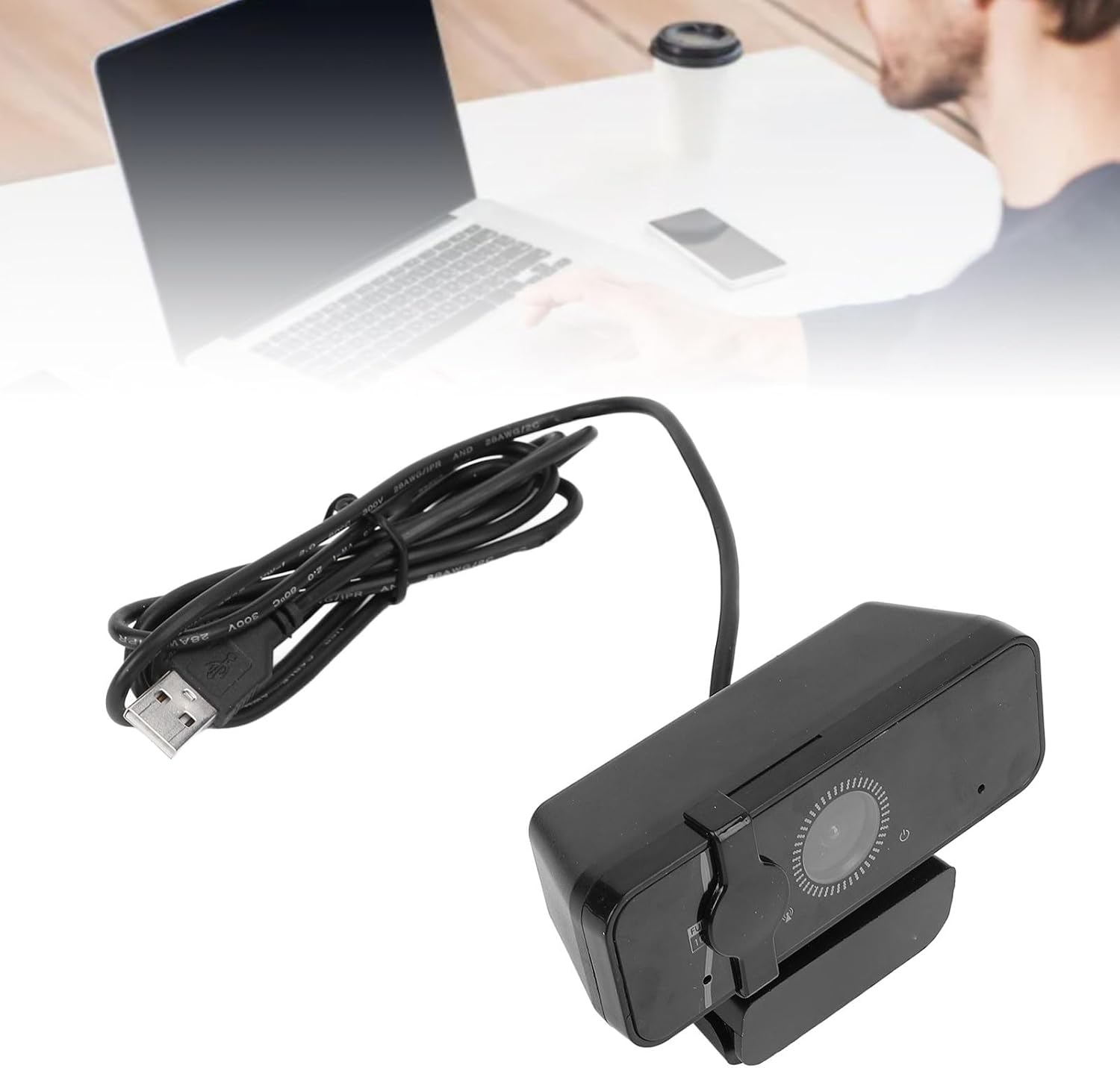
الصورة 3: الجانب view التابع webcam, illustrating its adjustable mounting clip for placement on a monitor.
4. تعليمات التشغيل
4.1 Initiating Video Calls and Streaming
Once connected and recognized by your computer, the webcam can be used with various video conferencing and streaming applications (e.g., Zoom, Skype, Microsoft Teams, OBS Studio). Most applications will automatically detect the webcam and its microphone.
- Open your preferred video communication or streaming software.
- In the application's settings, select the "ciciglow 1080P Webاستخدم "cam" كجهاز إدخال الفيديو الخاص بك.
- Select the "ciciglow Webاستخدم ميكروفون الكاميرا (أو ما شابه) كجهاز إدخال الصوت الخاص بك.
- ضبط webcam's position and angle as needed using its rotatable head and tilt mechanism.
4.2 ضبط التركيز
ال webcam features a manual focus lens. To achieve a clear image, gently rotate the ring around the camera lens until the picture appears sharp.
4.3 استخدام الميكروفون
The built-in digital noise-canceling microphone is designed to provide clear audio. Ensure the microphone is selected as the input device in your application settings and your computer's sound settings.

الصورة 4: webcam, emphasizing its built-in digital noise-canceling microphone and USB 2.0 interface.
5. الصيانة
5.1 التنظيف
- To clean the camera lens, use a soft, lint-free cloth specifically designed for optical surfaces. Avoid abrasive materials or harsh chemicals.
- من اجل webcam body, wipe with a dry or slightly damp soft cloth. Do not allow moisture to enter any openings.
5.2 التخزين
عندما لا تكون قيد الاستخدام ، قم بتخزين ملف webضع الكاميرا في مكان نظيف وجاف بعيدًا عن أشعة الشمس المباشرة ودرجات الحرارة القصوى.
6. استكشاف الأخطاء وإصلاحها
| مشكلة | حل |
|---|---|
| No image displayed (Windows 8/7/Vista) | Download and install a third-party webcam application like AMCAP. |
| No image displayed (Other OS) | Ensure the USB cable is securely connected. Try a different USB port. Restart your computer. Check privacy settings for camera access in your operating system. |
| لا يوجد صوت من الميكروفون | التحقق من webcam's microphone is selected as the input device in your application settings and your computer's sound settings. Ensure microphone volume is not muted. |
| الصورة ضبابية | Gently rotate the focus ring around the camera lens until the image becomes clear. Ensure the lens is clean. |
| Webلم يتم الكشف عن الكاميرا | Try connecting to a different USB port. Ensure your operating system is up to date. If using a USB hub, try connecting directly to the computer. |
7. المواصفات الفنية
| ميزة | التفاصيل |
|---|---|
| نوع العنصر | Webكاميرا |
| مادة | نظام ABS |
| المعالج | JL5225+GC1054 |
| وضع التركيز | يدوي |
| Maximum Effective Pixels | 2 ميجا بكسل |
| حساسية | 600mV/Lx sec |
| Supported Resolutions & Frame Rates (MJPEG) | 1920 x 1080P (30fps) |
| تنسيق صورة الإخراج | MJPEG/YUV |
| نسبة الإشارة إلى الضوضاء | 34 ديسيبل |
| النطاق الديناميكي | 72.5 ديسيبل |
| Auto Exposure Control (AEC) | مدعوم |
| Auto White Balance (AEB) | مدعوم |
| التحكم في الكسب التلقائي (AGC) | مدعوم |
| المعلمات القابلة للتعديل | توازن اللون الأبيض |
| الأنظمة المدعومة | Windows (10/11), macOS (10.6+ with UVC), Linux (2.6.24+ with UVC) |
| ميكروفون | مدمج |
| وزن العنصر | 6.6 أونصات |
| أبعاد الحزمة | 7.09 × 4.72 × 2.76 بوصة |
| رقم الموديل | ciciglow5kquofc2bg |
8. الضمان والدعم
8.1 معلومات الضمان
This product is covered by a standard manufacturer's warranty. Please refer to the product packaging or your purchase documentation for specific warranty terms and duration.
8.2 دعم العملاء
For technical assistance, troubleshooting, or warranty claims, please contact ciciglow customer support through the retailer where the product was purchased or visit the official ciciglow webموقع لمعلومات الاتصال.