مقدمة
This manual provides instructions for the setup, operation, and maintenance of your RadioShack Wireless Gaming Mouse. Please read this manual thoroughly before using the product to ensure proper function and longevity.
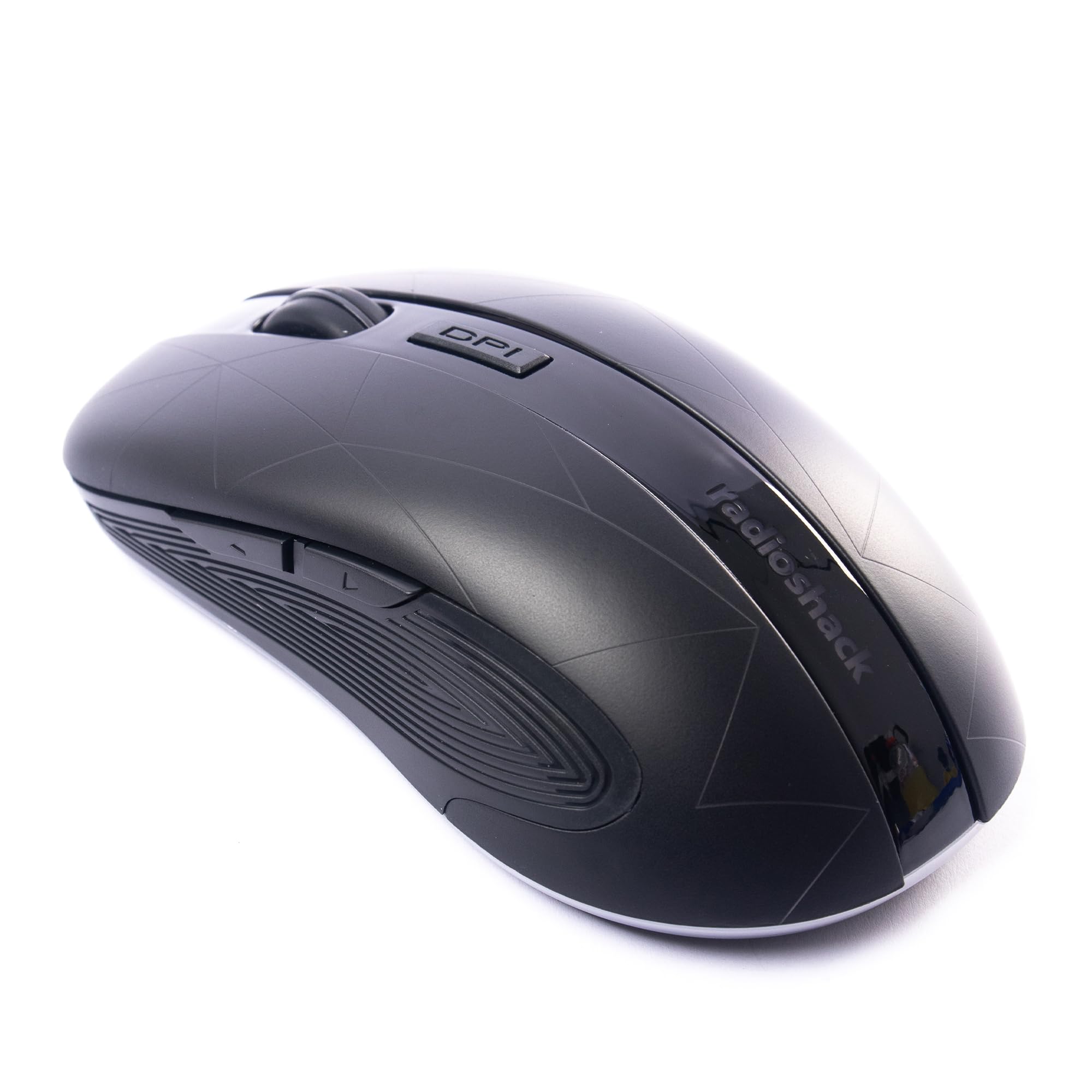
Image: The RadioShack Wireless Gaming Mouse, showcasinبفضل تصميمه المريح وتخطيط الأزرار.
محتويات الحزمة
تأكد من وجود جميع العناصر في العبوة:
- 1 x RadioShack Wireless Gaming Mouse
- 1 × مستقبل USB نانو
- 1 × كابل شحن

Image: An infographic detailing the contents of the product package, including the wireless gaming mouse.
يثبت
- شحن الماوس: Before first use, connect the mouse to a USB power source using the provided charging cable. The LED indicator will show charging status.
- Locate the USB Nano Receiver: The USB nano receiver is typically stored in a compartment on the underside of the mouse for convenience.
- توصيل جهاز الاستقبال: Insert the USB nano receiver into an available USB port on your computer (laptop or desktop).
- تشغيل الماوس: حدد موقع مفتاح الطاقة الموجود أسفل الماوس وقم بتحريكه إلى وضع "التشغيل".
- تثبيت برنامج التشغيل: The mouse is plug-and-play. Your operating system (Windows, Mac, Linux, Chrome OS) should automatically detect and install the necessary drivers.

Image: The wireless gaming mouse shown alongside its compact USB nano receiver, ready for connection.
تعليمات التشغيل
الوظائف الأساسية
The mouse operates like a standard wireless mouse. Move the mouse to control the cursor on your screen. Use the left and right click buttons for primary and secondary actions, respectively. The scroll wheel allows for vertical scrolling.
ضبط DPI (الحساسية)
The mouse features an adjustable DPI setting, allowing you to change cursor sensitivity. Press the زر DPI located behind the scroll wheel to cycle through available DPI settings (800, 1200, 1600, 2400). Each press will change the sensitivity, indicated by a brief LED flash.

الصورة: الجانب view of the mouse, illustrating the location of the DPI button for sensitivity adjustments.
أزرار قابلة للبرمجة
This mouse is equipped with 6 programmable buttons, including customizable side buttons. For advanced customization and macro assignments, you may need to download specific software from the RadioShack support website (if available). Refer to the software's instructions for detailed programming steps.

Image: The wireless gaming mouse from an angle, clearly showing the side buttons which can be programmed for various functions.
شحن الماوس
The mouse uses a built-in rechargeable Lithium Ion battery. When the battery is low, the LED indicator may flash or change color. Connect the provided charging cable to the mouse's charging port and to a USB power source (e.g., computer USB port, USB wall adapter). The LED will indicate charging status and turn off or change color when fully charged.
A full charge typically provides several hours of use, depending on usage patterns.
صيانة
- تنظيف: استخدم قطعة قماش ناعمة وجافة لتنظيف الفأرة. لإزالة الأوساخ العنيدة، امسحها برفق بقطعة قماش جافة.amp يمكن استخدام قطعة قماش، مما يضمن عدم دخول الرطوبة إلى الجهاز.
- تخزين: When not in use for extended periods, turn off the mouse to conserve battery life. Store the USB nano receiver inside the mouse's compartment to prevent loss.
- تجنب الظروف القاسية: لا تعرض الفأرة لدرجات حرارة قصوى، أو لأشعة الشمس المباشرة، أو لرطوبة عالية.
استكشاف الأخطاء وإصلاحها
| مشكلة | حل |
|---|---|
| الماوس لا يستجيب |
|
| تأخر أو انقطاع في الاتصال |
|
| Cursor movement is erratic or imprecise |
|
تحديد
- رقم الموديل: 2604789
- الاتصال: 2.4 جيجا هرتز اللاسلكي
- أزرار: 6 (قابلة للبرمجة)
- إعدادات DPI: 800، 1200، 1600، 2400 (قابل للتعديل)
- كشف الحركة: بصري
- بطارية: 1 Lithium Ion (Rechargeable, included)
- نطاق التشغيل: حتى 10 أمتار
- التوافق: ويندوز، ماك، لينكس، نظام التشغيل كروم
- أبعاد: 4.9 بوصة × 2.6 بوصة × 1.5 بوصة
- وزن: 6.2 أونصات
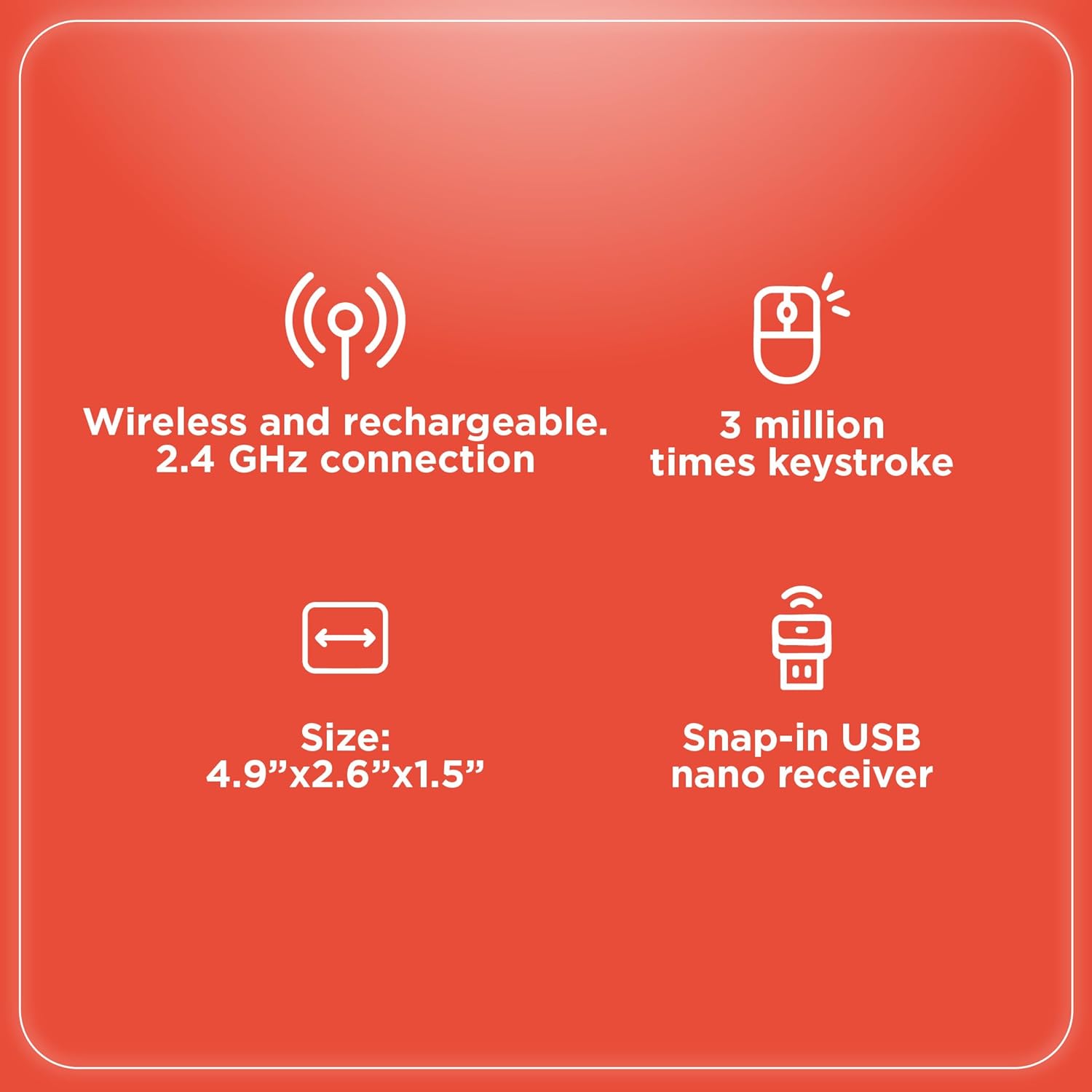
Image: An infographic summarizing key specifications of the wireless gaming mouse, including connectivity, battery, and dimensions.
الضمان والدعم
For warranty information and technical support, please refer to the official RadioShack webالموقع أو تواصل مع خدمة العملاء. احتفظ بإيصال الشراء كإثبات للشراء في حال وجود أي مطالبات بالضمان.
الشركة المصنعة: راديوشاك
تاريخ التوفر الأول: 28 أغسطس 2024


