1. المقدمة
This manual provides essential information for the safe operation and maintenance of your SIMREX X800 Drone. Please read it thoroughly before first use to ensure proper functionality and to maximize your flying experience. The SIMREX X800 is a compact and versatile drone designed for both beginners and experienced users, featuring a 1080P camera, altitude hold, and various intelligent flight modes.

2. ماذا يوجد في الصندوق
تأكد من وجود جميع المكونات قبل المتابعة بالإعداد:
- SIMREX X800 Drone (Black)
- جهاز التحكم عن بعد
- Modular Batteries (2x 1000mAh)
- كابل شحن USB
- Spare Propeller Blades (1 set)
- Phone Holder for Remote Control
- دليل المستخدم

3. دليل الإعداد
3.1 البطارية تشحن
The drone comes with two 1000mAh modular batteries. Ensure both are fully charged before use.
- قم بتوصيل كابل الشحن USB ببطارية الطائرة بدون طيار.
- قم بتوصيل الطرف الآخر من كابل USB بمحول طاقة USB (غير متضمن) أو بمنفذ USB الخاص بالكمبيوتر.
- The indicator light on the battery will show charging status (refer to battery specific indicators for details).
- تستغرق عملية الشحن عادةً ما بين 60 و90 دقيقة لكل بطارية.
3.2. Installing Drone Battery
- افتح أذرع الطائرة المسيرة.
- Insert the fully charged modular battery into the battery compartment on the drone until it clicks securely into place.
3.3. إعداد جهاز التحكم عن بعد
The remote control requires 2 LR44 batteries (included). Install them into the battery compartment on the back of the remote.
- Attach the phone holder to the top of the remote control.
- Place your smartphone securely into the phone holder.
- Download and install the SIMREX drone application (refer to the QR code in the included manual for the app).
- Power on the drone, then power on the remote control.
- Connect your smartphone to the drone's Wi-Fi network (usually named 'SIMREX-XXXXXX').
- Open the SIMREX app to establish a connection and view تغذية الكاميرا.
3.4. Propeller Installation/Check
The drone comes with propellers pre-installed. If replacement is necessary, ensure correct orientation (A and B propellers) as indicated on the drone arms and propellers themselves.
4. تعليمات التشغيل
Familiarize yourself with the drone's controls and features before attempting flight.
4.1. Basic Flight Preparation
- Ensure the drone is placed on a flat, level surface.
- Perform gyroscope calibration by pushing both joysticks down and to the left/right simultaneously (refer to the specific manual for exact combination).
- Ensure a stable Wi-Fi connection between your phone and the drone for FPV (First Person View) and app control.
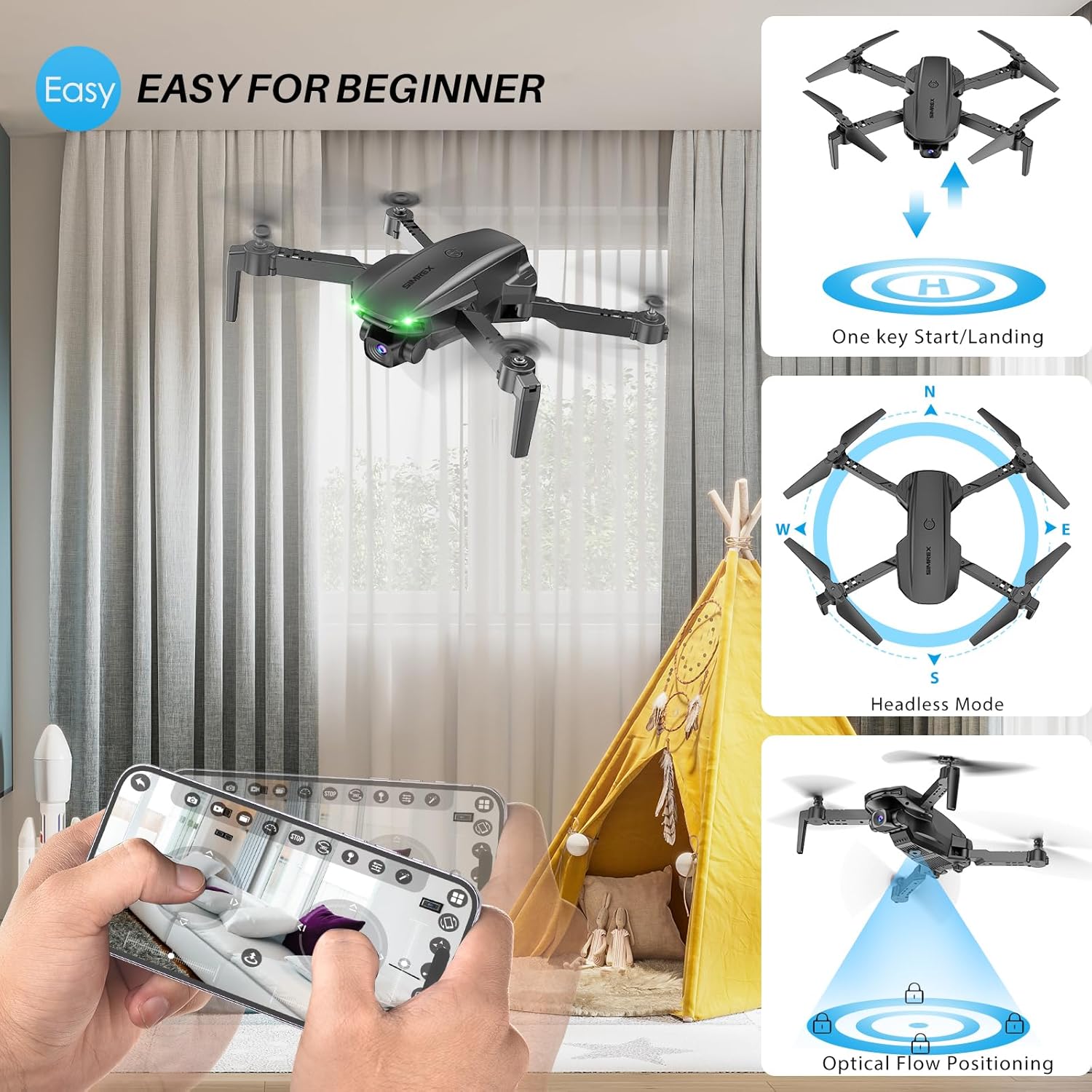
4.2. One Key Start/Landing
This feature simplifies takeoff and landing, making it ideal for beginners.
- Press the One Key Start button on the remote control or in the app. The drone will automatically take off and hover at a stable altitude.
- Press the One Key Landing button. The drone will slowly descend and land automatically.
4.3. Altitude Hold & Optical Flow Positioning
These features contribute to stable flight and precise hovering.
- تثبيت الارتفاع: The drone maintains a fixed height, allowing for stable video and photo capture without constant throttle input.
- تحديد موضع التدفق البصري: Utilizes a bottom-mounted camera to detect ground patterns, enabling the drone to hover accurately in position, especially useful indoors or in low-wind conditions.

4.4. وضع مقطوعة الرأس
In Headless Mode, the drone's orientation is relative to the pilot, not the drone's front. This simplifies control, as pushing the joystick forward will always move the drone away from you, regardless of which way the drone is facing.
- Activate Headless Mode by pressing the dedicated button on the remote.
- Calibrate Headless Mode before flight for accurate control.
4.5. Waypoint Fly
Plan your flight path directly on your smartphone screen.
- Open the SIMREX app and select the Waypoint Fly function.
- Draw a desired flight path on the map displayed on your phone.
- The drone will automatically follow the designated route.
4.6. 3D Flip
Perform exciting aerial acrobatics with a single button press.
- Ensure sufficient altitude (at least 3 meters) before attempting a 3D flip.
- Press the 3D Flip button and move the right joystick in the desired flip direction (forward, backward, left, or right).
4.7. ضبط السرعة
The drone offers three speed modes to suit different skill levels and flying conditions.
- Toggle between Low, Medium, and High speeds using the speed switch button on the remote.
- Start with Low speed for learning and indoor flight, gradually increasing as you gain confidence.

4.8. تشغيل الكاميرا
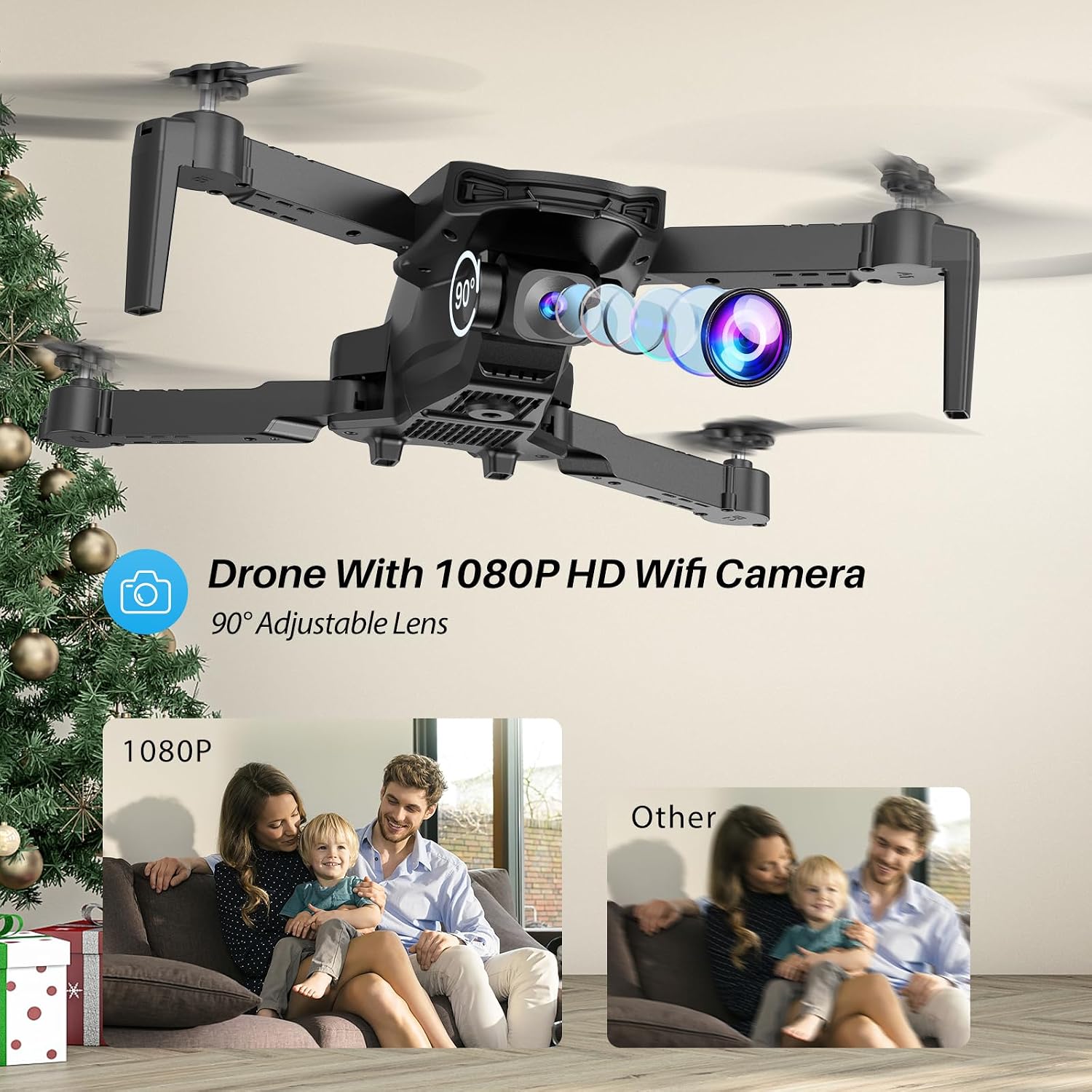
The SIMREX X800 is equipped with a 1080P camera with a 90° adjustable lens.
- View the live camera feed on your smartphone via the SIMREX app.
- Use the app to capture photos and record videos directly to your phone's storage.
- Adjust the camera lens angle manually before flight for optimal viewعمل.
4.9. التحكم في الجاذبية
Control the drone's flight motion by tilting your mobile phone.
- Activate Gravity Control within the SIMREX app.
- Tilt your phone forward, backward, left, or right to control the drone's corresponding movement.
4.10. Flight Environment Considerations
- The SIMREX X800 is recommended for الاستخدام الداخلي.
- If flying outdoors, operate only in windless conditions to maintain control and prevent loss.
- Always maintain visual line of sight with the drone.
- Avoid flying near obstacles, people, or animals.
5. الصيانة
تضمن الصيانة المنتظمة طول عمر الطائرة بدون طيار والأداء الأمثل لها.
5.1. التنظيف
- استخدم قطعة قماش ناعمة وجافة لتنظيف جسم الطائرة بدون طيار وعدسة الكاميرا.
- تجنب استخدام المواد الكيميائية أو المذيبات القاسية.
- تأكد من عدم وجود غبار أو حطام يعيق مستشعر التدفق البصري الموجود أسفل الطائرة بدون طيار.
5.2. استبدال المروحة
In case of damage, replace propellers promptly.
- قم بإيقاف تشغيل الطائرة بدون طيار.
- Carefully remove the damaged propeller.
- Install a new propeller, ensuring it matches the 'A' or 'B' marking on the drone arm and the propeller itself. Incorrect installation will prevent flight.
5.3. العناية بالبطارية
- لا تقم بشحن البطاريات بشكل زائد أو تفريغها بشكل زائد.
- قم بتخزين البطاريات في مكان بارد وجاف بعيدًا عن أشعة الشمس المباشرة ودرجات الحرارة القصوى.
- If not used for an extended period, charge batteries to approximately 50% capacity.
6. استكشاف الأخطاء وإصلاحها
راجع هذا القسم للحصول على حلول للمشاكل الشائعة.
| مشكلة | السبب المحتمل | حل |
|---|---|---|
| الطائرة بدون طيار لا تستجيب للتحكم عن بعد. | Not paired; low battery (drone/remote); interference. | Ensure drone and remote are powered on and paired. Charge batteries. Move to an area with less interference. |
| انجرافات الطائرة بدون طيار أثناء الطيران. | Gyroscope not calibrated; windy conditions; uneven propeller. | Perform gyroscope calibration. Fly in windless conditions. Check propellers for damage and replace if necessary. |
| No camera feed on phone. | No Wi-Fi connection; app not open; phone settings. | Connect phone to drone's Wi-Fi. Open the SIMREX app. Check phone's Wi-Fi settings. |
| وقت الرحلة قصير. | Battery not fully charged; aged battery; aggressive flying. | Ensure batteries are fully charged. Consider replacing old batteries. Fly at lower speeds. |
| Drone crashes unexpectedly. | Out of range; low battery; strong wind; pilot error. | Keep drone within control range. Monitor battery levels. Avoid windy conditions. Practice basic controls. |
7. المواصفات
| ميزة | التفاصيل |
|---|---|
| ماركة | سيمريكس |
| اسم الموديل | إكس 800 |
| لون | أسود |
| دقة التقاط الفيديو | 1080 بكسل |
| المميزات الخاصة | 360 Degree Flip, Adjustable Camera, Foldable Design, Long Battery Life, One Key Rotation (Start/Landing), Altitude Hold, Optical Flow Positioning, Headless Mode, Waypoint Fly, Gravity Control, 3 Speeds |
| تكنولوجيا الاتصال | USB (for charging), Bluetooth (Remote Control) |
| المكونات المضمنة | Drone, Remote Control, 2x Batteries, USB Charger, Spare Blades, Phone Holder |
| مستوى المهارة | All (Beginner-friendly) |
| وزن العنصر | 0.21 رطل (حوالي 96 جرام) |
| مادة | بلاستيك |
| تكوين خلية البطارية | Lithium Ion (Drone), LR44 (Remote) |
| أبعاد المنتج | 1.9 بوصة طول × 4.5 بوصة عرض × 1.3 بوصة ارتفاع (مطوي) |
| وقت الرحلة | حتى 22 دقيقة (مع بطاريتين) |
8. الدعم والضمان
For any questions, technical assistance, or warranty claims regarding your SIMREX X800 Drone, please contact the seller or manufacturer directly through your purchase platform. Keep your proof of purchase for any warranty-related inquiries.
Optional protection plans are available for purchase separately to extend coverage beyond the standard manufacturer's warranty.


