1. المقدمة
The SmallRig RC 100B COB Video Light is a compact and powerful bi-color lighting solution designed for photography and video production. It features a 100W output, adjustable color temperature from 2700K to 6500K, and high color rendering capabilities (CRI 97+, TLCI 98+). This manual provides essential information for the safe and effective operation of your RC 100B video light.
2. محتويات العبوة
تأكد من وجود جميع العناصر في الحزمة الخاصة بك:
- RC 100B COB Video Light x 1
- Mini Reflector x 1
- محول حامل الإضاءة × 1
- Silicone Diffuser x 1
- 3m USB-C to USB-C Cable x 1
- دليل المستخدم × 1

Figure 2.1: Contents of the SmallRig RC 100B Standard Version package.
3. انتهى المنتجview
The RC 100B is designed for portability and ease of use, featuring a compact form factor and intuitive controls.

الشكل 3.1: الجبهة view of the SmallRig RC 100B COB Video Light with reflector.

Figure 3.2: The compact and lightweight design of the RC 100B, weighing only 700 grams.
4. الإعداد
4.1 Attaching the Mini Reflector
- Align the three tabs on the mini reflector with the corresponding slots on the front of the RC 100B light.
- قم بتدوير العاكس في اتجاه عقارب الساعة حتى يستقر في مكانه بإحكام.
4.2 تركيب الضوء
- Attach the light stand adaptor to the bottom of the RC 100B.
- Secure the light stand adaptor onto a compatible light stand.
- Adjust the angle of the light using the tilt mechanism on the adaptor.
4.3 تشغيل الجهاز
The RC 100B offers versatile power options:
- بطارية V-mount: Directly mount a V-mount battery (recommended capacity > 98Wh, output power > 120W, voltage ≤ 35V) to the built-in battery plate on the rear of the unit.
- الشحن السريع بتقنية USB-C PD: Connect a USB-C PD power bank or PD 140W charger to the USB-C port. Supports up to 110W USB-C PD input.
- محول طاقة تيار مستمر: Use a compatible DC power adapter (not included in this standard version package) to power the unit.
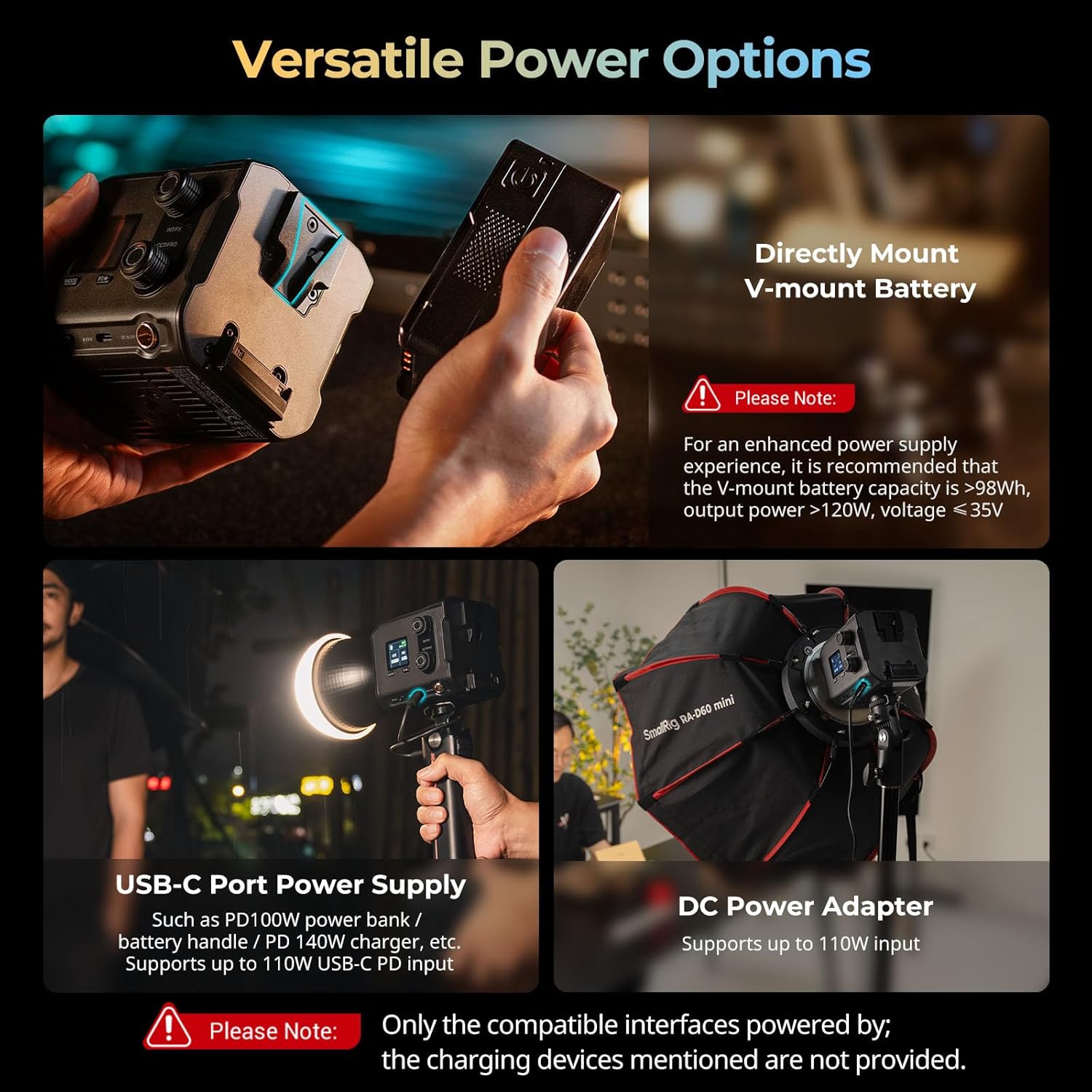
Figure 4.1: Versatile power options for the RC 100B.
5. تعليمات التشغيل
5.1 Onboard Control
The 1.3-inch LCD color screen provides detailed lighting information. Use the control knobs for precise parameter adjustments:
- INT/FX Knob: Adjusts intensity (brightness) or cycles through special effects. Press to switch between intensity and effects modes.
- CCT/FREQ Knob: Adjusts color temperature (CCT) from 2700K to 6500K or frequency in effects mode. Press to switch between CCT and frequency.
- زر الوضع: يتنقل بين أوضاع التشغيل المختلفة.
5.2 التحكم في التطبيق
Manage the RC 100B wirelessly using the SmallRig GOGO app. Download the app from your device's app store and follow the in-app instructions for pairing and control.

Figure 5.1: Multiple control modes: Onboard and App Control.
5.3 مؤثرات خاصة
The RC 100B includes 12 common special effects for creative lighting scenarios. These can be accessed and adjusted via the onboard controls or the SmallRig GOGO app.
Video 5.1: Official SmallRig video demonstrating the features of the RC 100B COB Video Light, including its various light effects and controls.
6. المواصفات
| ميزة | التفاصيل |
|---|---|
| نموذج | الإصدار القياسي 4893 |
| أبعاد المنتج | شنومكس x شنومكس x شنومكسم (شنومكس x شنومكس x شنوم بوصة) |
| وزن العنصر | 700 جم (1.54 رطل) |
| نطاق درجة حرارة اللون | 2700 كلفن-6500 كلفن |
| مؤشر CRI | 97+ |
| تي إل سي آي | 98+ |
| Illumination (bare, 1m/5600K) | 4,610 لوكس |
| Illumination (hyper reflector, 1m/5600K) | 20,100 لوكس |
| Fan Noise (Normal Mode) | ~26dB (at 1 meter) |
| Fan Noise (ECO Mode) | ~18dB (at 1 meter) |
| الاتصال | USB Type C, Bluetooth (App Control) |
| مادة | PC+ABS, Silicone, Aluminum Alloy |
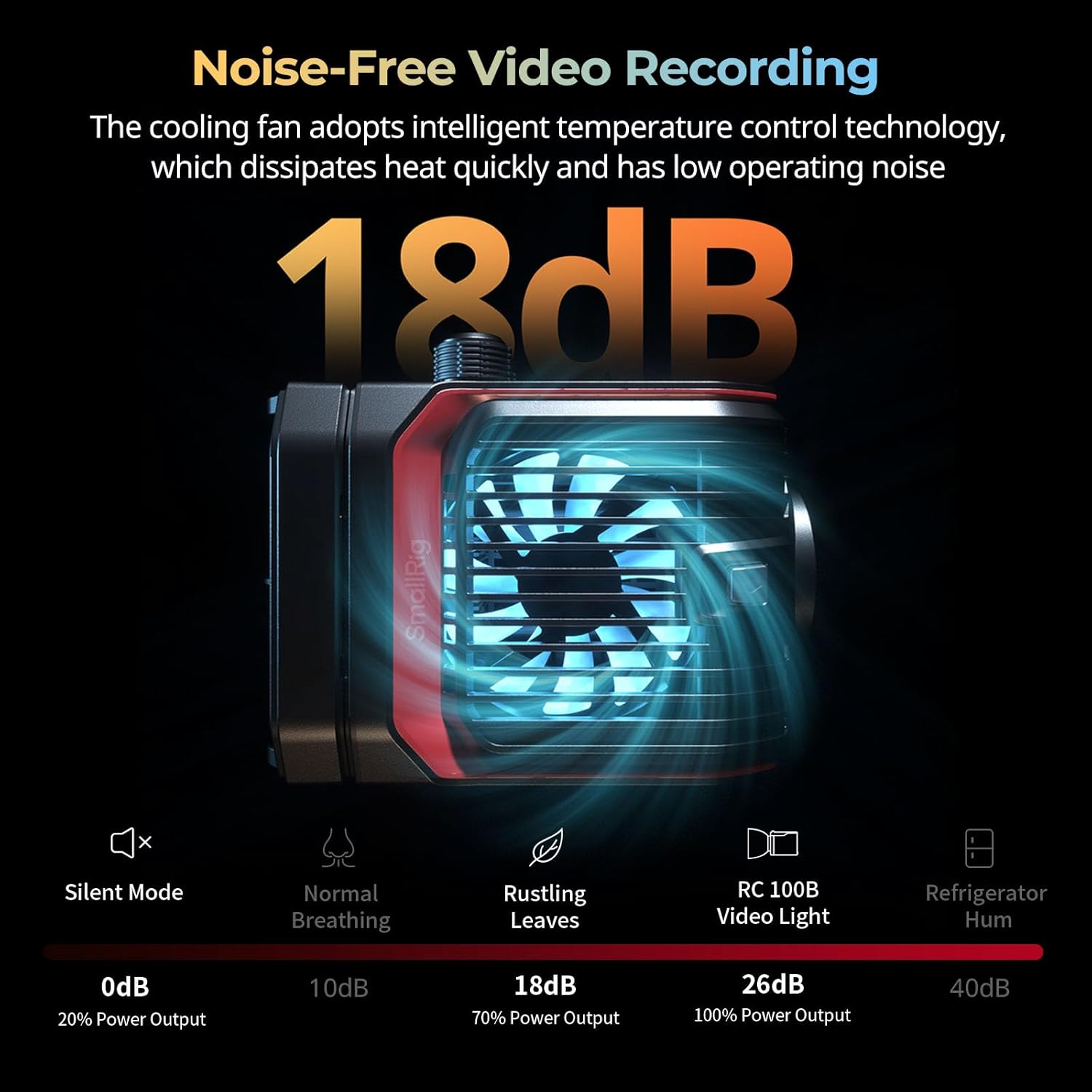
Figure 6.1: Detailed product specifications and package contents.
7. الصيانة
- Keep the device dry. Do not touch with wet hands.
- نظف السطح بقطعة قماش ناعمة وجافة. تجنب استخدام المواد الكيميائية القاسية أو المواد الكاشطة.
- Ensure the cooling fan vents are clear of obstructions to maintain optimal performance and prevent overheating.
- Store the light in a cool, dry place when not in use, preferably in its original packaging or a protective case.
8. استكشاف الأخطاء وإصلاحها
| مشكلة | السبب المحتمل | حل |
|---|---|---|
| الضوء لا يعمل. | لا يوجد طاقة، أو أن البطارية منخفضة، أو أن توصيل الطاقة غير صحيح. | Check power source (V-mount battery, USB-C, DC adapter). Ensure battery is charged or power cable is securely connected. |
| Light flickers or output is inconsistent. | مصدر طاقة غير مستقر أو وصلة غير محكمة. | Verify power connections. If using a battery, ensure it has sufficient charge. Try a different power source. |
| Fan noise is too loud. | Operating in normal mode or vents are obstructed. | Switch to ECO mode for reduced fan noise. Ensure cooling vents are clear. |
| التحكم في التطبيق لا يعمل. | Bluetooth not enabled, app not paired, or app issue. | Ensure Bluetooth is enabled on your device. Re-pair the light with the SmallRig GOGO app. Restart the app or your device. |
9. الضمان والدعم
للحصول على معلومات الضمان والدعم الفني، يرجى الرجوع إلى موقع SmallRig الرسمي webالموقع أو تواصل مع خدمة العملاء مباشرةً. احتفظ بإيصال الشراء كإثبات للشراء في حال وجود أي مطالبات بالضمان.
SmallRig الرسمي Webموقع: www.smallrig.com


