1. المقدمة
The APC Smart-UPS SMT750C is an Uninterruptible Power Supply (UPS) designed to provide reliable power and surge protection for critical electronic equipment. This unit offers 750VA/500W of line-interactive pure sine wave power, making it suitable for servers, storage systems, network closets, business VoIP setups, desktop computers, and retail POS systems. It features Automatic Voltagالتنظيم الإلكتروني (AVR) لتصحيح الفولتيةtage fluctuations and a SmartConnect Ethernet Port for cloud-based remote monitoring. This manual provides essential information for the safe and efficient installation, operation, and maintenance of your SMT750C UPS.
2. معلومات السلامة
WARNING: Risk of electric shock. Refer to bottom of unit for warnings.
- اقرأ جميع التعليمات بعناية قبل التثبيت والتشغيل.
- This UPS contains internal batteries and may present a shock hazard even when disconnected from the AC power source.
- Do not open or disassemble the UPS. There are no user-serviceable parts inside except for the battery.
- قم بتوصيل UPS بمأخذ مؤرض فقط.
- Do not use the UPS in direct sunlight, near heat sources, or in areas with excessive humidity.
- Ensure proper ventilation around the UPS. Do not block any ventilation openings.
3. محتويات العبوة
تأكد من وجود جميع العناصر عند فك العبوة:
- وحدة APC Smart-UPS SMT750C
- 16GB USB 3.0 Drive
- دليل المستخدم (هذا المستند)
- كابل اتصال USB
- سلك الطاقة

Image: Included 16GB USB 3.0 Drive. This USB drive provides additional storage or file قدرات النقل.
4. انتهى المنتجview
اللوحة الأمامية
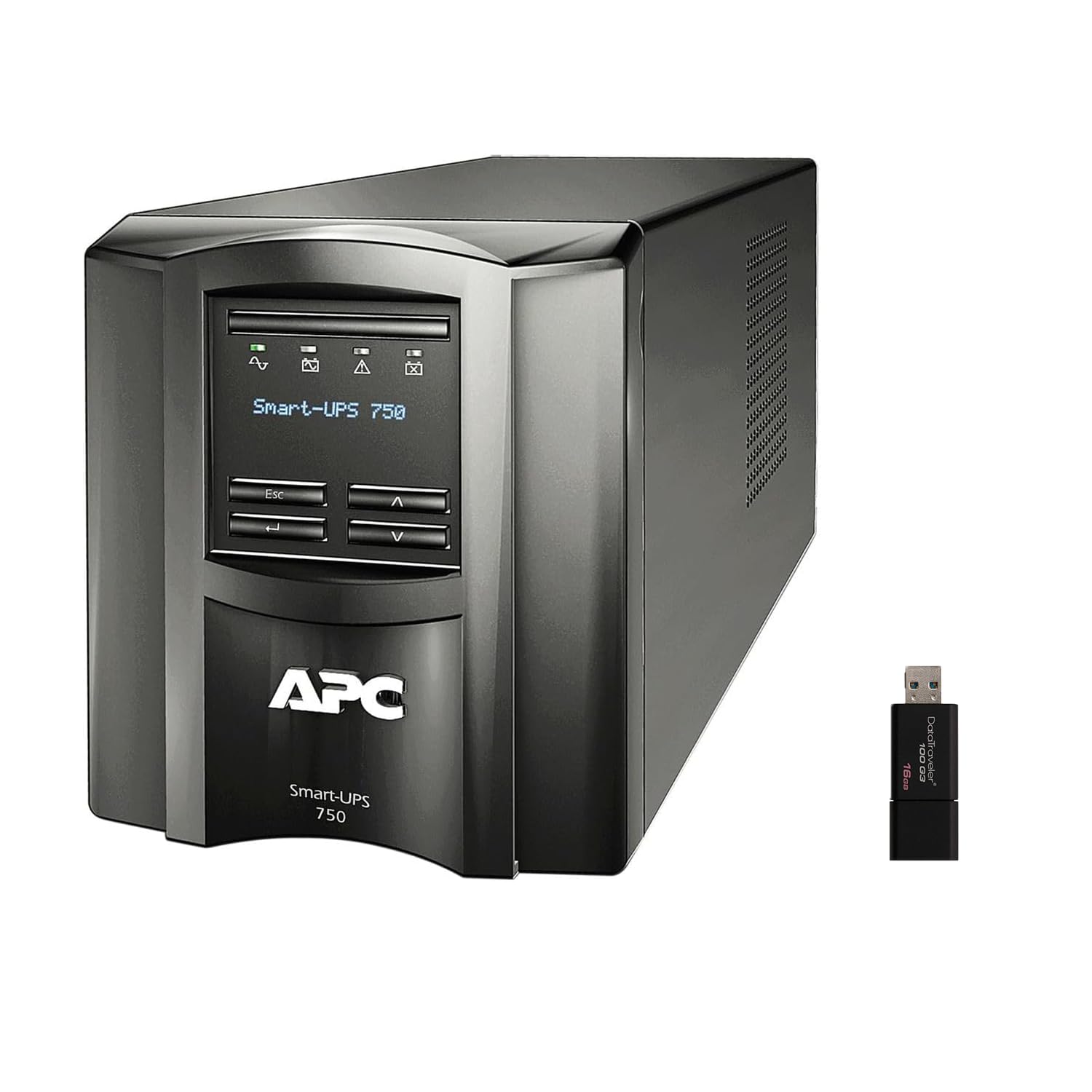
الصورة: الأمامية والجانبية view of the APC Smart-UPS SMT750C. This image displays the compact tower design of the UPS unit.
- زر الطاقة: يتحكم في الطاقة الرئيسية لجهاز UPS.
- شاشة LCD: Provides real-time status information, load levels, battery charge, and estimated runtime.
- أزرار التنقل: Used to scroll through display menus and adjust settings.
اللوحة الخلفية
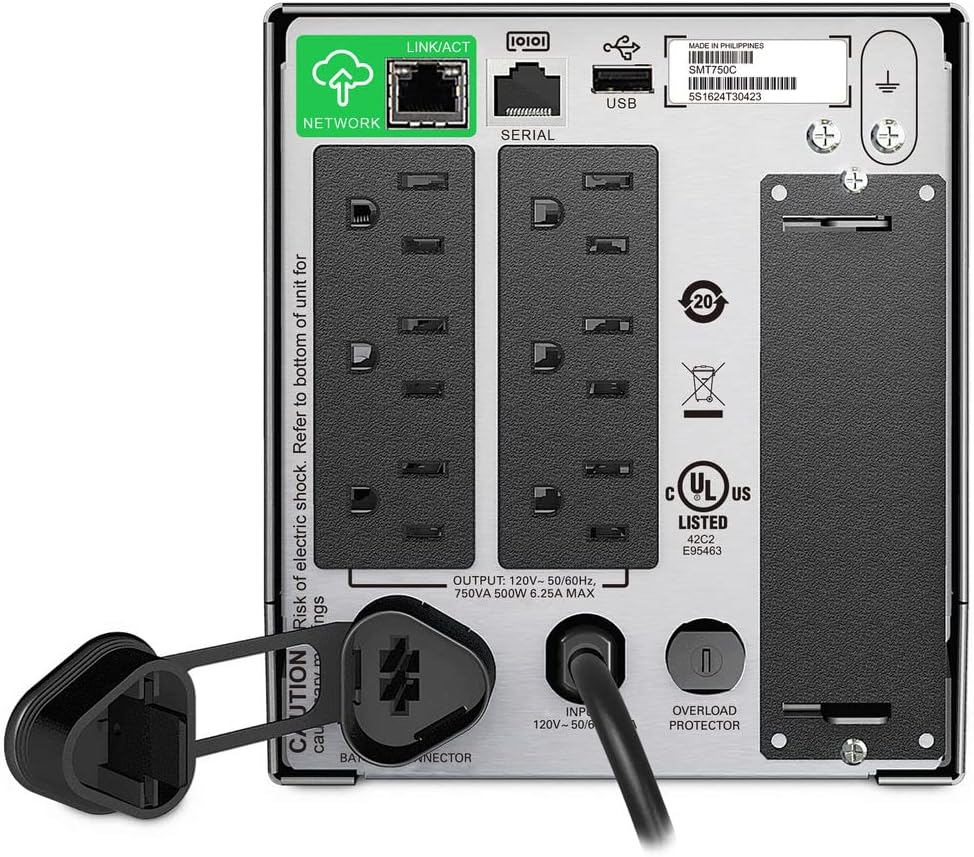
Image: Rear panel of the APC Smart-UPS SMT750C. This view highlights the various input/output ports, including NEMA 5-15R outlets, SmartConnect port, USB, and serial ports.
- NEMA 5-15R Outlets: Six outlets for connecting protected equipment.
- SmartConnect Ethernet Port: For cloud-based remote monitoring and management.
- منفذ USB: For communication with a computer for graceful shutdown via PowerChute Serial Shutdown software.
- منفذ تسلسلي: Alternative communication port for graceful shutdown.
- SmartSlot: For optional Network Management Card (sold separately).
- سلك طاقة الإدخال: يقوم بتوصيل جهاز UPS بمصدر الطاقة الرئيسي.
- حامي الزائد: Resettable circuit breaker.
5. الإعداد
5.1 توصيل البطارية الأولي
Before initial use, the internal battery must be connected. The unit is shipped with the battery disconnected for safety during transit.
- ضع جهاز UPS على سطح مستقر.
- Locate the battery compartment cover, typically on the bottom or rear of the unit.
- Remove the cover to access the battery.
- Connect the red battery cable to the positive (+) terminal and the black battery cable to the negative (-) terminal. Ensure a secure connection.
- قم باستبدال غطاء حجرة البطارية.
5.2 التوصيل بشبكة الكهرباء العامة
- Plug the UPS power cord into a grounded 3-prong AC outlet.
- Allow the UPS to charge for at least 24 hours before connecting critical equipment to ensure full battery capacity.
5.3 توصيل المعدات
- Connect your critical equipment (e.g., computer, monitor, network devices) to the NEMA 5-15R outlets on the rear panel.
- For graceful shutdown capabilities, connect the provided USB cable from the UPS to your computer and install the PowerChute Serial Shutdown software (available for download from APC's webموقع).
- For remote monitoring, connect an Ethernet cable to the SmartConnect port and follow the instructions for cloud-based setup.
6. التشغيل
6.1 تشغيل/إيقاف التشغيل
- To power on the UPS, press and hold the power button on the front panel until the unit beeps and the display illuminates.
- To power off the UPS, press and hold the power button until the unit beeps and the display turns off.
6.2 حجم تلقائيtagاللائحة الإلكترونية (AVR)
The SMT750C features AVR, which automatically corrects minor voltage fluctuations (sags and surges) without switching to battery power. This protects connected equipment from voltage irregularities and extends battery life.
6.3 تشغيل البطارية الاحتياطية
أثناء انقطاع التيار الكهربائيtage, the UPS will automatically switch to battery power, providing continuous power to connected equipment. The LCD display will show the estimated remaining runtime. When utility power returns, the UPS will automatically switch back to utility power and recharge its battery.
6.4 Remote Monitoring (SmartConnect)
The SmartConnect port allows for cloud-based remote monitoring of your UPS. This feature enables IT professionals and network administrators to:
- Monitor UPS status and performance.
- قم بإجراء ترقيات البرامج الثابتة.
- إجراء التشخيص عن بعد.
- تلقي إشعارات استباقية عبر البريد الإلكتروني تتضمن الإجراءات الموصى بها.
7. الصيانة
7.1 استبدال البطارية
The internal battery is a user-replaceable component. When the battery reaches the end of its service life, the UPS will indicate a battery fault. To replace the battery:
- Ensure the UPS is powered off and disconnected from utility power.
- قم بإزالة غطاء حجرة البطارية.
- Disconnect the battery cables (red and black).
- Carefully slide out the old battery.
- Insert a genuine APC replacement battery (model RBC154, sold separately).
- Connect the battery cables, ensuring correct polarity (red to positive, black to negative).
- قم باستبدال غطاء حجرة البطارية.
- Recycle the old battery responsibly.
7.2 التنظيف
نظّف الجزء الخارجي من جهاز UPS بشكل دوري باستخدام قطعة قماش ناعمة وجافة. لا تستخدم المنظفات السائلة أو البخاخات. تأكد من خلو فتحات التهوية من الغبار والأوساخ.
8. استكشاف الأخطاء وإصلاحها
| مشكلة | السبب المحتمل | حل |
|---|---|---|
| لا يعمل جهاز UPS | البطارية غير موصولة أو شحنها منخفض | Ensure battery cables are connected. Plug UPS into AC outlet and allow to charge. |
| يصدر جهاز UPS صوت تنبيه متواصل | Overload or on battery power | Reduce connected load. Check utility power. |
| Battery symbol blinking | Battery needs to be flipped (initial setup) or is failing | For new units, ensure battery is correctly oriented and connected. For older units, consider battery replacement. |
| لا توجد قوة للمنافذ | UPS is off, circuit breaker tripped, or utility power lost | Turn on UPS. Reset circuit breaker. Check utility power. |
9. المواصفات
- نموذج: SMT750C
- قدرة انتاج الطاقة: 500 واط / 750 فولت أمبير
- اتصالات الإخراج: 6 × NEMA 5-15R
- توصيلات الإدخال: NEMA 5-15P
- حجم الإدخال الاسميtage: 120 فولت
- حجم الإخراج الاسميtage: 120 فولت
- نوع البطارية: حمض الرصاص
- عامل الشكل: برج
- الأبعاد (الارتفاع × العرض × العمق): 6.34 بوصة (16.1 سم) × 5.43 بوصة (13.8 سم) × 14.53 بوصة (36.9 سم)
- الوزن الصافي: 27.56 رطل (12.5 كجم)
- لون: أسود
- مادة: معدن
- الملحقات المتضمنة: 16GB USB 3.0 Drive
10. الضمان والدعم
تُقدّم شركة APC ضمانًا قياسيًا لهذا المنتج. للاطلاع على شروط وأحكام الضمان بالتفصيل، يُرجى الرجوع إلى بطاقة الضمان المرفقة مع المنتج أو زيارة موقع APC الرسمي. website. For technical support, product registration, or to purchase replacement parts, please visit www.apc.com أو اتصل بخدمة عملاء شركة APC.
Protection plans are available for extended coverage. For example, a 3-Year Protection Plan is available.


