مقدمة
The HyperX Cloud Mix Buds 2 are advanced gaming earbuds designed for versatile, low-latency wireless audio. They offer seamless connectivity across various platforms, including PC, PS5, PS4, Nintendo Switch, Android, and Steam Deck, through both a 2.4 GHz dongle and Bluetooth 5.3 LE Audio. Featuring Hybrid Active Noise Cancellation (ANC) and Ambient Sound Mode, these earbuds provide an immersive audio experience while allowing users to stay aware of their surroundings when needed. With up to 26 hours of battery life, they are built for extended use on the go.

Image: HyperX Cloud Mix Buds 2 earbuds resting in their open charging case, with a green indicator light visible.
المنتج انتهىview فيديو
فيديو: منتج رسميview of the HyperX Cloud Mix Buds 2, highlighting key features such as connectivity, noise cancellation, and design.
يثبت
ماذا يوجد في الصندوق
- HyperX Cloud Mix Buds 2 Earbuds
- حافظة الشحن اللاسلكي
- كابل USB-C إلى USB-A
- Eartips (3 sizes: Small, Medium, Large)
- 2.4GHz USB-C Dongle
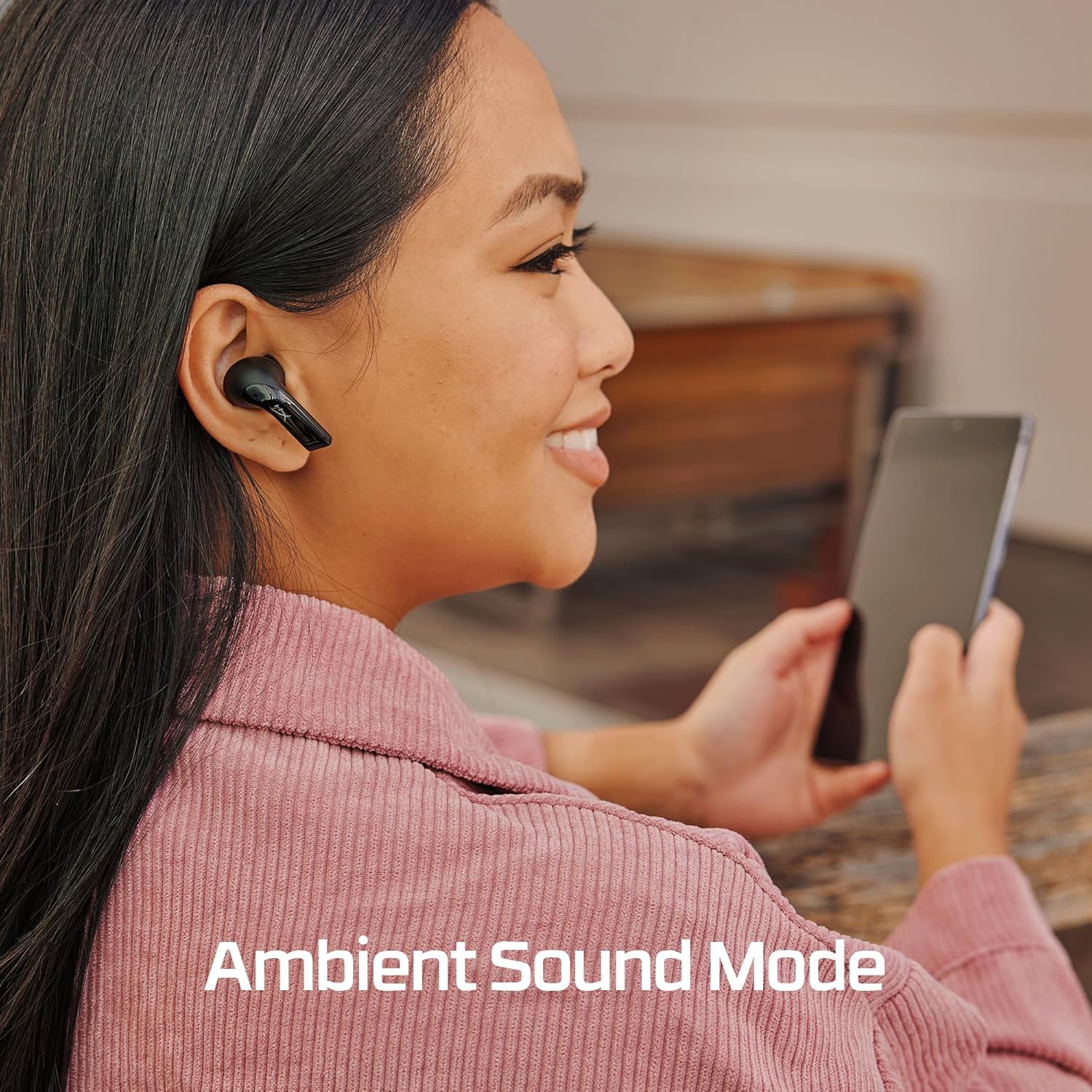
Image: A flat lay showing all included components: the earbuds, charging case, USB-C cable, 2.4GHz dongle, and three sets of ear tips.
الشحن
Before first use, fully charge the HyperX Cloud Mix Buds 2 and their charging case. Connect the included USB-C to USB-A cable to the charging case and a power source. The earbuds provide up to 7 hours of battery life, and the charging case extends this by an additional 19 hours, for a total of up to 26 hours of combined battery life.

Image: An illustration showing the earbud battery life (7 hours) and the additional charge provided by the case (19 hours), totaling 26 hours.
الاتصال
The Cloud Mix Buds 2 offer two primary connection methods:
2.4GHz USB-C Dongle (Ultra-Low Latency)
For the lowest latency gaming experience, use the included 2.4GHz USB-C dongle. Simply plug the dongle into a compatible USB-C port on your PC, PS5, PS4, Nintendo Switch, Android device, or Steam Deck. The earbuds will automatically connect to the dongle, providing a stable and responsive audio connection with latency as low as 20ms.
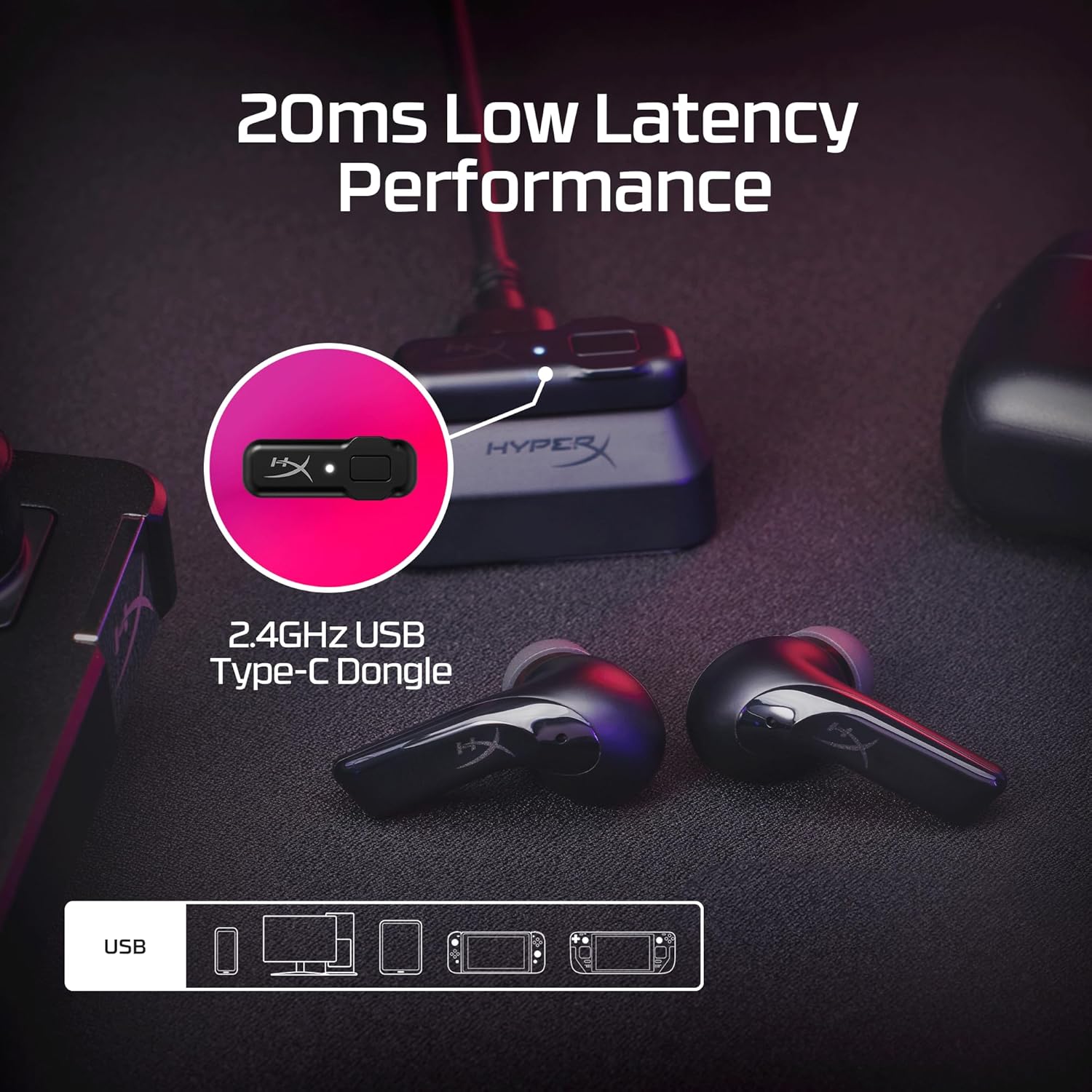
Image: The HyperX Cloud Mix Buds 2 earbuds and their 2.4GHz USB-C dongle, illustrating the ultra-low latency performance for gaming.
Bluetooth 5.3 LE Audio
For general use and mobile devices, connect via Bluetooth 5.3 LE Audio. This technology provides enhanced audio quality, longer battery life, and a more stable wireless connection. To pair, ensure the earbuds are in pairing mode (refer to the quick start guide for specific steps), then select 'HyperX Cloud Mix Buds 2' from your device's Bluetooth settings.

Image: A person smiling while playing a Nintendo Switch with HyperX Cloud Mix Buds 2 in their ears, demonstrating reliable wireless Bluetooth connectivity.
تعليمات التشغيل
إلغاء الضوضاء النشط الهجين (ANC)
The Cloud Mix Buds 2 feature hybrid ANC technology to block out external noise, allowing for a more immersive audio experience. This is achieved through a combination of feed-forward and feedback microphones that monitor and cancel distracting sounds around you.

Image: A visual representation of how the HyperX Cloud Mix Buds 2 utilize feed-forward and feedback microphones for Hybrid Active Noise Cancellation, with sound waves being cancelled.
وضع الصوت المحيط
When you need to be aware of your surroundings or engage in conversations without removing the earbuds, activate Ambient Sound Mode. This mode allows background noise to pass through, keeping you connected to the world around you. Refer to the quick start guide for instructions on how to toggle between ANC and Ambient Sound Mode.

Image: A person smiling while using the HyperX Cloud Mix Buds 2, with text indicating 'Ambient Sound Mode', suggesting they can hear their surroundings.
الميكروفونات
Each earbud is equipped with two beamforming microphones and AI noise reduction technology. This ensures clear communication by focusing on your voice and minimizing distracting background noise during calls or in-game chat.

الصورة: شفافة view of the HyperX Cloud Mix Buds 2 earbud, highlighting the two beamforming microphones within each bud for clear communication.
جودة الصوت
The Cloud Mix Buds 2 feature 9mm dynamic drivers that deliver signature HyperX sound, characterized by powerful bass, clear mid-range presence, and pristine highs. Audio profiles can be customized using the HyperX NGENUITY Software for a personalized listening experience.
عناصر التحكم
The earbuds feature intuitive touch controls for managing audio playback, calls, and switching between ANC and Ambient Sound modes. Specific touch gestures and their functions can be found in the detailed quick start guide or customized via the HyperX NGENUITY software.
صيانة
تنظيف
Regularly clean your earbuds and charging case to maintain optimal performance and hygiene. Use a soft, dry, lint-free cloth to wipe down the surfaces. For the ear tips, remove them from the earbuds and clean with a mild soap solution if necessary, ensuring they are completely dry before reattaching.
أطراف الأذن
The Cloud Mix Buds 2 come with three different ear tip sizes (Small, Medium, Large) to ensure a comfortable and secure fit. Experiment with different sizes to find the best seal for optimal sound quality and noise isolation. Properly fitted ear tips are crucial for effective ANC performance.
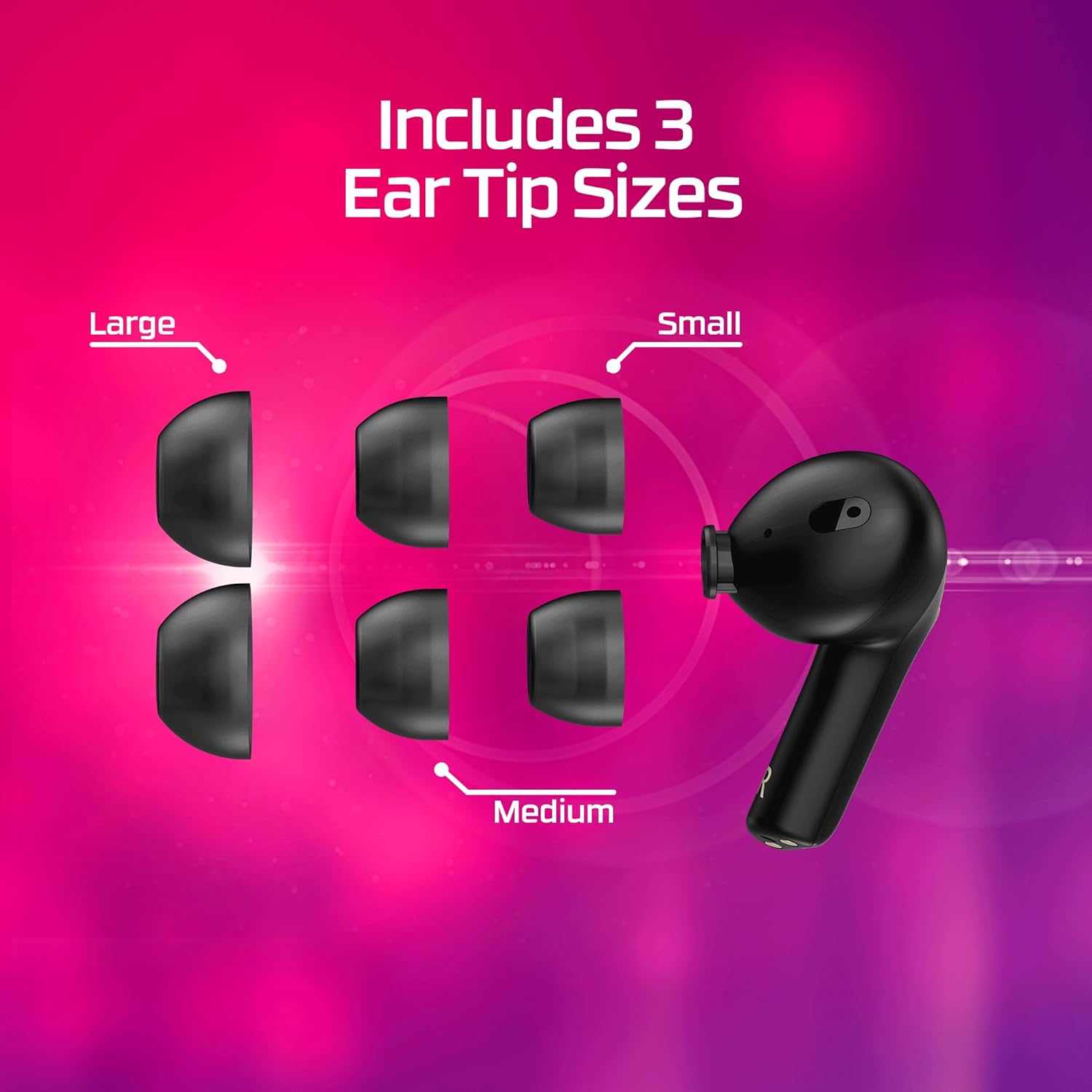
Image: A visual display of the three included ear tip sizes (Large, Small, Medium) alongside a HyperX Cloud Mix Buds 2 earbud, demonstrating the customization options for fit.
استكشاف الأخطاء وإصلاحها
If you encounter issues with your HyperX Cloud Mix Buds 2, consider the following common troubleshooting steps:
- لا يوجد صوت/جودة صوت رديئة: Ensure earbuds are charged and properly connected. Check device volume and audio output settings. Verify ear tip fit.
- مشاكل الاتصال: For 2.4GHz dongle, ensure it's securely plugged in. For Bluetooth, try re-pairing the earbuds. Ensure no interference from other wireless devices.
- إلغاء الضوضاء النشط لا يعمل: Ensure earbuds are properly seated in your ears and the correct ear tip size is used for a good seal. Check if ANC is enabled.
- مشاكل الميكروفون: Ensure microphones are not obstructed. Check device input settings.
- عمر البطارية أقصر من المتوقع: Battery life can vary with usage, especially with ANC enabled. Ensure full charge cycles.
For more detailed troubleshooting and advanced settings, refer to the HyperX NGENUITY software or the official HyperX support webموقع.
تحديد
| ميزة | مواصفة |
|---|---|
| اسم الموديل | Mix Buds 2 |
| تكنولوجيا الاتصال | لاسلكي (2.4 جيجاهرتز، بلوتوث) |
| تكنولوجيا الاتصالات اللاسلكية | 2.4 جيجا هرتز، بلوتوث 5.3 |
| التحكم في الضوضاء | إلغاء الضوضاء الهجين |
| نوع برنامج تشغيل الصوت | سائق ديناميكي |
| حجم برنامج تشغيل الصوت | 9 مليمتر |
| عمر البطارية (سماعات الأذن) | يصل إلى 7 ساعة (مع إيقاف خاصية إلغاء الضوضاء النشط) |
| عمر البطارية (مع العلبة) | حتى ساعتين |
| الأجهزة المتوافقة | الهواتف المحمولة، أجهزة الألعاب، الأجهزة اللوحية، أجهزة الكمبيوتر المحمولة، أجهزة الكمبيوتر المكتبية |
| نوع التحكم | التحكم في وسائل الإعلام |
| وزن العنصر | 0.353 أونصة (لكل سماعة أذن) |
| أبعاد المنتج | 1.34 × 0.71 × 1.02 بوصة |
| الشركة المصنعة | شركة HP |
| بلد المنشأ | الصين |
| رمز المنتج الموحد | 197192096307 |
الضمان والدعم
Your HyperX Cloud Mix Buds 2 are covered by a manufacturer's warranty. Please refer to the warranty card included in your product packaging for specific terms and conditions, including warranty period and coverage details. For technical support, product registration, or to access the latest drivers and software (such as HyperX NGENUITY), please visit the official HyperX support webالموقع أو الاتصال بخدمة العملاء الخاصة بهم.
الدعم عبر الإنترنت: Visit the HyperX official webالموقع الخاص بالأسئلة الشائعة، ودليل استكشاف الأخطاء وإصلاحها، وتنزيلات البرامج.
خدمة العملاء: Contact HyperX customer support for direct assistance with product issues or inquiries.


