1. المقدمة
Thank you for choosing the MEDION P66096 MD43884 Shower Radio. This device combines a Bluetooth speaker and an FM radio, designed for use in wet environments with its IPX6 waterproof rating. It features an integrated battery, LED display, and a removable suction cup for convenient placement. This manual provides essential information for safe and effective use of your shower radio.
2. معلومات السلامة
- مقاومة الماء: The device is IPX6 rated, meaning it is protected against strong water jets. Do not immerse the device in water. Ensure the USB-C charging port cover is securely closed when in use near water.
- سلامة البطارية: The device contains an integrated lithium-polymer battery. Do not expose to extreme temperatures, direct sunlight, or fire. Do not attempt to replace the battery yourself.
- الشحن: Only use the provided USB-C charging cable or a certified equivalent. Ensure the charging port is dry before connecting the cable.
- الموقع: When using the suction cup, ensure the surface is clean, smooth, and dry for secure attachment. Avoid placing the device where it could fall and cause injury or damage.
- تنظيف: قم بتنظيف الجهاز باستخدام قطعة قماش ناعمة.amp القماش. لا تستخدم المنظفات أو المذيبات الكاشطة.
- تصرف: تخلص من الجهاز وبطاريته بطريقة مسؤولة وفقًا للوائح المحلية.
3. محتويات العبوة
يرجى التأكد من أن جميع العناصر موجودة وفي حالة جيدة:
- MEDION P66096 MD43884 Shower Radio
- كابل شحن USB-C
- دليل المستخدم (هذا المستند)
- بطاقة الضمان
4. انتهى المنتجview
The MEDION P66096 MD43884 Shower Radio features a compact design with an LED display and intuitive controls. It is equipped with a removable suction cup for easy mounting on smooth surfaces.

الصورة: الجبهة view of the MEDION P66096 MD43884 Shower Radio, showing the LED display and control buttons.
الضوابط والمؤشرات:
- زر الطاقة: Press and hold to turn on/off. Short press to switch modes (Bluetooth/FM).
- عرض الصمام: Shows time, radio frequency, Bluetooth status, charging status, and battery level.
- أزرار التحكم في الصوت (+/-): ضبط مستوى الصوت.
- Track/Station Navigation Buttons (<< / >>): Skip tracks in Bluetooth mode or change FM stations.
- زر التشغيل/الإيقاف المؤقت: Play/pause music in Bluetooth mode, answer/end calls.
- زر الوضع (M): Short press to cycle through modes (Bluetooth, FM Radio, Clock).
- منفذ شحن USB-C: For charging the internal battery. Located under a waterproof cover.
- كوب شفط: Removable, for mounting on smooth surfaces.
5. الإعداد
5.1 شحن البطارية
Before first use, fully charge the shower radio. The integrated lithium-polymer battery provides up to 12 hours of music playback.
- Locate the USB-C charging port on the side of the device, usually protected by a waterproof cover.
- افتح الغطاء بعناية.
- Connect the supplied USB-C cable to the radio and the other end to a USB power adapter (not included) or a computer's USB port.
- The LED display will indicate charging status. Once fully charged, the indicator will change or turn off.
- After charging, securely close the USB-C port cover to maintain IPX6 water resistance.
5.2 Mounting the Shower Radio
The removable suction cup allows for easy mounting on smooth, non-porous surfaces like tiles or glass.

Image: The shower radio securely mounted on a tiled shower wall using its suction cup.
- تأكد من أن سطح التركيب المطلوب نظيف وجاف وأملس.
- اضغط على كوب الشفط بقوة على السطح.
- Verify that the radio is securely attached before releasinشخص سخيف.
- لإزالته، اسحب حافة كوب الشفط برفق لكسر الختم.
6. تعليمات التشغيل
6.1 تشغيل/إيقاف التشغيل
- لتشغيل: اضغط مع الاستمرار على زر التشغيل (⑁) for approximately 3 seconds. The LED display will light up.
- لإيقاف التشغيل: اضغط مع الاستمرار على زر التشغيل (⑁) for approximately 3 seconds. The display will turn off.
6.2 وضع Bluetooth
Connect your smartphone or tablet wirelessly via Bluetooth 5.1.

Image: The shower radio wirelessly connected to a smartphone, streaming music via Bluetooth.
- Turn on the shower radio. It will automatically enter Bluetooth pairing mode if it's the first time or if no device is connected. The Bluetooth icon on the LED display will flash.
- على هاتفك الذكي أو جهازك اللوحي، قم بتمكين Bluetooth وابحث عن الأجهزة المتاحة.
- Select "MEDION P66096" (or similar name) from the list.
- Once paired, the Bluetooth icon on the radio's display will stop flashing and remain solid. You can now play music from your device.
- وظيفة الاستخدام الحر لليدين: When a call comes in, press the Play/Pause button to answer. Press again to end the call.
6.3 وضع راديو FM
Enjoy your favorite radio stations with automatic station search.
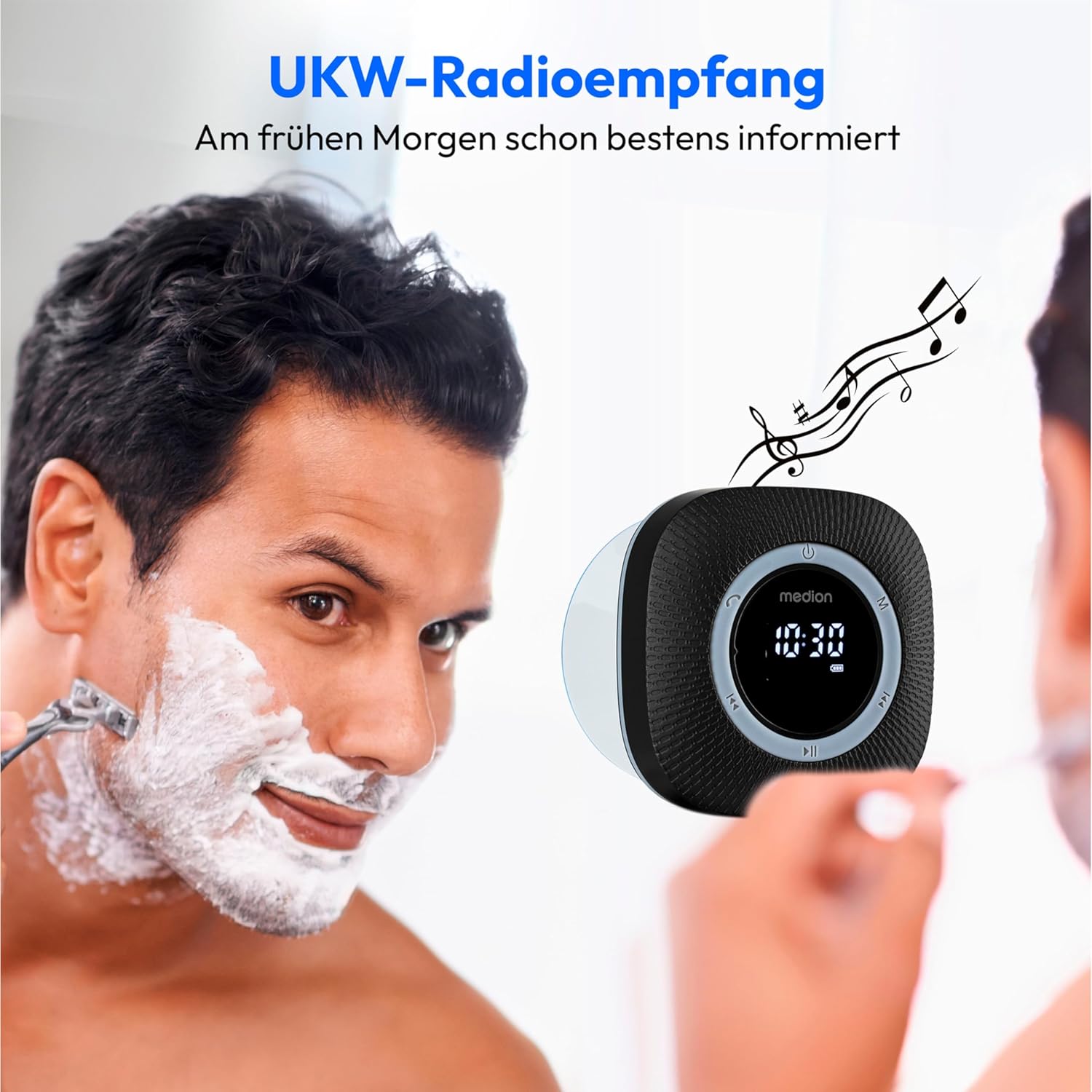
Image: The shower radio displaying an FM frequency, providing audio entertainment during daily routines.
- Press the Mode button (M) to switch to FM Radio mode. The LED display will show the current frequency.
- البحث التلقائي عن المحطة: Press and hold the Play/Pause button for approximately 2 seconds to initiate an automatic scan for available FM stations. The radio will save found stations.
- Manual Station Selection: Short press the Track/Station Navigation buttons (<< / >>) to cycle through saved stations or manually tune the frequency.
6.4 وظيفة الساعة والمنبه
The radio features a clock with an alarm function.
- Press the Mode button (M) repeatedly until the clock display appears.
- Refer to the full user manual (physical copy) for detailed instructions on setting the time and alarm, as specific button combinations are often required for these functions.
6.5 التحكم في مستوى الصوت
- اضغط على زر رفع الصوت (+) لزيادة مستوى الصوت.
- اضغط على زر خفض الصوت (-) لتقليل مستوى الصوت.
7. الصيانة
7.1 التنظيف
To maintain the appearance and functionality of your shower radio:
- Ensure the device is turned off and the USB-C port cover is securely closed.
- امسح السطح الخارجي بقطعة قماش ناعمة وخفيفةamp قطعة قماش.
- Do not use harsh chemicals, abrasive cleaners, or solvents, as these can damage the surface or internal components.
- For the suction cup, ensure it is clean and free of debris for optimal adhesion.
7.2 العناية بالبطارية
- تجنب تفريغ البطارية بالكامل بشكل متكرر لإطالة عمرها.
- إذا كنت ستخزن الجهاز لفترة طويلة، فاشحنه إلى حوالي 50% وأعد شحنه كل بضعة أشهر.
- لا تعرض الجهاز لدرجات حرارة عالية.
8. استكشاف الأخطاء وإصلاحها
If you encounter issues with your MEDION P66096 MD43884 Shower Radio, please refer to the following common solutions:
| مشكلة | السبب المحتمل | حل |
|---|---|---|
| الجهاز لا يعمل. | تم تفريغ البطارية. | اشحن الجهاز باستخدام كابل USB-C. |
| لا يوجد صوت. | مستوى الصوت منخفض جدًا أو مكتوم. | قم بزيادة مستوى الصوت باستخدام زر "+". |
| البلوتوث غير قادر على الاتصال. | Device not in pairing mode; Bluetooth on source device is off or out of range. | Ensure the radio is in Bluetooth mode (flashing icon). Turn Bluetooth off and on again on your source device. Move devices closer (within 10m). |
| استقبال راديو FM ضعيف. | إشارة ضعيفة، تداخل. | Try repositioning the radio. Perform an automatic station search again. |
| لا يثبت كوب الشفط. | Surface is not clean, smooth, or dry; suction cup is dirty. | Clean the mounting surface and the suction cup thoroughly. Ensure the surface is dry before reattaching. |
| Acoustic low battery signal. | مستوى البطارية منخفض للغاية. | قم بشحن الجهاز على الفور. |
9. المواصفات

Image: Dimensions of the MEDION P66096 MD43884 Shower Radio, showing its compact size.
| ميزة | التفاصيل |
|---|---|
| رقم الموديل | P66096 (MD43884) |
| ماركة | MEDION |
| الاتصال | Bluetooth 5.1, FM Radio |
| مدى البلوتوث | Approx. 10 meters (depending on environment) |
| مقاومة الماء | IPX6 (protected against strong water jets) |
| انتاج الطاقة | 30 W max. music output (3 W RMS) |
| نوع البطارية | ليثيوم بوليمر متكامل |
| عمر البطارية | تشغيل الموسيقى لمدة تصل إلى 12 ساعة |
| منفذ الشحن | يو اس بي نوع سي |
| عرض | LED (shows frequency, time, Bluetooth, charging, battery level) |
| الأبعاد (العرض × الارتفاع × العمق) | تقريبا. 80 × 80 × 70 مم |
| وزن | حوالي 290 جرام |
| الأجهزة المتوافقة | الهاتف الذكي والكمبيوتر اللوحي |
| المميزات الخاصة | Bluetooth, Integrated Battery, Microphone (for hands-free), Clock with Alarm Function, Removable Suction Cup |
10. الضمان والدعم
Your MEDION P66096 MD43884 Shower Radio comes with a warranty. Please refer to the included Warranty Card for specific terms and conditions, including the warranty period and coverage details.
For technical support, troubleshooting beyond this manual, or warranty claims, please contact MEDION customer service. Contact information can typically be found on the warranty card, the official MEDION website, or the product packaging.
Please have your model number (P66096 or MD43884) and proof of purchase ready when contacting support.


