مقدمة
This manual provides detailed instructions for the safe and efficient operation of your YABER T2 Plus Portable Projector. Please read this manual thoroughly before using the device and retain it for future reference.

Image: The YABER T2 Plus portable projector in cream color, shown with its handle and a TV dongle accessory.
يثبت
1. فك العبوة والفحص الأولي
- قم بإزالة جميع المكونات بعناية من العبوة.
- Verify that all items listed in the packing list are present and undamaged.
- Report any missing or damaged items to customer support immediately.
2. شحن جهاز العرض
The YABER T2 Plus features an integrated high-capacity rechargeable battery, providing up to 2.5 hours of video playback or 18 hours of audio. For optimal performance, fully charge the projector before first use.
- قم بتوصيل محول الطاقة بمدخل الطاقة الخاص بجهاز العرض.
- Plug the power adapter into a suitable electrical outlet (240 Volt).
- The charging indicator will illuminate. Charging is complete when the indicator changes color or turns off (refer to LED indicator section for details).

Image: The YABER T2 Plus projector illustrating its battery life: up to 2.5 hours for video playback and 18 hours for music playback on a single charge. It also notes that plugging in increases brightness.
3. Placement and Positioning
Position the projector on a stable, flat surface. The integrated handle can also serve as a stand, allowing for a 15-degree tilt.
- Ensure the projection surface is clean and smooth for best image quality.
- Maintain a projection distance that allows for the desired screen size. The T2 Plus can achieve a 100-inch screen from a short distance of 0.50m.
- تجنب وضع جهاز العرض في ضوء الشمس المباشر أو بالقرب من مصادر الحرارة.

Image: The YABER T2 Plus projector positioned outdoors on a small wooden crate, projecting an image onto a screen for a group of people enjoying a movie night.
تعليمات التشغيل
1. تشغيل / إيقاف التشغيل
- لتشغيل الجهاز: اضغط مع الاستمرار على زر التشغيل حتى يضيء ضوء المؤشر.
- To power off: Press and hold the power button until the projector shuts down.
2. التكوين الأولي
Upon first power-on, the projector may guide you through an initial setup process for language, network, and other basic settings.
3. ضبط الصورة
The T2 Plus features intelligent screen adaptation technology for automatic adjustments, ensuring a clear and properly aligned image.
- التركيز التلقائي: The projector automatically adjusts for a clear image.
- تصحيح الانحراف التلقائي: Corrects distorted images caused by angled projection.
- محاذاة الشاشة الذكية: Automatically aligns the image to the screen boundaries.
- تجنب العوائق الذكية: يكتشف ويضبط الإسقاط لتجنب العوائق على الحائط.
- نسب: Supports 4:3 and 16:9 aspect ratios.
- تكبير: Features 50% zoom capability.
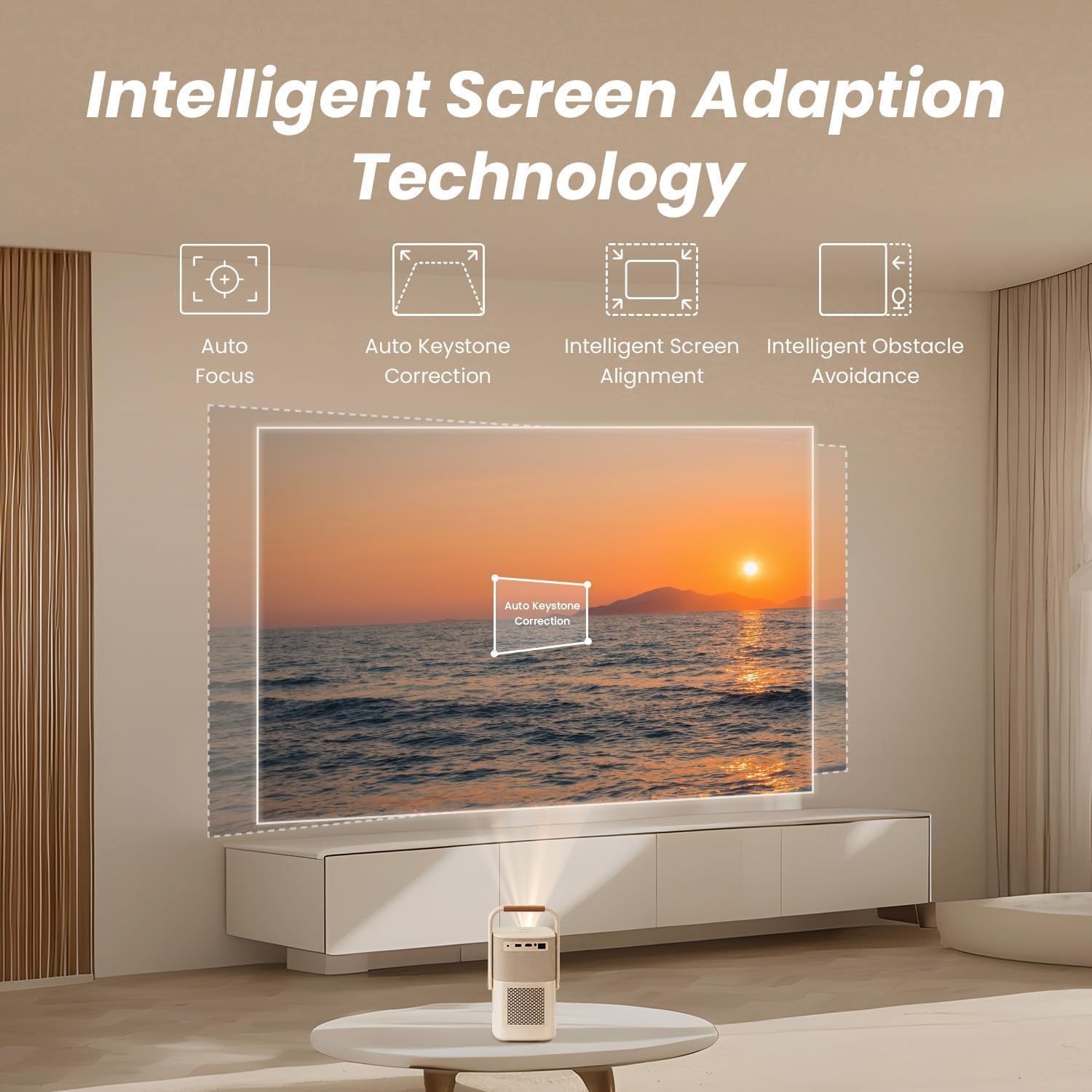
Image: A diagram illustrating the YABER T2 Plus projector's intelligent screen adaptation technology, including auto focus, auto keystone correction, intelligent screen alignment, and intelligent obstacle avoidance, with a projected image of a sunset over water.
4. توصيل الأجهزة
يوفر جهاز العرض خيارات اتصال متعددة:
- HDMI: Connect external devices like laptops, gaming consoles, or TV dongles.
- USB: Access documents and media files directly from a USB drive. Supports WPS files.
- إيثرنت: للاتصال بالشبكة السلكية.
- واي فاي 6: Connect to wireless networks for streaming and online content.
- بلوتوث:
- تقنية بلوتوث ثنائية الاتجاه: Connect to mobile devices to use the projector as a 16W Hi-Fi stereo speaker.
- Pair with external Bluetooth speakers for enhanced audio output.
- YABER App: Utilize the YABER app with NFC for quick connections and to use your phone as a remote control.
5. مخرج الصوت
The T2 Plus features integrated 8W*2 JBL speakers with Dolby Audio support, delivering rich sound details, clear highs, and powerful bass.

صورة: نمط الأشعة السينية view of the YABER T2 Plus projector highlighting its internal speaker components, branded with "Sound by JBL" and "Dolby Audio," indicating 2x8W speaker output.
صيانة
1. تنظيف العدسة
- استخدم قطعة قماش ناعمة وخالية من الوبر مصممة خصيصًا للعدسات البصرية.
- امسح العدسة برفق بحركة دائرية.
- Avoid using abrasive cleaners or excessive pressure.
2. تنظيف الجزء الخارجي
- امسح الجزء الخارجي من جهاز العرض بقطعة قماش ناعمة وجافة.
- بالنسبة للعلامات العنيدة، د قليلاًampفي القماش مع الماء.
- لا تستخدم كيماويات مركزة أو مذيبات.
3. التخزين
- قم بتخزين جهاز العرض في مكان بارد وجاف بعيدًا عن أشعة الشمس المباشرة ودرجات الحرارة القصوى.
- في حالة التخزين لفترة طويلة، تأكد من شحن البطارية جزئيًا (حوالي 50٪) لإطالة عمرها الافتراضي.
استكشاف الأخطاء وإصلاحها
| مشكلة | السبب المحتمل | حل |
|---|---|---|
| لم يتم عرض أي صورة |
|
|
| الصورة ضبابية |
|
|
| لا يوجد صوت |
|
|
| مشاكل اتصال Wi-Fi |
|
|
تحديد
| ميزة | التفاصيل |
|---|---|
| ماركة | يابر |
| رقم الموديل | تسنومك بلوس |
| الدقة الأصلية | 1920 × 1080 (دقة أصلية 1080 بكسل) |
| سطوع | شموم شمعة أنسي |
| الاتصال | Wi-Fi 6, Bluetooth, HDMI, USB, Ethernet |
| صوتي | Sound by JBL, Dolby Audio, 8W*2 Speakers |
| بطارية | Integrated Lithium-ion (10 mAh), up to 2.5 hours video / 18 hours audio |
| المميزات الخاصة | Autofocus, Auto Keystone Correction, Intelligent Screen Alignment, Intelligent Obstacle Avoidance, Sealed Optical Engine |
| أبعاد المنتج | 15.5 × 14 × 29 سم؛ 2.5 كجم |
| المجلدtage | 240 فولت |
| واتtage | 8 واط |
معلومات الضمان
Please refer to the warranty card included with your product for specific terms and conditions. Generally, YABER products come with a limited warranty covering manufacturing defects from the date of purchase. Keep your proof of purchase for warranty claims.
For return policy details, please consult the retailer where the product was purchased. For purchases made on Amazon, a 30-day refund/replacement policy is typically offered.
دعم العملاء
If you encounter any issues not covered in this manual or require further assistance, please contact YABER customer support.
- Visit the official YABER webموقع للحصول على موارد الدعم ومعلومات الاتصال.
- The YABER app can also be used for quick connections and may offer support features.


