1. معلومات هامة حول السلامة
Please read all instructions carefully before using the SANSUI ES-24C1 monitor. Keep this manual for future reference.
- Do not expose the monitor to rain or moisture to prevent fire or electric shock hazards.
- لا تفتح الشاشةasinز. لا توجد قطع غيار قابلة للصيانة من قِبل المستخدم. يُرجى إحالة جميع أعمال الصيانة إلى فنيين مؤهلين.
- ضع الشاشة على سطح ثابت ومستوٍ لمنع سقوطها.
- تأكد من التهوية الجيدة حول الشاشة. لا تسد فتحات التهوية.
- استخدم فقط محول الطاقة المرفق مع الشاشة.
- افصل الشاشة عن مأخذ الطاقة أثناء العواصف الرعدية أو عند عدم استخدامها لفترات طويلة.
2. محتويات العبوة
تأكد من وجود جميع العناصر في العبوة:
- SANSUI ES-24C1 24-inch Curved Monitor
- حامل الشاشة (القاعدة والرقبة)
- محول الطاقة
- كابل HDMI
- دليل المستخدم
3. انتهى المنتجview
The SANSUI ES-24C1 is a 24-inch Full HD (1920x1080) curved monitor featuring a 100Hz refresh rate, 1ms MPRT response time, and built-in speakers. It is designed for both home and office use, offering a 1500R curvature for an immersive viewتجربة رائعة.

الصورة: أكثر منview of the SANSUI ES-24C1 monitor highlighting its key features and curved design.

Image: Summary of the monitor's main features including 100Hz, 1ms MPRT, USB Type-C, HDR, 100% sRGB, 3000:1 contrast, 250 Nits, built-in speakers, and VESA mount.
المنافذ والضوابط

الصورة: عن قرب view of the monitor's rear ports, including HDMI, USB Type-C, and Audio Out.
- USB نوع-C: 1 port for video input (does not support charging).
- HDMI 1.4: 1 port for video input.
- مقبس صوت 3.5 ملم: لتوصيل سماعات الرأس أو مكبرات الصوت الخارجية.
- التيار المباشر الداخل: منفذ إدخال الطاقة.
- Five-Way Joystick: Located on the back for OSD menu navigation.
4. الإعداد
4.1 تجميع الشاشة
اتبع هذه الخطوات لتجميع حامل الشاشة:
- قم بتثبيت عنق الحامل على لوحة الشاشة.
- Secure the stand base to the neck.
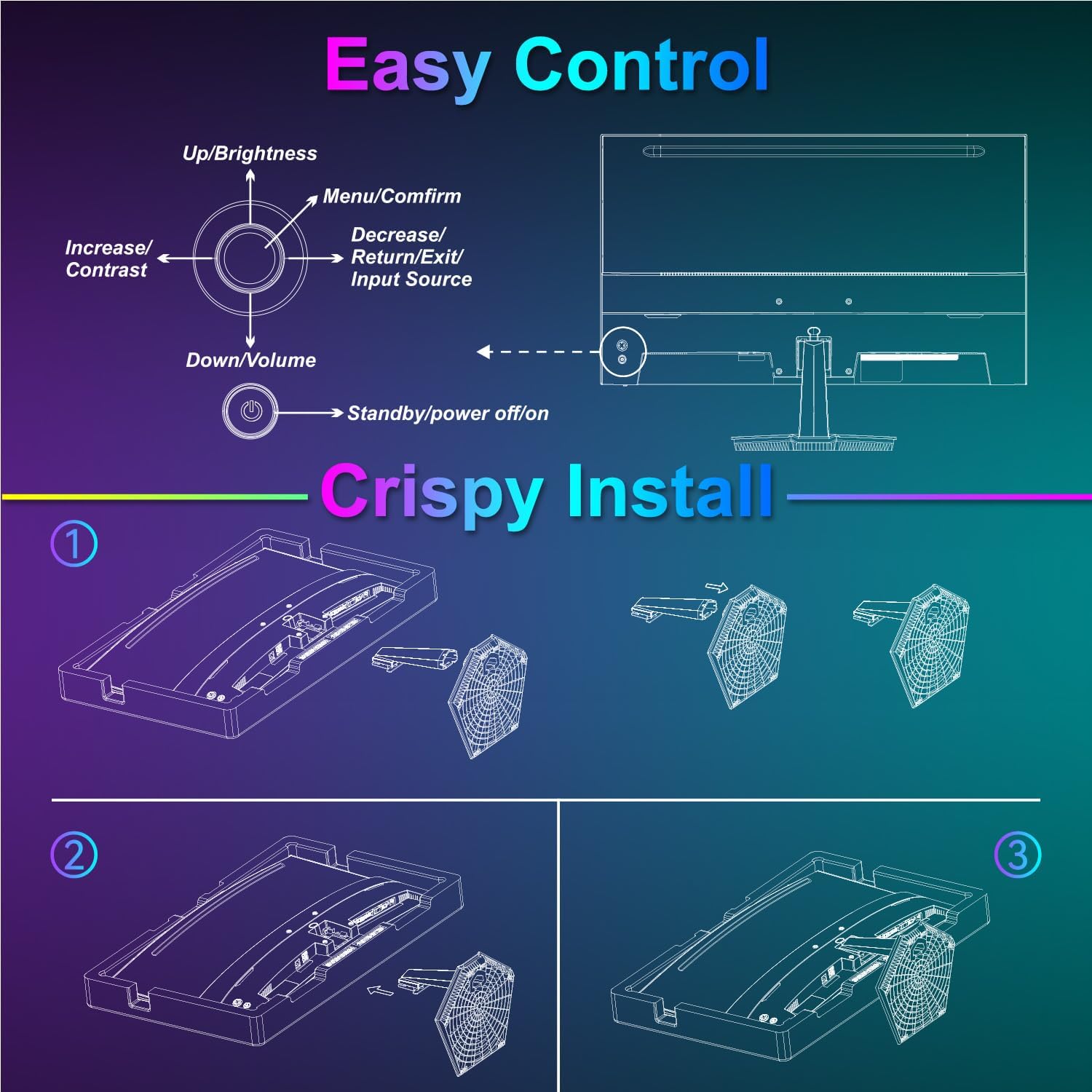
Image: Diagram illustrating the step-by-step assembly of the monitor stand.
4.2 الاتصال بالأجهزة
Connect your monitor to a computer or other video source using the appropriate cable.
- HDMI: Connect one end of the HDMI cable to the monitor's HDMI port and the other end to your device's HDMI output.
- USB نوع-C: Connect one end of the USB Type-C cable to the monitor's USB Type-C port and the other end to your device's compatible USB Type-C output.
- صوتي: If using external audio devices, connect them to the 3.5mm audio jack.

Image: Visual representation of various devices connecting to the monitor via HDMI and USB Type-C.
4.3 تشغيل/إيقاف التشغيل
Connect the power adapter to the monitor's DC IN port and then plug it into a power outlet. Press the power button located on the back of the monitor to turn it on or off.
5. تعليمات التشغيل
5.1 التنقل في قائمة OSD
The On-Screen Display (OSD) menu is controlled using the five-way joystick on the back of the monitor. Press the joystick to open the menu, then move it up/down/left/right to navigate and select options.

Image: Diagram showing the five-way joystick and its functions for OSD menu navigation.
5.2 إعدادات العرض
Adjust various display parameters to optimize your viewتجربة رائعة.
- السطوع / التباين: اضبط مستويات الإضاءة والتباين الإجمالية.
- إعدادات الألوان: اضبط درجة حرارة اللون، والصبغة، والتشبع بدقة.
- النطاق الديناميكي العالي: Enable or disable High Dynamic Range for enhanced contrast and color.
- Low Blue Light/Anti-Flicker: Reduce eye strain during prolonged use.
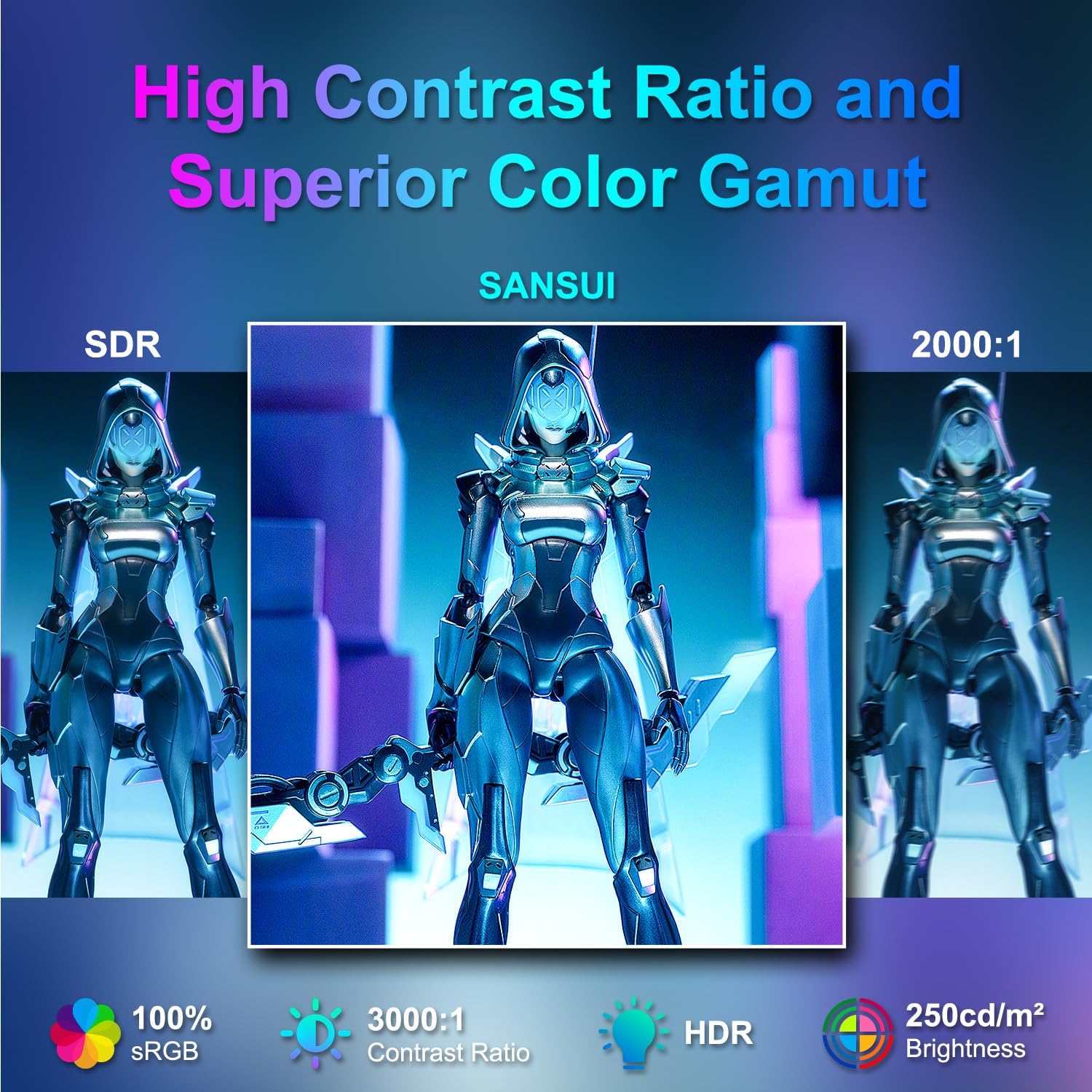
Image: Visual comparison demonstrating high contrast ratio and superior color gamut of the SANSUI monitor.

Image: Highlights of display features like 3000:1 contrast ratio, 100% sRGB, and 250 Nits brightness.

Image: Comparison of display quality with and without HDR enabled.

Image: Illustration of Low Blue Light and Flicker-Free technologies for reduced visual fatigue.
5.3 ميزات الألعاب
The ES-24C1 monitor includes features optimized for gaming performance.
- معدل تحديث 100 هرتز: يوفر حركة أكثر سلاسة وتقليلًا لتأخر الإدخال.
- وقت استجابة MPRT 1 مللي ثانية: يقلل من ضبابية الحركة والظلال.
- المزامنة التكيفية: Synchronizes the monitor's refresh rate with the GPU's frame rate to eliminate screen tearing and stuttering.
- أوضاع اللعبة: Pre-set display modes optimized for different game genres (e.g., FPS, RTS, RPG).
- مؤشر التصويب بالذكاء الاصطناعي: An on-screen crosshair overlay for improved aiming accuracy.
- Game Timer: An on-screen timer for tracking in-game events.

Image: Demonstrates the difference in smoothness between 60Hz, 75Hz, and 100Hz refresh rates, highlighting low blue light and Adaptive FreeSync.

Image: Illustrates the benefits of 100Hz refresh rate and 1ms MPRT response time in reducing screen tearing and improving fluidity.
5.4 Multi-Window Modes (PIP/PBP)
The monitor supports Picture-in-Picture (PIP) and Picture-by-Picture (PBP) modes, allowing you to view content from multiple input sources simultaneously.
- PBP (صورة تلو الأخرى): Divides the screen into two halves, displaying content from two different sources side-by-side.
- PIP (صورة داخل صورة): Displays content from a secondary source in a smaller window overlaid on the main display.

الصورة: السابقamples of Duplicated Mode, Second Screen Mode, and Single Display Screen Mode for enhanced productivity.
6. الصيانة
6.1 التنظيف
- افصل الشاشة دائمًا قبل التنظيف.
- استخدم قطعة قماش ناعمة وخالية من الوبر برفق دampened with water or a mild, non-abrasive cleaner specifically designed for electronics.
- لا تقم برش المنظف مباشرة على الشاشة.
6.2 الرعاية
- تجنب وضع أشياء ثقيلة على الشاشة أو كابلاتها.
- أبقِ الشاشة بعيدة عن أشعة الشمس المباشرة ومصادر الحرارة ودرجات الحرارة القصوى.
- Do not expose the monitor to strong magnetic fields.
7. استكشاف الأخطاء وإصلاحها
If you encounter issues with your SANSUI ES-24C1 monitor, refer to the following common problems and solutions:
- لا يوجد طاقة: تأكد من توصيل محول الطاقة بإحكام بكل من الشاشة ومأخذ كهربائي يعمل. تحقق من إضاءة مؤشر الطاقة.
- لا توجد تغطية: Verify that the video cable (HDMI or USB Type-C) is correctly connected to both the monitor and your device. Ensure the correct input source is selected in the OSD menu.
- شاشة متذبذبة: تحقق من كابل الفيديو بحثًا عن أي تلف أو توصيلات غير محكمة. جرّب كابل فيديو أو منفذًا آخر. تأكد من تحديث برامج تشغيل بطاقة الرسومات لديك.
- ضعف جودة الصورة: Adjust brightness, contrast, and color settings in the OSD menu. Ensure the display resolution and refresh rate are set correctly in your device's display settings.
- لا يوجد صوت من مكبرات الصوت: Check the volume settings on both the monitor and your connected device. Ensure the audio cable (if used) is properly connected.
8. المواصفات
Detailed technical specifications for the SANSUI ES-24C1 24-inch Curved Monitor:
| ميزة | مواصفة |
|---|---|
| رقم الموديل | ES-24C1 |
| حجم الشاشة | 24 بوصة |
| نوع اللوحة | منحني (1500R) |
| دقة | 1920 × 1080 (FHD) |
| معدل التحديث | 100 هرتز |
| وقت الاستجابة | 1 مللي ثانية (MPRT) |
| نسبة التباين | 3000:1 |
| سطوع | 250 Nits |
| ألوان العرض | 16.7 مليون |
| مجموعة الألوان | 100% إس آر جي بي |
| Viewزاوية جي | 178 درجة (H / V) |
| مدخلات الفيديو | 1x HDMI 1.4, 1x USB Type-C |
| مخرج الصوت | 1 × مقبس صوت 3.5 ملم |
| المتحدثون | 2x 2W Built-in Speakers |
| VESA Mount | 75 × 75 ملم |
| ضبط الإمالة | -5° إلى 15° |
| أبعاد المنتج | 21 × 38 × 49 بوصة |
| وزن العنصر | 7.78 رطل |

Image: Detailed dimensions and ergonomic features like 178° wide viewing angle and -5°~15° tilt.

Image: Visual representation of the 178° wide viewزاوية جي.

Image: Tips for VESA mounting (75x75mm, M4*8mm screw size) and tilt adjustment.

الصورة: الخلفية view of the monitor detailing port locations and key specifications.
9. الضمان والدعم
SANSUI provides a limited warranty for this product. For detailed warranty information, please refer to the warranty card included in your package or visit the official SANSUI website. For technical support or service inquiries, please contact SANSUI customer service.
الدعم عبر الإنترنت: Visit the SANSUI Store on Amazon
10. فيديو المنتج الرسمي
Watch the official product video for a visual guide to the SANSUI ES-24C1 monitor's features and benefits.
Video: SANSUI 24" 100Hz Curved Monitor USB C with Speakers. This video provides an overview of the monitor's design, key features, and connectivity options.


