1. المقدمة
This manual provides detailed instructions for the proper use and maintenance of your HTC TWS9 True Wireless Bluetooth Earbuds 9. Please read this manual thoroughly before using the product to ensure optimal performance and longevity.
2. ماذا يوجد في الصندوق
- HTC TWS9 True Wireless Bluetooth Earbuds (Left and Right)
- حافظة الشحن
- كابل شحن USB
- دليل المستخدم
3. انتهى المنتجview
The HTC TWS9 earbuds feature a compact, in-ear design with a transparent charging case. They are equipped with Bluetooth 5.3 for stable connectivity and offer touch controls for various functions.

Image: HTC TWS9 True Wireless Bluetooth Earbuds 9 in purple, shown with their transparent charging case. The earbuds are visible inside the open case, and also separately above it.

Image: A person holding the HTC TWS9 charging case, highlighting its transparent lid design. The earbuds are visible inside the case.
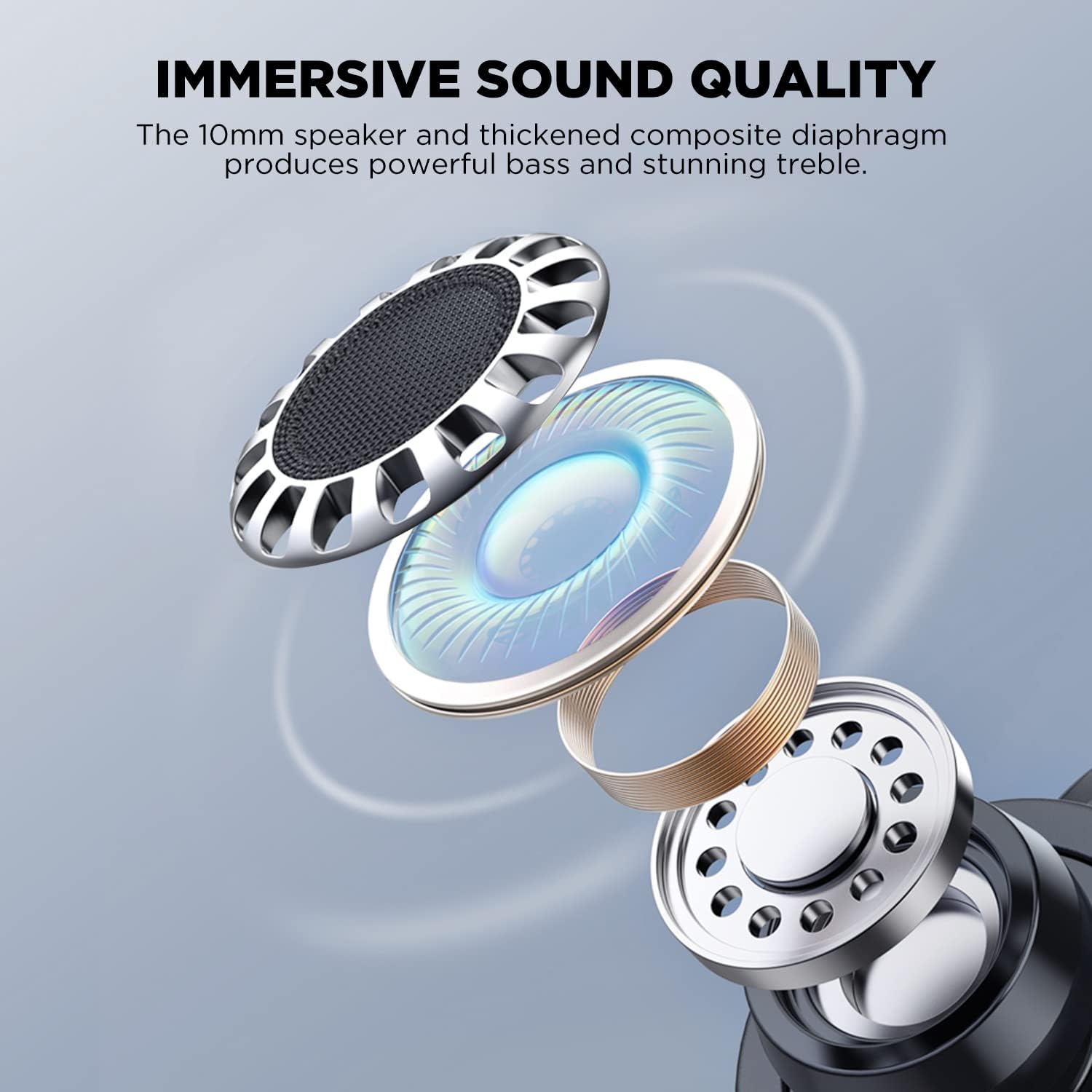
Image: An exploded diagram illustrating the internal components of an HTC TWS9 earbud, including the 10mm speaker and composite diaphragm, designed for sound quality.
4. الإعداد
4.1. شحن سماعات الأذن والعلبة
Before first use, fully charge the earbuds and charging case. The case supports both wired (USB-C) and wireless charging.
- ضع سماعات الأذن في علبة الشحن. تأكد من تثبيتها بشكل صحيح.
- الشحن السلكي: Connect the provided USB charging cable to the charging port on the case and to a power source.
- الشحن اللاسلكي: Place the charging case on a compatible wireless charging pad. The charging indicator light on the case will illuminate.
- Charging typically takes approximately 43 minutes for a fast charge.

Image: The HTC TWS9 charging case placed on a wireless charging pad, indicating its wireless charging capability.
4.2. الاقتران بجهاز
The HTC TWS9 earbuds utilize Bluetooth 5.3 for a fast and stable connection.
- تأكد من تفعيل خاصية البلوتوث في جهازك.
- افتح علبة الشحن وأخرج سماعات الأذن. ستدخل تلقائيًا في وضع الاقتران.
- On your device, search for Bluetooth devices and select "HTC TWS9" from the list.
- Once connected, the earbuds will automatically pair with your device upon removal from the case for subsequent uses.

Image: A smartphone screen displaying the Bluetooth settings, showing "HTC TWS9" as a connected device, illustrating the one-step pairing process.
5. تعليمات التشغيل
5.1. أدوات التحكم التي تعمل باللمس
The HTC TWS9 earbuds feature intuitive touch controls on each earbud for managing audio playback and calls.
- تشغيل/إيقاف مؤقت: اضغط على إحدى سماعات الأذن مرة واحدة.
- المسار التالي: اضغط مع الاستمرار على سماعة الأذن اليمنى لمدة ثانيتين.
- المسار السابق: اضغط مع الاستمرار على سماعة الأذن اليسرى لمدة ثانيتين.
- الرد على المكالمة: اضغط على إحدى سماعات الأذن مرة واحدة.
- إنهاء المكالمة: اضغط على إحدى سماعات الأذن مرة واحدة.
- رفض الاتصال: انقر مع الاستمرار فوق أي من سماعتي الأذن لمدة 2 ثوانٍ.
- وضع اللعبة: Tap and hold either earbud for 2 seconds (to toggle).
- مساعد صوت: انقر ثلاث مرات على أي من سماعتي الأذن.

Image: A visual guide to the smart touch controls on the HTC TWS9 earbuds, detailing actions for game mode, voice assistant, music playback, and call management.
5.2. وضع اللعبة
Activate Game Mode for an ultra-low latency experience (40ms), ideal for gaming. Toggle Game Mode using the touch controls as described above.

Image: A smartphone displaying a mobile game, with the HTC TWS9 earbuds and their open charging case nearby, illustrating the use of Game Mode for low-latency audio.
5.3. ارتداء سماعات الأذن
The earbuds are designed for an ergonomic fit. Insert them gently into your ear canal and rotate slightly until they feel secure and comfortable.

Image: A person wearing an HTC TWS9 earbud, demonstrating its ergonomic design and how it fits in the ear.
6. البطارية والشحن
The HTC TWS9 earbuds offer extended playtime and convenient charging options.
- وقت تشغيل سماعة الأذن: Up to 6.5 hours on a single charge (at 50% volume).
- إجمالي وقت اللعب مع علبة الشحن: 18 الى 24 ساعة.
- الشحن السريع: يستغرق الشحن الكامل حوالي 43 دقيقة.
- الشحن اللاسلكي: The charging case is compatible with most wireless charging pads.

Image: An infographic detailing the battery performance of the HTC TWS9 earbuds, including 43 minutes for fast charging, 6.5 hours of playtime, and 18 hours with the charging case.
7. الصيانة
تضمن الصيانة المناسبة طول عمر سماعات الأذن وأدائها.
- تنظيف: نظّف سماعات الأذن وعلبة الشحن بانتظام بقطعة قماش ناعمة وجافة. تجنّب استخدام المواد الكيميائية القاسية أو المواد الكاشطة.
- تخزين: عندما لا تكون قيد الاستخدام، قم بتخزين سماعات الأذن في علبة الشحن الخاصة بها لحمايتها والحفاظ عليها مشحونة.
- مقاومة الماء: The earbuds are water-resistant, making them suitable for sports and gym use. However, they are not waterproof; avoid submerging them in water.
8. استكشاف الأخطاء وإصلاحها
إذا واجهت أي مشكلات، راجع الحلول الشائعة التالية:
- سماعات الأذن غير مقترنة: Ensure Bluetooth is enabled on your device and the earbuds are in pairing mode. Try resetting the earbuds by placing them back in the case and then removing them again.
- لا يوجد صوت: تحقق من مستوى الصوت على جهازك وتأكد من توصيل سماعات الأذن بشكل صحيح.
- قضايا الشحن: Verify that the charging cable is securely connected or that the wireless charging pad is functioning correctly. Ensure the earbuds are properly seated in the case.
- عناصر التحكم باللمس لا تستجيب: Ensure your fingers are clean and dry. A quick tap or firm press may be required depending on the function.
9. المواصفات
| ميزة | التفاصيل |
|---|---|
| اسم الموديل | TWS9 |
| تكنولوجيا الاتصال | لاسلكي (بلوتوث 5.3) |
| نسخة البلوتوث | 5.3 |
| الكمون الصوتي | 40 مللي ثانية (وضع اللعبة) |
| وقت تشغيل سماعة الأذن | حتى ساعتين |
| إجمالي وقت اللعب (مع الحقيبة) | 18-24 ساعة |
| الشحن | Wireless Charging Supported, Fast Charging (43 mins) |
| نوع التحكم | التحكم باللمس |
| التحكم في الضوضاء | عزل الصوت |
| مستوى مقاومة الماء | مقاوم للماء |
| مادة | بلاستيك شفاف |
| وزن العنصر | 0.09 كيلوغرام (3.2 أونصة) |
| رمز المنتج الموحد | 768649987303 |
10. فيديو المنتج الرسمي
Video: An official product video from HTC-TECH showcasing the HTC True Wireless Bluetooth Earbuds 9, highlighting various features and design aspects.
11. الضمان والدعم
For warranty information and customer support, please refer to the documentation included with your product or visit the official HTC support website. Contact information for customer service is typically provided in the Quick Start Guide or on the product packaging.


