1. المقدمة
The Nitecore HC60 UHE is a high-performance headlamp designed for various activities including night running, camping, hiking, hunting, and industrial work. It features a powerful 1600 lumen output, USB-C rechargeable functionality, and both white and red light beams. Constructed from durable aero-grade aluminum alloy, it is rated IP68 waterproof and impact resistant up to 2 meters.
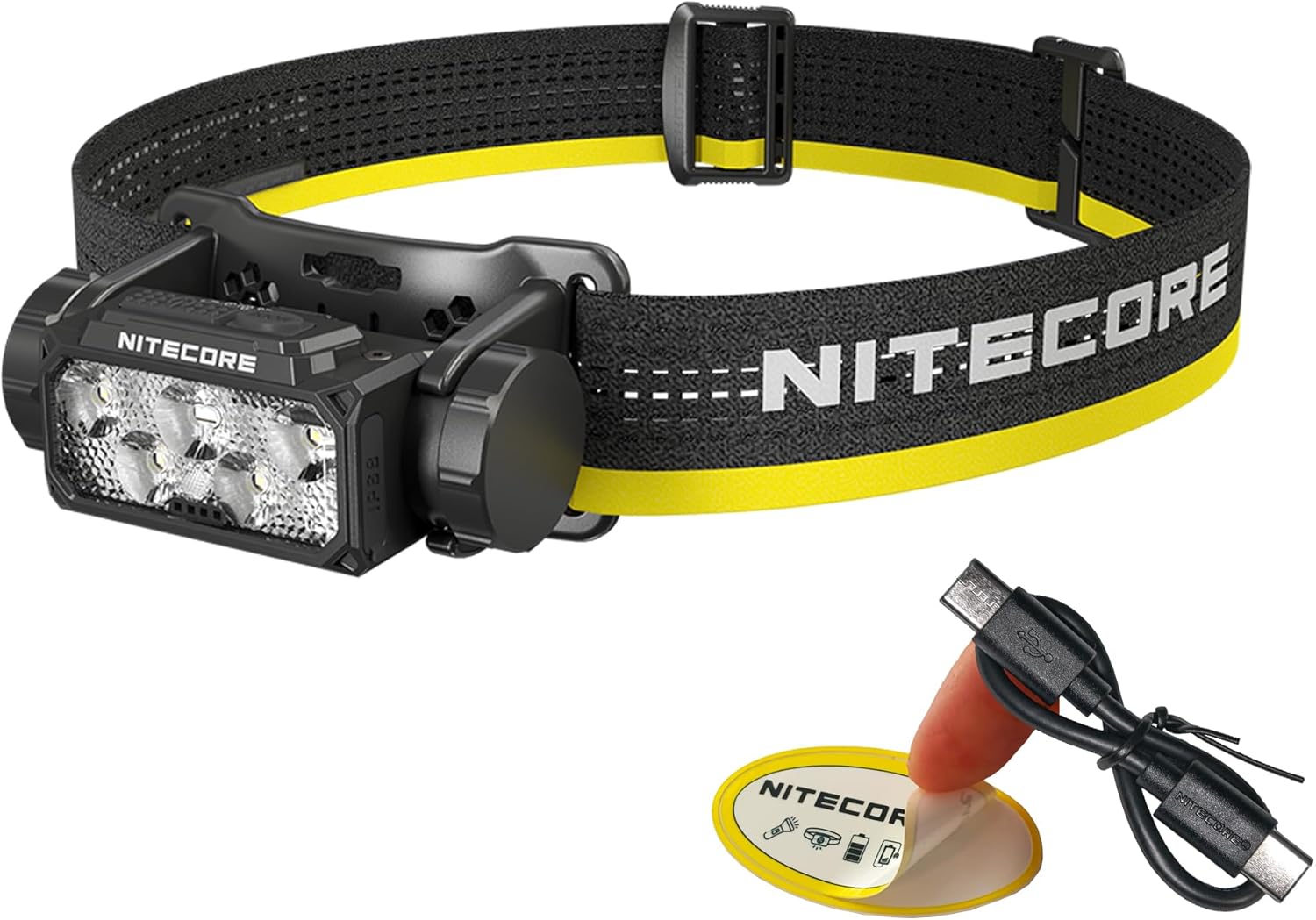
Image 1.1: Nitecore HC60 UHE Headlamp مع الملحقات المرفقة.
2. محتويات العبوة
تأكد من وجود جميع العناصر في الحزمة الخاصة بك:
- مصباح رأس Nitecore HC60 UHEamp
- Nitecore NL1840 18650 Li-ion Battery (pre-installed)
- كابل شحن USB-C إلى USB-C
- عصابة رأس
- الشريط العلوي
- حقيبة التخزين
- ملصق نايت كور
3. انتهى المنتجview
Familiarize yourself with the components of your HC60 UHE headlamp.

الصورة 3.1: الجبهة view of the HC60 UHE headlamp, highlighting the primary white and auxiliary red LED lenses.
الصورة 3.2: الأعلى view illustrating the dual button interface: Power Button (left) and Mode Button (right).
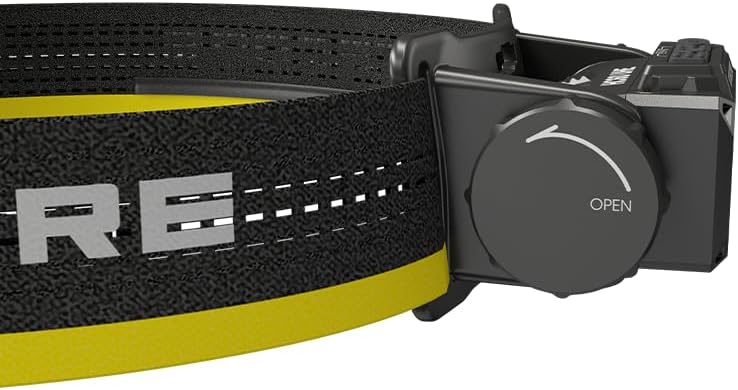
الصورة 3.3: الجانب view showing the battery compartment cap with 'OPEN' indicator for battery access.
4. الإعداد
4.1. تركيب البطارية
The Nitecore NL1840 18650 Li-ion battery is pre-installed in the HC60 UHE headlamp. To access or replace the battery:
- Unscrew the battery compartment cap located on the side of the headlamp by rotating it counter-clockwise (refer to Image 3.3).
- Insert the 18650 Li-ion battery with the positive (+) terminal facing inwards.
- Carefully screw the cap back on clockwise until secure. Ensure proper alignment to avoid cross-threading.
4.2. الشحن
The HC60 UHE features a waterproof USB-C charging port. It is recommended to fully charge the battery before first use.
- حدد موقع منفذ الشحن USB-C الموجود على المصباح الأماميamp.
- Connect the included USB-C charging cable to the headlamp's port and to a USB power source (e.g., wall adapter, power bank, computer).
- During charging, the power indicators will illuminate to show the charging status.
- Charging is complete when all power indicators are steadily lit. A full charge typically takes approximately 2 hours.

Image 4.1: The HC60 UHE headlamp being charged via its USB-C port.
4.3. مجموعة عقال
Attach the headband and optional top strap for secure and comfortable wear.
- Thread the main headband through the bracket slots on the headlamp.
- Adjust the length of the headband for a snug fit around your head.
- For added stability, especially during active use, attach the top strap to the designated loops on the main headband.
5. تعليمات التشغيل
5.1. تشغيل/إيقاف التشغيل
- لتشغيل: Long press the Power Button for 1 second. The headlamp will turn on in the last used white light brightness level.
- لإيقاف التشغيل: While the light is on, long press either the Power Button or the Mode Button until the light turns off.
5.2. White Light Brightness Levels
When the white light is on, short press the Power Button to cycle through the following brightness levels: ULTRALOW (8 lumens) → LOW (100 lumens) → MID (400 lumens) → HIGH (1000 lumens).
- Accessing ULTRALOW: عندما يكون الرأسamp is off, double press the Power Button.
- Accessing TURBO (1600 lumens): When the white light is on, double press the Power Button. The headlamp will temporarily activate TURBO mode.

الصورة 5.1: انتهىview of white light brightness levels and special modes.
5.3. Red Light Operation
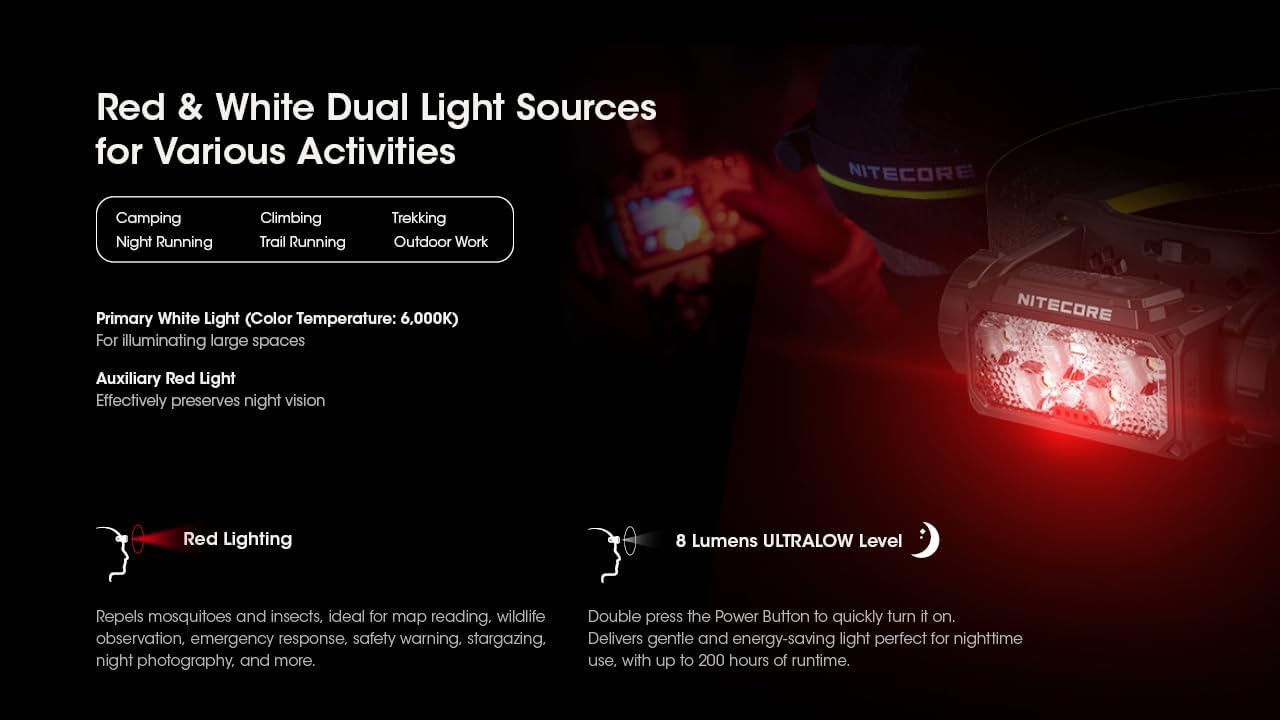
The HC60 UHE features an auxiliary red light, useful for preserving night vision and other specific tasks.
- To Turn On Red Light: عندما يكون الرأسamp is off, long press the Mode Button for 1 second. The red light will turn on in LOW mode.
- To Cycle Red Light Modes: While the red light is on, short press the Mode Button to cycle through LOW → HIGH → SLOW FLASHING.
- To Turn Off Red Light: While the red light is on, long press the Mode Button until the light turns off.

Image 5.2: The HC60 UHE offers both primary white light and auxiliary red light for diverse applications.
5.4. Special Modes (SOS, Beacon)
These modes are accessible from the white light settings.
- Accessing SOS/Beacon: When the white light is on, long press the Mode Button for 1 second to activate SOS mode. Short press the Mode Button again to switch to BEACON mode.
- Exiting Special Modes: Long press the Mode Button to turn off the light, or short press the Power Button to return to the last used white light brightness level.
5.5. مؤشر الطاقة
الرأسamp features intuitive power indicators to display the remaining battery power.
- عندما يكون الرأسamp is off, short press the Mode Button. The blue indicators will light up to show battery status:
- 4 constant-on indicators: 75% - 100%
- 3 constant-on indicators: 50% - 75%
- 2 constant-on indicators: 25% - 50%
- 1 constant-on indicator: 0% - 25% (Recharge or replace the battery promptly)

Image 5.3: The blue power indicators display the remaining battery charge.
6. الصيانة
6.1. التنظيف
- امسح الرأسamp بقطعة قماش نظيفة وناعمة.
- للأوساخ العنيدة، استخدمي القليل من damp القماش. تجنب المواد الكيميائية القاسية أو المواد الكاشطة.
- Ensure the USB-C port cover is securely closed to maintain its waterproof rating.
6.2. التخزين
- قم بتخزين الرأسamp في مكان بارد وجاف بعيدًا عن أشعة الشمس المباشرة.
- If storing for an extended period, it is recommended to remove the battery to prevent potential leakage.
- Recharge the battery every three months to maintain optimal battery health.
7. استكشاف الأخطاء وإصلاحها
If you encounter issues with your Nitecore HC60 UHE, refer to the following common problems and solutions:
- هيدلamp لا تفتح:
- Ensure the battery is correctly installed with the positive (+) terminal facing inwards.
- تأكد من شحن البطارية. قم بتوصيل الرأس.amp to a power source using the USB-C cable. If it turns on when plugged in but not otherwise, the battery may be depleted or faulty.
- Verify that the battery compartment cap is fully and correctly screwed on to ensure proper electrical contact.
- مخرجات الضوء خافتة أو متقطعة:
- قد تكون البطارية ضعيفة. أعد شحنها.
- Ensure the battery contacts are clean. Clean them with a cotton swab if necessary.
- هيدلamp لا يتقاضى رسومًا:
- تأكد من توصيل كابل USB-C بإحكام بكل من المصباح الأماميamp ومصدر الطاقة.
- جرب كابل USB-C مختلفًا أو محول طاقة مختلفًا لاستبعاد مشاكل الكابل/المحول.
- Check the charging port for any debris that might obstruct the connection.
If the problem persists after attempting these solutions, please contact Nitecore customer support.
8. المواصفات
| ميزة | الضوء الأبيض الأساسي | الضوء الأحمر المساعد |
|---|---|---|
| السطوع (لومن) | TURBO: 1600, HIGH: 1000, MID: 400, LOW: 100, ULTRALOW: 8 | HIGH: 15, LOW: 5, SLOW FLASHING: 15 |
| مدة التشغيل (ساعات) | TURBO: 3h 30m, HIGH: 5h, MID: 14h, LOW: 36h, ULTRALOW: 200h | HIGH: 95h, LOW: 150h, SLOW FLASHING: 95h |
| مسافة الشعاع | TURBO: 157m, HIGH: 129m, MID: 81m, LOW: 41m, ULTRALOW: 7m | غير متاح |
| مقاومة التأثير | 2 متر | |
| تصنيف IP | IP68 (Waterproof and Submersible) | |
- مادة: Aero-grade Aluminum Alloy with HA III hard-anodized finish
- أبعاد: 1.91 بوصة عمق × 3.15 بوصة عرض × 1.65 بوصة ارتفاع (48.5 مم × 80 مم × 41.9 مم)
- وزن: 4.94 ounces (140g, including battery, bracket, and headband)
- بطارية: 1 x Nitecore NL1840 18650 Li-ion Battery (included)
- نوع مصدر الضوء: قاد
- Color Temperature (White Light): 6,000 كيلو
Note: The stated data is measured using 1 x 18650 battery (4,000mAh) under laboratory conditions. This data may vary in real-world use due to different battery usage or environmental conditions.
9. معلومات الضمان
The Nitecore HC60 UHE Headlamp comes with a limited warranty. For detailed information regarding warranty terms, conditions, and duration, please refer to the official Nitecore webالموقع أو تواصل مع موزعك المحلي. احتفظ بإيصال الشراء كإثبات للشراء في حال وجود أي مطالبات بالضمان.
10. دعم العملاء
For further assistance, technical support, or inquiries regarding your Nitecore HC60 UHE Headlamp, please visit the official Nitecore webالموقع في www.nitecore.com or contact your authorized Nitecore dealer.


