1. انتهى المنتجview
This manual provides essential information for the safe and effective use of your Morpilot 25.2V 6500mAh Li-ion Replacement Battery for Dyson V10 series vacuum cleaners. This high-capacity battery is designed to extend the operational time of your vacuum, offering a reliable power source for various cleaning tasks.

Image: The Morpilot replacement battery for Dyson V10, showing its sleek design and the included screws for installation.
2. الميزات الرئيسية
The Morpilot V10 replacement battery incorporates several features designed for enhanced performance and user experience:
- LED Breathing Light: Provides clear visual indication of charging status and battery health.
- مادة ABS عالية الجودة: Ensures durability and a robust build for long-term use.
- Precise Charging Port: Designed for seamless compatibility with original Dyson V10 chargers and docking stations.

الصورة: تفصيلية view highlighting the LED breathing light, the high-quality ABS material construction, and the precisely engineered charging port of the Morpilot replacement battery.
3. التوافق
The Morpilot replacement battery is designed for perfect compatibility with the following Dyson V10 series vacuum cleaner models:
- Dyson Cyclone V10 Animal
- دايسون V10 أبسولوت
- دايسون V10 موتورهيد
- دايسون V10 فلافي
- Dyson V10 Allergy
- Dyson V10 Total Clean
- Dyson V10 SV12
It is engineered to fit the original V10 charger and charging station.

Image: Visual representation of the Morpilot battery's compatibility with various Dyson V10 vacuum models, including V10 Animal, Absolute, Fluffy, Motorhead, Total Clean, and Cyclone.
4. Specifications and Performance
| ميزة | التفاصيل |
|---|---|
| المجلدtage | 25.2 فولت |
| سعة | 6500 مللي أمبير |
| نوع البطارية | ليثيوم أيون |
| Estimated Cycles | 600+ دورة |
| وزن العنصر | 1.26 رطل |
| أبعاد الحزمة | 6.97 × 4.21 × 3.98 بوصة |
| مادة | مادة ABS عالية الجودة |
وقت التشغيل المقدر:
- الوضع القياسي: حوالي 65-67 دقائق
- وضع MAX: حوالي 6-7 دقائق

Image: A graphic illustrating the improved battery endurance of the Morpilot battery, showing estimated run times for both standard and MAX power modes.

صورة: نمط الأشعة السينية view of the battery, highlighting its internal structure, 6500mAh capacity, 25.2V voltage, and over 600 charge cycles, indicating its durable construction.
5. Safety Information and Protection System
Your Morpilot replacement battery is equipped with an advanced intelligent protection design to ensure safe and reliable operation. This system includes:
- حماية فاحش: يمنع الضرر الناتج عن الشحن المفرط.
- حماية التفريغ العميق: Protects the battery from being fully depleted, which can reduce lifespan.
- أوفرفولtagهـ- الحماية: الضمانات ضد المجلدtagه المسامير.
- حماية التيار الزائد: يمنع الضرر الناتج عن تدفق التيار الزائد.
- حماية من الحرارة الزائدة: Monitors and regulates battery temperature to prevent overheating.
- حماية من قصر الدائرة في المخرج: يتم قطع الطاقة تلقائيًا في حالة حدوث ماس كهربائي.
- Charging Undervoltagهـ- الحماية: Ensures safe charging voltagالمستويات الإلكترونية.
- حماية من التيار الزائد للتفريغ: Protects during high power discharge.
- Discharge High Temperature Protection: Prevents overheating during discharge.
احتياطات السلامة الهامة:
- لا تقم بتفكيك البطارية أو تعديلها أو إصلاحها.
- لا تعرض البطارية للنار أو درجات الحرارة العالية أو أشعة الشمس المباشرة.
- لا تقم بتقصير أطراف البطارية.
- احفظ البطارية بعيدًا عن الماء أو السوائل الأخرى.
- قم بتخزين البطارية في مكان بارد وجاف عندما لا تكون قيد الاستعمال.
- إذا أظهرت البطارية علامات التلف أو التورم أو التسرب، فتوقف عن الاستخدام على الفور وتخلص منها بشكل صحيح.

Image: Diagram illustrating the "Smart Protect System" with various safety features like overcharge, deep discharge, overvoltage, overcurrent, and overheating protection, ensuring the battery's longevity and safety.
6. دليل التثبيت
Replacing your Dyson V10 battery is a straightforward process. Follow these steps carefully:
- تحضير الفراغ: تأكد من إيقاف تشغيل مكنسة دايسون V10 الكهربائية وفصلها عن أي مصدر طاقة.
- تحديد مكان البراغي: Identify the two screws securing the existing battery to the vacuum cleaner. One screw is typically visible on the handle, and the other might be located near the dustbin or motor housing. You may need to remove the dustbin to access the second screw.
- Unscrew and Remove: Using an appropriate screwdriver (often a Phillips head), carefully unscrew both screws. Once loosened, gently pull out the primary (old) battery from its housing.
- أدخل بطارية جديدة: Align the Morpilot replacement battery with the battery slot in your Dyson V10. Gently push it into place until it sits flush.
- تشديد البراغي: Reinsert the screws and tighten them securely. Do not overtighten, as this can damage the plastic housing.
- امتحان: Once installed, reattach the dustbin (if removed) and attempt to power on your vacuum cleaner to confirm proper installation.
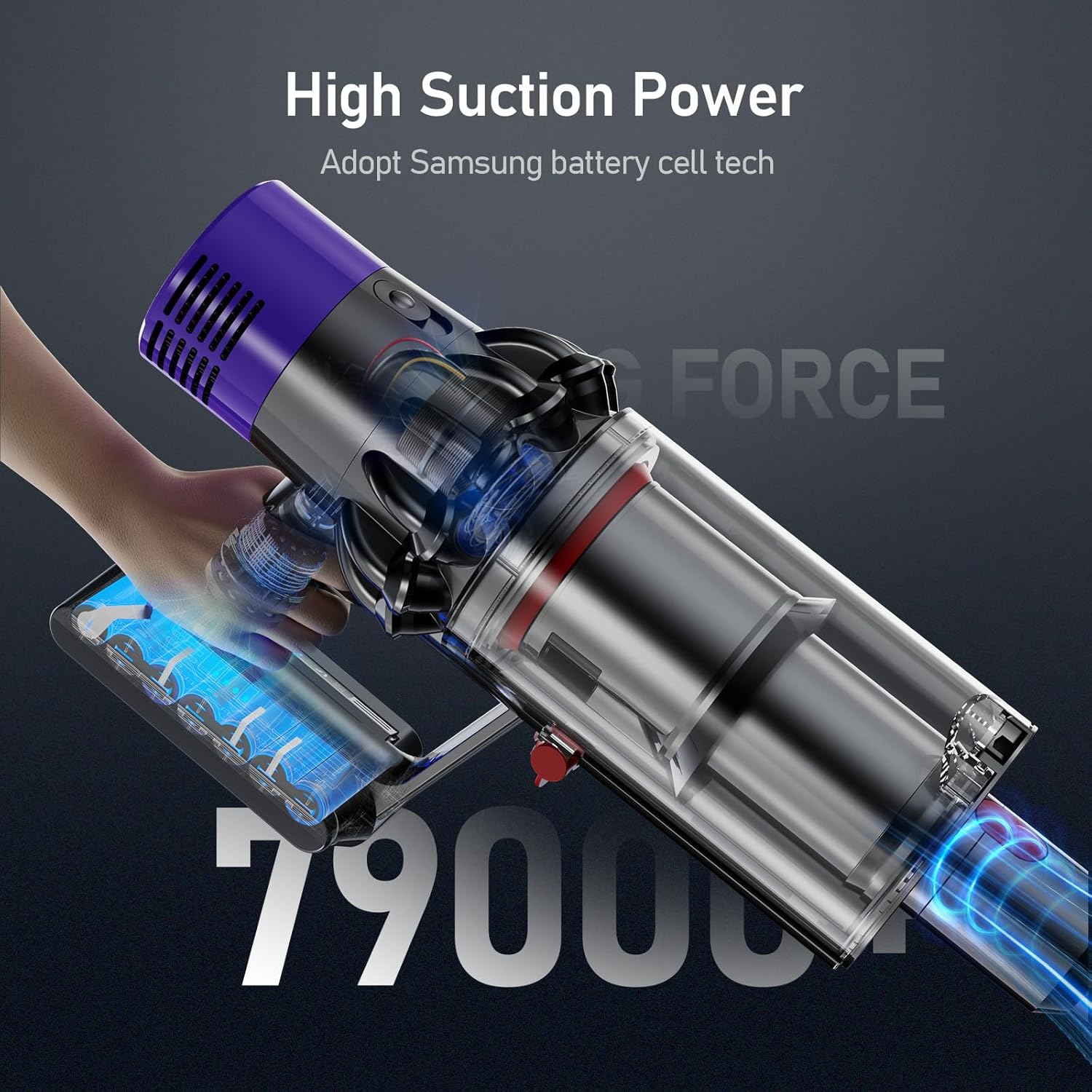
Image: A Dyson V10 vacuum cleaner with the Morpilot replacement battery attached, demonstrating the seamless fit and high suction power.
7. تعليمات الشحن
The Morpilot replacement battery is designed to be charged using your original Dyson V10 charger and charging station. The battery features an LED breathing light indicator for charging status.
طرق الشحن:
- الشحن المباشر عن طريق القابس: Connect the original Dyson charger directly to the charging port on the battery.
- Drop-in Docking: Place the vacuum cleaner with the installed battery into its wall-mounted docking station.
The LED indicators on the battery will show the charging status:
- الأضواء الزرقاء: جاري الشحن.
- All Blue Lights Solid: مشحونة بالكامل.
- الضوء الأصفر: High temperature protection activated (charging paused).
- الضوء الأحمر: Battery fault protection activated.

Image: Illustration of the two charging methods for the Morpilot battery: direct connection to the charger and charging via the wall-mounted docking station, along with LED indicator meanings.
8. الصيانة والعناية
To maximize the lifespan and performance of your Morpilot replacement battery, follow these maintenance guidelines:
- الشحن المنتظم: Charge the battery fully after each use to maintain optimal performance. Avoid leaving the battery completely discharged for extended periods.
- التحكم في درجة الحرارة: Operate and store the battery within recommended temperature ranges (typically 0°C to 40°C or 32°F to 104°F). Extreme temperatures can degrade battery performance and lifespan.
- اتصالات نظيفة: Periodically inspect and clean the battery contacts on both the battery and the vacuum cleaner to ensure a good connection. Use a dry, clean cloth.
- تخزين طويل المدى: If storing the battery for an extended period (e.g., several months), charge it to approximately 50-60% capacity and store it in a cool, dry place. Recharge it every 3-6 months to prevent deep discharge.
- تجنب الأضرار الجسدية: Protect the battery from drops, impacts, and excessive vibration, which can damage internal components.
9. استكشاف الأخطاء وإصلاحها
If you encounter issues with your Morpilot replacement battery, refer to the following common problems and solutions:
| مشكلة | السبب المحتمل | حل |
|---|---|---|
| البطارية لا تشحن |
|
|
| وقت تشغيل قصير |
|
|
| Vacuum not powering on |
|
|
10. الضمان ودعم العملاء
Morpilot provides a warranty for this V10 replacement battery for 12 أشهر from the date of purchase. We are committed to ensuring your satisfaction with our product.
For any problems, questions, or concerns, please do not hesitate to contact our friendly customer support team. We offer 24 ساعة، 7 أيام في الأسبوع support to assist you.
يرجى الرجوع إلى وثائق الشراء الخاصة بك أو إلى بائع التجزئة website for specific contact methods (e.g., email, phone number).


