1. المقدمة
Thank you for choosing the SHARP 55GL4060E 55-inch 4K Ultra HD Google TV. This manual provides essential information for setting up, operating, and maintaining your new television. Please read this manual thoroughly before using the product to ensure safe and optimal performance. This television features a 4K Ultra HD display, Google TV operating system, HDMI 2.1 with eARC, Dolby Vision HDR, Dolby Atmos immersive sound, integrated Google Assistant, and Chromecast built-in.
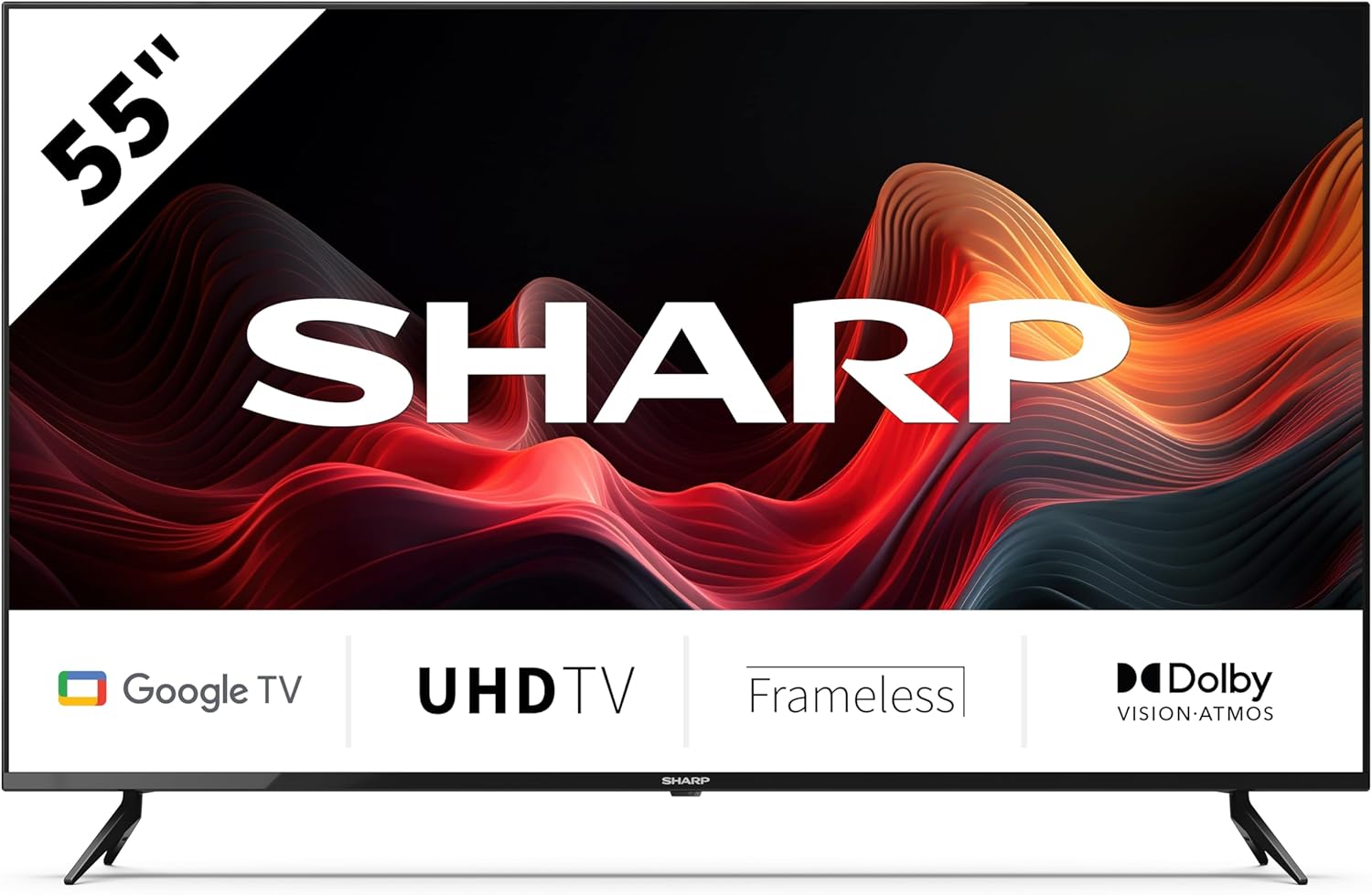
This image displays the SHARP 55GL4060E television from the front, showcasing its 55-inch frameless screen, the SHARP logo at the bottom center, and the two V-shaped stands. The screen shows a vibrant abstract red and orange waveform design. Below the screen, icons indicate 'Google TV', 'UHD TV', 'Frameless', and 'Dolby Vision Atmos'.
2. معلومات السلامة
يرجى مراعاة احتياطات السلامة التالية لمنع حدوث أضرار وضمان التشغيل الآمن:
- مزود الطاقة: قم بتوصيل التلفزيون فقط بمأخذ طاقة التيار المتردد بالمستوى الصحيحtagهـ. لا تفرط في تحميل منافذ الطاقة.
- تهوية: Ensure adequate ventilation around the TV. Do not block ventilation openings. Avoid placing the TV on soft surfaces or in enclosed spaces.
- تنظيف: افصل التلفزيون عن الكهرباء قبل التنظيف. استخدم قطعة قماش ناعمة وجافة. لا تستخدم المنظفات السائلة أو البخاخات.
- الماء والرطوبة: لا تُعرِّض التلفزيون للمطر أو الرطوبة. لا تضع عليه أي أغراض مملوءة بالسوائل، مثل المزهريات.
- الموقع: Place the TV on a stable, level surface. If wall-mounting, use a VESA-compatible mount and ensure it is securely installed. Keep the TV away from direct sunlight, heat sources, and strong magnetic fields.
- أطفال: راقب الأطفال لمنعهم من التسلق على التلفزيون أو الحامل.
3. محتويات العبوة
تأكد من وجود جميع العناصر في العبوة:
- SHARP 55GL4060E 55-inch 4K Ultra HD Google TV
- جهاز التحكم عن بعد
- بطاريات AAA (عدد 2)
- دليل البدء السريع
- TV Stands (x2) and Screws
4. الإعداد
4.1 تركيب حوامل التلفزيون
- قم بوضع شاشة التلفزيون بعناية على سطح ناعم ومسطح لمنع تعرضها للتلف.
- قم بمحاذاة كل حامل مع فتحات البراغي المقابلة في الجزء السفلي من التلفزيون.
- ثبّت الحوامل باستخدام البراغي المرفقة. تأكد من إحكام ربطها.
4.2 التركيب على الحائط
If you choose to wall-mount your TV, ensure you use a VESA-compatible wall mount. The VESA mounting dimensions for this model are 400 x 300 mm. Consult a professional for wall mounting installation to ensure safety and proper attachment.
4.3 توصيل الأجهزة الخارجية
- HDMI: Connect devices such as Blu-ray players, game consoles, or set-top boxes to the HDMI ports. This TV features 4 HDMI 2.1 ports with eARC support.
- USB: قم بتوصيل أجهزة تخزين USB لتشغيل الوسائط أو تحديثات البرامج بمنفذي USB.
- إيثرنت: للحصول على اتصال إنترنت مستقر، قم بتوصيل كابل إيثرنت من جهاز التوجيه الخاص بك إلى منفذ LAN الخاص بالتلفزيون.
- واي فاي: Connect to your wireless network for internet access and smart TV features.
- بلوتوث: Pair Bluetooth-enabled devices like headphones or soundbars.
4.4 الإعداد الأولي
- قم بتوصيل سلك الطاقة بالمأخذ الكهربائي.
- اضغط على زر الطاقة في جهاز التحكم عن بعد لتشغيل التلفزيون.
- Follow the on-screen instructions to complete the initial setup, including language selection, network connection, and Google account sign-in.
5. تشغيل التلفزيون
5.1 التحكم عن بعد أكثرview
The remote control allows you to navigate the Google TV interface, adjust settings, and control playback. Insert the two AAA batteries into the remote control, ensuring correct polarity.
5.2 الوظائف الأساسية
- قوة: اضغط لتشغيل التلفزيون أو إيقاف تشغيله.
- مقدار: استخدم أزرار الصوت لضبط مستوى الصوت.
- مدخل: Select the desired input source (HDMI 1, HDMI 2, USB, etc.).
- ملاحة: Use the directional pad and OK button to move through menus and make selections.
- بيت: Return to the Google TV home screen.
5.3 ميزات Google TV
- مساعد جوجل: اضغط على زر مساعد جوجل الموجود على جهاز التحكم عن بعد وتحدث في الميكروفون للبحث عن المحتوى أو التحكم في أجهزة المنزل الذكية أو الحصول على المعلومات.
- مدمج في Chromecast: قم بعرض المحتوى من هاتفك الذكي أو جهازك اللوحي أو جهاز الكمبيوتر المتوافق مباشرة على التلفزيون.
- التطبيقات: يمكنك الوصول إلى مجموعة واسعة من خدمات وتطبيقات البث المباشر من متجر جوجل بلاي.
6. الصيانة
6.1 تنظيف التلفزيون
- شاشة: امسح الشاشة برفق بقطعة قماش ناعمة وخالية من الوبر. لإزالة البقع الصعبة، امسحها برفق.ampبللي قطعة القماش بالماء (لا ترشي مباشرة على الشاشة).
- جسم: امسح إطار التلفزيون والحامل بقطعة قماش ناعمة وجافة.
- حذر: لا تستخدم المنظفات الكاشطة أو الكحول أو البنزين أو المذيبات، لأن هذه المواد يمكن أن تتلف سطح التلفزيون.
6.2 تحديثات البرامج
Your Google TV may receive automatic software updates. You can also manually check for updates through the TV's settings menu to ensure you have the latest features and security patches.
7. استكشاف الأخطاء وإصلاحها
إذا واجهت مشكلات مع التلفزيون الخاص بك، فراجع المشكلات والحلول الشائعة التالية:
- لا يوجد طاقة: Ensure the power cord is securely plugged into both the TV and the electrical outlet. Try a different outlet.
- لا صورة/صوت: تأكد من اختيار مصدر الإدخال الصحيح. تحقق من جميع توصيلات الكابلات (HDMI، إلخ). أعد تشغيل الأجهزة المتصلة.
- جهاز التحكم عن بعد لا يعمل: افحص البطاريات واستبدلها إذا لزم الأمر. تأكد من عدم وجود عوائق بين جهاز التحكم عن بُعد ومستشعر الأشعة تحت الحمراء الخاص بالتلفزيون.
- مشاكل الاتصال بالشبكة: Restart your router and modem. Check Wi-Fi password. If using Ethernet, ensure the cable is connected properly.
- مشاكل جودة الصورة: اضبط إعدادات الصورة (السطوع، التباين، اللون). تأكد من جودة مصدر المحتوى.
For persistent issues, consult the online support resources or contact customer service.
8. المواصفات
| ميزة | مواصفة |
|---|---|
| ماركة | حاد |
| رقم الموديل | 55GL4060E |
| حجم الشاشة | 55 بوصة |
| تكنولوجيا العرض | قاد |
| دقة | 4K الترا اتش دي |
| معدل التحديث | 60 هرتز |
| نظام التشغيل | جوجل تي في |
| المميزات الخاصة | Google Assistant and Chromecast built-in, Dolby Vision, Dolby Atmos |
| تكنولوجيا الاتصال | Bluetooth, Ethernet, HDMI (4x HDMI 2.1 with eARC), USB (2x), Wi-Fi |
| لون | أسود |
| أبعاد المنتج (مع الحامل) | 1116.4 × 692.9 × 264.7 مم (العرض × الارتفاع × العمق) |
| أبعاد المنتج (بدون حامل) | 1116.4 × 651.3 × 91.5 مم (العرض × الارتفاع × العمق) |
| Distance between stands | 1095 ملم |
| الوزن الصافي | 11 كجم |
| حامل جداري متوافق مع معيار VESA | 400 × 300 ملم |
| الأجهزة المتوافقة | Laptop, smartphone, tablet, game console |
| تكوين البطارية | Alkaline (2 AAA included) |
9. الضمان والدعم
للحصول على معلومات الضمان، يرجى الرجوع إلى بطاقة الضمان المرفقة مع المنتج أو زيارة موقع Sharp الرسمي website. For technical support, troubleshooting assistance, or service inquiries, please contact Sharp customer support through their official channels. Keep your purchase receipt as proof of purchase.


