1. المقدمة
This manual provides essential information for the safe and efficient operation of your TESLA QLED Smart TV, Model Q55S939GUS. Please read these instructions thoroughly before using your television and retain them for future reference. This television features a 55-inch (140 cm) QLED display, Google TV operating system, Ultra HD resolution, HDR10, Dolby Atmos audio, built-in Wi-Fi, Bluetooth, and Chromecast.

الصورة 1.1: الجبهة view of the TESLA QLED Smart TV, highlighting key features.
2. معلومات السلامة
Always follow basic safety precautions when using this television to reduce the risk of fire, electric shock, and injury. Keep the television away from moisture and heat sources. Ensure proper ventilation. Do not block ventilation openings. Use only attachments/accessories specified by the manufacturer. Refer all servicing to qualified service personnel.
3. محتويات العبوة
تأكد من وجود جميع العناصر في العبوة:
- TESLA QLED Smart TV (Model Q55S939GUS)
- جهاز التحكم عن بعد
- كابلات الطاقة
- TV Stand/Base
- بطاريات جهاز التحكم عن بعد
- دليل المستخدم (هذا المستند)
4. الإعداد
4.1 الإعداد المادي
إرفاق الحامل: Carefully place the TV screen-down on a soft, flat surface. Align the stand with the mounting holes on the bottom of the TV and secure it with the provided screws. Ensure the stand is firmly attached before placing the TV upright.

Image 4.1: TESLA QLED Smart TV with stand.
التثبيت على الحائط: If you plan to wall mount the TV, refer to the instructions provided with your wall mount kit. Ensure the wall mount is compatible with the VESA mounting pattern of your TV. The back of the TV includes mounting points for this purpose.
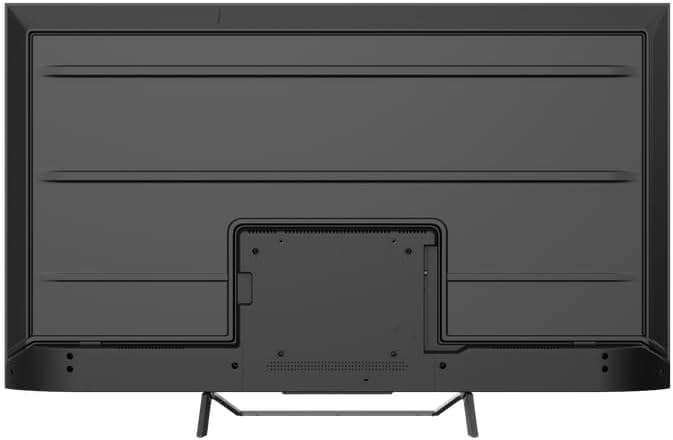
الصورة 4.2: خلفي view of the TV, indicating mounting points.
4.2 التشغيل الأولي والاتصال بالشبكة
- قم بتوصيل كابل الطاقة بالتلفزيون ثم بمأخذ الطاقة.
- اضغط على زر الطاقة الموجود في جهاز التحكم عن بعد أو في التلفزيون نفسه.
- Follow the on-screen instructions to select your language, country, and connect to your Wi-Fi network. You can also connect via Ethernet for a wired connection.
4.3 إعداد Google TV
During the initial setup, you will be guided through setting up your Google TV account. This allows access to Google Assistant, Google Play Store apps, and personalized content recommendations. You will need a Google account to fully utilize these features.
5. تشغيل التلفزيون
5.1 التحكم عن بعد أكثرview
The remote control provides access to all TV functions. Insert the provided batteries into the remote control. Familiarize yourself with the button layout for easy navigation.

Image 5.1: TESLA Smart TV Remote Control.
5.2 الوظائف الأساسية
- قوة: اضغط على زر الطاقة لتشغيل التلفزيون أو إيقاف تشغيله.
- مقدار: استخدم زري VOL +/- لضبط مستوى الصوت.
- القنوات: Use the P +/- buttons to change channels.
- ملاحة: استخدم لوحة الاتجاهات وزر موافق للتنقل بين القوائم وتحديد الخيارات.
- بيت: Press the Home button to return to the Google TV home screen.
5.3 Smart TV Features (Google TV, Apps, Chromecast)
Your TESLA QLED Smart TV runs on Google TV, offering an intuitive interface and access to a vast library of content.
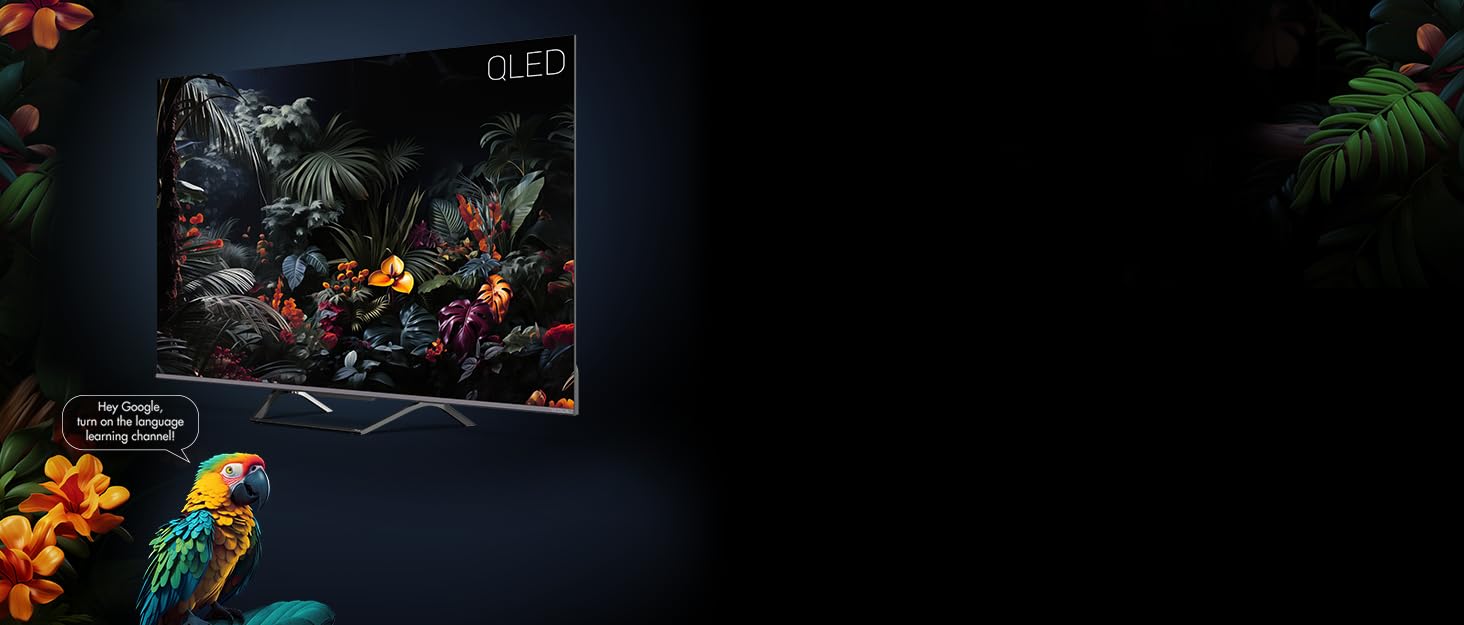
Image 5.2: Google Assistant integration on TESLA QLED TV.
- واجهة جوجل تي في: The home screen provides personalized recommendations, quick access to installed apps like Netflix, YouTube, and Prime Video, and live TV options.
- مساعد جوجل: استخدم الأوامر الصوتية عبر جهاز التحكم عن بعد للبحث عن المحتوى والتحكم في أجهزة المنزل الذكي والحصول على الإجابات والمزيد.
- مدمج في Chromecast: Cast content (videos, photos, music) directly from your compatible mobile devices or computer to the TV screen.
- متجر جوجل بلاي: Download and install over 10,000 additional applications and games.
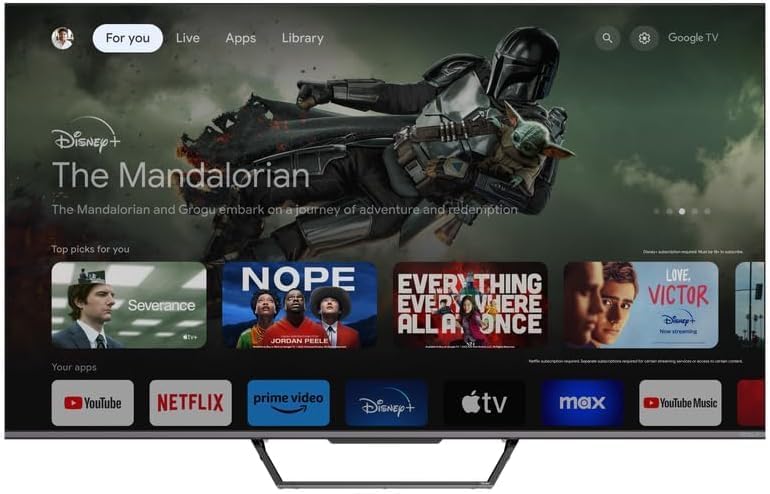
Image 5.3: Google TV home screen with app access.
5.4 الاتصال
يوفر التلفزيون منافذ متعددة لتوصيل الأجهزة الخارجية:
- منافذ HDMI (x3): Connect gaming consoles, Blu-ray players, soundbars, and other HDMI-enabled devices.
- منافذ USB (x2): Connect USB drives for media playback or external storage.
- واي فاي: Connect wirelessly to your home network for internet access.
- بلوتوث: Connect wireless headphones, speakers, or other Bluetooth accessories.
- إيثرنت: للحصول على اتصال إنترنت سلكي مستقر.
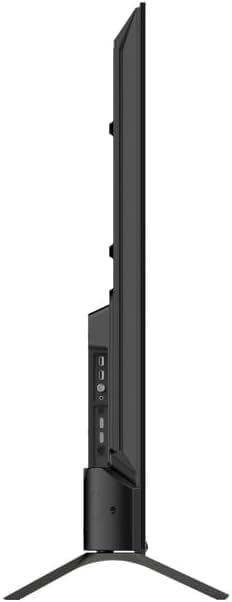
الصورة 5.4: الجانب view of TV with connectivity ports.
5.5 Audio and Picture Settings
- Dolby Atmos & Ultra Surround: Experience immersive, three-dimensional audio. Adjust audio settings in the TV menu to optimize sound for your environment.
- تقنية QLED: Quantum Dot technology delivers over a billion shades of color, enhanced brightness, and superior contrast.
- HDR10: High Dynamic Range 10 provides a wider range of colors and contrasts, resulting in a more realistic image.
- أوضاع الصورة: Select from various preset picture modes (e.g., Standard, Vivid, Movie, Game) or customize settings like brightness, contrast, color, and sharpness to suit your preferences.
6. الصيانة
6.1 التنظيف
افصل التلفزيون عن الكهرباء دائمًا قبل التنظيف. استخدم قطعة قماش ناعمة وجافة لمسح الشاشة والهيكل. لإزالة البقع الصعبة، افركها برفق.ampen the cloth with water or a specialized screen cleaner. Never use abrasive cleaners, waxes, or solvents.
6.2 تحديثات البرامج
Your Google TV will periodically receive software updates to improve performance and add new features. Ensure your TV is connected to the internet to receive these updates. You can check for updates manually in the TV's settings menu.
7. استكشاف الأخطاء وإصلاحها
إذا واجهت مشكلات مع التلفزيون الخاص بك، فراجع المشكلات والحلول الشائعة التالية:
| مشكلة | الحل المحتمل |
|---|---|
| لا يوجد طاقة | Check if the power cable is securely connected to the TV and the power outlet. Ensure the outlet is working. |
| لا توجد صورة، ولكن الصوت موجود | تحقق من مصدر الإدخال. تأكد من توصيل الأجهزة الخارجية وتشغيلها بشكل صحيح. |
| لا يوجد صوت ولكن الصورة موجودة | Check the volume level. Ensure Mute is not activated. Check audio output settings. |
| جهاز التحكم عن بعد لا يعمل | استبدل البطاريات. تأكد من عدم وجود أي عوائق بين جهاز التحكم عن بعد والتلفزيون. |
| لا يمكن الاتصال بشبكة Wi-Fi | Check your router and internet connection. Re-enter the Wi-Fi password. Try restarting the TV and router. |
For further assistance, consult the TESLA support webالموقع أو الاتصال بخدمة العملاء.
8. المواصفات
Key technical specifications for the TESLA QLED Smart TV Model Q55S939GUS:
| ميزة | مواصفة |
|---|---|
| ماركة | تسلا |
| رقم الموديل | Q55S939GUS |
| حجم الشاشة | 55 بوصة (140 سم) |
| تكنولوجيا العرض | تلفزيون كيو إل إي دي |
| دقة | 4K (3840 × 2160) |
| نظام التشغيل | جوجل تي في |
| معدل التحديث | 60 هرتز |
| المميزات الخاصة | Chromecast, Built-in Speaker, Game Mode, Flat Panel, Wide Color Enhancer |
| تكنولوجيا الصوت | Dolby Atmos, Ultra Surround, 2 x 10W Speakers |
| الاتصال | Bluetooth, HDMI (x3), RF, USB (x2), Wi-Fi, Ethernet |
| أبعاد المنتج (العمق × العرض × الارتفاع) | 26.5 × 122.5 × 72 سم |
| لون | فضي معدني |

Image 8.1: Illustrative diagram of TV dimensions and remote control. Note: This product is 55 inches, not 75 inches as shown in the diagram.
9. الضمان والدعم
For warranty information, please refer to the warranty card included with your product or visit the official TESLA website. Keep your proof of purchase for warranty claims. For technical support, troubleshooting assistance, or service requests, please contact TESLA customer support through their official channels.


