1. المقدمة
Thank you for choosing the Redragon K677 PRO RGB Mechanical Gaming Keyboard. This compact 60% keyboard is designed for versatility and performance, offering three connectivity modes: wired USB-C, 2.4GHz wireless, and Bluetooth. It features hot-swappable switches, customizable RGB lighting, and a durable design, making it suitable for both gaming and typing.
This manual will guide you through the setup, operation, maintenance, and troubleshooting of your new keyboard to ensure optimal performance and user experience.
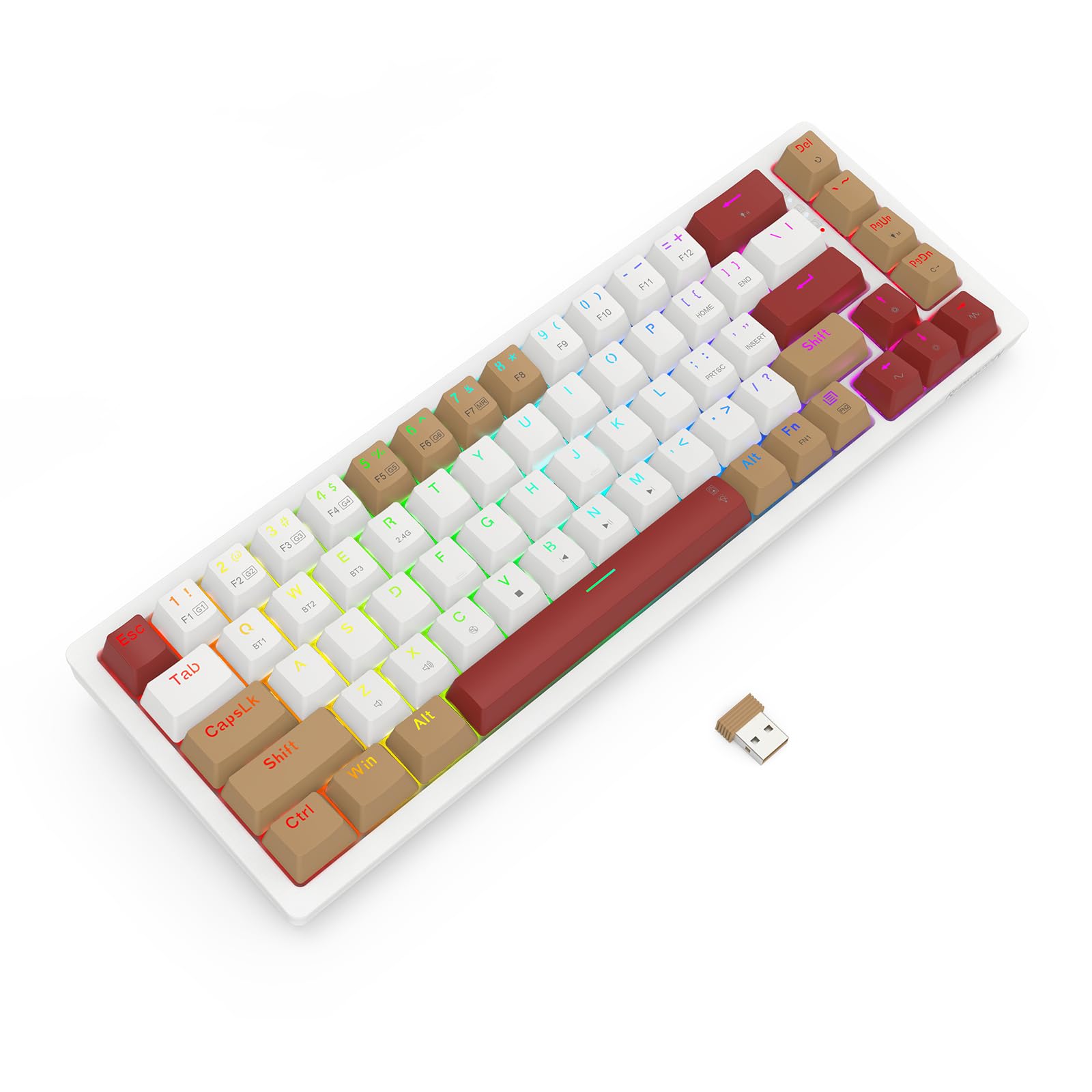
Image 1.1: The Redragon K677 PRO keyboard, showcasing its compact 60% layout and included 2.4GHz wireless dongle.
2. الإعداد
2.1 محتويات العبوة
- Redragon K677 PRO Mechanical Gaming Keyboard
- كابل USB من النوع C قابل للفصل
- دونجل لاسلكي 2.4 جيجا هرتز
- ساحب غطاء المفتاح (قد يكون متضمنًا)
- ساحب التبديل (قد يكون متضمنًا)
- دليل المستخدم
2.2 الشحن الأولي
Before first use, it is recommended to fully charge the keyboard. Connect the provided USB Type-C cable to the keyboard's port and the other end to a USB power source (e.g., computer USB port, wall adapter). The charging indicator (usually an LED) will show charging status and turn off or change color when fully charged.
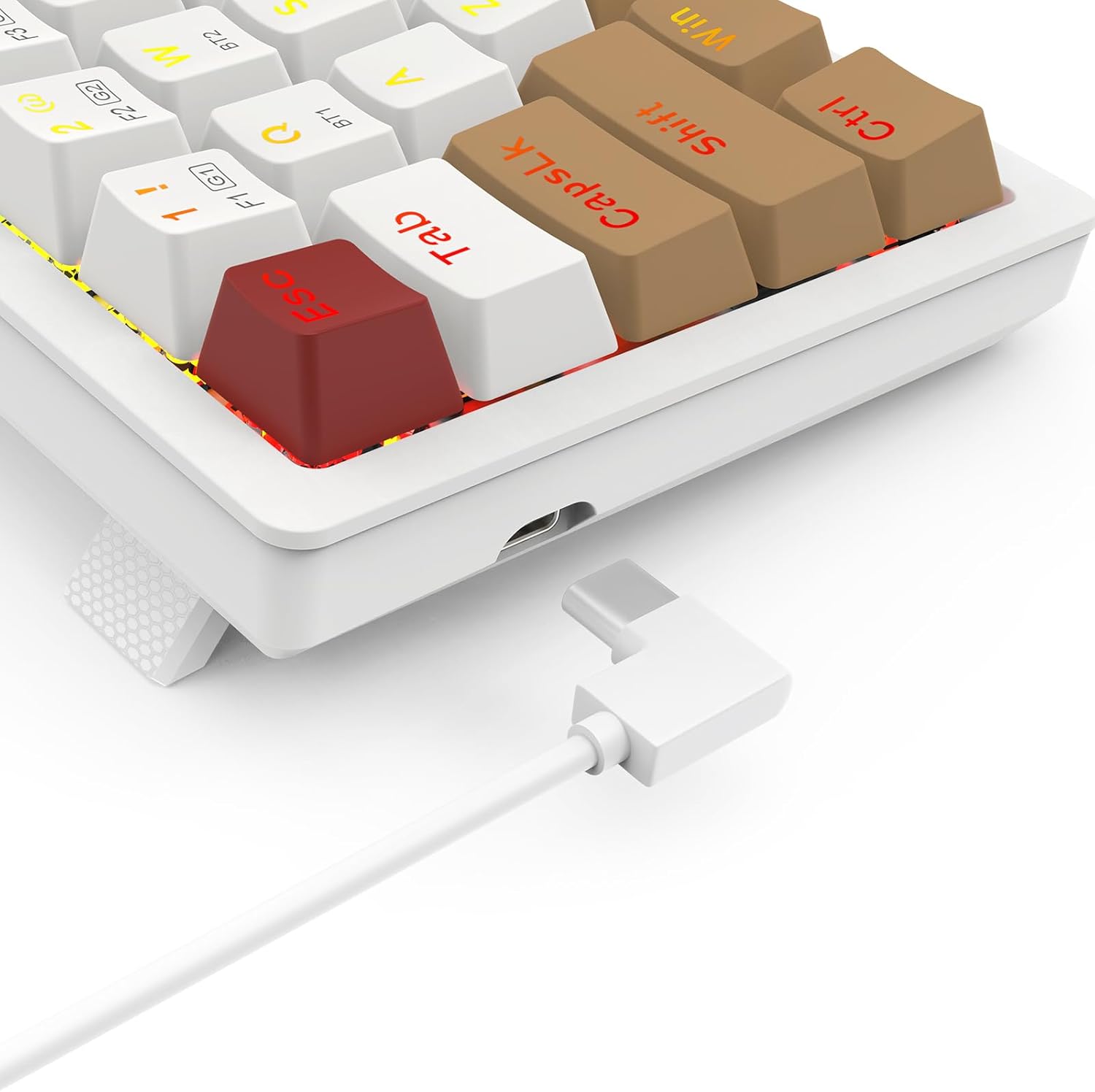
Image 2.1: The USB Type-C port located on the keyboard for wired connection and charging.
2.3 أوضاع الاتصال
The K677 PRO supports three connection modes:
- الوضع السلكي: Connect the keyboard directly to your computer using the USB Type-C cable.
- الوضع اللاسلكي 2.4 جيجا هرتز: Use the included USB dongle for a stable wireless connection.
- وضع البلوتوث: Connect wirelessly to up to three Bluetooth-enabled devices.
2.3.1 أوضاع التحويل
Locate the mode switch on the bottom or side of the keyboard. Switch it to the desired mode: 2.4 جيجا for wireless dongle, BT for Bluetooth, or ensure the cable is connected for سلكي وضع.

Image 2.2: The underside of the keyboard, showing the 2.4G/OFF/BT mode switch and the dedicated slot for storing the 2.4GHz wireless dongle.
2.3.2 2.4GHz Wireless Setup
- Set the keyboard mode switch to 2.4 جيجا.
- أدخل جهاز USB بتردد 2.4 جيجاهرتز في منفذ USB متاح على جهاز الكمبيوتر الخاص بك.
- The keyboard should automatically connect. An indicator light may flash and then become solid to confirm connection.
2.3.3 اقتران بلوتوث
- Set the keyboard mode switch to BT.
- اضغط مع الاستمرار Fn + BT1 (or BT2/BT3) for 3-5 seconds until the corresponding key's backlight flashes rapidly. This indicates pairing mode.
- على جهازك (الكمبيوتر، الجهاز اللوحي، الهاتف)، افتح إعدادات البلوتوث وابحث عن أجهزة جديدة.
- Select "Redragon K677 PRO" (or similar name) from the list of available devices.
- Once connected, the key's backlight will stop flashing and remain solid.
- Repeat for BT2 and BT3 to pair with additional devices. To switch between paired devices, press Fn + BT1/BT2/BT3.
3. تعليمات التشغيل
3.1 وظائف لوحة المفاتيح الأساسية
The K677 PRO features a 60% layout, meaning some standard keys are accessed via function (Fn) key combinations. Refer to the keycap legends for secondary functions.

Image 3.1: Full layout of the Redragon K677 PRO keyboard, highlighting the compact design and RGB backlighting.
3.2 التحكم في الإضاءة الخلفية RGB
The keyboard offers various RGB lighting effects and customization options. Use the following Fn key combinations to control the backlighting:
- Fn + \|: التنقل بين أوضاع الإضاءة الخلفية المختلفة.
- Fn + [{: تقليل سطوع الإضاءة الخلفية.
- Fn + ]}: زيادة سطوع الإضاءة الخلفية.
- Fn + ;:: Decrease backlight speed/animation.
- Fn + '"': Increase backlight speed/animation.
- Fn + <, : Change backlight color (in certain modes).
- Fn + >. : Change backlight color (in certain modes).

Image 3.2: The Redragon K677 PRO keyboard displaying its customizable RGB lighting effects.
3.3 الميزات القابلة للبرمجة
The K677 PRO is highly programmable. Advanced customization, including key remapping and macro creation, can typically be done using dedicated software available from the Redragon website. Refer to the software's instructions for detailed guidance.
4. الصيانة
4.1 تنظيف لوحة المفاتيح
للحفاظ على أداء لوحة المفاتيح ومظهرها:
- افصل لوحة المفاتيح عن الكمبيوتر قبل التنظيف.
- استخدم قطعة قماش ناعمة وخالية من الوبر وامسحها برفق.ampاغسل أغطية المفاتيح والهيكل بالماء أو محلول التنظيف المعتدل.
- لإزالة الغبار والحطام بين المفاتيح، استخدم الهواء المضغوط.
- تجنب استخدام المواد الكيميائية القاسية أو المواد الكاشطة.
4.2 مفاتيح قابلة للتبديل السريع
The K677 PRO features hot-swappable switches, allowing you to change switches without soldering. This enables customization of typing feel and easy replacement of faulty switches.
- باستخدام ساحب المفتاح المقدم، أمسك المفتاح بعناية واسحبه لأعلى بشكل مستقيم لإزالته.
- قم بمحاذاة دبابيس المفتاح الجديد مع الفتحات الموجودة على لوحة الدوائر المطبوعة.
- Gently press the new switch into place until it clicks. Ensure it is seated firmly and evenly.
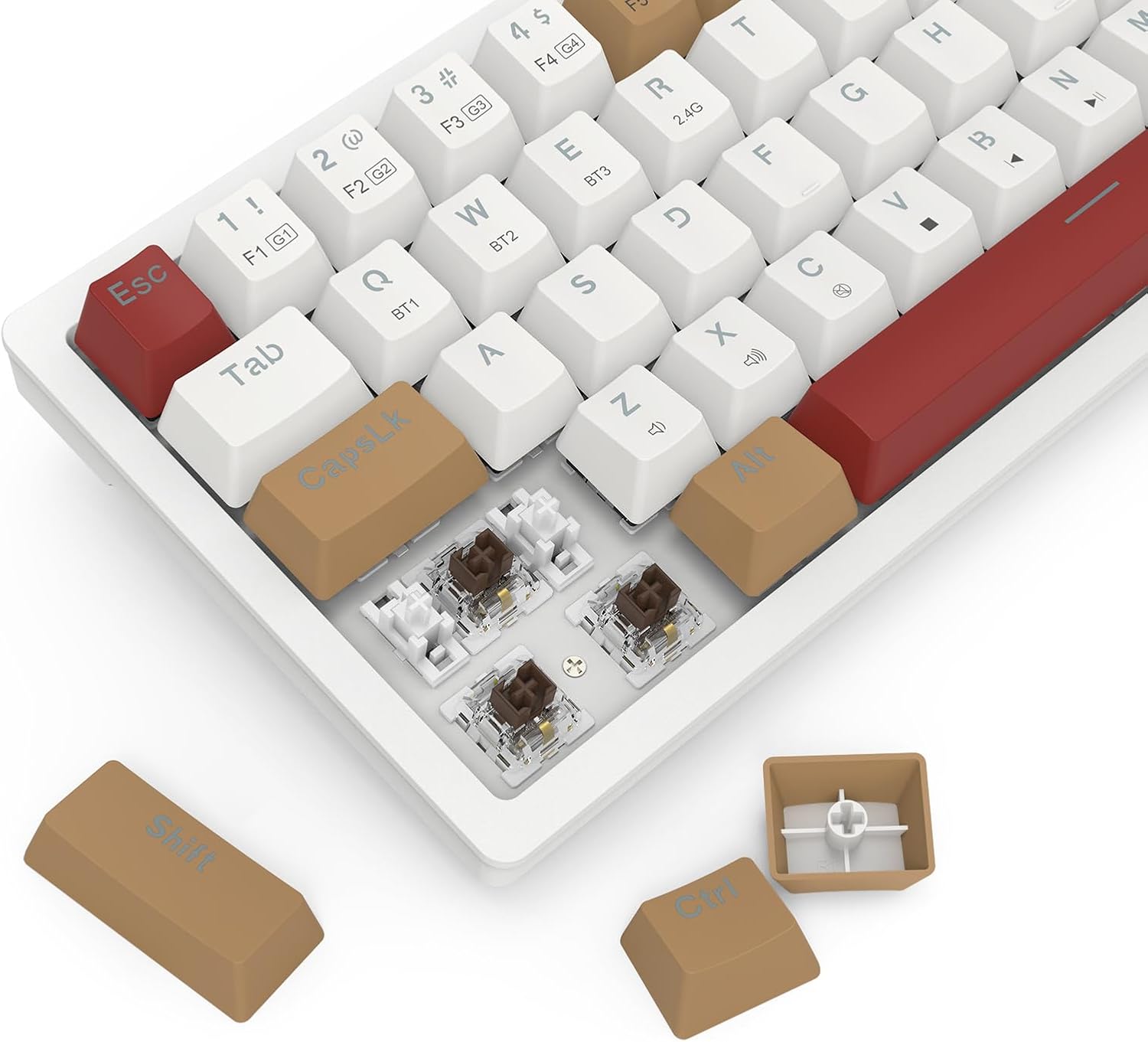
Image 4.1: Detail of the hot-swappable switch sockets, with a keycap and switch removed for illustration.
5. استكشاف الأخطاء وإصلاحها
5.1 لوحة المفاتيح لا تستجيب
- الوضع السلكي: تأكد من توصيل كابل USB-C بإحكام بلوحة المفاتيح والكمبيوتر. جرّب منفذ USB أو كابلًا آخر.
- 2.4 جيجاهرتز لاسلكي: Ensure the 2.4G dongle is properly inserted into a USB port and the keyboard switch is set to 2.4 جيجا. Check battery level.
- وضع البلوتوث: Ensure the keyboard switch is set to BT and it is paired correctly (see Section 2.3.3). Check battery level. Try re-pairing.
- جميع الأوضاع: أعد تشغيل الكمبيوتر الخاص بك.
5.2 Keys Not Working or Double-Typing
- قم بتنظيف المنطقة المحيطة بالمفتاح المتأثر لإزالة أي حطام.
- If the keyboard has hot-swappable switches, try removing and re-inserting the switch for the problematic key. If the issue persists, consider replacing the switch.
5.3 RGB Backlight Not Working or Flickering
- Ensure the backlight is not turned off (check brightness settings using Fn key combinations).
- Check for firmware updates on the Redragon webموقع.
- If using wireless mode, ensure the battery is sufficiently charged.
5.4 Connectivity Issues (Lag, Disconnections)
- الأوضاع اللاسلكية: Ensure there are no strong interference sources (e.g., other wireless devices, large metal objects) between the keyboard and your device.
- Move closer to your device if using Bluetooth.
- تأكد من شحن بطارية لوحة المفاتيح.
6. المواصفات
| ميزة | التفاصيل |
|---|---|
| ماركة | ريد دراجون |
| رقم الموديل | كيه 677 برو |
| تكنولوجيا الاتصال | USB (Wired), 2.4GHz Wireless, Bluetooth |
| وصف لوحة المفاتيح | ميكانيكي |
| الاستخدامات الموصى بها | الألعاب |
| المميزات الخاصة | Mechanical Keyboard, Customizable Display Keys, Hot-Swappable Switches, RGB Backlight |
| دعم ألوان الإضاءة الخلفية | RGB (Red, Green, Blue model) |
| أسلوب | لوحة مفاتيح الألعاب |
| مادة | بلاستيك |
| أبعاد المنتج | 34.01 × 14 × 3.99 سم |
| وزن العنصر | 689 جرام |
| الأجهزة المتوافقة | حاسوب |
| بلد المنشأ | الصين |
7. الضمان والدعم
7.1 معلومات الضمان
للحصول على معلومات مفصلة حول الضمان، يرجى الرجوع إلى بطاقة الضمان المرفقة مع المنتج أو زيارة موقع Redragon الرسمي. webقد تختلف شروط وأحكام الضمان حسب المنطقة.
7.2 دعم العملاء
If you encounter any issues not covered in this manual or require further assistance, please contact Redragon customer support through their official webالموقع أو معلومات الاتصال المقدمة في عبوة المنتج الخاص بك.


