مقدمة
This manual provides comprehensive instructions for the installation, operation, and maintenance of your DAYBETTER IP65 Waterproof Smart WiFi LED Strip Lights. Please read this guide thoroughly before use to ensure proper functionality and safety. This product is designed for both indoor and outdoor applications, offering versatile lighting options with smart control features.
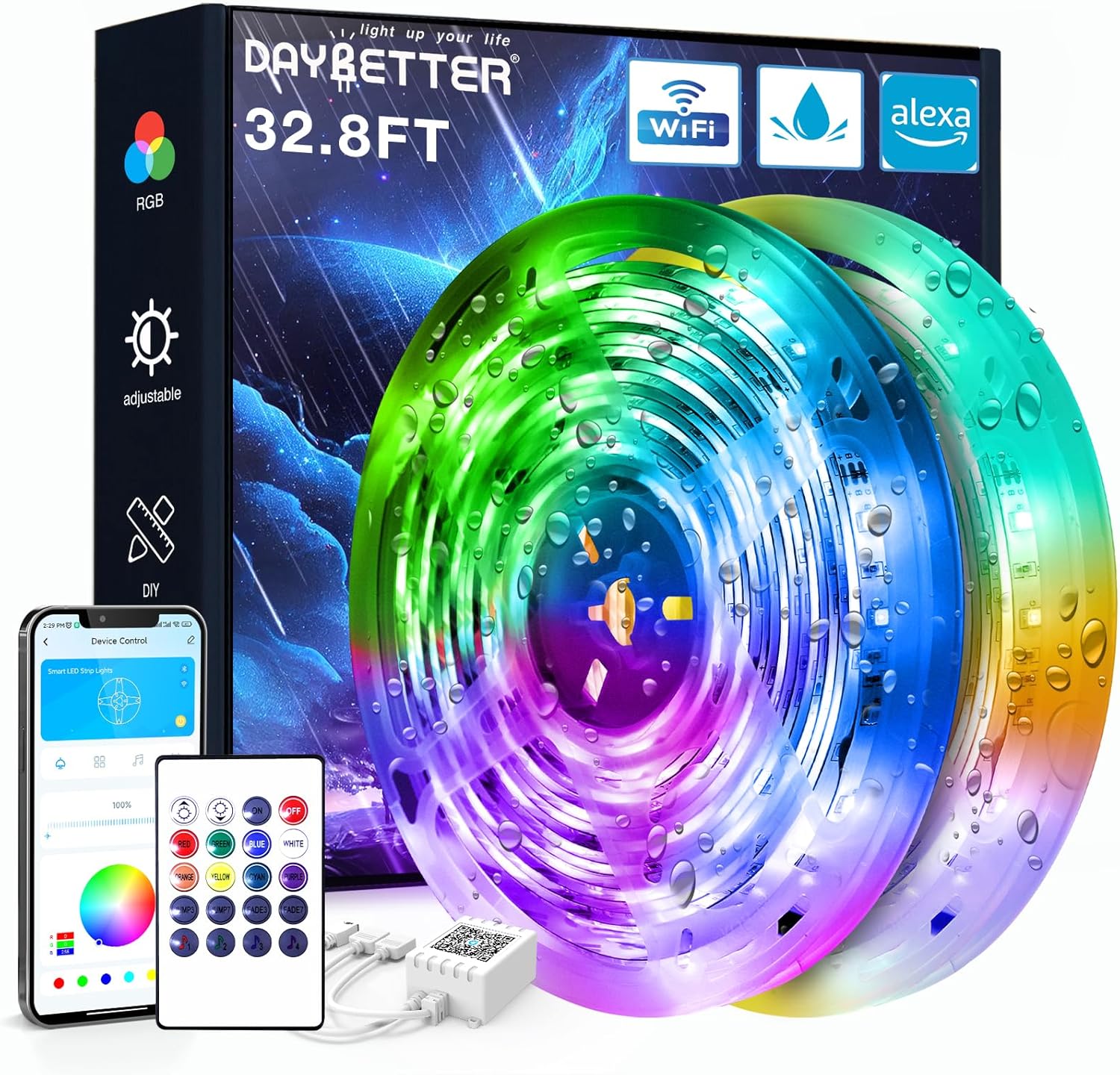
Image: DAYBETTER IP65 Waterproof Smart WiFi LED Strip Lights product packaging and components, including the coiled LED strips, remote control, and power adapter.
المنتج انتهىview
محتويات الحزمة:
- 1 x LED Light Strip (32.8ft)
- شنومكس x إر التحكم عن بعد
- 1 × محول الطاقة
- 1 x IR Receiver/Controller
المميزات الرئيسية:
- تصنيف مقاومة الماء IP65: Suitable for use in rainy and humid environments. ملاحظة: غير مصمم للغمر في الماء.
- اتصال ذكي بشبكة الواي فاي: Control lights via a smartphone application.
- التحكم الصوتي: متوافق مع Alexa وGoogle Assistant للتشغيل بدون استخدام اليدين.
- Color Changing (RGB): Offers a wide spectrum of colors for various lighting effects.
- وظيفة المؤقت: جدولة أوقات التشغيل والإيقاف التلقائي.
- مزامنة الموسيقى: Lights can change in rhythm with music.
معلومات السلامة
- تأكد من فصل مصدر الطاقة قبل التثبيت أو الصيانة.
- لا تقم بقطع شريط LED أثناء توصيله بالطاقة.
- Avoid bending the LED strip at sharp angles to prevent damage to the circuit.
- The LED strip is IP65 waterproof, meaning it is protected against water jets. It is لا designed to be submerged in water.
- استخدم فقط محول الطاقة المرفق. قد يؤدي استخدام محول غير متوافق إلى تلف المنتج أو تعريض سلامتك للخطر.
- Keep the IR receiver unobstructed for optimal remote control functionality.
- تخلص من البطاريات بطريقة مسؤولة وفقًا للوائح المحلية.
تعليمات الإعداد
1. التحضير:
- Unroll the LED strip lights.
- Choose a clean, dry, and smooth surface for installation. Thoroughly clean the surface to ensure optimal adhesive performance.
2. توصيل المكونات:
- Connect the LED strip to the IR receiver. Ensure the arrows on both the strip connector and the IR receiver align correctly. Misalignment will prevent the lights from functioning.
- Connect the power adapter to the IR receiver.
- قم بتوصيل محول الطاقة بمأخذ طاقة مناسب.

Image: Connection diagram for LED strip lights, IR receiver, adapter, and remote. Note the importance of aligning arrows on connectors.
3. التثبيت:
- انزع الغطاء الواقي من الشريط اللاصق الموجود على الجزء الخلفي من شريط LED.
- Carefully press the LED strip onto the prepared surface, applying firm and even pressure along its length.
- Ensure the IR receiver is placed in a location where it can receive signals from the remote control.

الصورة: السابقample of DAYBETTER LED strip lights installed on a house exterior, demonstrating outdoor application.
تعليمات التشغيل
1. عملية التحكم عن بعد:
Point the IR remote control directly at the IR receiver to operate the lights. The remote allows you to:
- Turn lights On/Off.
- ضبط السطوع.
- Select various static colors.
- Choose dynamic lighting modes (e.g., flash, fade, strobe).
2. Smart App Control:
Download the DAYBETTER app (or specified compatible app) from your smartphone's app store. Follow the in-app instructions to connect your LED strip lights to your home WiFi network. The app provides advanced control features:
- اختيار دقيق للألوان من عجلة الألوان.
- Customizable lighting scenes.
- Setting schedules and timers for automatic operation.
- Music synchronization modes.

Image: Smartphone displaying the DAYBETTER app, demonstrating app control over the LED strip lights.
3. التحكم الصوتي (أليكسا ومساعد جوجل):
Once connected to the app, you can link your DAYBETTER lights to Amazon Alexa or Google Assistant. Refer to the app's instructions for linking smart home devices. Once linked, you can use voice commands such as:
- "أليكسا، شغّلي أضواء غرفة المعيشة."
- "يا جوجل، اضبط أضواء غرفة النوم على اللون الأزرق."
- "أليكسا، خفّضي إضاءة المصابيح الخارجية إلى 50%."

Image: Outdoor setting with people, illustrating voice control functionality with Alexa and Google Assistant.
صيانة
- تنظيف: Gently wipe the LED strip with a soft, dry cloth. For outdoor installations, ensure the power is off and use a damp cloth if necessary, then dry thoroughly. Avoid harsh chemicals or abrasive cleaners.
- فحص الاتصال: Periodically inspect all connections (strip to receiver, receiver to adapter) to ensure they are secure and free from corrosion or damage.
- مدة بقاء المادة اللاصقة: If the adhesive begins to lose its grip, consider using additional mounting clips or a stronger double-sided adhesive tape suitable for the environment.
- استبدال البطارية: Replace the remote control battery (Lithium Metal, included) when its range or responsiveness decreases.
استكشاف الأخطاء وإصلاحها
| مشكلة | السبب المحتمل | حل |
|---|---|---|
| الأضواء لا تعمل. | No power, incorrect connection, faulty component. | Check power outlet. Ensure all connections (strip to receiver, receiver to adapter) are secure and arrows align. Test with another power source if possible. |
| جهاز التحكم عن بعد لا يعمل. | Battery depleted, IR receiver obstructed, remote out of range. | Replace remote battery. Ensure direct line of sight to IR receiver. Move closer to the receiver. |
| التحكم في التطبيق لا يعمل. | WiFi connectivity issue, incorrect app setup. | Ensure your phone and lights are on the same 2.4GHz WiFi network. Restart the app and the lights. Re-pair the device in the app if necessary. |
| تومض الأضواء أو تعرض ألواناً غير صحيحة. | Loose connection, damaged strip, power fluctuation. | Check all physical connections. Ensure the power adapter is providing stable power. If a section of the strip is damaged, it may need replacement. |
| اللاصق غير ملتصق. | Surface not clean or dry, unsuitable surface material. | Ensure the surface is thoroughly cleaned and dry before application. For porous or uneven surfaces, use additional mounting clips or stronger adhesive. |
تحديد
| ميزة | التفاصيل |
|---|---|
| ماركة | أفضل يوم |
| رقم الموديل | TB51325020WV2 |
| ASIN | B0D95R5GCN |
| طول | 32.8 قدم |
| تصنيف مقاومة الماء | IP65 (Protected against water jets) |
| نوع وحدة التحكم | App Control, Voice Control (Alexa, Google Assistant), IR Remote Control |
| عدد مصادر الضوء | 150 |
| محول الطاقة | متضمن |
| البطارية عن بعد | 1 بطارية ليثيوم معدنية (متضمنة) |
| وزن العنصر | 0.43 كيلوغرام (15.2 أونصة) |
| أبعاد الحزمة | 6.61 × 6.42 × 1.69 بوصة |
| تاريخ أول توفر | 10 يوليو 2024 |
دعم العملاء
For further assistance, technical support, or warranty inquiries, please contact DAYBETTER customer service through the retailer's platform or the official DAYBETTER website. When contacting support, please provide your product model number (TB51325020WV2) and a detailed description of the issue.
You can visit the official DAYBETTER store for more information: DAYBETTER Store on Amazon


