1. المقدمة
This manual provides detailed instructions for the RadioShack Wireless Active Noise Cancelling Bluetooth Earbuds. Please read this manual thoroughly before using the product to ensure proper operation and to maximize your user experience. Keep this manual for future reference.
2. محتويات العبوة
تأكد من وجود جميع العناصر في العبوة:
- RadioShack Wireless Active Noise Cancelling Bluetooth Earbuds (Left and Right)
- حافظة الشحن
- حافظة حماية
- كابل شحن USB (نوع C)
- دليل المستخدم
3. انتهى المنتجview
The RadioShack Wireless Earbuds feature Active Noise Cancelling (ANC) technology, IPX5 water resistance, and Bluetooth 5.2 connectivity for a stable audio experience. The earbuds are designed for comfort and durability, suitable for various activities.

Image: The black RadioShack wireless earbuds are shown inside their open charging case, highlighting their compact design.

الصورة: لقطة مقربة view of the black wireless earbuds, emphasizing their IPX5 water resistance, which protects against sweat and light rain.
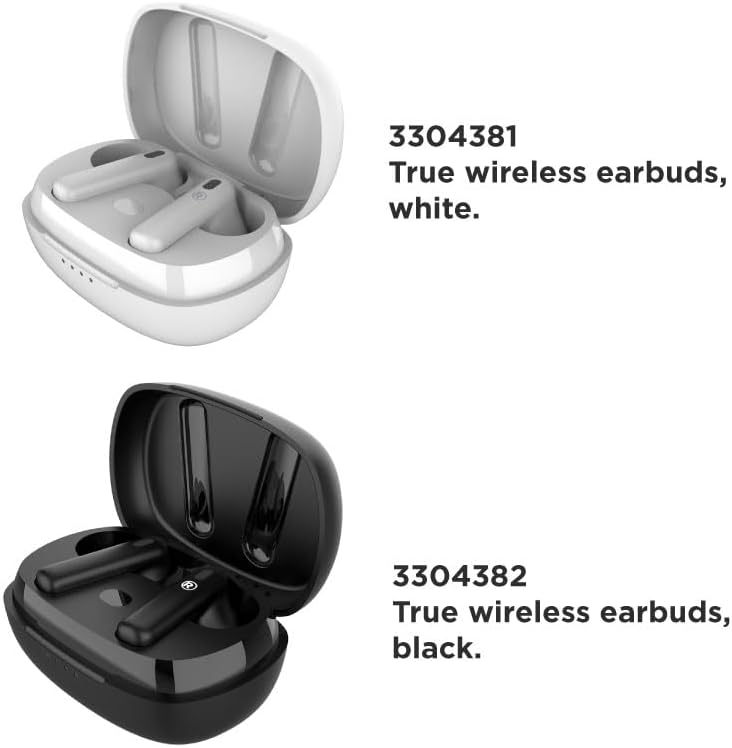
Image: A visual comparison of the white (Model 3304381) and black (Model 3304382) true wireless earbuds, each in their respective charging cases.
4. الإعداد
4.1 شحن سماعات الأذن والعلبة
قبل الاستخدام الأول، اشحن سماعات الأذن وعلبة الشحن بالكامل. تحتوي علبة الشحن على بطارية بسعة 400 مللي أمبير.
- ضع سماعات الأذن داخل علبة الشحن.
- قم بتوصيل كابل الشحن USB بمنفذ الشحن الموجود على العلبة وبمصدر الطاقة.
- The LED indicators on the case will show the charging status. A full charge typically takes approximately 1 hour.
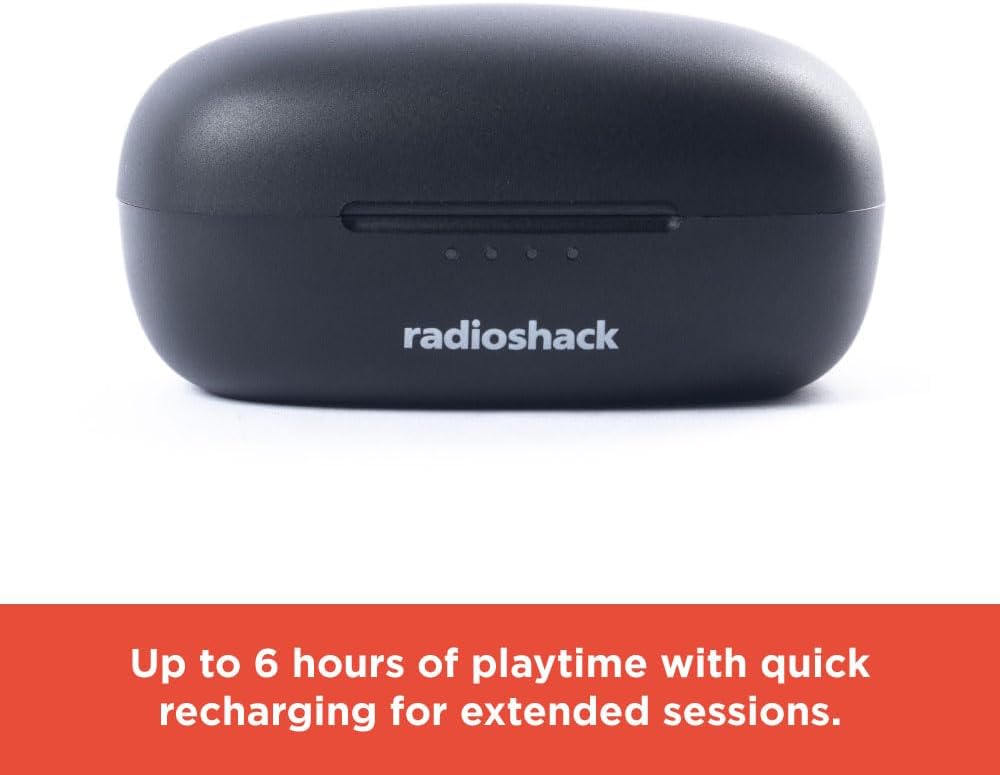
Image: The closed black charging case displays LED indicators, signifying up to 6 hours of playtime with quick recharging capabilities.
4.2 اقتران بلوتوث
The earbuds utilize Bluetooth 5.2 technology for a stable and quick connection.
- تأكد من شحن سماعات الأذن ووضعها في علبة الشحن.
- افتح علبة الشحن. ستدخل سماعات الأذن تلقائيًا في وضع الاقتران.
- على جهازك (الهاتف الذكي، الجهاز اللوحي، الكمبيوتر المحمول)، قم بتمكين البلوتوث وابحث عن الأجهزة المتاحة.
- Select "RadioShack Earbuds" from the list of devices.
- بمجرد الاتصال، سيؤكد صوت التنبيه نجاح الاقتران.

Image: Hands are shown holding the white wireless earbuds within their open charging case, illustrating the hassle-free setup and stable connection without wires.

Image: Icons representing key features: compatibility with Bluetooth 5.2, a 32 ft wireless range, and a 1-hour charging time.
5. تعليمات التشغيل
5.1 تشغيل/إيقاف التشغيل
- تشغيل الطاقة: افتح حافظة الشحن ، وسيتم تشغيل سماعات الأذن تلقائيًا.
- إيقاف التشغيل: أعد وضع سماعات الأذن في علبة الشحن وأغلق الغطاء. ستتوقف تلقائيًا وتبدأ عملية الشحن.
5.2 تشغيل الموسيقى
Use the touch controls on the earbuds for music management:
- تشغيل/إيقاف مؤقت: ضغطة واحدة على أي سماعة أذن.
- المسار التالي: اضغط مرتين على سماعة الأذن اليمنى.
- المسار السابق: اضغط مرتين على سماعة الأذن اليسرى.
5.3 خاصية إلغاء الضوضاء النشطة (ANC)
The Active Noise Cancelling feature reduces external noise for focused listening.
- تفعيل/إلغاء تفعيل خاصية إلغاء الضوضاء النشط: Triple tap on either earbud. A voice prompt will confirm the mode change.

Image: A person is shown wearing a white earbud, with text indicating that Active Noise Cancelling reduces background noise for focused listening.
5.4 المكالمات الهاتفية
Manage calls using the earbud touch controls:
- الرد/إنهاء المكالمة: ضغطة واحدة على أي سماعة أذن.
- رفض المكالمة: اضغط مع الاستمرار على أي من سماعات الأذن لمدة ثانيتين.
Video: This video demonstrates the features and benefits of the RadioShack Noise-Cancelling Wireless Earbuds, including their water resistance, call handling, and playback time.
6. الصيانة
6.1 التنظيف
- امسح سماعات الأذن وعلبة الشحن برفق باستخدام قطعة قماش ناعمة وجافة وخالية من الوبر.
- لا تستخدم المنظفات الكاشطة أو المذيبات أو البخاخات الهوائية.
- تجنب دخول الرطوبة إلى أي فتحات.
6.2 التخزين
- قم بتخزين سماعات الأذن في علبة الشحن الخاصة بها عند عدم استخدامها لحمايتها وإبقائها مشحونة.
- Keep the product in a cool, dry place, away from extreme temperatures and direct sunlight.
7. استكشاف الأخطاء وإصلاحها
إذا واجهت أي مشكلات، راجع الحلول الشائعة التالية:
| مشكلة | حل |
|---|---|
| سماعات الأذن لا تقترن | تأكد من شحن سماعات الأذن. أعد تشغيل البلوتوث على جهازك. احذف الجهاز من إعدادات البلوتوث وأعد إقرانه. |
| لا يوجد صوت من سماعات الأذن | Check volume levels on both earbuds and your connected device. Ensure earbuds are properly paired. |
| علبة الشحن لا تشحن | Verify the charging cable is securely connected to both the case and the power source. Try a different USB port or power adapter. |
| المؤتمر الوطني الأفريقي لا يعمل بشكل فعال | Ensure ANC is activated (triple tap). Adjust earbud placement for a secure fit. |
8. المواصفات
| ميزة | التفاصيل |
|---|---|
| اسم الموديل | Wireless Headphones 400MAH Active Noise Cancelling IPX5 |
| تكنولوجيا الاتصال | لاسلكي (بلوتوث 5.2) |
| مستوى مقاومة الماء | مقاوم للماء IPX5 |
| عمر البطارية | تصل مدة التشغيل إلى 6 ساعات (سماعات الأذن) |
| علبة شحن البطارية | 400 مللي أمبير |
| وقت الشحن | حوالي ساعة واحدة |
| لاسلكي المدى | حتى 32 قدم |
| التحكم في الضوضاء | إلغاء الضوضاء النشط |
| وزن العنصر | 0.08 كيلوغرام (2.89 أونصة) |
| الأجهزة المتوافقة | Smartphones, Laptops, Tablets, Smart TVs |
9. معلومات السلامة
- لا تعرض سماعات الأذن أو علبة الشحن لدرجات حرارة قصوى أو لأشعة الشمس المباشرة أو النار.
- تجنب الاستماع إلى مستويات صوت عالية لفترات طويلة لمنع تلف السمع.
- يحفظ بعيدًا عن متناول الأطفال والحيوانات الأليفة.
- لا تحاول تفكيك المنتج أو تعديله. سيؤدي ذلك إلى إلغاء الضمان.
- تخلص من المنتج والبطاريات بطريقة مسؤولة وفقًا للوائح المحلية.
10. الضمان والدعم
For warranty information or technical support, please contact RadioShack customer service. Refer to the product packaging or the official RadioShack webموقع للحصول على تفاصيل الاتصال.


