1. المقدمة
شكرا لك على الشراءasing the AceGamer RGB Charging Dock for PlayStation Portal. This portable charging station is designed to provide a stable and efficient charging solution for your PlayStation Portal console, featuring customizable RGB lighting and essential protection features. Please read this manual carefully before use to ensure proper operation and maintenance.
2. محتويات العبوة
- AceGamer RGB Charging Dock (1 unit)
- كابل شحن من النوع C (وحدة واحدة)
- دليل المستخدم (هذه الوثيقة)
3. مواصفات المنتج
- Dedicated Charging: Specifically designed for the PlayStation Portal console.
- إضاءة RGB: Features 7 distinct lighting modes for personalized aesthetics.
- الشحن السريع: Efficient power delivery for fast charging.
- حماية السلامة: المدمج في الإفراط في التيار، الإفراط في الحجمtagه، وتحت المجلدtagالحماية الإلكترونية.
- تصميم مريح: 30-degree comfortable viewing angle for the PlayStation Portal.
- قاعدة مستقرة: Equipped with anti-slip mats for secure placement.
- الاتصال: USB Type-C input for power.
4. تعليمات الإعداد
- توصيل الطاقة: Insert the provided Type-C charging cable into the charging dock's input port and connect the other end to a suitable USB power adapter (not included).

Figure 4.1: Connecting the Type-C power cable to the charging dock.
- Place PlayStation Portal: Carefully align your PlayStation Portal console with the charging connector on the dock and gently place it into position. Ensure a secure connection for charging. The dock is designed to hold the Portal at a 30-degree angle for optimal viewعمل.

Figure 4.2: PlayStation Portal placed on the charging dock at a 30-degree angle.
- Anti-slip Stability: The base of the charging dock is equipped with anti-slip mats to prevent accidental movement. Ensure the dock is placed on a flat, stable surface.
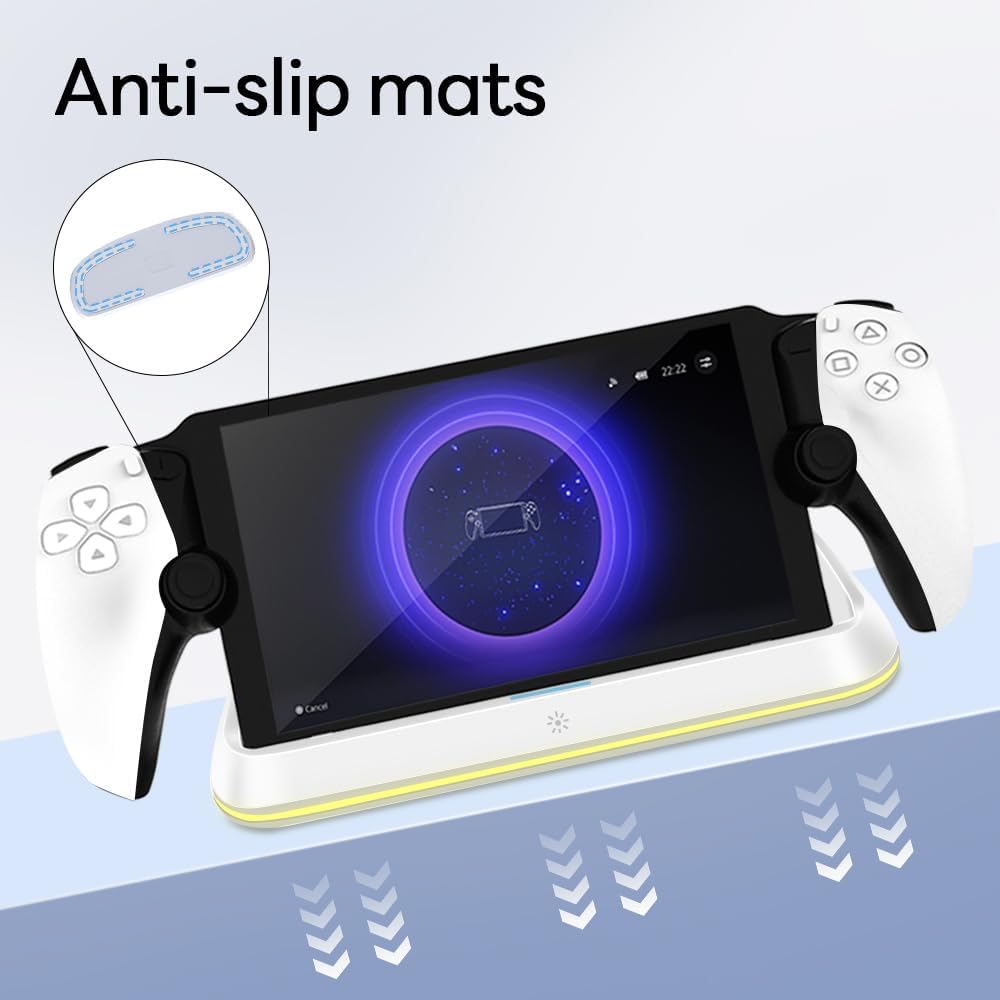
Figure 4.3: Anti-slip mats on the charging dock for enhanced stability.
- دليل مرئي: For a visual demonstration of the setup process, please refer to the video below.
Video 4.1: Demonstration of connecting the power supply and placing the PlayStation Portal onto the charging dock.
5. تعليمات التشغيل
- Charging the PlayStation Portal: Once the PlayStation Portal is correctly seated on the dock and the dock is powered, charging will begin automatically. A full charge typically takes approximately 3.5 hours. The dock includes protection against over-current, over-voltagه، وتحت المجلدtage to safeguard your device.

Figure 5.1: Charging indicators and safety protection features.
- التحكم في إضاءة RGB: The charging dock features a touch-sensitive button to control the RGB lighting. Press the button to cycle through 7 different lighting modes or to turn the lights off.

Figure 5.2: RGB lighting modes and touch control button.
6. الصيانة
- Keep the charging dock clean and free from dust. Use a soft, dry cloth for cleaning.
- تجنب تعريض الجهاز لدرجات حرارة شديدة أو رطوبة أو أشعة الشمس المباشرة.
- لا تستخدم المنظفات الكاشطة أو المذيبات، لأنها قد تتلف السطح.
- Ensure the charging port and connector are free of debris before placing the PlayStation Portal.
7. استكشاف الأخطاء وإصلاحها
- الجهاز لا يشحن:
- Ensure the Type-C cable is securely connected to both the dock and the power adapter.
- تأكد من أن محول الطاقة يعمل بشكل صحيح وموصول بمأخذ كهربائي يعمل.
- Check if the PlayStation Portal is properly seated on the charging connector.
- جرب استخدام كابل Type-C أو محول طاقة مختلف.
- أضواء RGB لا تعمل:
- Ensure the charging dock is powered on.
- Press the touch light button to cycle through modes or turn the lights on.
- Unstable placement:
- Ensure the dock is placed on a flat, level surface.
- Check if the anti-slip mats are clean and intact.
8. المواصفات
| ماركة | com.AceGamer |
| رقم الموديل | PS-P-White |
| الأجهزة المتوافقة | بوابة بلاي ستيشن |
| حجم الإدخالtage | 5 فولت |
| واتtage | 7 واط |
| نوع الموصل | USB Type-C (for power input) |
| المميزات الخاصة | RGB Lighting, Fast Charging, Over-current Protection, Over-voltage Protection, Under-voltagالحماية |
| أبعاد | حوالي 22.5 × 8.9 × 8.4 سم |
| وزن | حوالي 290 جرام |
9. الضمان والدعم
AceGamer products are designed and manufactured to the highest quality standards. For warranty information or technical support, please contact the retailer where you purchased the product or visit the official AceGamer webللحصول على تفاصيل الاتصال بخدمة العملاء، يرجى زيارة الموقع الإلكتروني. يرجى الاحتفاظ بإثبات الشراء لتقديم مطالبات الضمان.


