1. المقدمة
This manual provides detailed instructions for the setup, operation, and maintenance of your Stealth Cam Deceptor MAX Cellular Trail Camera. Designed for outdoor surveillance, this camera captures high-resolution photos and videos, offering advanced features for monitoring wildlife or property.

Figure 1: Stealth Cam Deceptor MAX Cellular Trail Camera with included accessories.
2. الميزات الرئيسية
- تصوير عالي الدقة: Captures up to 40MP photos and 1440P QHD videos with audio.
- No-Glo LED Technology: Features a 36-piece 940nm No-Glo LED array for invisible detection and flash range up to 80 feet, ensuring discreet operation.
- سرعة الزناد السريعة: Achieves a lightning-fast 0.4-second trigger speed and a 2-59-second recovery time to minimize missed events.
- وضع الانفجار: Capable of taking up to 9 photos in a single burst.
- اتصال ثنائي الشريحة: Equipped with 2 pre-installed SIM cards for seamless connection to AT&T and Verizon network signals.
- COMMAND Pro App Integration: يسمح بالتحكم عن بعد viewing, sharing, and customization of camera settings from any app-enabled mobile device or web واجهة.
- خيارات الطاقة المرنة: Operates on 16 AAA batteries (not included) and includes a 12V DC auxiliary jack for external power sources. Compatible with rechargeable battery cartridges (sold separately) and includes solar panels for extended field life.
- تصميم متين: Features a robust, weatherproof housing suitable for outdoor use.
- تركيب متعدد الاستخدامات: Includes a 1/4"-20 threaded insert and a multi-position mount for various installation scenarios.
3. دليل الإعداد
3.1. تركيب البطارية
- افتح مزلاج غطاء الكاميرا.
- حدد مكان حجرة البطارية.
- Insert 16 fresh AAA batteries, ensuring correct polarity.
- أغلق حجرة البطارية بشكل محكم.
3.2. إدخال بطاقة SD
- Locate the SD card slot inside the camera.
- Insert a 32GB Lexar SD card (included) into the slot until it clicks into place. Ensure the card is formatted before first use.

الشكل 2: داخلي view of the camera, highlighting battery and SD card slots.
3.3. Network Activation (Quick Scan QR Setup)
- تنزيل COMMAND Pro App from your mobile device's app store.
- إنشاء حساب أو تسجيل الدخول.
- Follow the in-app instructions to add a new camera. This typically involves scanning the QR code located inside the camera's battery compartment.
- The camera features pre-installed dual SIM cards for AT&T and Verizon. The app will guide you through activating the appropriate network plan.
- Once activated, the camera will attempt to establish a connection. Monitor the status lights inside the camera for successful connection (Battery, Network, Account).
4. تعليمات التشغيل
4.1. التشغيل الأساسي
- After successful setup, close the camera housing securely.
- The camera will enter monitoring mode and begin capturing images/videos based on its configured settings when motion is detected.
- The No-Glo LED ensures that the camera operates without emitting visible light, making it ideal for discreet wildlife observation.
4.2. Remote Control via COMMAND Pro App
The COMMAND Pro App provides comprehensive remote control over your Deceptor MAX camera:
- View الصور/الفيديو: Access captured media directly from your phone.
- Share Media: Easily share photos and videos with others.
- تخصيص الاعدادات: Adjust photo resolution (up to 40MP), video resolution (1440P QHD), PIR delay (2-59 seconds recovery time), burst mode (up to 9 photos), and other operational parameters.
- تلقي الإخطارات: Get instant alerts when new activity is detected.
الفيديو 1: انتهىview of the Stealth Cam Deceptor MAX features and app integration.
5. COMMAND Pro App
The COMMAND Pro App is your central hub for managing your Stealth Cam Deceptor MAX. It offers a user-friendly interface to:
- الوصول عن بعد: View images and videos from your camera without physically visiting its location.
- الإشعارات في الوقت الحقيقي: Receive alerts on your mobile device when the camera is triggered.
- إدارة الإعدادات: Adjust all camera settings, including resolution, trigger delay, and burst mode, directly from the app.
- إدارة البيانات: Organize, filter, and download your captured media.
Video 2: Demonstration of the COMMAND Pro App features, including live view and image management.
6. خيارات الطاقة
The Deceptor MAX offers flexible power solutions to ensure continuous operation:
- البطاريات الداخلية: Requires 16 AAA batteries (not included). For optimal performance, use high-quality alkaline or lithium batteries.
- طاقة خارجية: Features a 12V DC auxiliary jack for connecting external power sources.
- الألواح الشمسية: The package includes Stealth Cam Durable Solar Battery Packs, which can be connected to extend the camera's battery life and reduce the need for frequent battery changes.
- Rechargeable Battery Cartridge: Compatible with a rechargeable battery cartridge (sold separately) for an eco-friendly and cost-effective power solution.
7. تركيب الكاميرا
Proper mounting is crucial for effective surveillance. The Deceptor MAX offers several mounting options:
- تركيب الحزام: Use the included strap to secure the camera to a tree or pole. Ensure the camera is stable and pointed towards the desired area.
- Threaded Insert: A 1/4"-20 threaded insert allows for compatibility with various camera mounts, such as tripods or specialized tree mounts.
- حامل متعدد الأوضاع: The integrated multi-position mount provides flexibility in adjusting the camera's angle and direction.
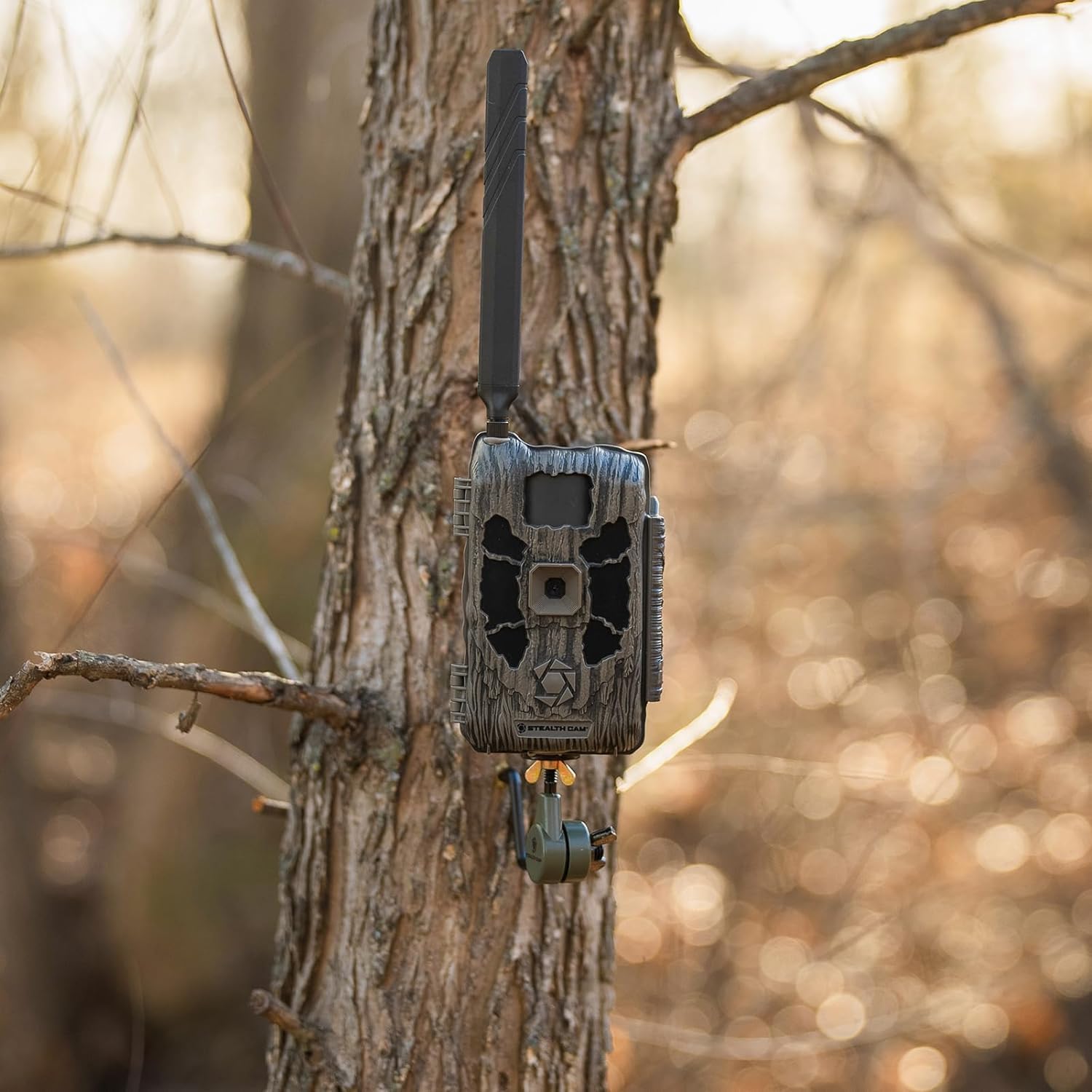
Figure 3: Stealth Cam Deceptor MAX securely mounted on a tree.
8. المواصفات
| ميزة | مواصفة |
|---|---|
| اسم الموديل | ديسيبتور ماكس |
| رقم موديل العنصر | STC-DCPTRX-2PK |
| الاستخدام الداخلي والخارجي | في الهواء الطلق |
| دقة ثابتة فعالة | 40 ميجا بكسل |
| دقة التقاط الفيديو | 1440P كيو اتش دي |
| تكنولوجيا الاتصال | Wireless (Cellular, Wi-Fi) |
| بروتوكول الاتصال | خلوي |
| مصدر الطاقة | Battery Powered (16 AAA, not included), 12V DC Auxiliary Jack |
| ميزة خاصة | Motion Sensor, No-Glo LED |
| سرعة الزناد | ثانيتين |
| مدى الكشف | 80 قدم |
| أبعاد المنتج الطول × العرض × الارتفاع | 3.5 × 1 × 5 بوصة |
| وزن العنصر | 7.04 رطل |
9. استكشاف الأخطاء وإصلاحها
- لا يوجد طاقة: Ensure batteries are correctly installed and fully charged. Check external power connections if applicable.
- لا يوجد اتصال بالشبكة: Verify SIM card activation through the COMMAND Pro App. Check signal strength in the camera's location. Relocate the camera if signal is weak.
- No Photos/Videos: Ensure the SD card is properly inserted and formatted. Check camera settings for correct capture mode and trigger sensitivity.
- ضعف جودة الصورة: Adjust photo/video resolution settings in the COMMAND Pro App. Ensure the lens is clean and free from obstructions.
10. الصيانة
- تنظيف: Regularly clean the camera lens and PIR sensor window with a soft, lint-free cloth. Avoid abrasive materials.
- فحص البطارية: Periodically check battery levels via the COMMAND Pro App or by inspecting the camera. Replace or recharge batteries as needed.
- تحديثات البرامج الثابتة: Check the COMMAND Pro App for any available firmware updates to ensure optimal performance and access to new features.
- تخزين: When not in use, store the camera in a cool, dry place with batteries removed.
11. الضمان والدعم
For warranty information, technical support, or service inquiries, please refer to the official Stealth Cam webالموقع الإلكتروني أو تواصل مع قسم خدمة العملاء. احتفظ بإيصال الشراء كإثبات للشراء في حال وجود أي مطالبات بالضمان.
الموارد المتاحة على الإنترنت: قم بزيارة متجر كاميرات التخفي لمزيد من المعلومات والدعم حول المنتج.


