مقدمة
This manual provides essential information for setting up, operating, and maintaining your Nubia Flip 5G smartphone. Please read this guide thoroughly to ensure proper use and to maximize the device's features. Keep this manual for future reference.
ماذا يوجد في الصندوق
Upon unboxing your Nubia Flip 5G, verify that all the following items are present:
- Nubia Flip 5G Smartphone
- كابل يو اس بي
- محول الطاقة
- سماعة الرأس
- أداة قاذف SIM
- Quick Start Guide (separate document, not included in this digital manual)
تخطيط الجهاز
Familiarize yourself with the physical components and buttons of your Nubia Flip 5G.

الشكل 1: زيادةview of the Nubia Flip 5G in various states and angles, highlighting its foldable design and external features.
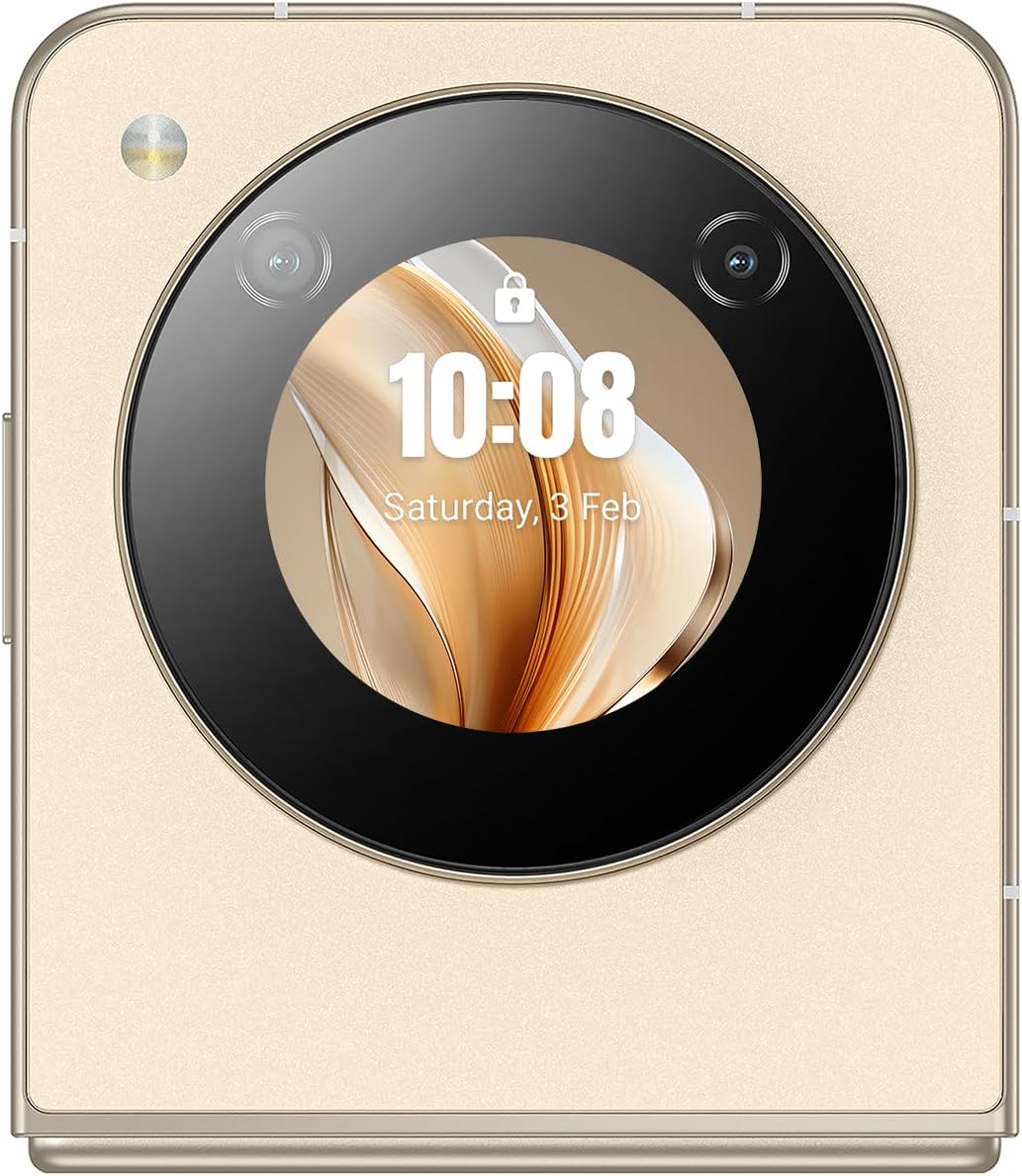
الشكل 2: جانب مفصل view of the Nubia Flip 5G, illustrating the placement of the power button (which often integrates a fingerprint sensor), volume control buttons, and the USB-C charging/data port.
- الشاشة الرئيسية: The primary 6.9-inch foldable screen.
- شاشة الغلاف: A circular external display for quick information and interactions when folded.
- زر التشغيل/مستشعر بصمة الإصبع: Located on the side, used to power on/off and unlock the device.
- أزرار التحكم في الصوت: ضبط مستوى الوسائط والمكالمات.
- منفذ USB-C: للشحن ونقل البيانات.
- درج بطاقة SIM: Slot for inserting Nano-SIM cards.
- الكاميرا الرئيسية: High-resolution camera system on the rear.
- الكاميرا الأمامية: Camera located on the main display for selfies and video calls.
يثبت
1. أدخل بطاقة SIM
- حدد مكان درج بطاقة SIM على جانب الجهاز.
- قم بإدخال أداة إخراج بطاقة SIM في الفتحة الصغيرة الموجودة بجوار الدرج لفتحها.
- Place your Nano-SIM card(s) into the tray with the gold contacts facing down. The Nubia Flip 5G supports Dual SIM functionality.
- قم بدفع الدرج بعناية إلى الفتحة مرة أخرى حتى يصبح مستويًا مع جسم الجهاز.
2. التشغيل الأولي
Press and hold the Power button until the Nubia logo appears on the screen. The device will boot up.
3. الإعداد الأساسي
Follow the on-screen prompts to complete the initial setup process. This typically includes:
- اختيار اللغة الخاصة بك.
- الاتصال بشبكة Wi-Fi.
- تسجيل الدخول باستخدام حسابك على جوجل.
- إعداد قفل الشاشة (رقم التعريف الشخصي أو النمط أو كلمة المرور أو بصمة الإصبع).
- Reviewالموافقة على الشروط والأحكام.
تشغيل جهازك
1. للطي والتكشف
The Nubia Flip 5G features a durable hinge mechanism designed for frequent folding and unfolding. Always unfold the device gently and avoid applying excessive pressure to the screen crease.

الشكل 3: The Nubia Flip 5G in its fully unfolded state, ready for full-screen interaction.
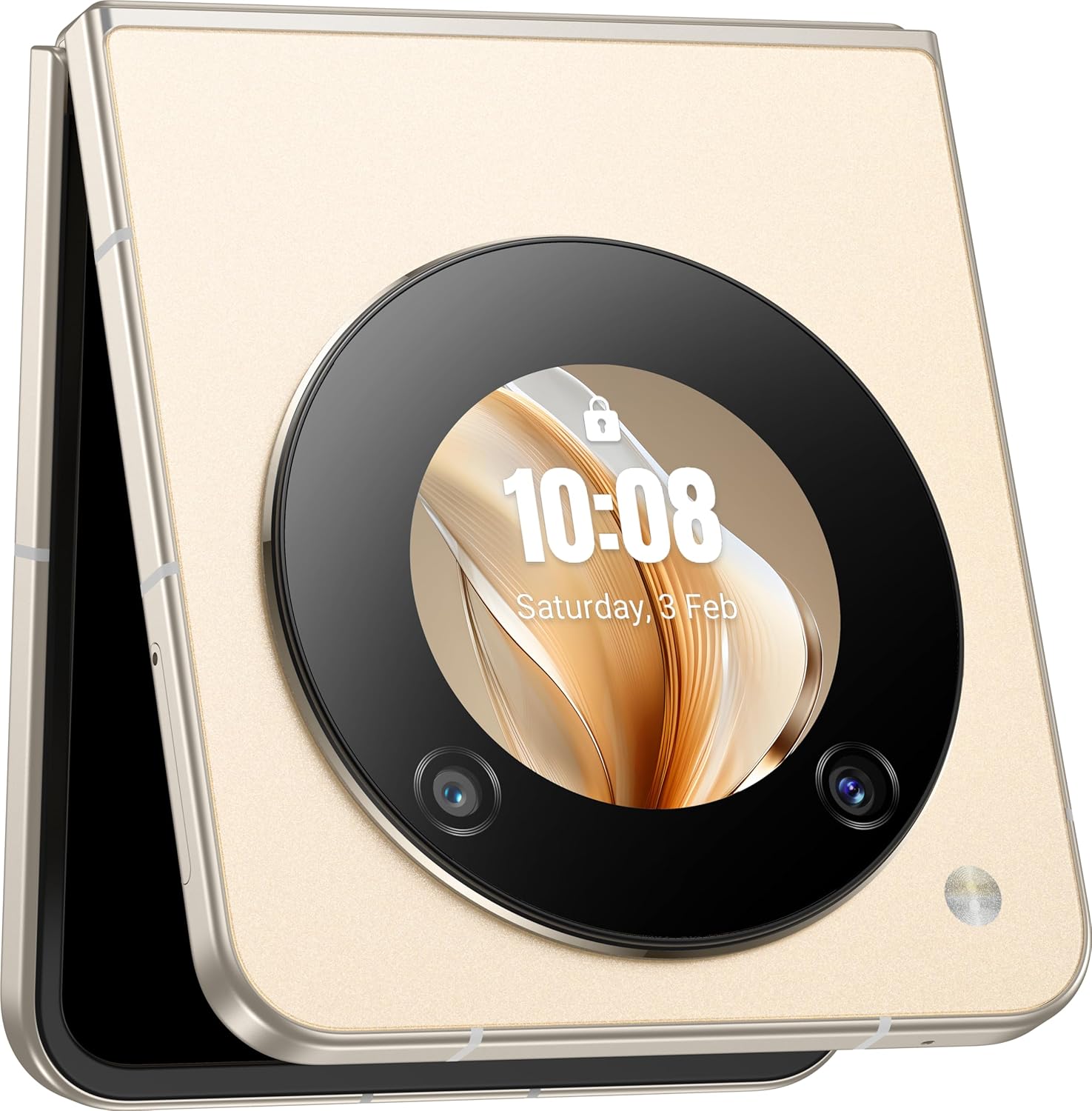
الشكل 4: The Nubia Flip 5G in its compact, folded state, showcasing the functional cover screen.
2. استخدام الشاشة الرئيسية
When unfolded, the 6.9-inch FHD+ display provides a full smartphone experience. Navigate using touch gestures, access apps, browse the internet, and enjoy multimedia content.
3. Cover Screen Usage
The circular cover screen allows for quick access to notifications, time, date, and other widgets without unfolding the phone. It can also be used for quick selfies with the main camera.

الشكل 5: The cover screen displaying a live preview for taking selfies using the high-resolution main camera.
4. وظائف الكاميرا
The device features a 50 MP main camera and a front camera. Access the camera app to capture photos and videos. Utilize various modes such as Portrait, Night, and Pro mode for enhanced photography.

الشكل 6: The Nubia Flip 5G in a flexed position, demonstrating its utility for hands-free video calls or content viewعمل.
5. الاتصال
- شبكة 5G: استمتع باتصال بيانات جوال فائق السرعة. تأكد من أن شريحة SIM الخاصة بك وباقة اشتراكك تدعمان تقنية الجيل الخامس 5G.
- واي فاي: اتصل بشبكات لاسلكية للوصول إلى الإنترنت. انتقل إلى الإعدادات > الشبكة والإنترنت > واي فاي.
- بلوتوث: Pair with wireless headphones, speakers, and other Bluetooth devices. Go to Settings > Connected devices > Bluetooth.
- NFC: استخدم تقنية الاتصال قريب المدى (NFC) لإجراء عمليات الدفع بدون تلامس ومشاركة البيانات بسرعة.
6. إدارة البطارية
The Nubia Flip 5G is equipped with a 4310 mAh battery and supports 33W fast charging. To optimize battery life:
- ضبط سطوع الشاشة.
- قم بتعطيل ميزات الاتصال غير المستخدمة (واي فاي، بلوتوث، نظام تحديد المواقع العالمي).
- إغلاق التطبيقات الخلفية.
- استخدم أوضاع توفير الطاقة.
صيانة
1. تنظيف جهازك
Use a soft, lint-free cloth to clean the screen and body of your phone. Avoid abrasive materials or harsh chemicals. For the foldable screen, wipe gently from the center outwards.
2. تحديثات البرامج
تحقق من تحديثات البرامج بانتظام وثبتها لضمان حصول جهازك على أحدث الميزات وتحديثات الأمان وتحسينات الأداء. انتقل إلى الإعدادات > النظام > تحديث النظام.
3. إدارة التخزين
مع سعة تخزين داخلية تبلغ 256 جيجابايت، لديك ample space for apps and media. Periodically review قم بمراقبة استخدامك لمساحة التخزين وحذف العناصر غير الضرورية. files or apps to maintain optimal performance. Go to Settings > Storage.
استكشاف الأخطاء وإصلاحها
القضايا والحلول المشتركة
- الجهاز لا يعمل: تأكد من شحن البطارية. قم بتوصيلها بمحول الطاقة وحاول مرة أخرى.
- تعطل التطبيقات: Clear the app's cache (Settings > Apps > [App Name] > Storage & cache > Clear cache) or reinstall the app.
- إشارة الشبكة ضعيفة: تأكد من إدخال بطاقة SIM. انتقل إلى منطقة ذات تغطية شبكة أفضل.
- الشاشة لا تستجيب: أعد تشغيل الجهاز بالضغط مع الاستمرار على زر الطاقة.
إعادة ضبط المصنع
تحذير: ستؤدي إعادة ضبط المصنع إلى مسح جميع البيانات من جهازك. انسخ بياناتك المهمة احتياطيًا قبل المتابعة.
لإجراء إعادة ضبط المصنع، انتقل إلى الإعدادات > النظام > خيارات إعادة الضبط > مسح جميع البيانات (إعادة ضبط المصنع).
تحديد
| ميزة | التفاصيل |
|---|---|
| اسم الموديل | Nubia Flip |
| رقم الموديل | 123434301000 |
| نظام التشغيل | أندرويد 13.0 |
| المعالج | Qualcomm Snapdragon 7 Gen1, Octa-Core, 2.4 GHz |
| كبش | 8 جيجا بايت |
| التخزين الداخلي | 256 جيجا بايت |
| الشاشة الرئيسية | 6.9 Inch FHD+ (1080 x 1920), 120 Hz Refresh Rate |
| الكاميرا الرئيسية | 50 ميجا بكسل |
| الكاميرا الأمامية | 50M AF 2M FF |
| سعة البطارية | 4310 مللي أمبير |
| الشحن | دعم الشحن السريع بقوة 33 وات |
| الاتصال | 5G, Wi-Fi, Bluetooth, NFC, USB-C |
| الأبعاد (مطوية) | Approximately 8.5 x 7.55 x 1.4 cm (estimated from unfolded dimensions) |
| الأبعاد (غير مطوية) | 17 × 7.55 × 0.7 سم |
| وزن | 209 جرام |
| المميزات الخاصة | Dual SIM, Foldable Screen, Cover Screen |
معلومات السلامة
يرجى مراعاة إرشادات السلامة التالية لمنع تلف جهازك أو إصابتك:
- لا تعرض الجهاز لدرجات حرارة قصوى أو لأشعة الشمس المباشرة أو للرطوبة.
- تجنب إسقاط الجهاز أو تعريضه لصدمة شديدة.
- استخدم فقط الشواحن والملحقات المعتمدة.
- لا تحاول تفكيك الجهاز أو إصلاحه بنفسك.
- Keep the device away from medical implants, as it contains magnets.
- تخلص من الجهاز وبطاريته بطريقة مسؤولة وفقًا للوائح المحلية.
الضمان والدعم
Your Nubia Flip 5G comes with a standard manufacturer's warranty. For detailed warranty terms and conditions, please refer to the warranty card included in your product packaging or visit the official Nubia webموقع.
For technical support, troubleshooting assistance, or service inquiries, please contact Nubia customer support through their official channels. You may find contact information on the Nubia webالموقع أو في وثائق المنتج الخاص بك.
الموارد المتاحة على الإنترنت: For additional support and FAQs, visit the official النوبة webموقع.


