1. المقدمة
يوفر هذا الدليل معلومات أساسية لإعداد وتشغيل وصيانة واستكشاف أعطال جهاز Black الخاص بكview Color 8 Android smartphone. Please read this manual thoroughly to ensure proper use and to maximize the device's capabilities.
2. ماذا يوجد في الصندوق
تأكد من وجود جميع العناصر في عبوة المنتج الخاص بك:
- أسودview هاتف ذكي ملون 8
- حافظة الهاتف
- محول الطاقة
- أداة إخراج درج بطاقة SIM
- واقي الشاشة (مُطبق مسبقًا أو مُرفق)

صورة: أسودview Color 8 smartphone shown with its standard accessories, including a clear phone case and a gift box representing other items.
3. انتهى الجهازview
تعرّف على المكونات المادية لجهازك الأسودview هاتف ذكي ملون 8.

الصورة: مفصلة view من السودview Color 8's side, highlighting the 3-card slot for SIM and MicroSD, the 3.5mm audio jack, and the Smart-K box speaker. Icons also indicate GPS, Face ID, and Fingerprint ID features.
4. الإعداد
4.1 SIM Card & MicroSD Installation
الأسودview Color 8 supports dual Nano SIM cards and one MicroSD/TF card for expanded storage. Use the provided SIM tray ejector tool to open the tray.
- حدد مكان فتحة درج شريحة SIM على جانب هاتفك.
- قم بإدخال أداة إخراج درج بطاقة SIM في الفتحة الصغيرة الموجودة بجوار الدرج واضغط برفق حتى يخرج الدرج.
- Place your Nano SIM cards and/or MicroSD card into the designated slots on the tray, ensuring correct orientation.
- قم بإعادة إدخال الدرج داخل الهاتف بعناية حتى يستقر في مكانه.

Image: Illustration of the three-card slot, demonstrating how to insert two SIM cards and one TF (MicroSD) card into the Blackview Color 8.
4.2 Initial Power On & Charging
قبل الاستخدام الأول، يوصى بشحن جهازك بالكامل.
- Connect the provided power adapter to your phone's USB Type-C port.
- قم بتوصيل المحول بمأخذ الطاقة. سيظهر مؤشر الشحن على الشاشة.
- To power on, press and hold the Power button (located on the side) until the Blackview يظهر الشعار.
- اتبع الإرشادات التي تظهر على الشاشة لإكمال الإعداد الأولي، بما في ذلك تحديد اللغة، واتصال Wi-Fi، وإعداد حساب Google.

الصورة: داخلية view من السودview Color 8, emphasizing the large 6000mAh battery and the 18W fast charging feature. Also shows the phone's slim profile and OTG support.
5. تشغيل جهازك
5.1 الملاحة الأساسية
الأسودview Color 8 operates on Android 13 with Doke OS 4.0, offering intuitive navigation through gestures or on-screen buttons.
- الشاشة الرئيسية: اسحب لليسار أو لليمين للوصول إلى صفحات مختلفة من التطبيقات والويدجت.
- درج التطبيقات: اسحب لأعلى من أسفل الشاشة إلى view جميع التطبيقات المثبتة.
- الإشعارات والإعدادات السريعة: مرر لأسفل من أعلى الشاشة للوصول إلى الإشعارات والتبديلات السريعة للإعدادات.
5.2 ميزات العرض
The device features a large 6.75-inch HD+ display with a 90Hz refresh rate for a smooth visual experience.
- حجم الشاشة: 6.75 بوصة
- معدل التحديث: 90Hz for fluid scrolling and animations.
- سطوع: Up to 450 nits for clear visibility in various lighting conditions.
- الألوان: Supports 16.7 million colors for vibrant visuals.

صورة: ذا بلاكview Color 8's display, illustrating its 6.75-inch size, 90Hz refresh rate, 450 nits brightness, and 16.7 million color support.
5.3 وظائف الكاميرا
التقط صورًا ومقاطع فيديو عالية الجودة باستخدام الكاميرا الرئيسية بدقة 50 ميجابكسل والكاميرا الأمامية بدقة 8 ميجابكسل.
- الكاميرا الرئيسية: 50MP resolution with JN1 sensor and Smart ISO for optimal color reproduction and low-light performance.
- الكاميرا الأمامية: 8 ميجابكسل لالتقاط صور سيلفي واضحة.
- أوضاع التصوير: Includes 360° Panorama Capture, Beauty Mode, Night Mode, HDR, Portrait, and Pro Mode.
- تسجيل الفيديو: Supports 1080P video recording.

صورة: تمثيل مرئي للسودview Color 8's ArcSoft camera modes, including HDR for brilliance, Super Night for noise-less low-light shots, Portrait for subject focus, and Beauty for enhanced selfies.
5.4 الأداء والتخزين
الأسودview Color 8 is equipped with an Octa-core processor and ample memory for smooth operation.
- المعالج: معالج ثماني النواة لأداء مهام متعددة وألعاب فعالة.
- كبش: 8GB RAM, expandable to 16GB with virtual memory.
- التخزين الداخلي: ذاكرة تخزين داخلية بسعة 256 جيجابايت.
- مساحة تخزين قابلة للتوسعة: يدعم بطاقات الذاكرة الصغيرة (Micro SD) بسعة تصل إلى 2 تيرابايت.

Image: A visual breakdown of the Blackview Color 8's processing power, showing the Octa-core CPU, 16GB RAM (expandable from 8GB), 256GB ROM, and up to 1TB expandable storage.
5.5 Operating System Features (Android 13 & Doke OS 4.0)
Experience enhanced privacy, improved UI, and additional functionalities with Android 13 and Doke OS 4.0.
- حماية الخصوصية: Enhanced features to prevent privacy leakage.
- Per-App Language Preferences: Customize language settings for individual applications.
- EasyShare App: Faster data transfer than wireless Bluetooth.
- تسجيل المكالمات: Built-in functionality for recording calls.
- Exercise Index Tracking: Monitor your physical activity.
- الترجمة الفورية: Provides live captions for videos.
- ديناميكي مباشر View: Quick access to alerts and ongoing activities.

الصورة: أكثر منview of DokeOS 4.0 features on Android 13, showcasing the Health APP, real-time subtitle function, screen attention, and various privacy controls.

Image: The EasyShare App interface on the Blackview Color 8, demonstrating its capability for quick and easy file transfer between devices without relying on network connectivity.
5.6 الاتصال
The Color 8 offers robust connectivity options for communication and navigation.
- شبكة: Supports 4G FDD (B1/B2/B3/B4/B5/B7/B8/B12/B17/B20/B26/B28A/B28B/B66), 3G WCDMA (B1/B2/B4/B5/B8), and 2G GSM (850/900/1800/1900).
- واي فاي: للوصول إلى الإنترنت لاسلكيًا.
- ملاحة: Integrated GPS, Beidou, GLONASS, and Galileo for precise location services.

Image: A map graphic illustrating the multi-system navigation support (GPS, Glonass, Galileo, Beidou) for accurate positioning on the Blackview Color 8.
5.7 ميزات الأمان
Unlock your phone securely and conveniently.
- معرف بصمة الإصبع: مدمج في زر الطاقة لسهولة الوصول السريع والآمن.
- فتح القفل ببصمة الوجه: Uses the front camera for facial recognition.

صورة: لقطة مقرّبة للأسودview Color 8's side, highlighting the power button which also functions as a fingerprint sensor for quick and secure unlocking.
6. الصيانة
6.1 إدارة البطارية
توفر البطارية بسعة 6000 مللي أمبير استخدامًا ممتدًا. لتحسين عمر البطارية:
- تجنب درجات الحرارة القصوى.
- Use the provided 18W fast charger for efficient charging.
- Enable battery saver modes when needed.
- أغلق التطبيقات غير المستخدمة في الخلفية.
6.2 تحديثات البرامج
Regularly check for and install software updates to ensure optimal performance, security, and access to new features. Updates are typically found in the device's Settings menu under 'System' or 'About phone'.
6.3 التنظيف والعناية
- استخدم قطعة قماش ناعمة وخالية من الوبر لتنظيف الشاشة والجسم.
- تجنب استخدام المواد الكيميائية القاسية أو المواد الكاشطة.
- احفظ الجهاز بعيداً عن الغبار والرطوبة الزائدة.
7. استكشاف الأخطاء وإصلاحها
This section addresses common issues you might encounter with your Blackview Color 8.
7.1 الجهاز لا يعمل
- تأكد من شحن البطارية. قم بتوصيل الهاتف بالشاحن لمدة 15 دقيقة على الأقل.
- اضغط مع الاستمرار على زر الطاقة لمدة 10-15 ثانية لفرض إعادة التشغيل.
7.2 ضعف إشارة الشبكة
- تأكد من إدخال بطاقة SIM بشكل صحيح.
- انتقل إلى منطقة ذات تغطية شبكة أفضل.
- أعد تشغيل الجهاز.
- Verify that your carrier supports the phone's 4G bands (refer to specifications).
7.3 تعطل التطبيقات أو تجميدها
- قم بمسح ذاكرة التخزين المؤقت وبيانات التطبيق الذي به مشكلة في الإعدادات > التطبيقات.
- تأكد من تحديث التطبيق إلى الإصدار الأحدث.
- Free up storage space if your device is running low.
7.4 Fingerprint/Face ID Not Working
- Ensure your finger is clean and dry for fingerprint recognition.
- Ensure your face is well-lit and unobstructed for Face ID.
- Re-register your fingerprint or face in the Security settings.
8. المواصفات
المواصفات الفنية الرئيسية للأسودview هاتف ذكي ملون 8:
| رقم الموديل | تي بي-2024 |
| نظام التشغيل | أندرويد 13 (Doke OS 4.0) |
| المعالج | ثماني النواة (Unisoc T616) |
| كبش | 8 جيجابايت (قابلة للتوسيع إلى 16 جيجابايت من ذاكرة الوصول العشوائي الافتراضية) |
| التخزين الداخلي | 256 جيجابايت ذاكرة القراءة فقط |
| تخزين قابل للتوسيع | Up to 2TB MicroSD/TF card |
| عرض | 6.75-inch HD+ (1600 x 720), 90Hz Refresh Rate, 450 nits brightness |
| الكاميرا الخلفية | 50 ميجا بكسل |
| الكاميرا الأمامية | 8 ميجا بكسل |
| بطارية | 6000 مللي أمبير، شحن سريع بقوة 18 واط |
| فتحات بطاقة SIM | 3 (2 Nano SIM + 1 MicroSD) |
| الاتصال | 4G LTE, Wi-Fi, Bluetooth, GPS, GLONASS, Beidou, Galileo |
| حماية | التعرف على بصمة الإصبع، التعرف على الوجه |
| مقبس الصوت | 3.5 ملم |
| أبعاد | 9.1mm Slim |
| وزن | 214 جرام |
9. الضمان والدعم
أسودview offers a comprehensive warranty for its products.
- فترة الضمان: كل الأسودview cellphones are guaranteed for 2 years from the date of purchase.
- خدمة: This includes a 24-month free repair warranty and lifetime technician support.
- اتصال: For any issues or support inquiries, please contact Blackview customer service or the official flagship store.
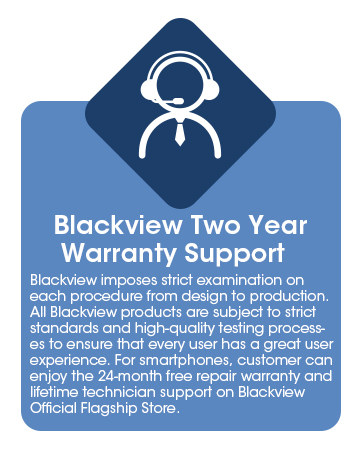
Image: Information graphic detailing Blackview's two-year warranty support, emphasizing strict quality examination and 24-month free repair service.


