1. المقدمة
This manual provides detailed instructions for setting up, operating, and maintaining your MOFII Wireless Keyboard and Mouse Combo (Model 693). This 2.4G wireless set offers a full-size keyboard with 104 round keys and a silent mouse, designed for compatibility with various operating systems and devices.
2. محتويات العبوة
- لوحة المفاتيح اللاسلكية شنومكس
- 1x ماوس لاسلكي
- بطاريتان AA (متضمنتان)
- 1 × جهاز استقبال نانو يو إس بي
- 1 × دليل المستخدم

3. الإعداد
3.1. تركيب البطارية
- حدد مكان حجرات البطارية على الجانب السفلي لكل من لوحة المفاتيح والماوس.
- افتح أغطية البطارية.
- Insert one AA battery into the keyboard and one AA battery into the mouse, ensuring correct polarity (+/-).
- أغلق أغطية البطارية بشكل آمن.

3.2. توصيل مستقبل USB
- The USB nano receiver is stored inside the mouse's battery compartment. Gently remove it.
- Plug the USB nano receiver into an available USB port on your computer, laptop, or compatible device.
- The keyboard and mouse will automatically connect to your device. No additional software installation is required.

3.3. التوافق
The MOFII Wireless Keyboard and Mouse Combo is compatible with Windows 2000 / ME / XP / 7 / 8 / 10, VISTA, Mac OS, Chrome-book, PC, Laptop, and other computing devices. For devices without a standard USB-A port (e.g., some tablets), a USB adapter (not included) may be required.

4. تعليمات التشغيل
4.1. الاستخدام الأساسي
Once the USB receiver is connected and batteries are installed, the keyboard and mouse are ready for immediate use. The keyboard features retro floating round keycaps designed for comfortable typing. The mouse offers smooth and precise cursor control with multiple 1600 DPI levels.
4.2. مفاتيح الاختصار للوسائط المتعددة
The keyboard includes 13 multimedia hotkeys for enhanced efficiency. These keys are typically accessed by pressing the Fn key in combination with the corresponding F-key (F1-F12).
- الجبهة الوطنية + F1: مشغل الوسائط
- الجبهة الوطنية + F2: تشغيل/إيقاف مؤقت
- الجبهة الوطنية + F3: المسار السابق
- الجبهة الوطنية + F4: المسار التالي
- الجبهة الوطنية + F5: رفع الصوت
- الجبهة الوطنية + F6: خفض الصوت
- الجبهة الوطنية + F7: صامت
- الجبهة الوطنية + F8: بيت
- الجبهة الوطنية + F9: بحث
- الجبهة الوطنية + F10: العلامات المرجعية
- الجبهة الوطنية + F11: بريد
- الجبهة الوطنية + F12: لوحة المفاتيح قفل
- Fn + ESC: جهاز الكمبيوتر الخاص بي

4.3. وضع السكون التلقائي
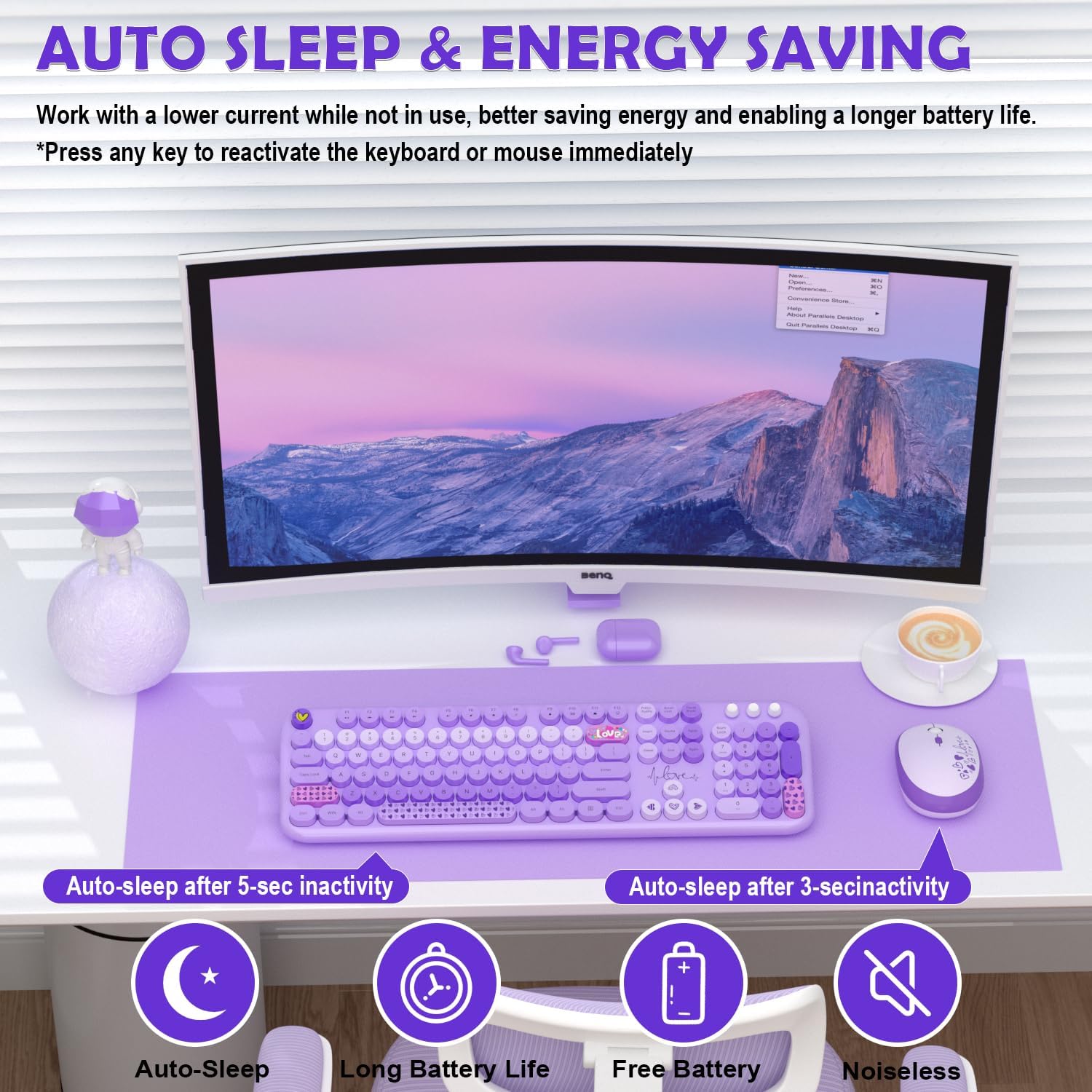
Both the keyboard and mouse feature an auto sleep mode to conserve battery life. After 30 minutes of inactivity, the devices will enter sleep mode. To wake them up, simply press any key on the keyboard or click any button on the mouse.
5. الصيانة
5.1. التنظيف
لتنظيف لوحة المفاتيح والفأرة، استخدم قطعة قماش ناعمة وجافة. أما بالنسبة للأوساخ العنيدة، فامسحها برفق بقطعة قماش جافة.amp cloth with mild soap can be used, ensuring no liquid enters the device. The round keycaps are removable for deeper cleaning if necessary.

5.2. استبدال البطارية
When the battery indicator light on the keyboard (if applicable) or mouse begins to flash, it's time to replace the batteries. Follow the battery installation steps (Section 3.1) to replace the AA batteries in both devices.
6. استكشاف الأخطاء وإصلاحها
- لا يوجد اتصال: Ensure the USB nano receiver is securely plugged into a working USB port. Check that batteries are correctly installed in both the keyboard and mouse. Try plugging the receiver into a different USB port.
- اتصال متقطع أو متقطع: Move the keyboard and mouse closer to the USB receiver. Avoid placing the receiver near other wireless devices or large metal objects that might cause interference.
- المفاتيح لا تستجيب: Check battery levels. If the devices are in auto sleep mode, press any key/button to wake them up.
- يقفز مؤشر الماوس أو يكون غير دقيق: Ensure the mouse is used on a clean, non-reflective surface. Adjust DPI settings if available (check mouse for a dedicated DPI button).
7. المواصفات
| ميزة | التفاصيل |
|---|---|
| أبعاد المنتج | 13 × 2 × 1 بوصة |
| وزن العنصر | 1.98 رطل |
| رقم موديل العنصر | 693 |
| البطاريات المطلوبة | 2 AA batteries (1 for keyboard, 1 for mouse - included) |
| تكنولوجيا الاتصال | 2.4 جيجا يو اس بي لاسلكي |
| المميزات الخاصة | Ergonomic, Lightweight, Round Keycaps, Silent Mouse, Auto Sleep Mode, 13 Multimedia Hotkeys |
| الأجهزة المتوافقة | Laptop, Personal Computer, Projector, Tablet (Windows, Mac OS, Chrome OS, Linux) |
8. الضمان والدعم
MOFII offers a 1-Year Warranty and a 30-day Free Return Policy for this product. For customer support, please contact MOFII directly via email or through their official store.
- بريد إلكتروني: support_mofii@163.com
- الدعم عبر الإنترنت: قم بزيارة MOFII Store on Amazon and click "Ask a question" to contact support.

9. مقاطع فيديو رسمية للمنتج
9.1. Wireless Keyboard/Mouse Great Design, Easy Setup (Review)
فيديو: تقرير مفصلview عرضasing the design and easy setup process of the MOFII Wireless Keyboard and Mouse Combo. This video highlights the plug-and-play functionality and overall user experience.
9.2. Plug and Play Experience From An iMac User
Video: An iMac user demonstrates the plug-and-play experience of the MOFII Wireless Keyboard and Mouse, emphasizing its ease of use and compatibility with Apple devices.


