مقدمة
This manual provides instructions for the MoKo AZERTY Foldable Bluetooth Keyboard, a portable wireless input device designed for use with various operating systems. It features a 2-in-1 design combining a touchpad and a numeric keypad, multi-device connectivity, and a rechargeable battery, offering convenience for mobile computing.

Image: The MoKo AZERTY Foldable Bluetooth Keyboard unfolded, shown with a smartphone on a stand, illustrating its compact and portable design.
محتويات الحزمة
يرجى التأكد من وجود جميع العناصر في الحزمة:
- 1 × لوحة مفاتيح لاسلكية قابلة للطي
- 1 x Stand (for phones or tablets up to 12.9 inches)
- 1 x USB Type-C Charging Cable
- 1 × دليل المستخدم
يثبت
شحن لوحة المفاتيح
The keyboard features a built-in 140mAh rechargeable lithium battery. To charge, connect the included USB Type-C cable to the keyboard's charging port and a standard USB power source (e.g., computer USB port, wall adapter). A full charge takes approximately 1.5 to 2 hours and provides up to 60 hours of working time.

Image: Close-up of the MoKo Foldable Bluetooth Keyboard showing the USB-C charging port and a charging cable connected, indicating the charging process.
بلوتوث الاقتران
- Ensure the keyboard is charged and powered on. The power switch is typically located on the side or back of the keyboard.
- قم بتفعيل البلوتوث على جهازك (الهاتف الذكي، الجهاز اللوحي، الكمبيوتر الشخصي).
- بحث عن available Bluetooth devices. The keyboard should appear as 'MoKo Keyboard' or a similar identifier.
- Select the keyboard from the list to initiate pairing. Follow any on-screen prompts to complete the connection.
اتصال متعدد الأجهزة
This keyboard supports simultaneous connection with up to three devices, allowing for seamless switching:
- Pair your first device using the Bluetooth pairing steps above, then press Fn + BT1.
- Pair your second device, then press Fn + BT2.
- Pair your third device, then press Fn + BT3.
- للتبديل بين الأجهزة المقترنة، اضغط ببساطة على Fn + BT1, Fn + BT2، أو Fn + BT3. The wireless range is approximately 15 meters (49 feet).

Image: The MoKo Foldable Bluetooth Keyboard wirelessly connected to a laptop, a tablet, and a smartphone, demonstrating its multi-device pairing capability.
تعليمات التشغيل
Touchpad and Numpad Functionality
The keyboard integrates a 2-in-1 design that combines a touchpad and a numeric keypad. In touchpad mode, it supports standard left and right mouse button functions, along with various gesture controls for navigation. To switch between touchpad mode, numeric keypad mode, and arrow key mode, press the Fn key simultaneously with the dedicated toggle key (indicated by a numpad icon on the keyboard).

Image: The MoKo Foldable Bluetooth Keyboard highlighting the touchpad area and illustrating how to switch between touchpad mode and numeric keypad mode using the Fn key combination.
Keyboard Layout and Keys
This keyboard features an AZERTY FR layout. The scissor-switch key mechanism provides a quiet, smooth, and stable typing experience, similar to a laptop keyboard, enhancing typing comfort and precision.

الصورة: لقطة مقربة view of the MoKo keyboard keys, demonstrating the scissor-switch mechanism beneath the keycaps, which contributes to quiet and fluid typing.
وضع السكون التلقائي
To conserve battery power, the keyboard automatically enters an auto-sleep mode after 10 minutes of inactivity. To wake the keyboard, simply press any key.
التوافق
The MoKo Foldable Bluetooth Keyboard is compatible with a wide range of operating systems, including Windows, Mac OS, iOS, HarmonyOS, and Android devices. This allows for versatile use with PCs, tablets, smartphones, and laptops.

Image: The MoKo Foldable Bluetooth Keyboard displayed alongside a desktop computer, a tablet, and a smartphone, illustrating its broad compatibility with macOS, Windows, iOS, and Android operating systems.
صيانة
لضمان طول عمر لوحة المفاتيح لديك وأدائها الأمثل، اتبع إرشادات الصيانة التالية:
- تنظيف: استخدم قطعة قماش ناعمة وجافة وخالية من الوبر لتنظيف سطح لوحة المفاتيح. لإزالة الأوساخ المستعصية، افركها برفق.ampبلّل قطعة القماش بالماء أو بمنظف لطيف غير كاشط. تجنب رش السوائل مباشرة على لوحة المفاتيح أو استخدام مواد كيميائية قاسية.
- تخزين: When not in use, fold the keyboard to protect the keys and store it in a dry environment, away from direct sunlight, extreme temperatures, and excessive humidity.
- التعامل: Avoid dropping the keyboard or subjecting it to strong impacts, as this can damage internal components or the folding mechanism.
استكشاف الأخطاء وإصلاحها
If you encounter issues with your MoKo Foldable Bluetooth Keyboard, refer to the following common solutions:
- لوحة المفاتيح غير متصلة عبر البلوتوث:
- تأكد من تشغيل لوحة المفاتيح وشحنها بالكامل.
- Verify that Bluetooth is enabled on your device and it is discoverable.
- حاول إلغاء إقران لوحة المفاتيح وإعادة إقرانها من إعدادات البلوتوث في جهازك.
- أعد تشغيل كل من لوحة المفاتيح والجهاز.
- Ensure the keyboard is within the 15-meter (49 feet) wireless range.
- المفاتيح لا تستجيب أو تكتب بشكل غير صحيح:
- تحقق من مستوى البطارية وأعد شحنها إذا لزم الأمر.
- Ensure the correct operating system mode is selected (if applicable, though this model auto-detects).
- نظف المنطقة المحيطة بالمفاتيح التي لا تستجيب لإزالة أي شوائب.
- Touchpad or Numpad not working:
- Verify that you are in the correct mode (touchpad, numpad, or arrow keys) by pressing Fn + [Numpad/Touchpad Toggle Key].
- Ensure the touchpad is not accidentally disabled in your device's settings.
- تنقطع لوحة المفاتيح بشكل متكرر:
- Reduce the distance between the keyboard and your device.
- تقليل التداخل من الأجهزة اللاسلكية الأخرى.
- تأكد من أن لوحة المفاتيح مشحونة بالكامل.
تحديد
| ميزة | التفاصيل |
|---|---|
| ماركة | موكو |
| رقم الموديل | ص840401438404 |
| لون | رمادي |
| تكنولوجيا الاتصال | بلوتوث |
| المميزات الخاصة | Rechargeable, Foldable, Integrated Touchpad & Numpad |
| الأجهزة المتوافقة | PC, Tablet, Smartphone, Laptop (Windows, Mac OS, iOS, HarmonyOS, Android) |
| سعة البطارية | 140 مللي أمبير |
| وقت العمل | تصل إلى 60 ساعة |
| وقت الشحن | 1.5 الى 2 ساعة |
| حجم التشغيلtage | 3.7 فولت |
| مادة | البلاستيك (ABS) |
| الأبعاد المطوية | 15.2 x 9.81 x 1.98 cm (5.98 x 3.86 x 0.78 inches) |
| الأبعاد غير المطوية | 30.43 x 9.81 x 0.99 cm (11.98 x 3.86 x 0.39 inches) |
| وزن | 203 جرام (7.16 أونصة) |
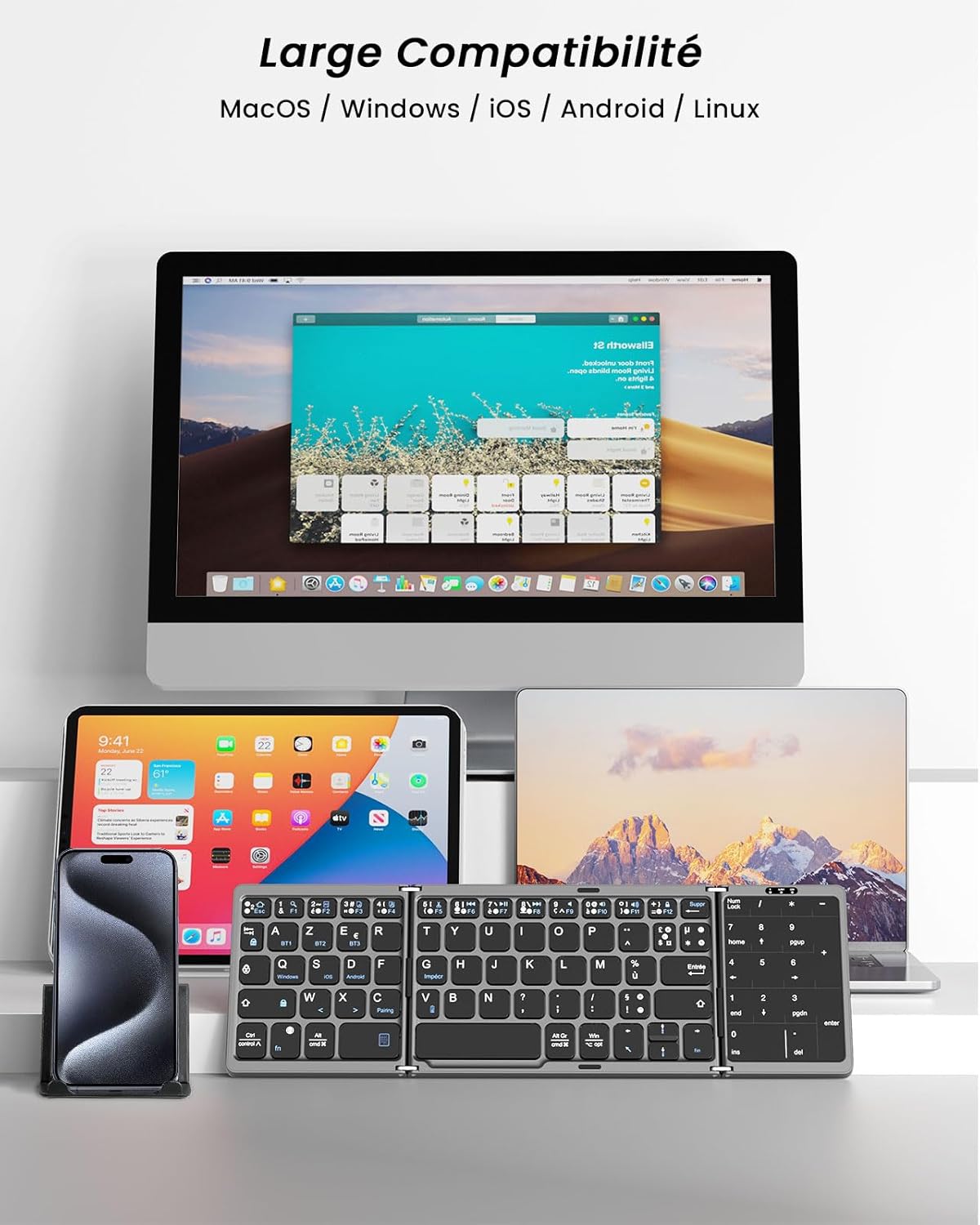
Image: The MoKo Foldable Bluetooth Keyboard shown with its folded and unfolded dimensions in both centimeters and inches, providing a clear visual reference for its compact size.
الضمان والدعم
MoKo is committed to providing high-quality products and customer service. While specific warranty periods may vary by region, MoKo offers professional after-sales support for this product. If you encounter any issues or have questions regarding your MoKo AZERTY Foldable Bluetooth Keyboard, please do not hesitate to contact MoKo customer support. They aim to respond to inquiries within 24 hours and provide a satisfactory solution.


