1. المقدمة
Thank you for choosing the Moman PD65 D-Tap to USB-C 65W Bidirectional Charging Adapter. This device is designed to provide versatile power solutions, enabling both charging and discharging for a wide range of devices, including V-mount batteries, cameras, phones, laptops, and tablets, via a USB Type-C interface. Please read this manual thoroughly before use to ensure proper operation and safety.
1.1 محتويات الصندوق
- Moman PD65 D-Tap to USB-C 65W Bidirectional Charging Adapter (1 unit)
2. معلومات هامة حول السلامة
لتجنب تلف المنتج أو إصابة نفسك أو الآخرين، يرجى مراعاة احتياطات السلامة التالية:
- لا تعرض المحول للماء أو الرطوبة أو درجات الحرارة القصوى.
- Do not attempt to disassemble, repair, or modify the adapter.
- ضمان المجلد المناسبtage and current compatibility when connecting devices.
- يحفظ بعيدًا عن متناول الأطفال.
- The Moman PD65 features built-in overheating, overvoltage, overload, and input/output reverse protection. However, always use the device responsibly.
- Avoid dropping or subjecting the adapter to severe impacts.
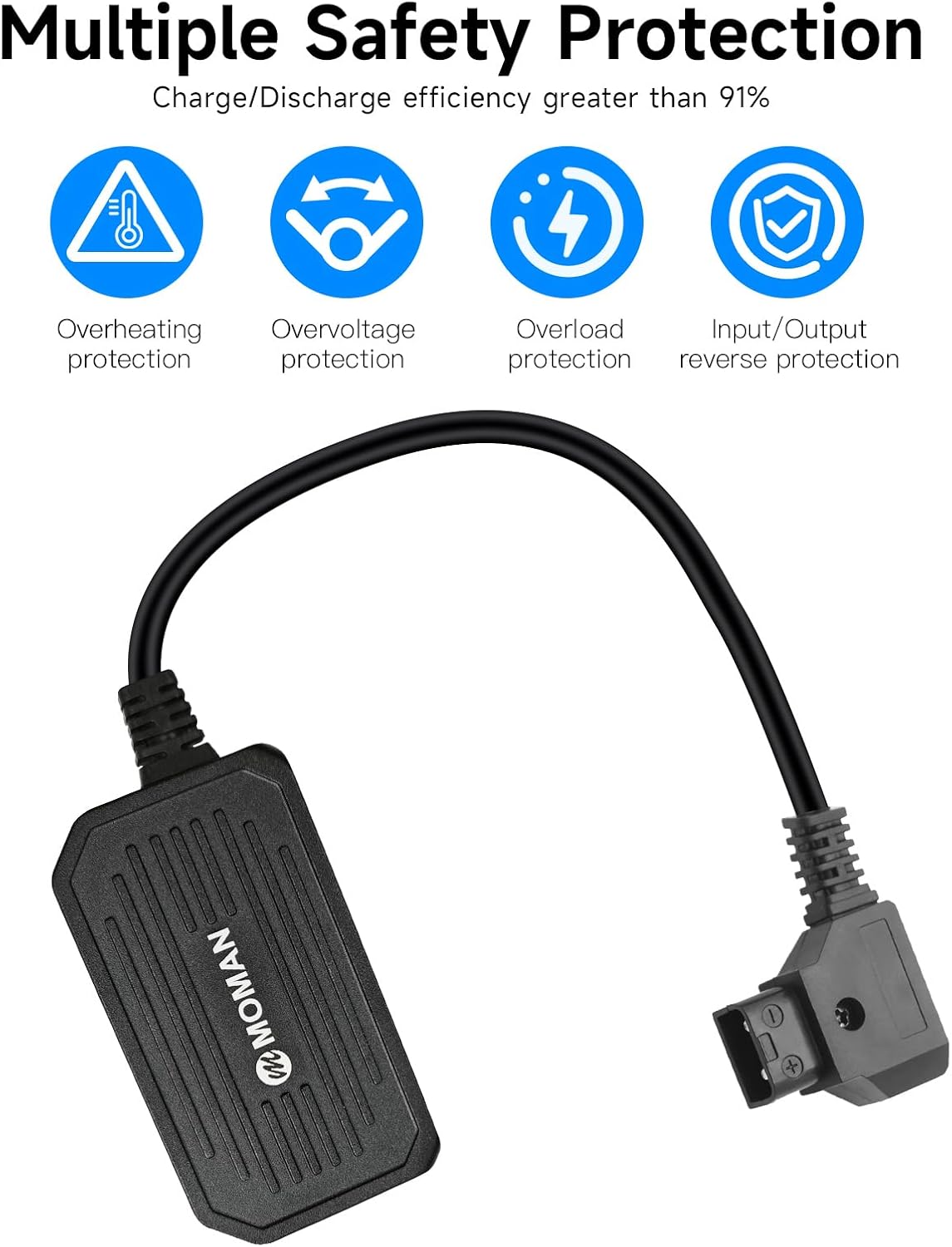
Image: The Moman PD65 adapter highlighting its multiple safety protections, including overheating, overvoltage, overload, and input/output reverse protection, ensuring safe operation.
3. انتهى المنتجview
The Moman PD65 is a compact and efficient D-Tap to USB-C adapter designed for professional and everyday use. It facilitates bidirectional power flow, meaning it can charge devices from a D-Tap source or allow a D-Tap battery to be charged via a USB-C power source (if the D-Tap battery supports USB-C input charging).
3.1 الميزات الرئيسية
- Bidirectional Power: Supports both charging and discharging through the D-Tap and USB-C interfaces.
- 65W شحن سريع: Delivers up to 65W output via USB-C for rapid charging of compatible devices.
- التوافق الواسع: Works with V-mount batteries and a broad range of USB-C powered devices.
- حماية متعددة للسلامة: Includes overheating, overvoltage, overload, and input/output reverse protection.
- تصميم مضغوط: Weighs approximately 90g, making it highly portable.

Image: A visual representation of the Moman PD65 adapter's bidirectional functionality, showing power flow in both directions between D-Tap and USB-C connections.

Image: The Moman PD65 adapter is shown held in a hand, emphasizing its small size and light weight (90g) as a modern alternative to bulkier traditional chargers.
4. المواصفات
| ميزة | مواصفة |
|---|---|
| D-TAP Input | 12-17V, 48W Max. (No-load Voltagه 16.8 فولت) |
| مخرج من النوع C | 65 واط كحد أقصى. |
| طول الكابل | 50سم (19.7 بوصة) |
| البروتوكولات المدعومة | APPLE, HUAWEI FCP, BC1.2, SCP, SAMSUNG AFC, QC2.0, QC3.0, PD3.0 |
| وزن | حوالي 90 جرامًا (3.17 أونصة) |
| الأبعاد (جسم المحول) | الأبعاد التقريبية للعبوة: 4.65 × 4.09 × 1.06 بوصة |

الصورة: لقطة مقربة view of the Moman PD65 adapter's D-Tap and USB-C connectors, with labels indicating their respective input/output parameters and cable length.
5. الإعداد
5.1 Connecting to a D-Tap Power Source
- Locate the D-Tap port on your V-mount battery or battery holder.
- Carefully align the D-Tap connector of the Moman PD65 adapter with the D-Tap port on your power source. Ensure correct polarity (the adapter's D-Tap connector is designed to prevent incorrect insertion, but always double-check).
- Firmly insert the D-Tap connector until it is securely seated.
5.2 Connecting to a USB-C Device
- Locate the USB-C port on the device you wish to charge or power (e.g., camera, phone, laptop, tablet).
- Connect the USB-C end of the Moman PD65 adapter to your device's USB-C port.
- تأكد من أن الاتصال محكم.

Image: The Moman PD65 adapter is shown connected to a V-mount battery, which in turn is providing power to a camera light, demonstrating a typical setup.
6. تعليمات التشغيل
6.1 Charging Devices from a D-Tap Source
Once the Moman PD65 is connected to a D-Tap power source (like a V-mount battery) and a USB-C device, it will automatically begin charging the connected USB-C device. The adapter supports various fast charging protocols, including PD3.0, QC2.0, QC3.0, and others, to optimize charging speed for compatible devices.

Image: This graphic illustrates the Moman PD65's 65W charging efficiency, detailing estimated charging times for V-mount batteries and percentage gains for devices like iPad Pro, MacBook Pro, and iPhone 15 Pro in 30 minutes.
6.2 Discharging (Charging a D-Tap Battery via USB-C)
The Moman PD65 supports bidirectional power. If your D-Tap battery is designed to accept charge via its D-Tap port, you can connect a USB-C power source (e.g., a USB-C wall charger) to the Moman PD65, and then connect the adapter's D-Tap end to your D-Tap battery. The adapter will then facilitate charging of the D-Tap battery.
ملحوظة: The Moman PD65 does not feature indicator lights. To confirm operation, observe the charging status on your connected device or the D-Tap battery, or note if the adapter becomes slightly warm during use, which is normal for power transfer.

الصورة: عرض الكولاجasing the Moman PD65 adapter in action, demonstrating its versatility in charging V-mount batteries, smartphones, and tablets in different professional and personal settings.
7. التوافق
The Moman PD65 adapter is widely compatible with:
- All V-mount batteries or other batteries equipped with a D-Tap socket.
- Mobile phones, tablets, and laptops that support USB-C fast charging.
- Mobile power supplies, SDI converters, wireless transmitters, and digital cameras equipped with a USB-C power input.
Supported charging protocols include APPLE, HUAWEI FCP, BC1.2, SCP, SAMSUNG AFC, QC2.0, QC3.0, and PD3.0.
8. الصيانة
8.1 التنظيف
امسح المحول بقطعة قماش ناعمة وجافة. لا تستخدم المنظفات السائلة أو المذيبات.
8.2 التخزين
قم بتخزين المحول في مكان بارد وجاف بعيدًا عن أشعة الشمس المباشرة ودرجات الحرارة القصوى عند عدم استخدامه.
9. استكشاف الأخطاء وإصلاحها
- الجهاز لا يشحن:
- Ensure both the D-Tap and USB-C connections are secure.
- Verify that the D-Tap power source (e.g., V-mount battery) has sufficient charge.
- Check if the USB-C device is compatible with the adapter's charging specifications.
- If attempting to charge a D-Tap battery via USB-C, confirm that the D-Tap battery itself supports charging through its D-Tap port.
- Adapter feels warm:
- It is normal for the adapter to become slightly warm during operation, especially during high-power charging. If it becomes excessively hot, disconnect it immediately and contact support.
- No indicator lights:
- The Moman PD65 adapter does not include built-in indicator lights. Confirm operation by checking the charging status on your connected device or D-Tap battery.
10. الضمان والدعم
Moman products are designed for reliability and performance. For specific warranty details, please refer to the warranty card included with your purchase or visit the official Moman website. For technical support or inquiries, please contact Moman customer service through their official channels.
Moman Official Webموقع: www.moman.co


