مقدمة
Thank you for choosing MANHATTAN Bluetooth Wireless Neckband Headphones. These headphones are designed to provide high-quality audio and hands-free communication with comfort and durability, ideal for various activities including work, music, and calls. This manual will guide you through the setup, operation, and maintenance of your new headphones.

The MANHATTAN Bluetooth Wireless Neckband Headphones, showcasing the neckband, earbuds, and various ear tip sizes.
ماذا يوجد في الصندوق
تأكد من وجود جميع العناصر قبل المتابعة في عملية الإعداد.
- 1x Wireless Headphones with Neckband
- 1x USB Charging Cable (1 ft / 0.3 m)
- Earphone tips in three different sizes: Small, Medium, Large
- خطافات الأذن
- Instructions (this manual)

All components included with your MANHATTAN Neckband Headphones.
المنتج انتهىview
The MANHATTAN Bluetooth Wireless Neckband Headphones are designed for comfort and functionality, featuring a secure fit and intuitive controls.

The comfortable neckband design ensures a secure fit during various activities.

Built-in microphone for crystal clear calls in noisy environments.

Magnetic backs keep earbuds neatly together when not in use. Vibrant LEDs can be switched on/off.

IPX4-rated for water resistance, suitable for sweat and light rain.
عرض فيديو المنتج الرسميasing the features and benefits of the MANHATTAN Bluetooth Wireless Neckband Headphones.
يثبت
1. شحن سماعات الرأس
Before first use, fully charge your headphones. Use the included USB charging cable.
- Connect the small end of the USB charging cable to the charging port on the neckband.
- قم بتوصيل الطرف الأكبر من كابل USB بمصدر طاقة USB (مثل منفذ USB في الكمبيوتر، أو محول USB الجداري).
- The LED indicator will show charging status. Once fully charged, the LED will change or turn off.
2. الاقتران بجهاز بلوتوث
Pair your headphones with your smartphone, tablet, or other Bluetooth-enabled device.
- تأكد من إيقاف تشغيل سماعات الرأس.
- Press and hold the power button on the neckband until the LED indicator flashes rapidly (usually blue and red), indicating pairing mode.
- على جهازك، انتقل إلى إعدادات البلوتوث وقم بتشغيل البلوتوث.
- Select "MANHATTAN 179829" (or similar name) from the list of available devices.
- بمجرد الاتصال، سيُظهر مؤشر LED الموجود على سماعات الرأس عادةً ضوءًا أزرق ثابتًا أو يومض ببطء.

Bluetooth 5.2 ensures a stable and efficient wireless connection.
تعليمات التشغيل
تشغيل/إيقاف الطاقة
- تشغيل الطاقة: اضغط مع الاستمرار على زر الطاقة حتى يضيء مؤشر LED.
- إيقاف التشغيل: اضغط مع الاستمرار على زر الطاقة حتى ينطفئ مؤشر LED.
تشغيل الموسيقى
- تشغيل/إيقاف مؤقت: اضغط على الزر متعدد الوظائف مرة واحدة.
- المسار التالي: اضغط مع الاستمرار على زر رفع الصوت.
- المسار السابق: اضغط مع الاستمرار على زر خفض الصوت.
- رفع الصوت: اضغط لفترة قصيرة على زر رفع الصوت.
- اخفض الصوت: اضغط لفترة قصيرة على زر خفض الصوت.
استدعاء إدارة
- الرد/إنهاء المكالمة: اضغط على الزر متعدد الوظائف مرة واحدة.
- رفض المكالمة: اضغط مع الاستمرار على الزر متعدد الوظائف لمدة ثانيتين.
- إعادة الاتصال بالرقم الأخير: اضغط مرتين على الزر متعدد الوظائف.
Mode Switching (Music/Game Mode)
These headphones feature a quick mode switch for Music Mode and Gaming Mode.
- وضع التبديل: Locate the dedicated Music/Game Mode button on the neckband and press it to toggle between modes.

مفصل view of the control buttons on the neckband for easy operation.
صيانة
- تنظيف: امسح سماعات الرأس بقطعة قماش ناعمة وجافة. لا تستخدم منظفات أو مذيبات كاشطة.
- تخزين: When not in use, store the headphones in a cool, dry place, away from direct sunlight and extreme temperatures. The magnetic backs help keep the earbuds neatly together.
- مقاومة الماء: The headphones are IPX4-rated, meaning they are resistant to splashing water from any direction. Do not submerge them in water or expose them to heavy rain for extended periods.
- العناية بالبطارية: لإطالة عمر البطارية، تجنب تفريغها بالكامل بشكل متكرر. اشحن سماعات الرأس بانتظام، حتى لو لم تكن تستخدمها بكثرة.
استكشاف الأخطاء وإصلاحها
| مشكلة | الحل المحتمل |
|---|---|
| لن يتم تشغيل سماعات الرأس. | تأكد من شحن البطارية. وصّل الجهاز بمصدر طاقة وحاول مرة أخرى. |
| لا يمكن الاقتران بالجهاز. |
|
| لا يوجد صوت أو مستوى الصوت منخفض. |
|
| جودة المكالمة سيئة. |
|
تحديد
| ميزة | التفاصيل |
|---|---|
| رقم الموديل | 179829 |
| نسخة البلوتوث | 5.2 |
| نوع التحكم | التحكم في الوسائط، عن بعد |
| نطاق التردد | 20 هرتز - 20,000 هرتز |
| وقت اللعب | تصل إلى 15 ساعة |
| وقت الاستعداد | تصل إلى 280 ساعة |
| مقاومة الماء | تصنيف IPX4 |
| لاسلكي المدى | 30 قدم (حوالي 9 أمتار) |
| مادة | بلاستيك |
| وزن العنصر | 5 أونصات |
| الأجهزة المتوافقة | Laptops, Desktops, Gaming Consoles, Tablets, Telephones, Smart Speaker, Television, Cellphones |
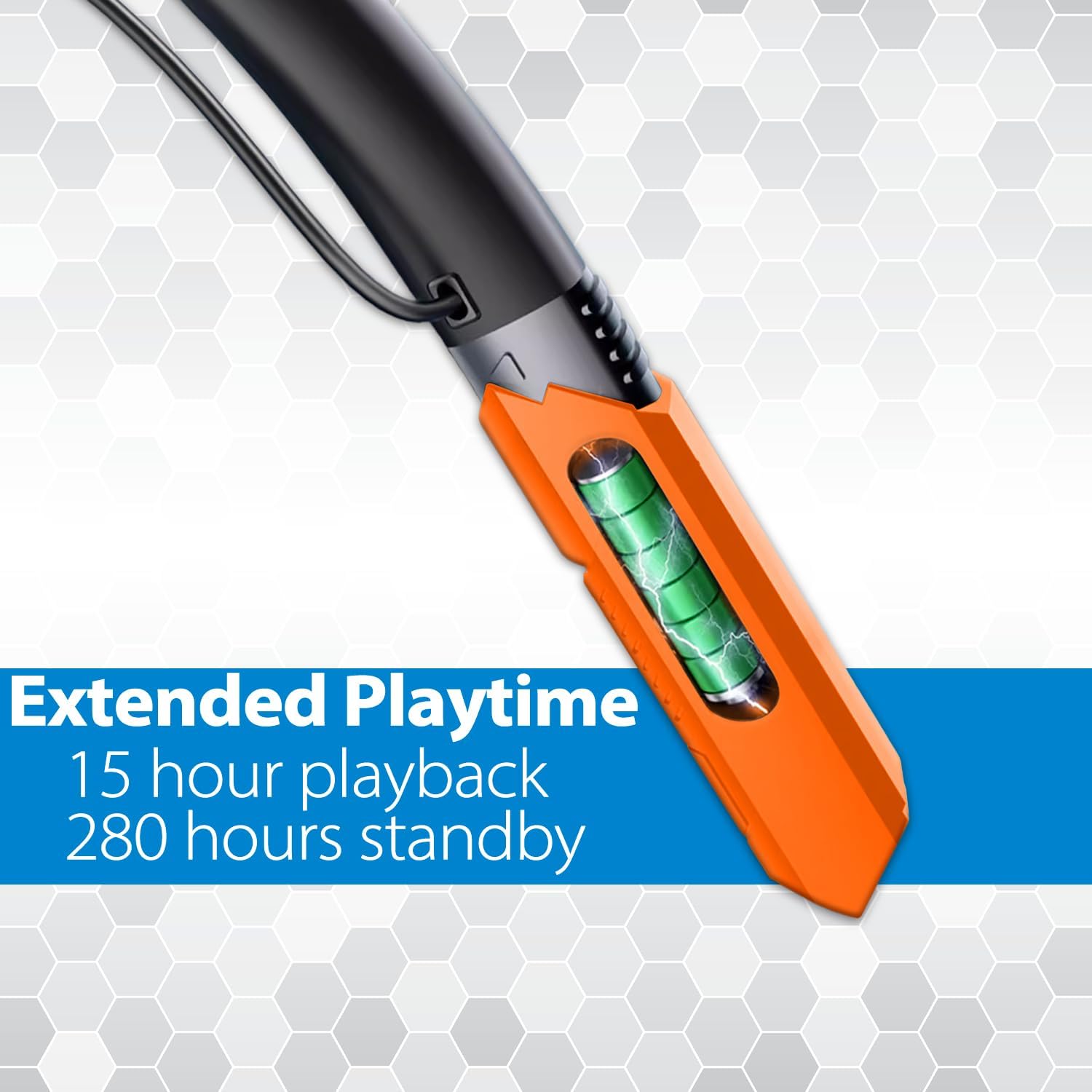
High-capacity battery delivers up to 15 hours of playback.
الضمان والدعم
MANHATTAN products are backed by a 3-year manufacturer's warranty. For warranty claims, technical support, or product inquiries, please visit the official MANHATTAN webالموقع أو الاتصال بخدمة العملاء الخاصة بهم.
Official MANHATTAN Store on Amazon: MANHATTAN Products Store
For additional support, refer to the contact information provided in your product packaging or on the manufacturer's webموقع.


