مقدمة
This manual provides essential information for the safe and effective operation of your CJ Tech IPX7 Waterproof True Wireless Bluetooth Portable Speaker. Please read this manual thoroughly before using the product and retain it for future reference.
The CJ Tech Portable Speaker is designed for durability and high-quality audio, featuring an IPX7 waterproof rating, True Wireless Stereo (TWS) functionality, and multiple playback options including Bluetooth, USB, and microSD. It also includes a built-in microphone for hands-free calling, making it ideal for various environments, from outdoor adventures to home use.
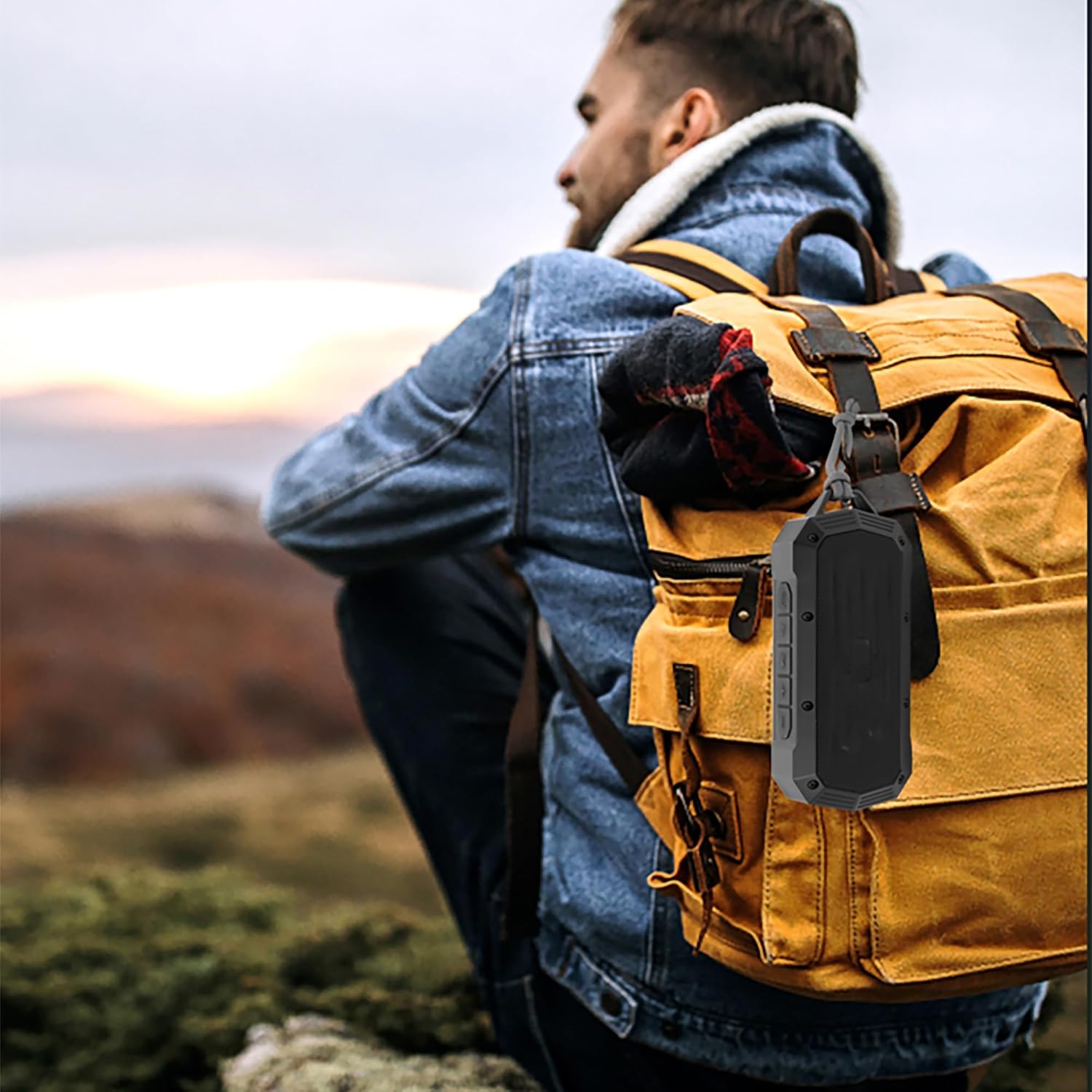
Image: The CJ Tech Portable Speaker conveniently clipped to a backpack, demonstrating its portability for outdoor use.
معلومات السلامة
- لا تعرض مكبر الصوت لدرجات حرارة عالية أو لأشعة الشمس المباشرة لفترات طويلة.
- Ensure the charging port cover is securely closed when near water to maintain IPX7 waterproofing.
- لا تحاول تفكيك السماعة أو تعديلها. سيؤدي ذلك إلى إلغاء الضمان وقد يتسبب في تلفها.
- يحفظ بعيدًا عن متناول الأطفال.
- استخدم فقط كابل الشحن المقدم أو ما يعادله المعتمد.
- تجنب إسقاط السماعة أو تعريضها لصدمات قوية.
- قم بتنظيف مكبر الصوت باستخدام قطعة قماش ناعمة.amp القماش. لا تستخدم المنظفات أو المذيبات الكاشطة.
محتويات الحزمة
يرجى التحقق من الحزمة للعناصر التالية:
- CJ Tech IPX7 Waterproof Portable Speaker (Model: 71699)
- كابل الشحن
- دليل المستخدم

Image: Contents of the CJ Tech Portable Speaker package, including the speaker and charging cable.
المنتج انتهىview
Familiarize yourself with the various parts and controls of your CJ Tech Portable Speaker.

الصورة: الجبهة view of the CJ Tech Portable Speaker, showing the speaker grille and top control panel.
Control Panel (Top View)
- زر الطاقة: اضغط مع الاستمرار للتشغيل/الإيقاف.
- زر التشغيل/الإيقاف المؤقت: اضغط لتشغيل الموسيقى أو إيقافها مؤقتًا. اضغط للرد على المكالمات أو إنهائها.
- زر خفض الصوت / المسار السابق: اضغط لخفض مستوى الصوت. اضغط مع الاستمرار للعودة إلى المقطع السابق.
- زر رفع الصوت / المسار التالي: اضغط لزيادة مستوى الصوت. اضغط مع الاستمرار للانتقال إلى المقطع التالي.
- زر الوضع (M): Press to switch between Bluetooth, FM Radio, USB, and microSD modes.
- زر TWS: اضغط لبدء عملية الاقتران اللاسلكي الحقيقي.
Ports (Under Protective Cover)
- منفذ USB: لتشغيل محرك أقراص فلاش USB.
- منفذ كارت الذاكرة الصغيرة: لتشغيل الملفات من بطاقة microSD.
- منفذ شحن USB-C: لشحن مكبر الصوت.
يثبت
شحن السماعة
قبل الاستخدام الأول، اشحن السماعة بالكامل. يستغرق الشحن الكامل حوالي 2-3 ساعات.
- Open the protective cover on the side of the speaker to reveal the charging port.
- Connect the provided charging cable to the USB-C charging port on the speaker.
- قم بتوصيل الطرف الآخر من كابل الشحن بمحول طاقة USB (غير متضمن) أو بمنفذ USB الخاص بالكمبيوتر.
- سيضيء مؤشر LED أثناء الشحن وينطفئ عند اكتمال الشحن.
- Once charging is complete, securely close the protective cover to maintain waterproofing.
تشغيل/إيقاف التشغيل
- لتشغيل: Press and hold the Power Button for approximately 3 seconds until you hear an audible prompt.
- لإيقاف التشغيل: Press and hold the Power Button for approximately 3 seconds until you hear an audible prompt.
تعليمات التشغيل
بلوتوث الاقتران
Pair your speaker with a Bluetooth-enabled device (smartphone, tablet, etc.) to stream audio wirelessly.
- Ensure the speaker is powered on and in Bluetooth mode. If not, press the Mode Button (M) until you hear the "Bluetooth mode" prompt. The LED indicator will flash blue, indicating it's ready for pairing.
- على جهازك، قم بتمكين البلوتوث وابحث عن الأجهزة المتاحة.
- Select "CJ Tech Speaker" from the list of found devices.
- Once successfully paired, you will hear a confirmation sound, and the LED indicator will turn solid blue.
- يمكنك الآن تشغيل الصوت من جهازك عبر مكبر الصوت.
ملاحظة: سيحاول مكبر الصوت تلقائيًا إعادة الاتصال بآخر جهاز مقترن عند تشغيله.
اقتران استريو لاسلكي حقيقي (TWS)
For an enhanced stereo sound experience, you can pair two CJ Tech 71699 speakers together.
- تأكد من تشغيل كلا السماعتين وعدم توصيلهما بأي جهاز بلوتوث.
- On one speaker (this will be the primary speaker), press the TWS Button. You will hear a prompt indicating TWS pairing mode.
- سيقوم المتحدث الرئيسي بالبحث تلقائيًا عن المتحدث الثاني.
- Once connected, you will hear a confirmation sound, and the LED indicators on both speakers will turn solid blue.
- الآن، قم بتوصيل جهازك بالسماعة الرئيسية عبر البلوتوث كما هو موضح في قسم "اقتران البلوتوث".
- سيتم الآن تشغيل الصوت بنظام ستيريو من خلال كلا السماعتين.
To disconnect TWS: Press the TWS Button on either speaker.
تشغيل راديو FM
استمتع بمحطات الراديو المفضلة لديك باستخدام موالف FM المدمج.
- Power on the speaker and press the Mode Button (M) until you hear the "FM Radio mode" prompt.
- To auto-scan and save available stations: Press and hold the Play/Pause Button. The speaker will scan and save all strong stations.
- To switch between saved stations: Use the Volume Up/Next Track and Volume Down/Previous Track buttons.
USB & microSD Playback
Play music directly from a USB flash drive or microSD card.
- Open the protective cover and insert a USB flash drive or microSD card into the corresponding port.
- The speaker will automatically switch to USB or microSD mode and begin playing music. If not, press the Mode Button (M) to select the correct mode.
- Use the Play/Pause, Volume Up/Next Track, and Volume Down/Previous Track buttons to control playback.
Note: Ensure your audio fileتكون الملفات بتنسيق متوافق (مثل MP3).
الاتصال بدون استخدام اليدين
عند الاتصال بهاتف ذكي عبر البلوتوث، يمكنك استخدام مكبر الصوت لإجراء مكالمات بدون استخدام اليدين.
- الرد على المكالمة: اضغط على زر التشغيل/الإيقاف المؤقت مرة واحدة.
- إنهاء المكالمة: Press the Play/Pause Button once during a call.
- رفض المكالمة: اضغط مع الاستمرار على زر التشغيل/الإيقاف المؤقت لمدة 2 ثوانٍ.
- إعادة الاتصال بالرقم الأخير: Double-press the Play/Pause Button.
صيانة
- تنظيف: Wipe the speaker with a soft, slightly damp قماش. لا تستخدم مواد كيميائية قاسية أو مواد كاشطة.
- تخزين: قم بتخزين مكبر الصوت في مكان بارد وجاف بعيدًا عن أشعة الشمس المباشرة ودرجات الحرارة العالية عند عدم استخدامه لفترات طويلة.
- العناية بالبطارية: لإطالة عمر البطارية، تجنب تفريغها بالكامل بشكل متكرر. اشحن السماعة بانتظام، حتى في حالة عدم استخدامها.
- العزل المائي: Always ensure the protective port cover is firmly sealed to maintain the IPX7 waterproof rating.
استكشاف الأخطاء وإصلاحها
| مشكلة | السبب المحتمل | حل |
|---|---|---|
| مكبر الصوت لا يعمل. | بطارية منخفضة. | اشحن السماعة بالكامل. |
| لا يمكن الاقتران بجهاز بلوتوث. | السماعة ليست في وضع الاقتران؛ البلوتوث في الجهاز معطل؛ السماعة بعيدة جدًا عن الجهاز. | Ensure speaker is in Bluetooth pairing mode (flashing blue LED). Turn on Bluetooth on your device. Move speaker closer to device (within 10 meters). |
| لا يوجد صوت. | Volume too low; Paused playback; Incorrect mode. | Increase volume on speaker and device. Press Play/Pause. Ensure correct mode (Bluetooth, USB, microSD, FM). |
| فشل اقتران TWS. | السماعات متصلة بالفعل بجهاز؛ السماعات متباعدة جداً. | Disconnect both speakers from any Bluetooth devices. Ensure speakers are within 1-2 meters of each other during TWS pairing. |
| استقبال راديو FM ضعيف. | اشارة ضعيفة. | قم بنقل مكبر الصوت إلى منطقة ذات استقبال أفضل. |
تحديد
| ميزة | التفاصيل |
|---|---|
| اسم الموديل | 71699 |
| نوع السماعة | محمول |
| تكنولوجيا الاتصال | Bluetooth, USB, microSD |
| تصنيف مقاومة الماء | IPX7 (submersible up to 1 meter for 30 seconds) |
| طاقة خرج السماعة | 5 واط |
| عمر البطارية | حتى ساعتين |
| ميكروفون مدمج | نعم (للمكالمات بدون استخدام اليدين) |
| ستيريو لاسلكي حقيقي (TWS) | Yes (pair two speakers) |
| الأبعاد (الطول × العرض × الارتفاع) | 18.4 × 5 × 8 سم (تقريبًا 7.2 × 2 × 3.1 بوصة) |
| وزن | 318 جرام (حوالي 0.7 رطل) |
| مصدر الطاقة | 1 بطارية ليثيوم أيون (متضمنة) |
| لون | أسود |
| الشركة المصنعة | سي جيه تك |
| بلد المنشأ | الصين |
الضمان والدعم
For warranty information or technical support, please refer to the documentation included with your purchase or contact CJ Tech customer service directly. Contact details are typically available on the manufacturer's webتغليف الموقع أو المنتج.
يرجى الاحتفاظ بإثبات الشراء الخاص بك لمطالبات الضمان.


